
Descripción del producto
Este producto contiene contenido generado por IA.
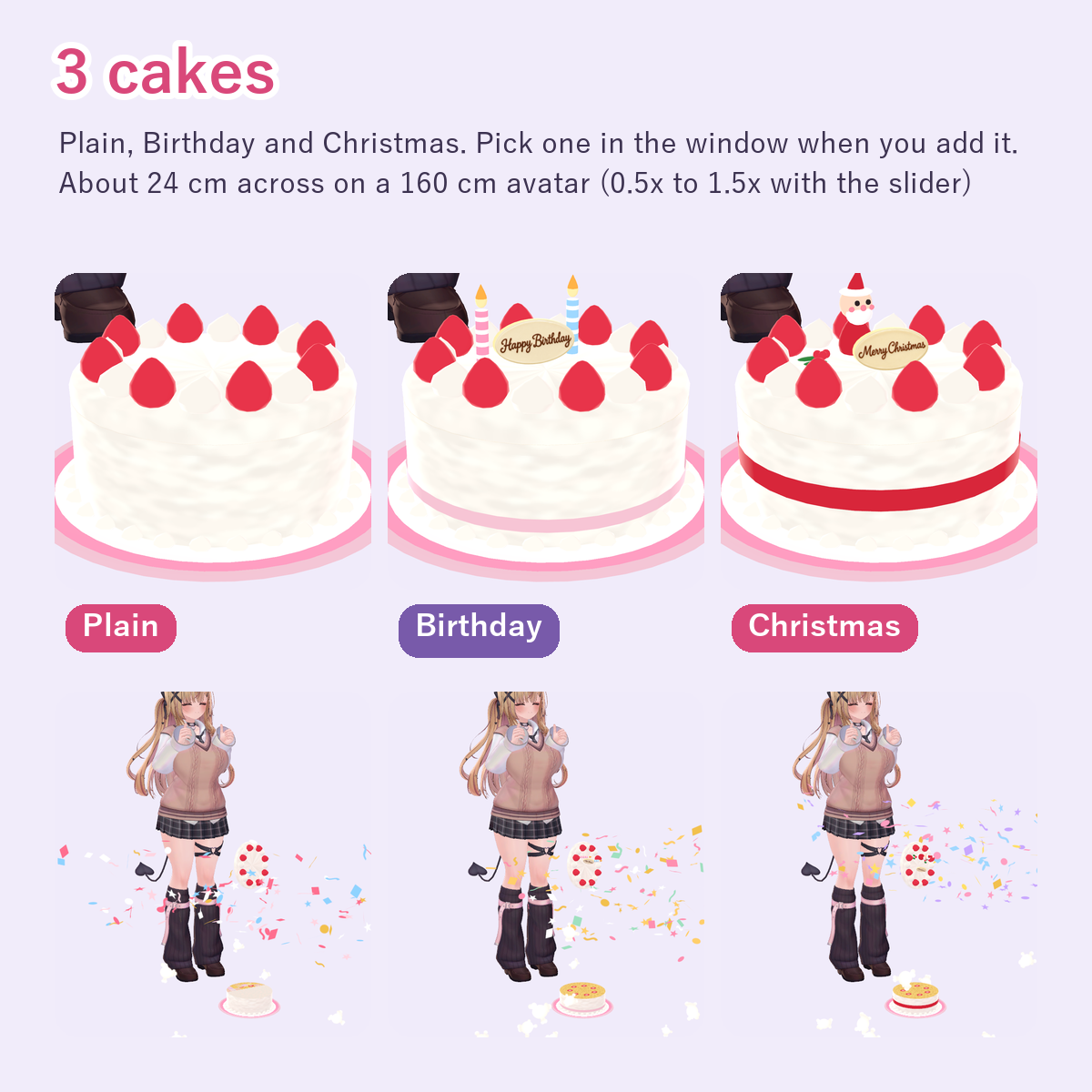
A prank whole cake for birthday and Christmas gatherings. The set has 3 cakes: Plain, Birthday and Christmas.
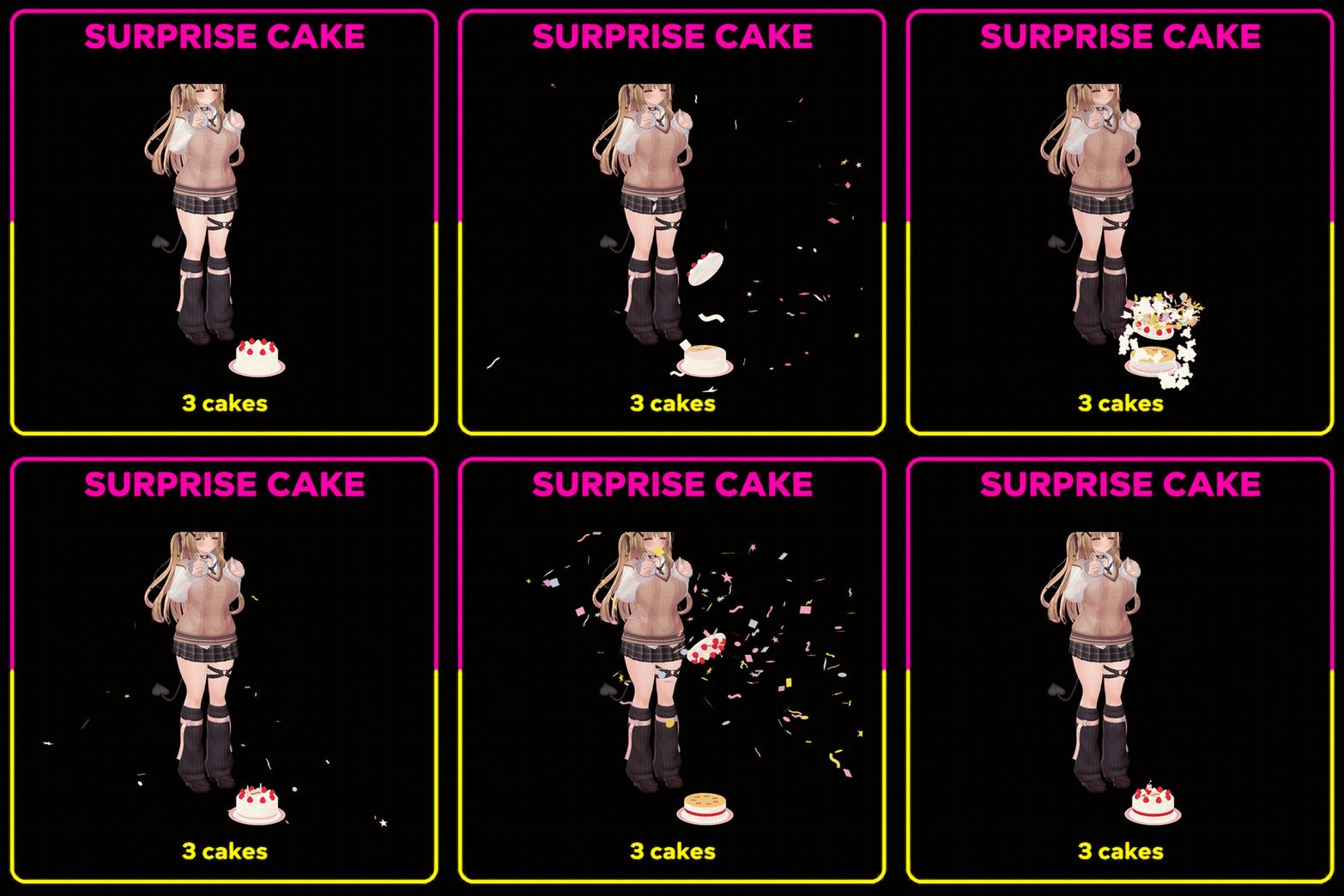
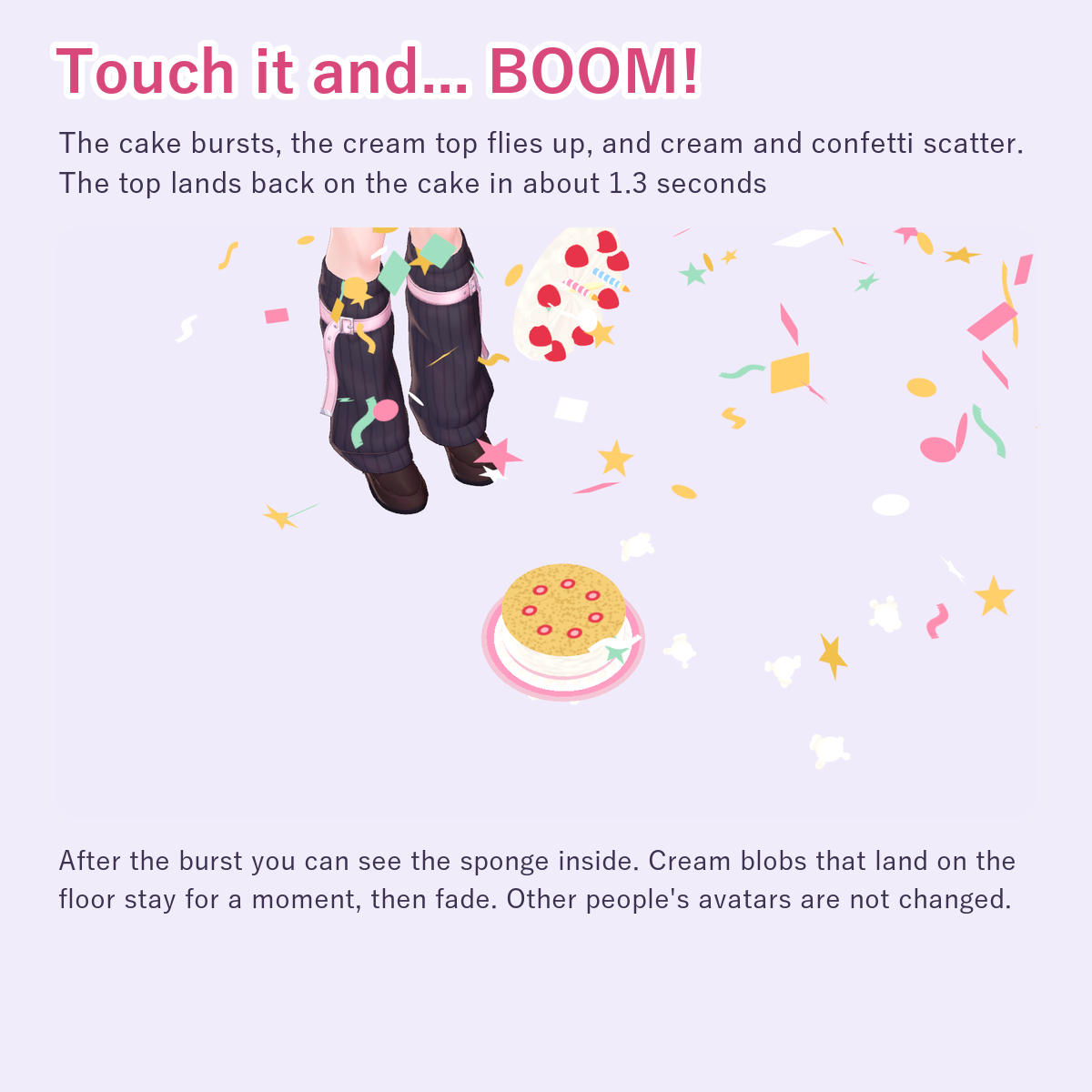
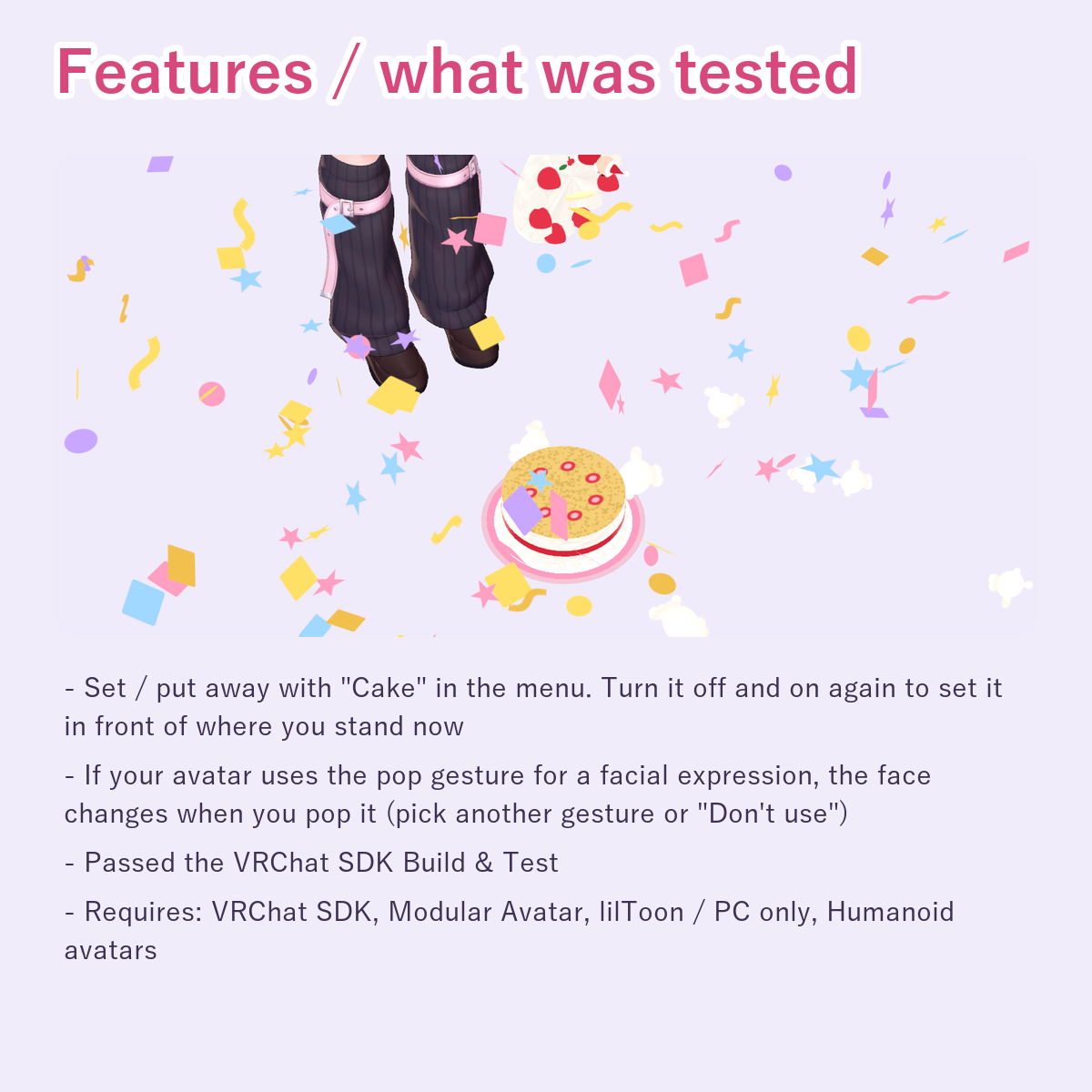
Turn on "Cake" in the menu and the cake is set a little ahead of your feet (on the floor or at table height). Use a hand gesture, press "Pop" in the menu, or let someone touch it, and the cake bursts with a BOOM. The cream top spins up into the air, cream and confetti scatter, and the top lands back on the cake in about 1.3 seconds.
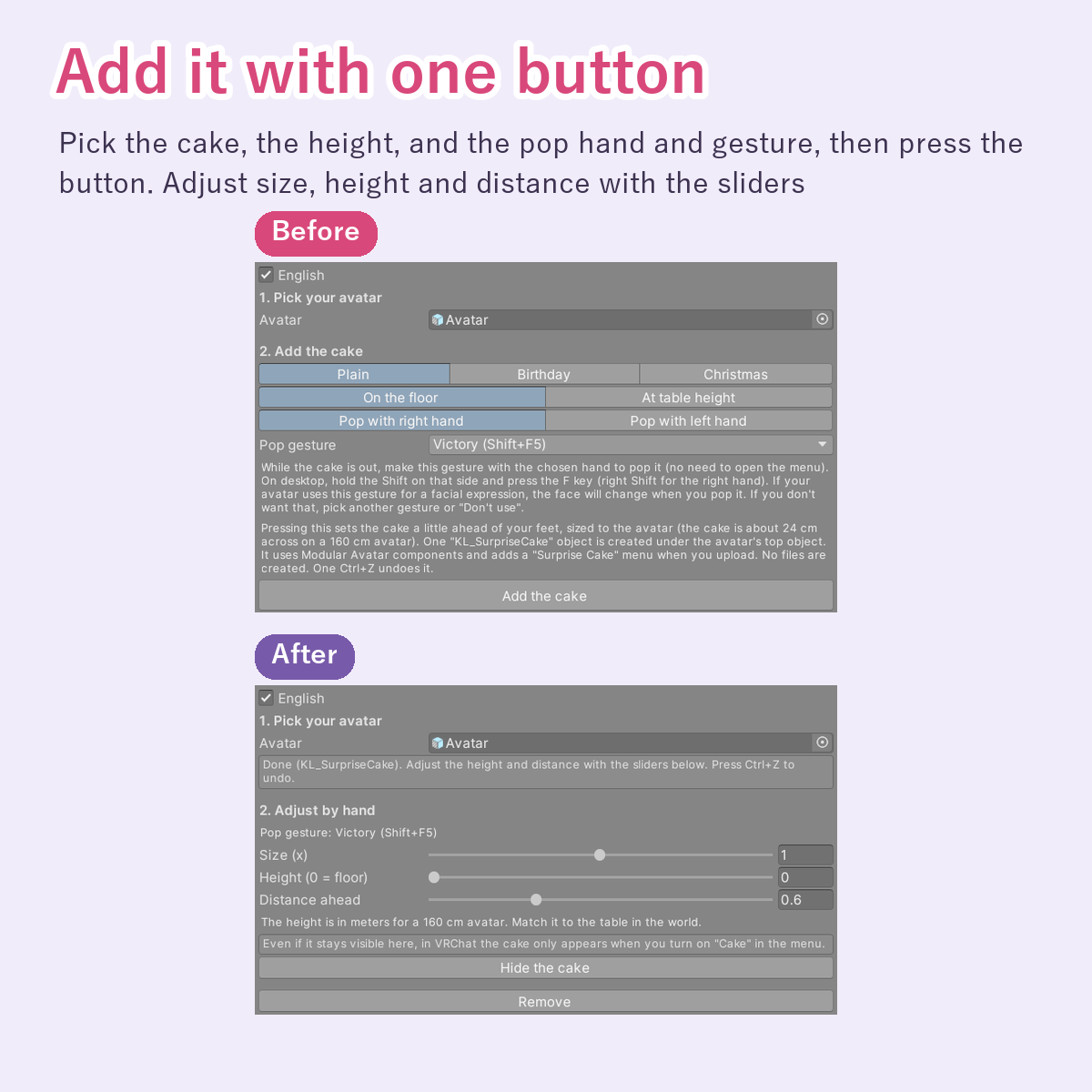
One button adds it to your avatar. Adjust the size, the height and the distance ahead with sliders.
Tested in VRChat.
Good for
- A birthday surprise: you set the cake on the table, and then...
- The punchline of a Christmas or year-end party
- Photos of the moment it bursts
- A little prank in role-play
3 cakes
- Plain: a strawberry and whipped cream whole cake (for any day)
- Birthday: 2 candles and a "Happy Birthday" chocolate plate
- Christmas: a sugar Santa, holly and a "Merry Christmas" chocolate plate
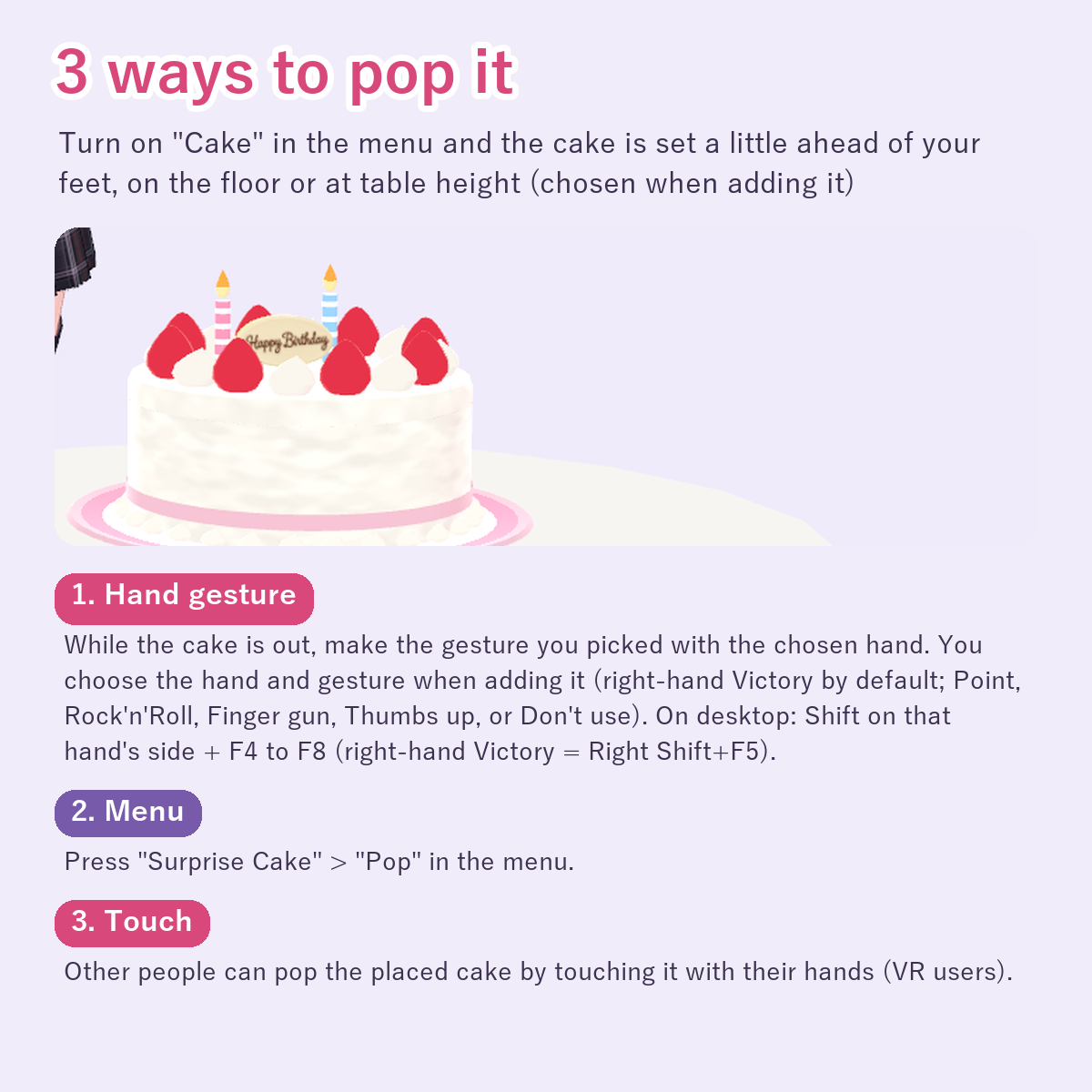
3 ways to pop it
1. Hand gesture: while the cake is placed, make the gesture you picked with the chosen hand. No need to open the menu. You choose the hand (right or left) and the gesture when adding it (right-hand Victory / peace sign by default; Point, Rock'n'Roll, Finger gun, Thumbs up, or Don't use). On desktop, hold the Shift key on that hand's side and press an F key (right-hand peace sign = Right Shift+F5; Point F4, Rock'n'Roll F6, Finger gun F7, Thumbs up F8). To pop it again, go back to a neutral hand first (on desktop: Shift on that hand's side + F1).
2. Menu: press "Surprise Cake" > "Pop" in the menu.
3. Touch: other people can pop the placed cake by touching it with their hands (VR users).
Features
- "Cake" in the menu sets the cake a little ahead of where you stand, or puts it away (the cake stays where it was set; turn it off and on again to set it in front of where you stand now)
- Pick floor or table height when adding it
- When it bursts, the top flies up and lands back, cream and confetti scatter, and a sound plays
- One-button setup; pick the cake, the height, and the pop hand and gesture
- Size (0.5x to 1.5x), the height and the distance ahead can be adjusted by hand
- Remove it with one button (or Ctrl+Z). To change the cake, hand or gesture, remove it and add it again
Notes
- For table height, stand in front of the table in the world before turning it on (the tool cannot find tables by itself)
- Table height starts at 70 cm on a 160 cm avatar. Match it to the table in the world with the slider in the window
- If your avatar uses the chosen gesture for a facial expression, the face changes when you pop the cake. Pick another gesture or "Don't use" if you do not want that
- The cake is about 24 cm across on a 160 cm avatar
- Touching it with your own hands does not pop it
- The placed cake is held in place in each person's own VRChat. People who join later, or who reload your avatar, may see it in front of where you are at that moment (set it again and everyone sees it in the same spot)
- Cream blobs that land on the floor stay for a moment, then fade. Other people's avatars are not changed. The particles and sound run in each person's own VRChat
- PC only. For Humanoid avatars
- Uses 2 synced parameters (2 bits)
- Requires Unity 2022.3, VRChat SDK (Avatars; tested with 3.10.5), Modular Avatar (tested with 1.18.7) and lilToon (tested with 2.3.4)
- Passed the VRChat SDK Build & Test
- Tested in VRChat: placing the cake, popping it with a hand gesture and with "Pop" in the menu
- Adding, readjusting and removing were tested in Unity on 3 avatars (3 cakes, floor and table height, right and left hand gestures)
- The video recreates the motion in Unity
Contents
- 3 cakes (about 5,600 to 8,400 triangles), effects (2 particle systems, 1 sound), animator (FX), the setup window (Japanese / English), instructions (Japanese / English)
Terms: use and modify on your own avatar OK / streams, videos and photos OK / redistribution or resale not allowed
Developed with AI assistance (coding and testing). The store cover frame and the chocolate plate images were made with generative AI.