
Jack-o'-Lantern Workshop | VRChat Carving & Decoration Prefabs
Etiquetas
Descripción del producto
Este producto contiene contenido generado por IA.
Carve a face. Let the candlelight through. Carry your finished lantern into the world.
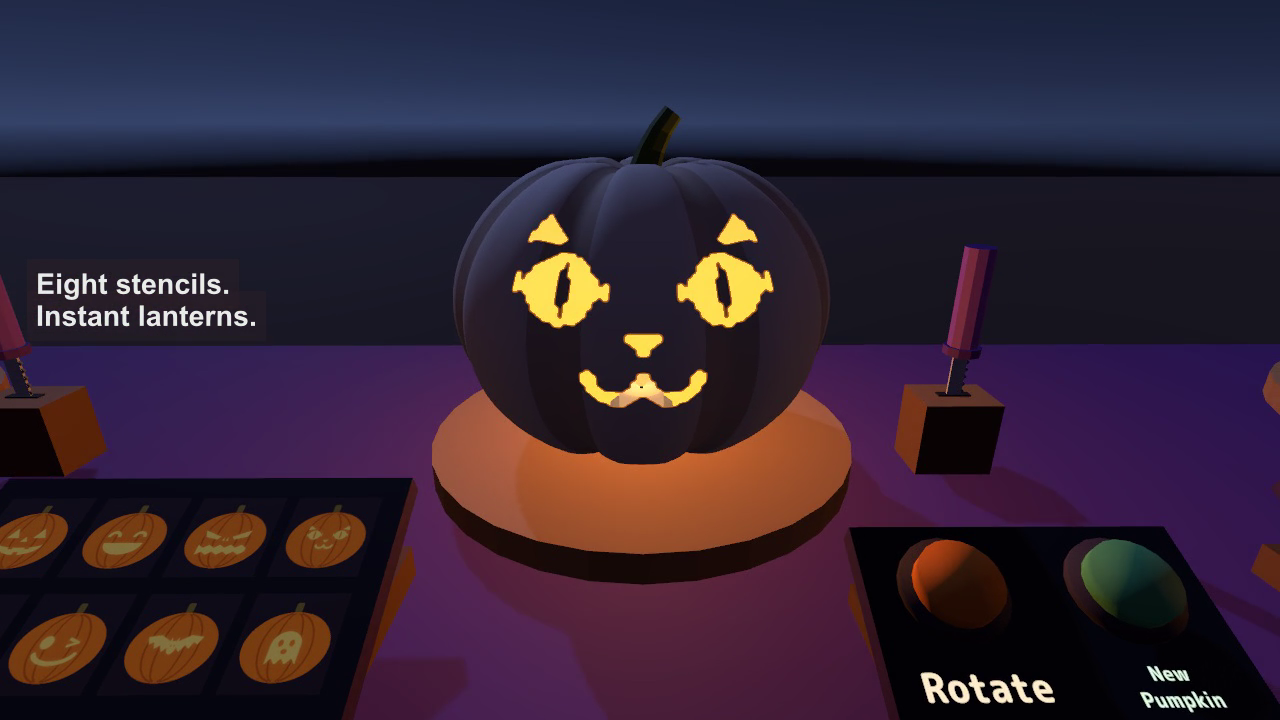
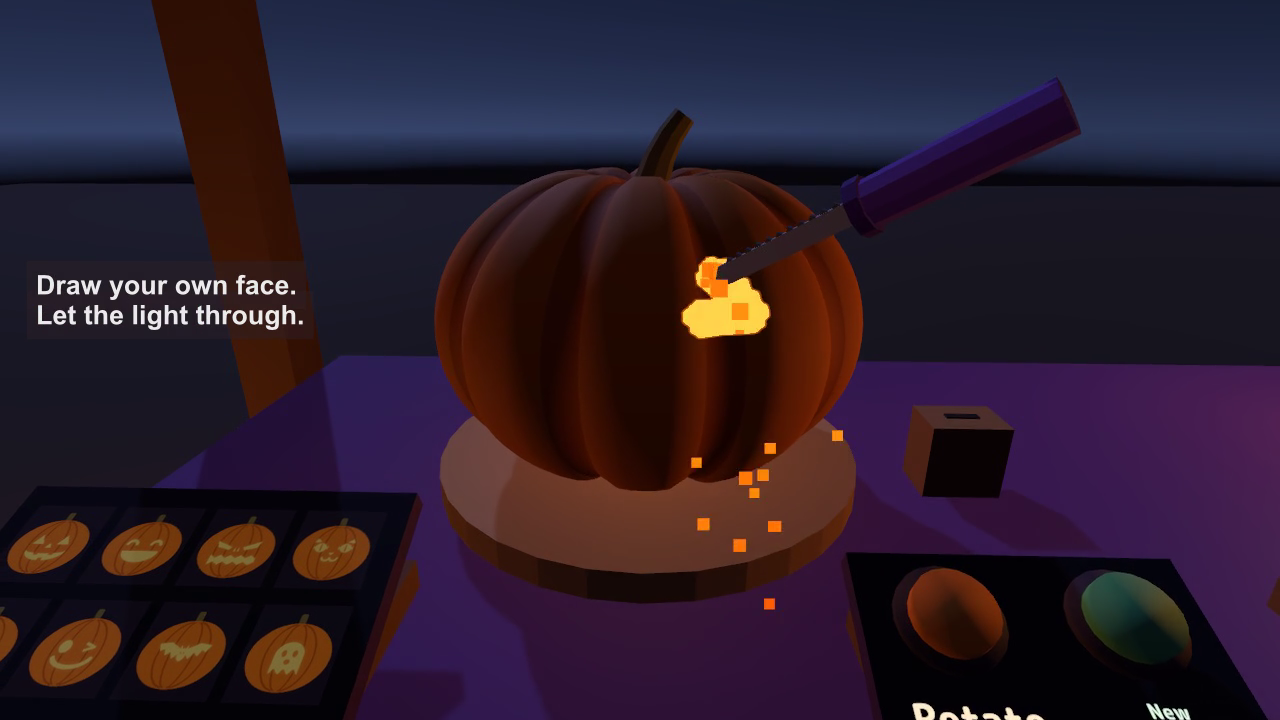
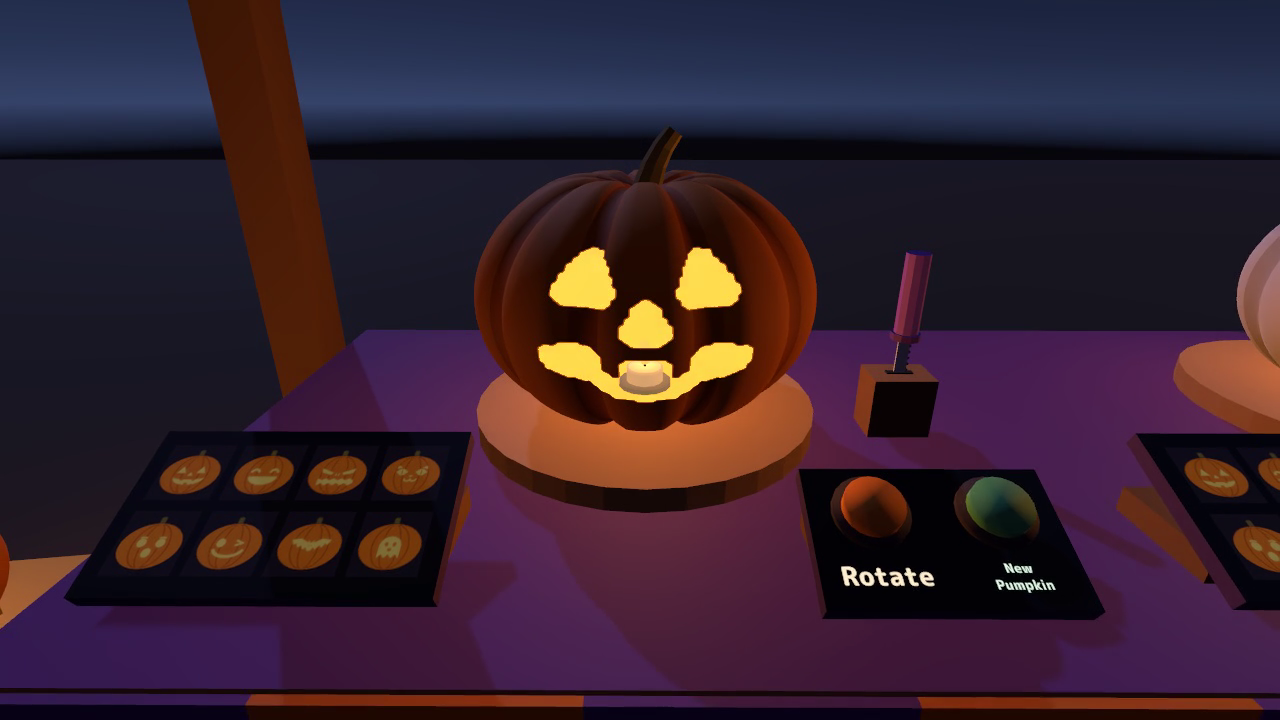
Jack-o'-Lantern Workshop gives your VRChat world a place to make its own Halloween decorations. Pick up a knife and draw across a pumpkin, or start with one of eight stencils and add your own details. Candlelight shines through the holes as your design takes shape.
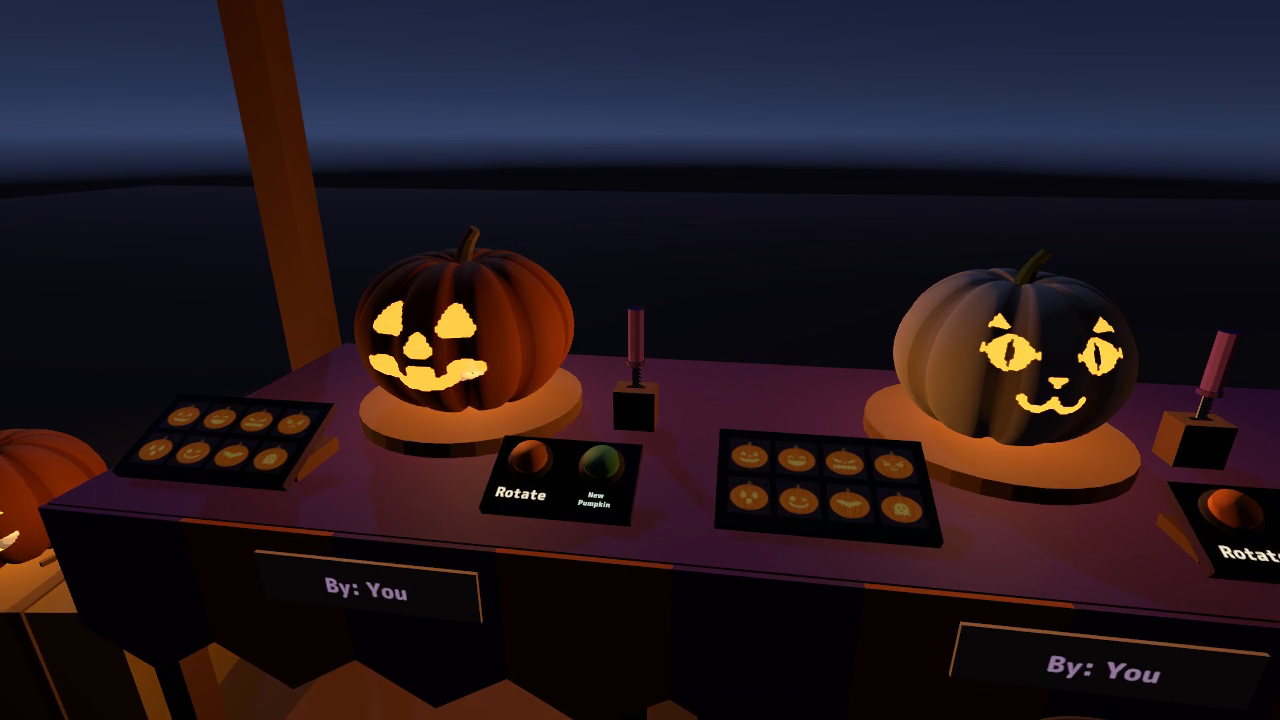
The complete workshop has three carving stations with orange, white, and green pumpkins. Friends can work at separate stations together, then pick up their lanterns and arrange them around the world. A single-station prefab is included for smaller spaces.
Watch it in action
Watch the English v2.0.0 gameplay preview
Make a lantern that feels like yours
- Freehand carving. Move the knife tip against the skin to cut a design. In VR, you can hold and turn the pumpkin in your other hand. On desktop, hold Use with a knife and move your view to draw.
- Eight faces to start from. Classic, Smile, Scary, Cat, Surprised, Wink, Bat, and Ghost stencils carve the side facing you. Add details with the knife or put another design on a different side.
- Three pumpkin colours. Orange, white, and green pumpkins are included. Rotate turns the pumpkin by 45 degrees. Press New Pumpkin twice within three seconds to start again and cycle to the next type.
- Build a shared Halloween display. Carry a finished lantern away from its station and leave it where you want it. Carvings, pumpkin types, and artist names are shared with everyone, including late joiners.
- Three stations or just one. The full workshop includes the sign arch, hay bales, and decorative lanterns. Use the separate single-station prefab to fit a different layout. Players at different stations can carve at the same time.
- Your own English or Japanese display. The initial language follows VRChat. A local language button changes your signs, stencil names, controls, instructions, artist labels, and displayed knife and pumpkin names.
The front plaque shows who carved each pumpkin, with up to three artist names and an indication of additional artists. Players take turns on the same pumpkin; when the current carver stops, someone else can continue.
Included files
- JackOLantern_v2.0.0.unitypackage: the complete three-station workshop, single-station prefab, night-time sample scene, pumpkins, knives, eight stencils, models, materials, shaders, scripts, sound effects, and font licence.
- README.txt and README_EN.txt: Japanese and English installation, controls, customisation, performance information, and terms of use.
- JackOLantern_Blender folder: the editable .blend source, 26 FBX model files, and palette.png, supplied as 28 source files.
English and Japanese support are included together.
Requirements and setup
- Unity 2022.3.22f1.
- VRChat SDK3 Worlds 3.10.5, including UdonSharp, in a world project created with VRChat Creator Companion.
- TextMesh Pro, included with Unity. Import TMP Essential Resources first when using TextMesh Pro for the first time in the project.
- VRChat/Mobile materials for Quest and Android are included. Follow the README's material instructions and retain the dedicated carved-pumpkin shader on the pumpkins.
- If needed, choose Window > TextMeshPro > Import TMP Essential Resources.
- Import JackOLantern_v2.0.0.unitypackage.
- Place Assets/JackOLantern/JackOLanternWorkshop.prefab or Assets/JackOLantern/PumpkinStation.prefab in your scene. Move and rotate the set as needed, keeping its scale at 1.
- Open Assets/JackOLantern/Sample/JackOLantern_Sample.unity to try the night-time scene.
The complete workshop is about 4.8 m wide, 1 m deep, and 2.4 m high at the sign. A single station is 0.86 m wide. Inspector settings control the starting pumpkin, knife-cut radius, rotation, desktop reach, and candlelight strength. The included Blender sources let you edit the model shapes and palette colours.
Terms of use
- You may include this asset in published VRChat worlds, including paid, commercial, corporate and event worlds.
- Modification is allowed. Credit is appreciated but not required.
- Redistribution or resale of the asset data, including modified versions, and bundling the data for sale with other assets are prohibited.
- Please contact the creator before using it outside VRChat, such as in other games or videos.
- The creator is not liable for problems resulting from use of this asset.
Included font: M PLUS Rounded 1c, SIL Open Font License 1.1. See Fonts/OFL.txt in the Unity package.
Support
For questions about your purchase or help with setup, use the contact option on the store where you purchased this product. Include the product version, Unity and SDK versions, the steps you took, and any error message.
Jinxxy downloads
Download all three product files and the Blender source folder.