
Bowling Together V2 | VRChat Bowling Lane
Etiquetas
Descripción del producto
Este producto contiene contenido generado por IA.
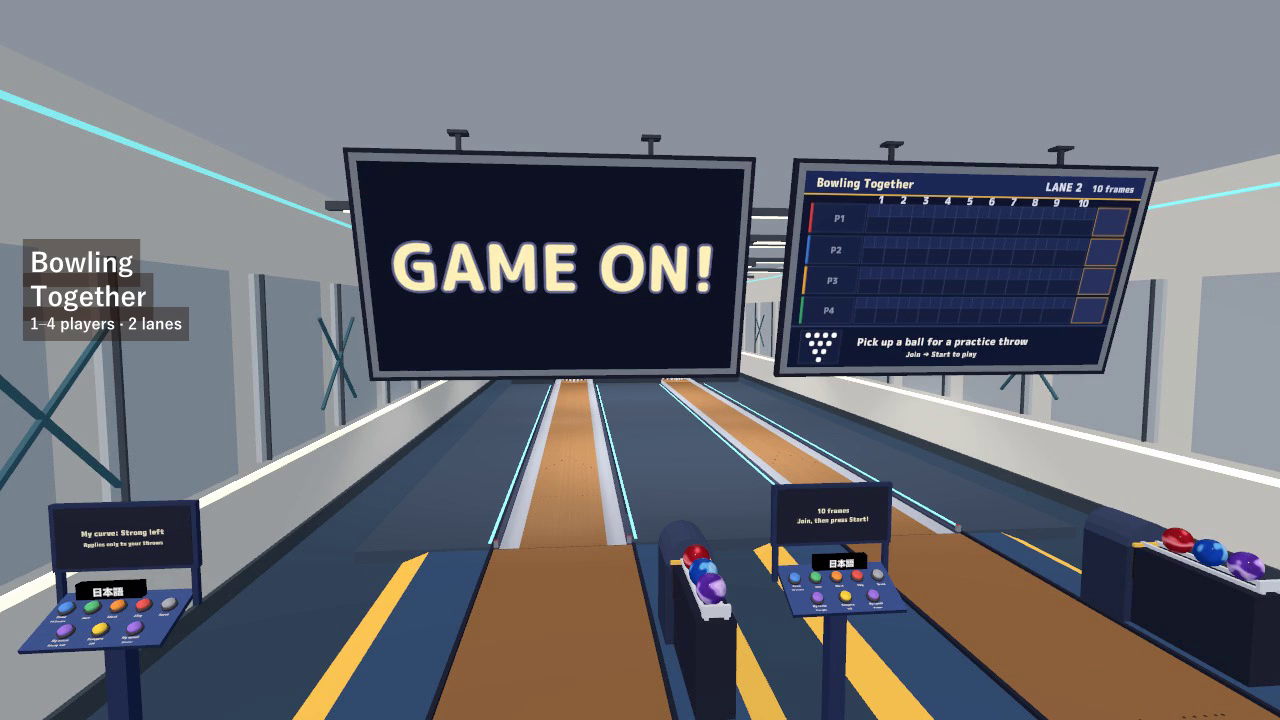
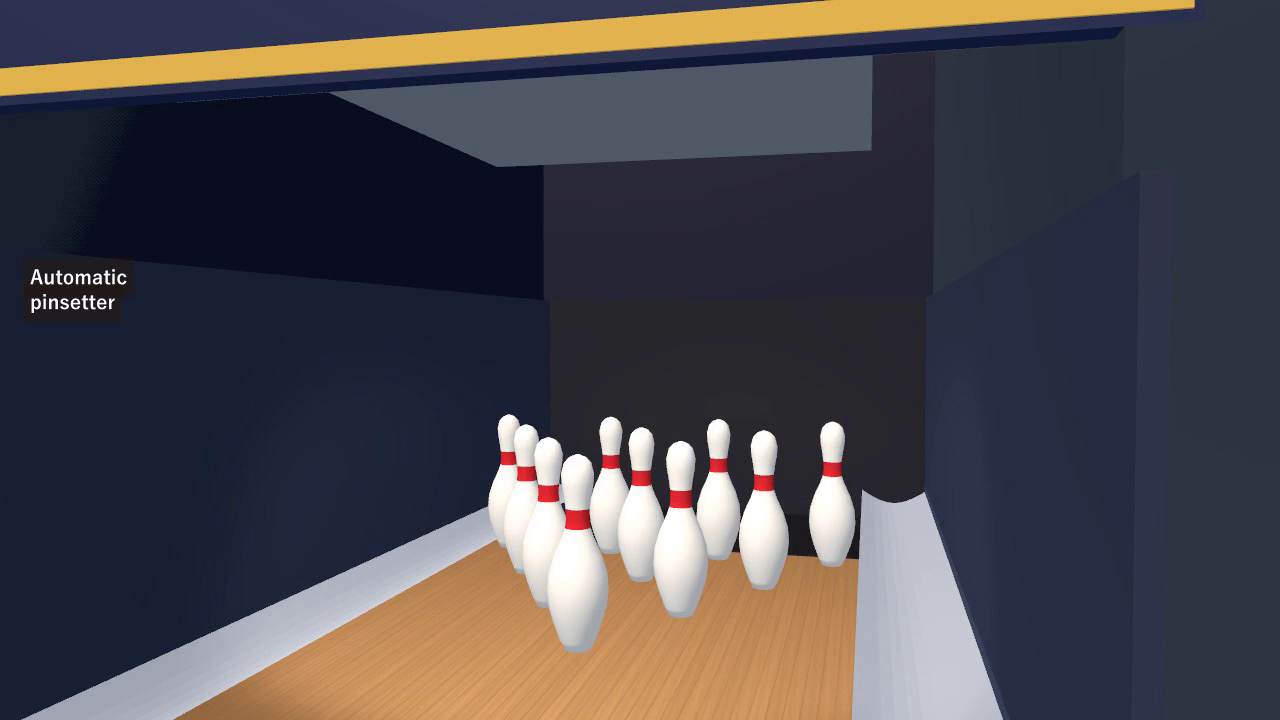
Turn a corner of your VRChat world into a bowling night. Pick up a ball, choose your curve, and roll for a strike. Bowling Together includes a full-size lane, ten physics pins, automatic scoring, a moving pinsetter, and a ball return.
Play solo or with up to four players per lane. The included two-lane sample hall offers six room styles, while each visitor can choose their own language, curve, throw power or speed, and bumper preference.
Watch it in action
Watch the English Bowling Together V2 gameplay preview on YouTube
One more frame
- 10, 5, or 3 frames: play a full game or a shorter round between conversations.
- Automatic scoring: strikes, spares, final-frame bonus throws, splits, and gutters appear on the score monitor.
- A working pinsetter: standing pins are prepared for the second throw, and the next frame resets all ten.
- Personal curves and bumpers: choose straight, gentle or strong left/right curves, with optional bumpers for each player's turn.
- Practice without a lobby: pick up a ball and bowl. Starting with no entries begins a solo game.
- Shared game state: scores, ball travel, and the standing-pin layout for the next throw are shared with the instance, including late joiners.
Roll in VR or on desktop
VR: pick up a ball, swing, and release before the foul line. Choose a comfortable throw-power setting and curve; the lane also offers adjustable aim assistance.
Desktop: pick up a ball on the approach, use the green aiming line, and release to roll. Move left or right to choose a starting board and select your preferred ball speed.
For a game, choose the frame count, press Join, then Start. The lane changes turns automatically. Strikes, spares, streaks, splits, ball speed, and remaining pins are shown on the monitor, with 21 sound effects for the lane and game.
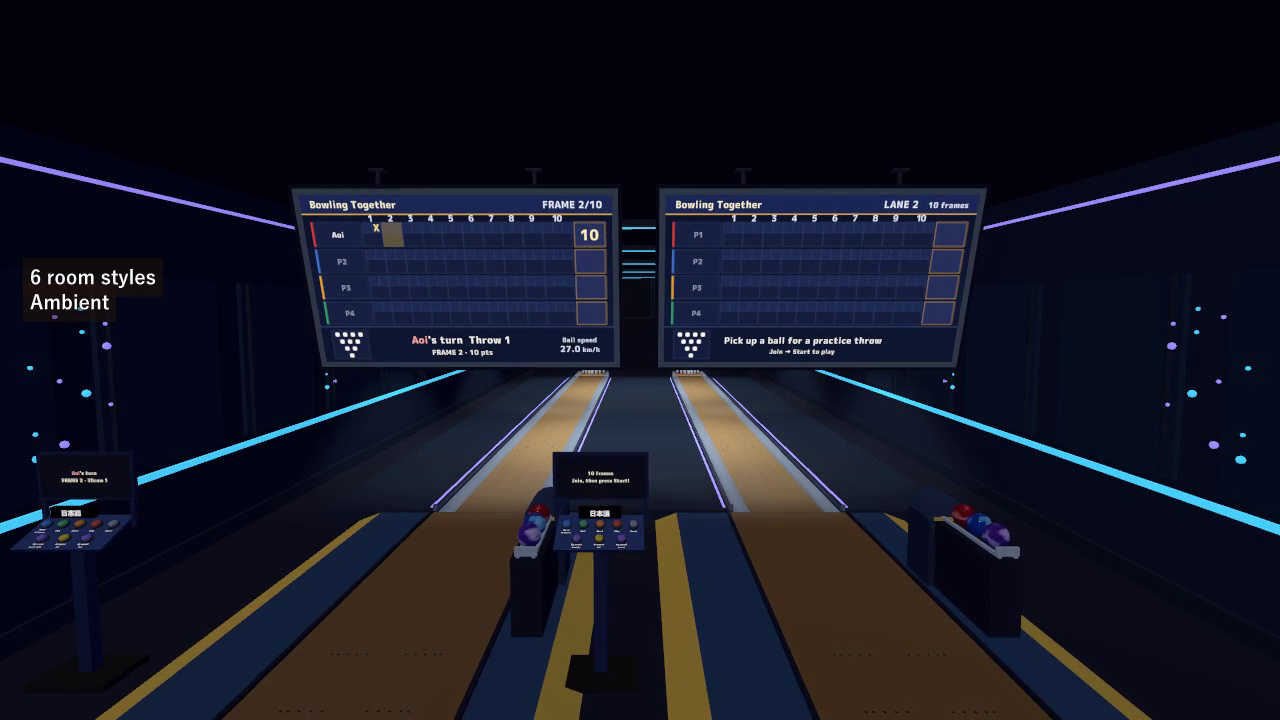
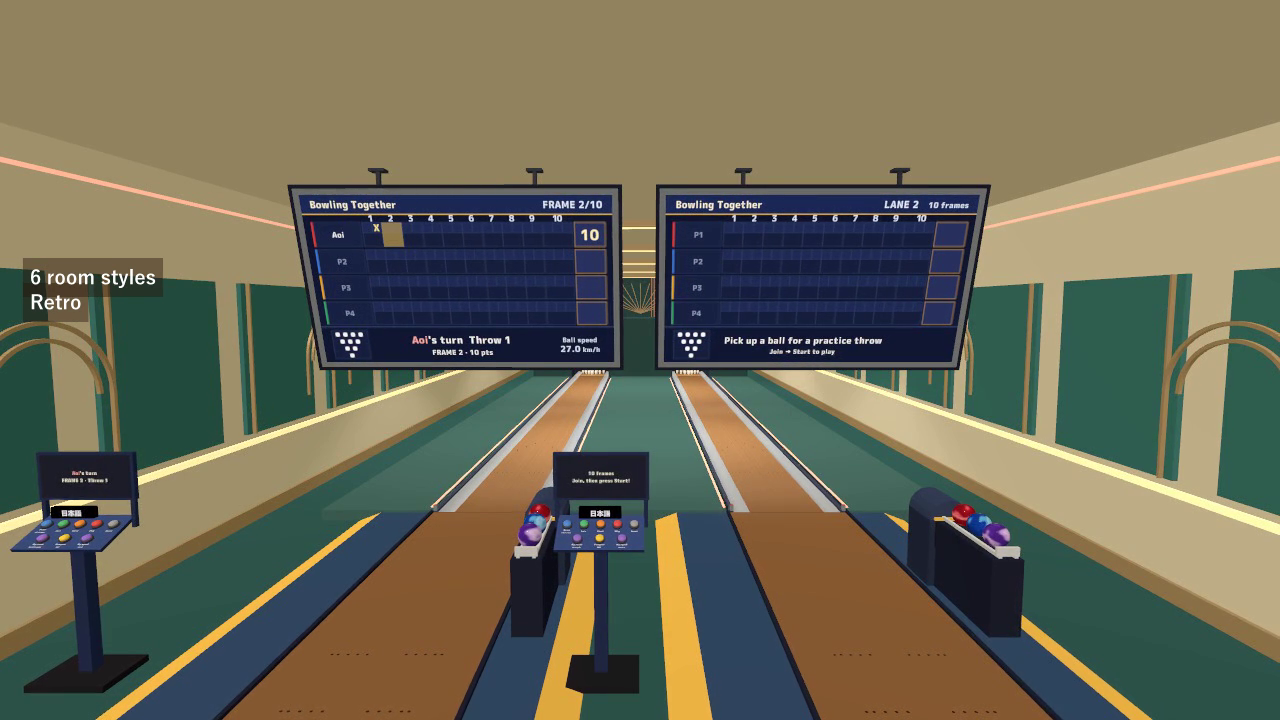
Six styles for your bowling hall
The included Hall prefab cycles through Normal, Ambient, Pastel, Club, Wood lounge, and Retro. Its theme is shared with everyone. Use the supplied two-lane sample, or place the lane and hall prefabs in your own layout.
The hall can keep your world's ambient lighting or, when enabled in its Inspector, change the world's ambient lighting along with the theme. Quest/Android variants use the included mobile materials, emission, and ambient lighting.
English and Japanese for each visitor
Signs, controls, scores, status messages, interaction hints, and ball pickup hints support both languages. Each visitor can switch their display without changing anyone else's language or the match.
The sample connects the hall and both lanes to a common personal language selection. To preserve that setup in your world, copy the configured hall and both complete lane objects together from the sample. Standalone prefabs also have independent language controls.
Full-size lane, editable setup
- 18.29 m / 60 ft from the foul line to the head pin, with 39 boards and a 4.6 m approach.
- Automatic pinsetter, gutters, ball return, three balls, monitor, controls, and a three-seat bench.
- One complete lane is approximately 27.5 m long; allow at least 4.2 m between lane centers.
- The monitor frame is about 3.8 m wide, with ceiling mounts designed for a 4.6 m ceiling.
- A raised 12 cm platform keeps the gutters and pit above the prefab's floor origin.
- Approximately 14,600 triangles per lane, with the sample room supplied separately.
Inspector controls cover frame choices, pinsetter timing, throw assistance, oil length and friction, ball masses, and more. Keep the lane's original scale to preserve its dimensions and physics. Adjust the monitor's ceiling rods and plates to match your room.
Included files
- TenpinBowling v2.0.0 Unity package: lane prefab, Hall prefab, two-lane sample scene, scripts, models, materials, and 21 sound effects.
- Six hall themes with PC and Quest/Android material variants.
- English and Japanese manuals with setup, play, rules, and customization.
- Blender source v1.0: editable lane models, FBX files, palette, lane/ball textures, and score-sheet artwork. Hall decorations are included as Unity meshes.
Setup
Use Unity 2022.3.22f1, VRChat SDK3 Worlds 3.10.5 (including UdonSharp), and TextMesh Pro.
- Open a Worlds project created with VRChat Creator Companion. If needed, run Window > TextMeshPro > Import TMP Essential Resources.
- Import the Unity package, then open Assets/TenpinBowling/Sample/TenpinBowling_Sample.unity to see the connected two-lane hall.
- Use Assets/TenpinBowling/TenpinBowling.prefab for a standalone lane, or copy the configured hall and both lane objects from the sample. Move and rotate the group while preserving its original scale.
- Follow the manual for Quest/Android material setup, multi-lane numbering, and room lighting options.
Terms of use
- You may include this asset in published VRChat worlds, including paid, corporate, and event worlds.
- Modification is allowed. Attribution is optional and appreciated.
- Redistribution or resale of the asset files, including modified versions, or selling them bundled with another asset is prohibited.
- Contact the creator before using the asset outside VRChat worlds, such as in another game or a video production.
- The creator is not liable for problems arising from use of this asset.
The included M PLUS Rounded 1c font uses the SIL Open Font License 1.1. See Fonts/OFL.txt in the Unity package.
Current release
v2.0.0: English/Japanese UI, personal language buttons, automatic VRChat language selection, and English instructions. The six room themes are included with this release.