Descripción del producto
Este producto contiene contenido generado por IA.
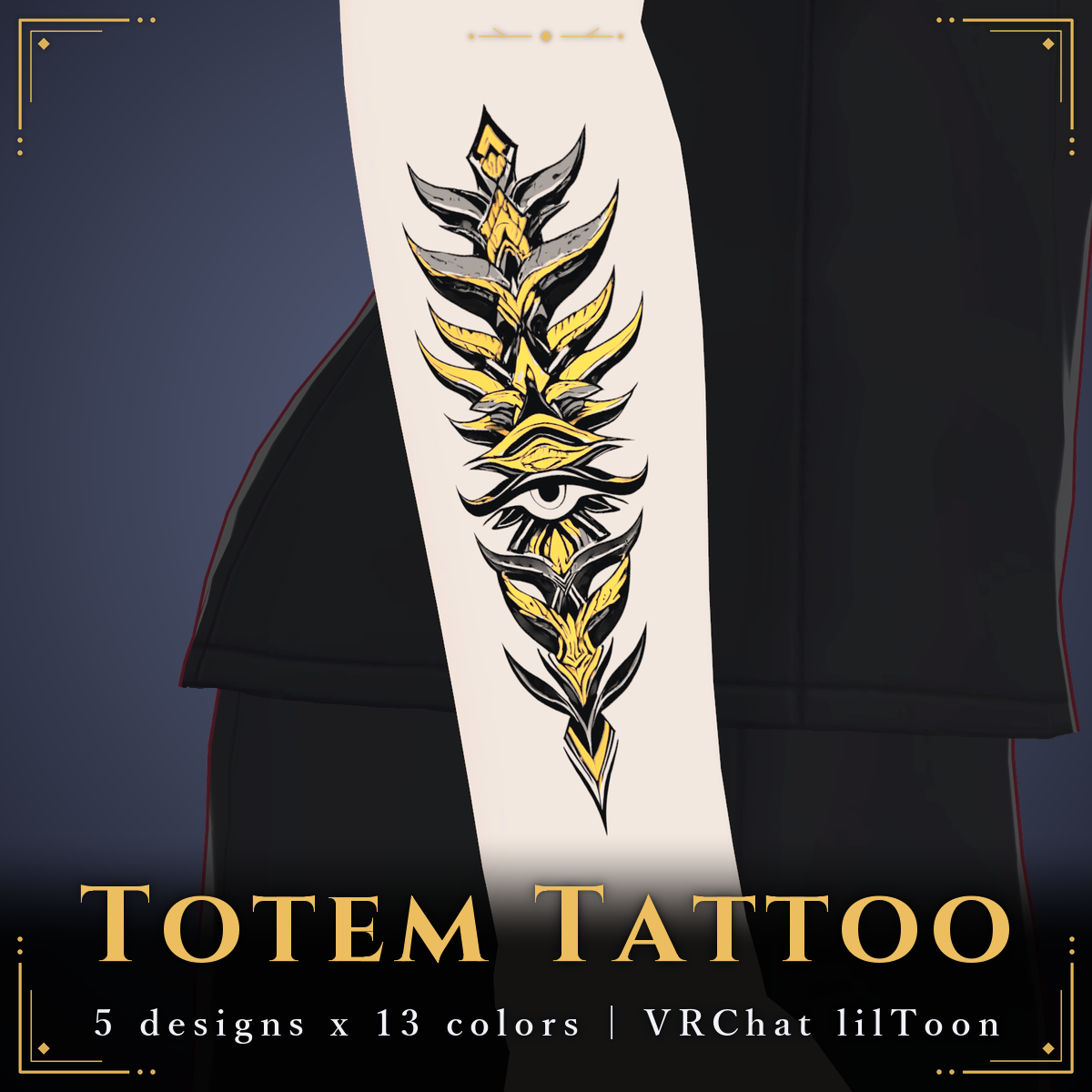
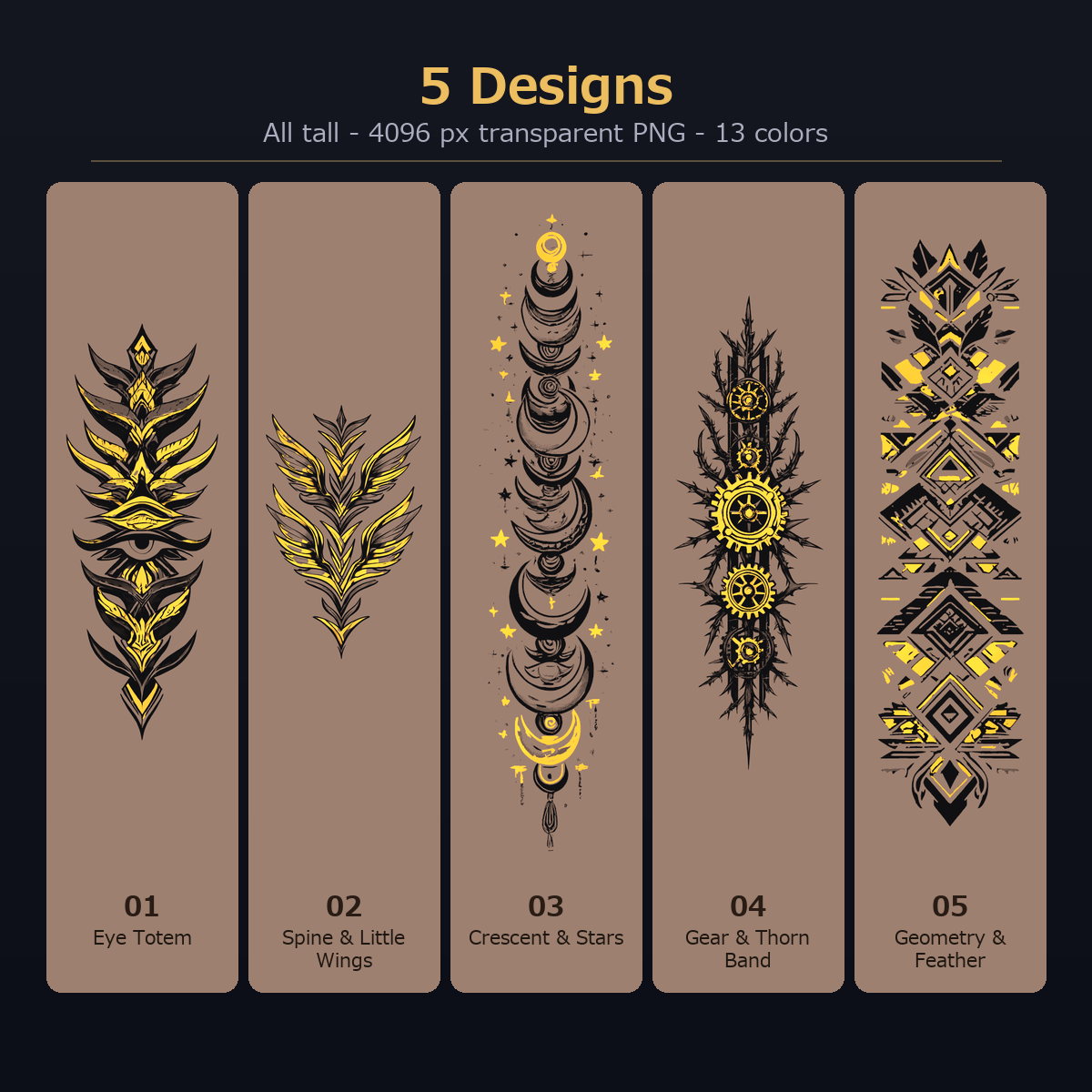
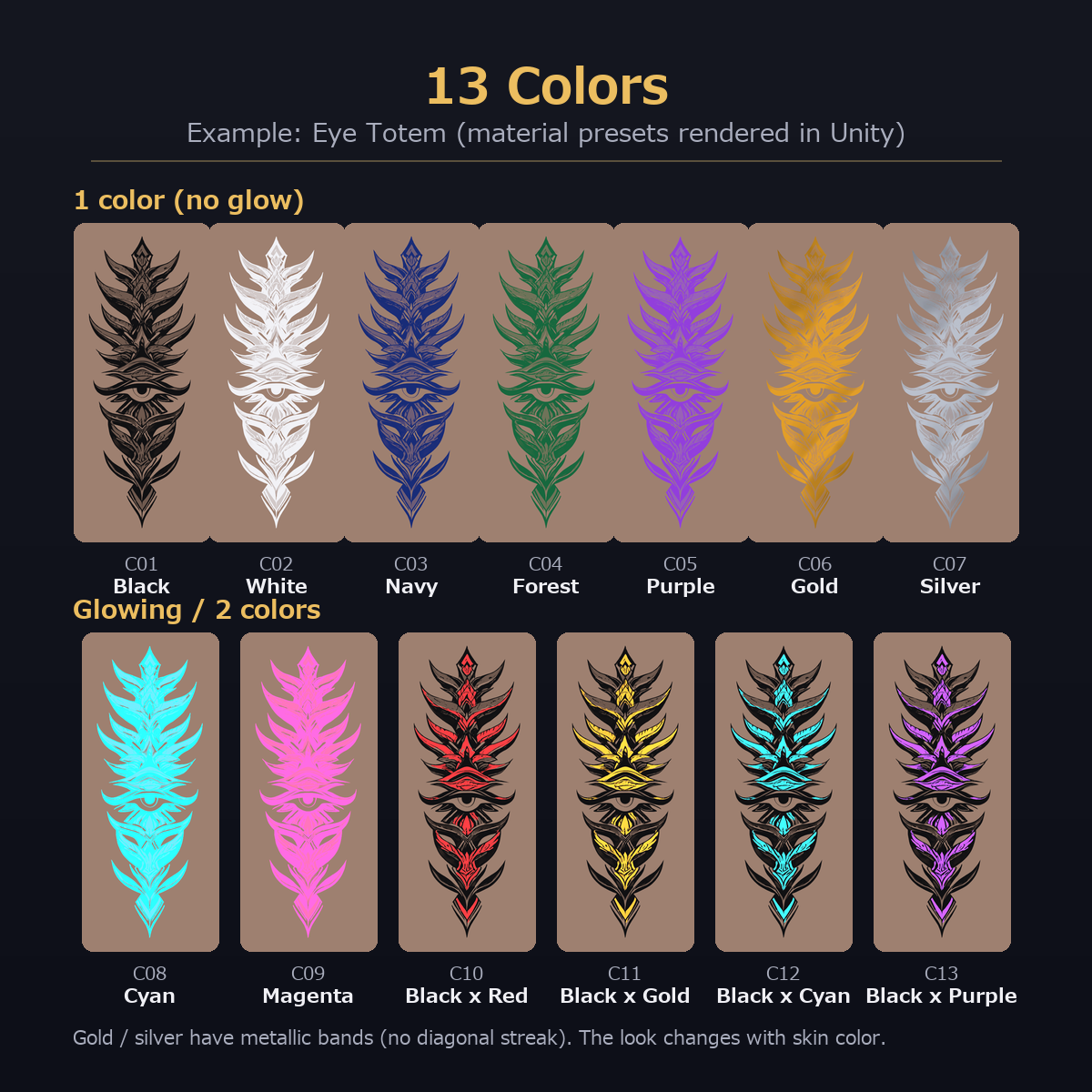
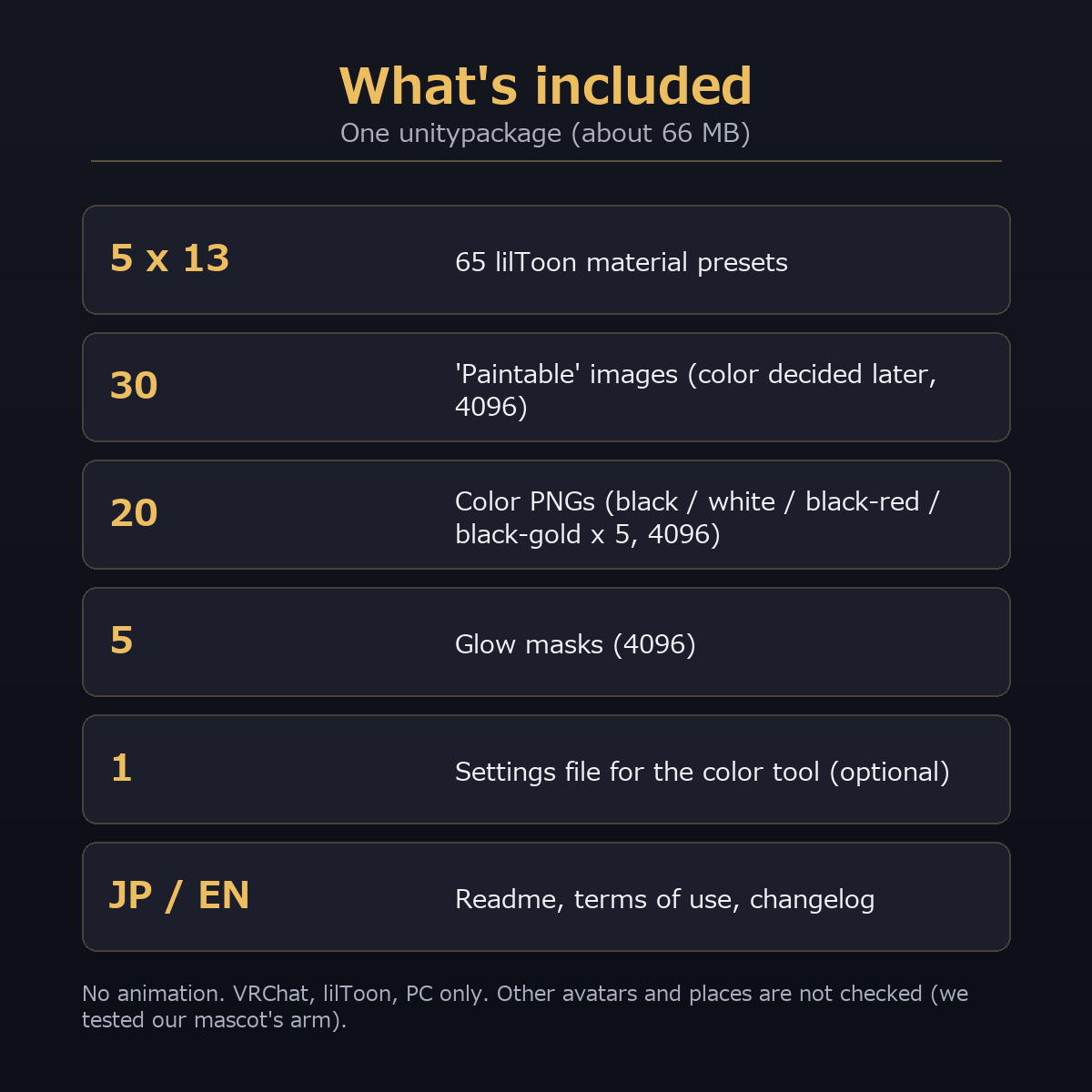
Tall totem-shaped tattoo artwork for your avatar's skin: 5 designs, 13 colors, 4096 px. 13 lilToon material presets (65 in total) plus color PNGs (black / white / black-red / black-gold). VRChat, lilToon, PC only. No animation.
Note: The character (avatar) in the product images is not included.
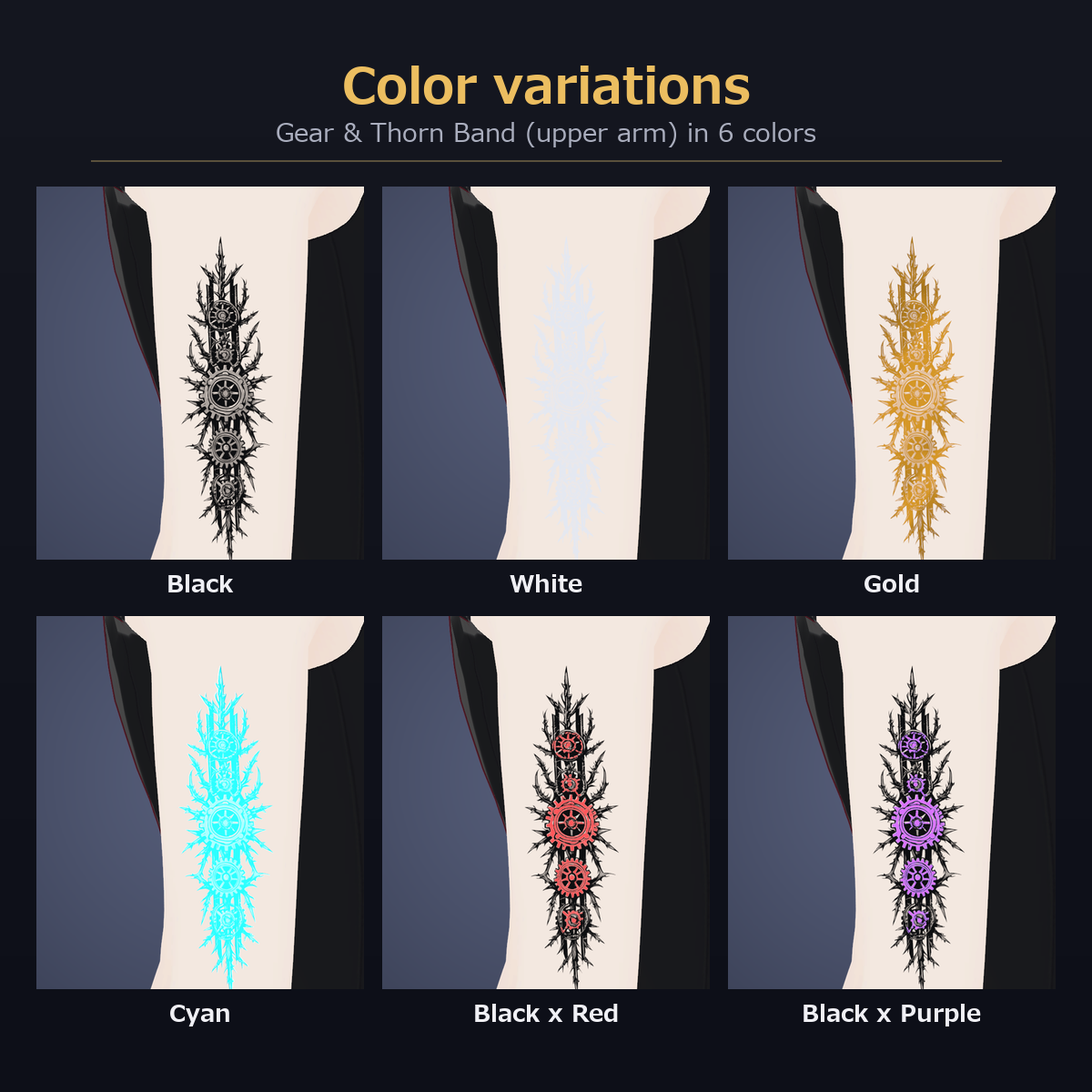
Designs: Eye Totem / Spine & Little Wings / Crescent & Stars / Gear & Thorn Band / Geometry & Feather
Colors: black, white, navy, forest, purple, gold (metallic), silver (metallic), cyan (glow), magenta (glow); 2-color: black x red, black x gold, black x cyan (glow), black x purple (glow)
What you get
One unitypackage, about 66 MB: 65 material presets, 30 "paintable" images (color decided later), 20 color PNGs, 5 glow masks, 1 settings file for the optional free color tool, Readme (JP/EN), terms, changelog.
How to use (Unity, lilToon)
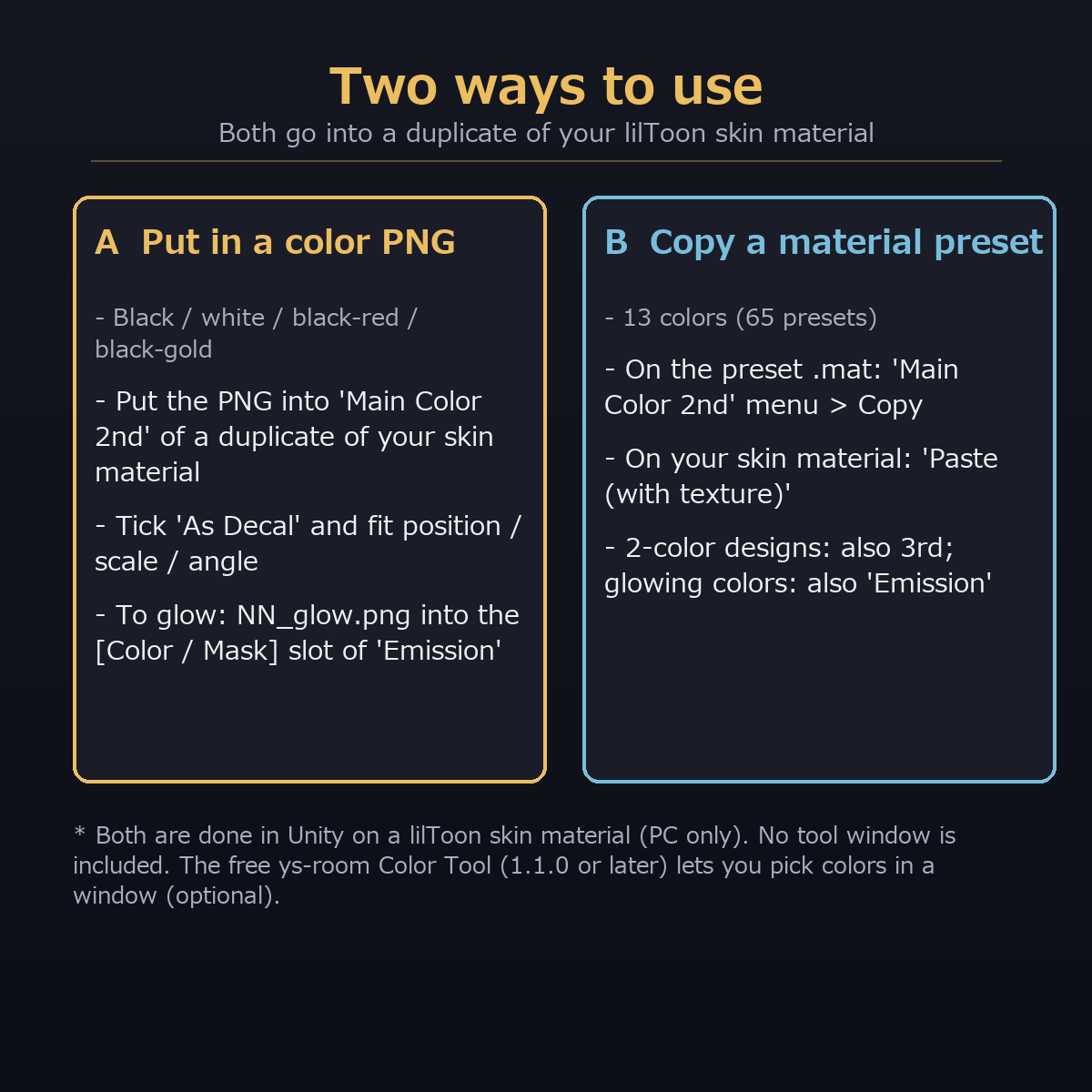
A. Put a color PNG into "Main Color 2nd" of a duplicate of your skin material and tick "As Decal". To glow, put the glow mask into the [Color / Mask] slot of "Emission".
B. Copy "Main Color 2nd" (and 3rd / Emission for 2-color or glowing presets) from a preset .mat and paste it with "Paste (with texture)" into your skin material.
Honest notes
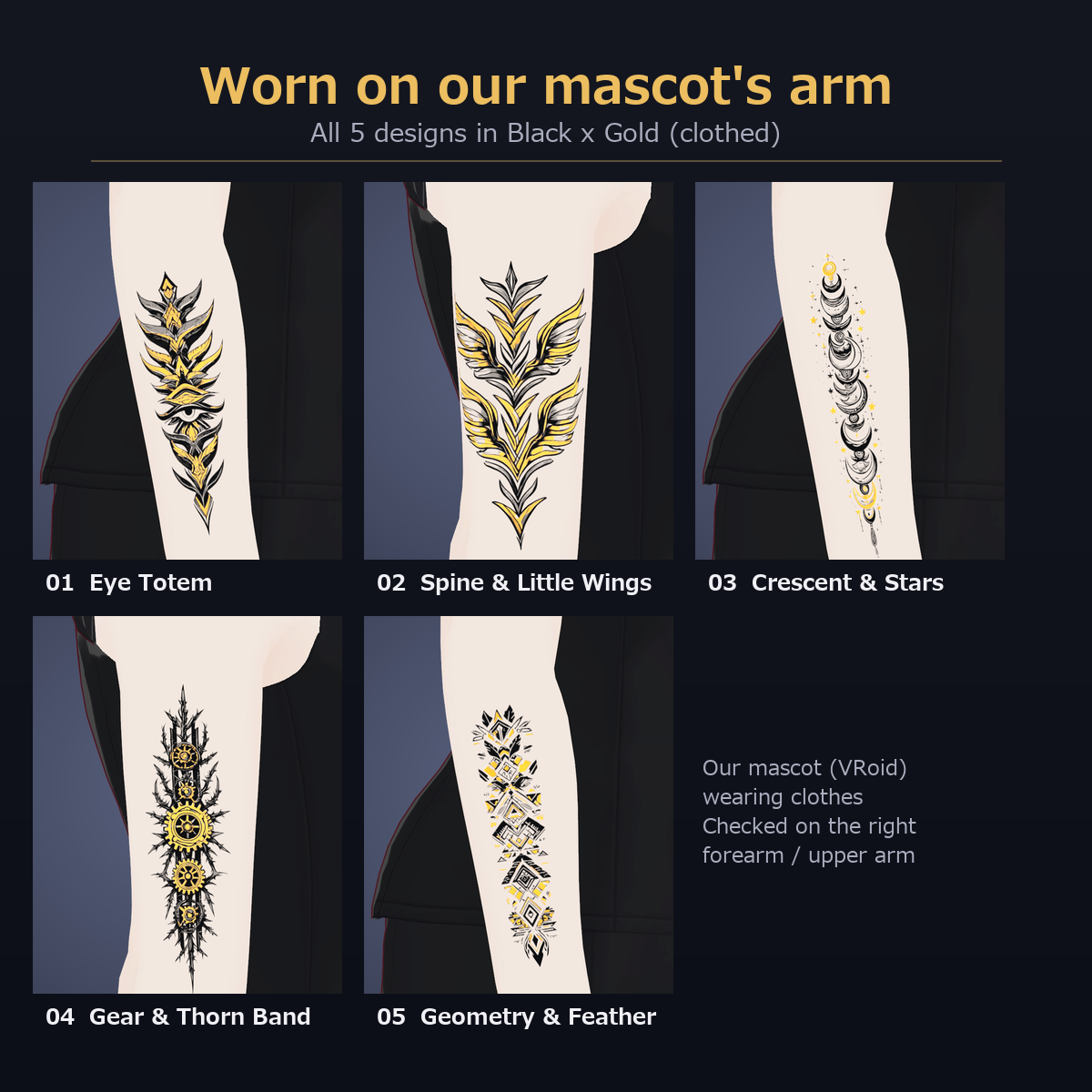
- Tested only on the right forearm / upper arm of our mascot (VRoid, clothed). Other avatars and places are not checked; adjust position / size / angle yourself.
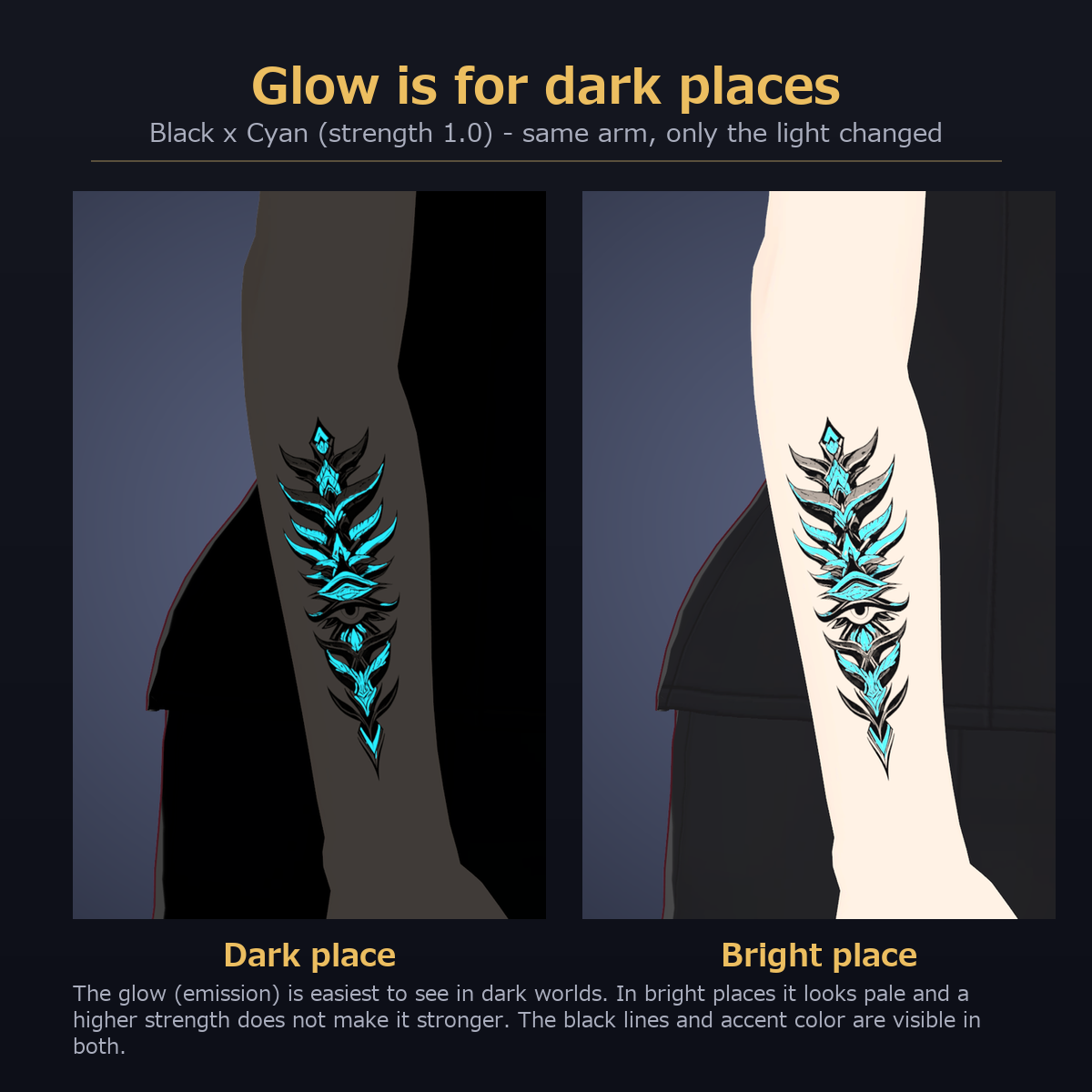
- The glow is for dark worlds; it looks pale in bright places.
- Gold / silver have metallic bands but no diagonal streak of light.
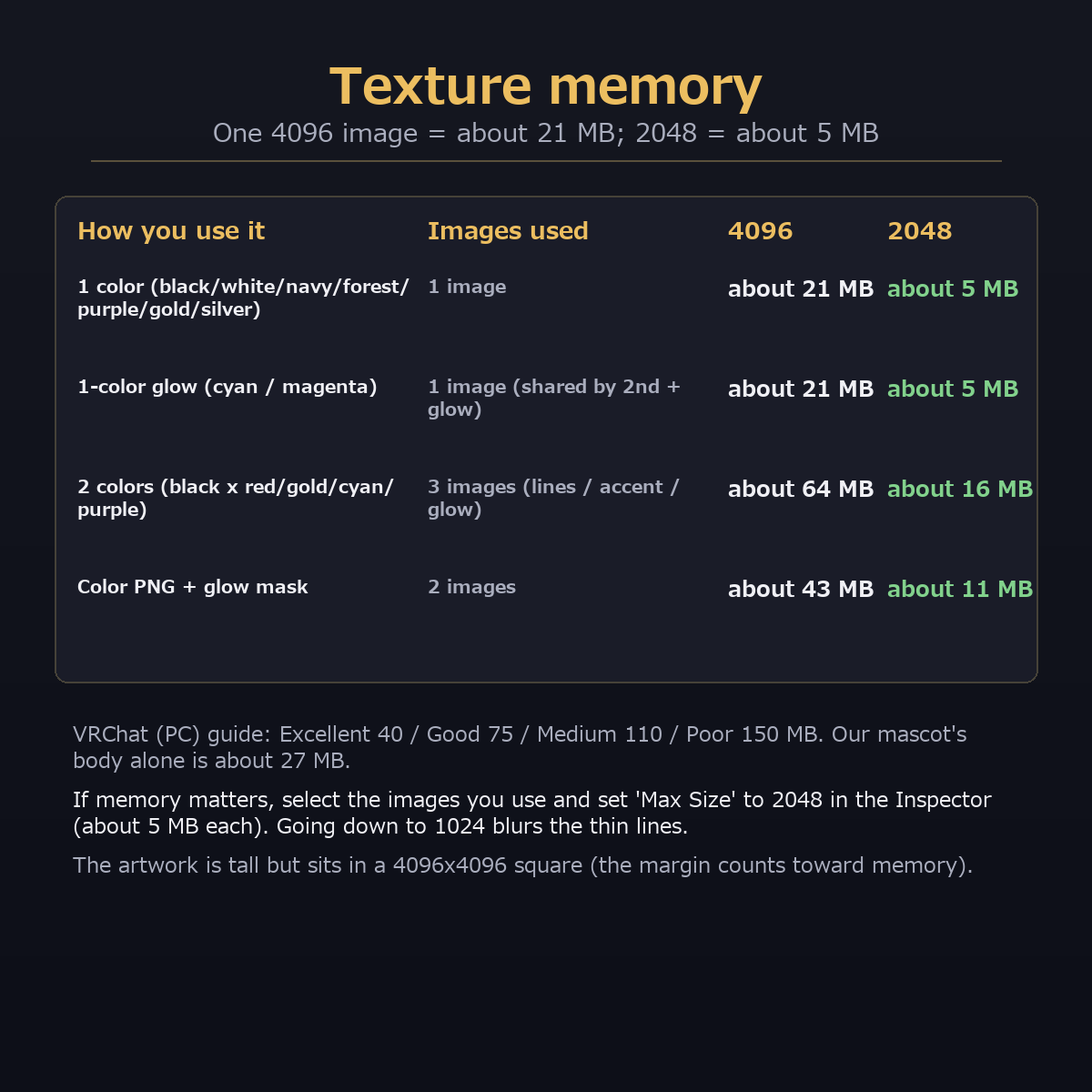
- Texture memory: one 4096 image is about 21 MB; a 2-color design uses 3 images (about 64 MB). Lower "Max Size" to 2048 in the Inspector if needed (about 5 MB each; it looked the same as 4096 on the arm).
- Not checked: a real VRChat upload, Quest (not supported), avatars other than our mascot.
- The artwork was made from AI-generated source images that we enlarged and refined.
Checked with: Unity 2022.3.22f1, VRChat SDK Avatars 3.10.4, lilToon 2.3.4 (import into a clean project; all 65 materials rendered).
Free color tool (optional)
The settings file in this package is for the free ys-room Color Tool (version 1.1.0 or later). The tool is not included; the package works without it.
https://jinxxy.com/Ys_room/8xXmh
Terms of use (summary)
Use on your own VRChat avatar, modify freely. No redistribution, no resale as assets, no AI training, no use outside VRChat.
Changelog
2026-10-31 First release (5 designs x 13 colors)