
Halloween Footprints for VRChat - Pumpkin & Wisp | Left Behind As You Walk, Modular Avatar
Descripción del producto
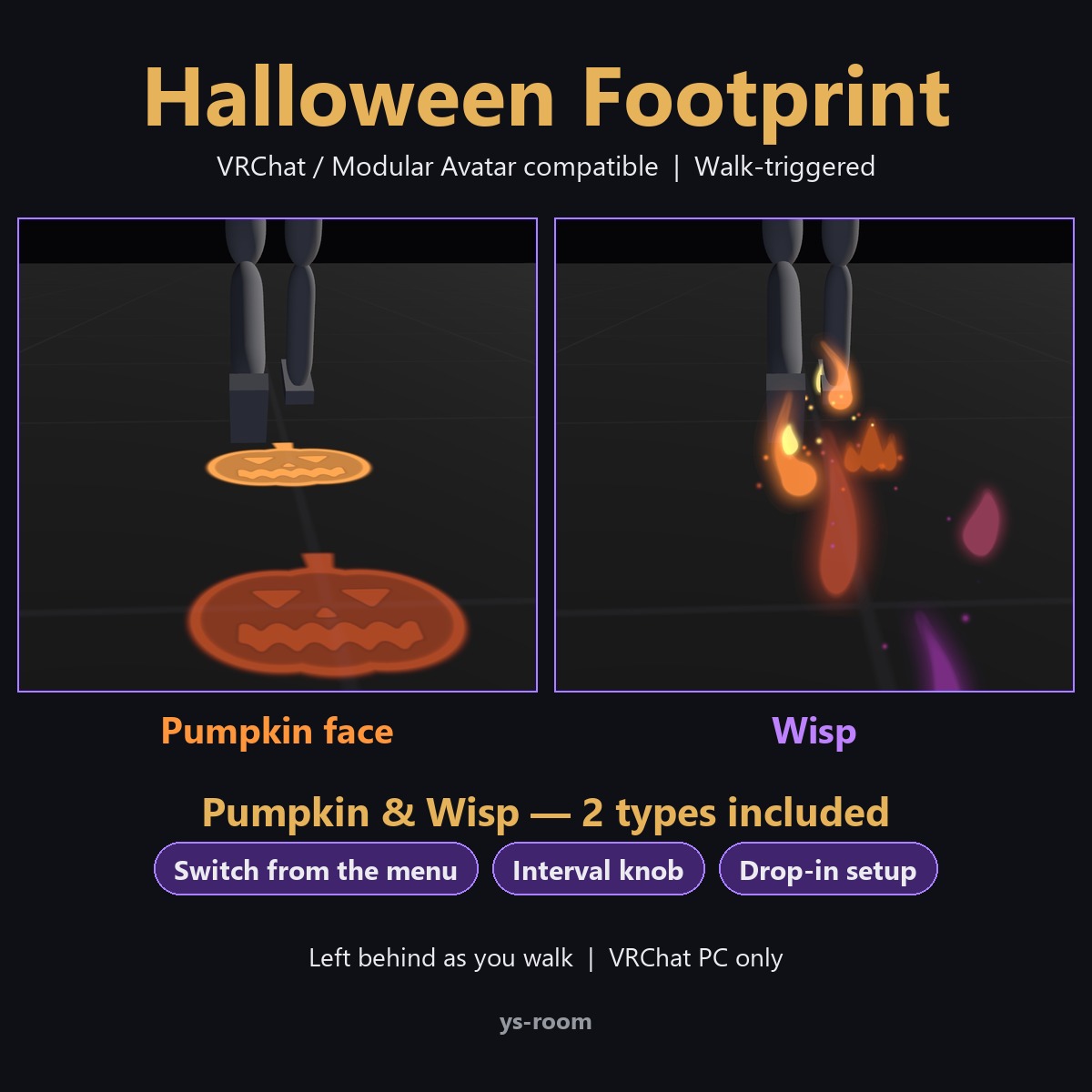
A Halloween footprint effect for VRChat (Modular Avatar compatible). As you walk, pumpkin faces and purple-and-orange wisps are left behind your feet and fade away. Just drop the prefab on your avatar.
What's included
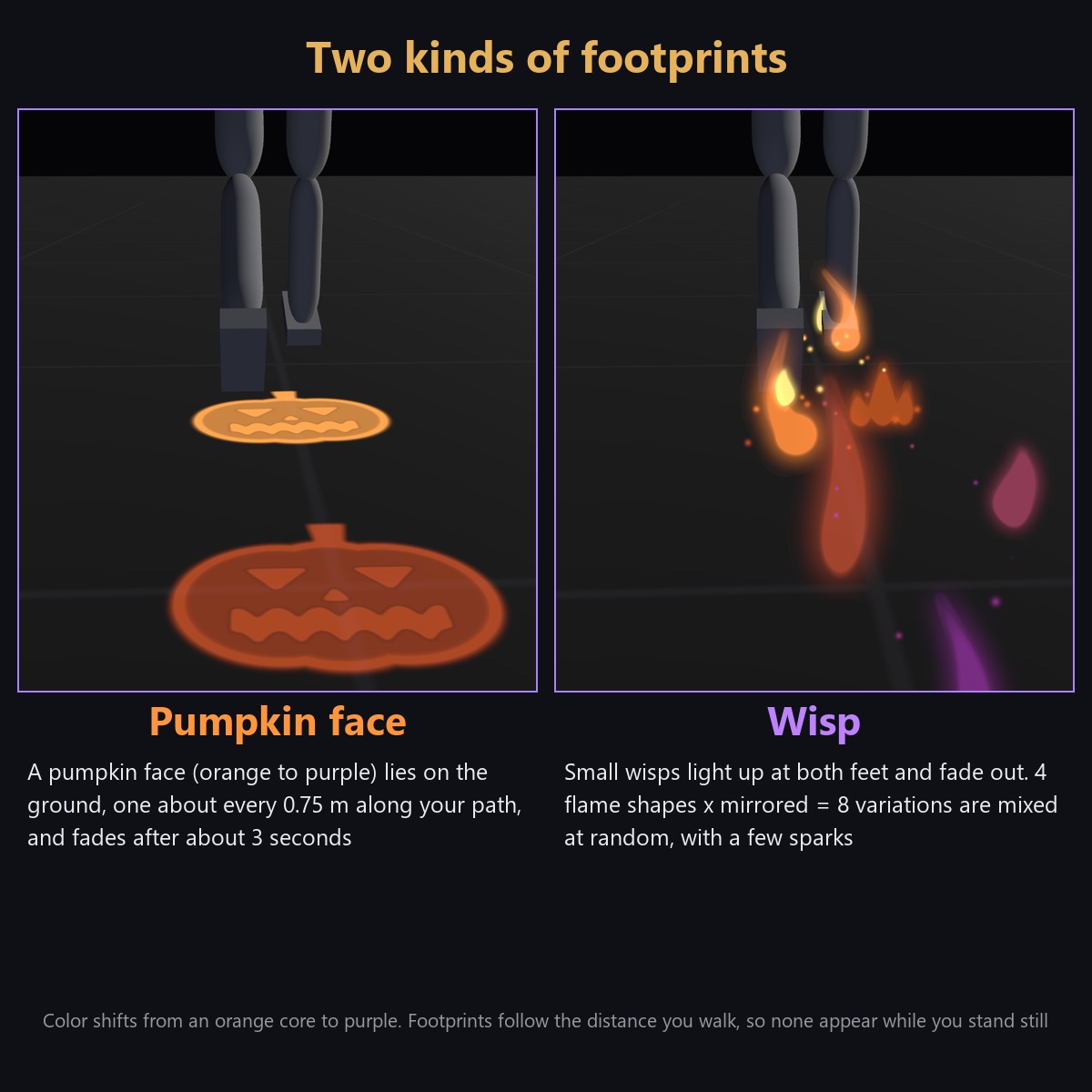
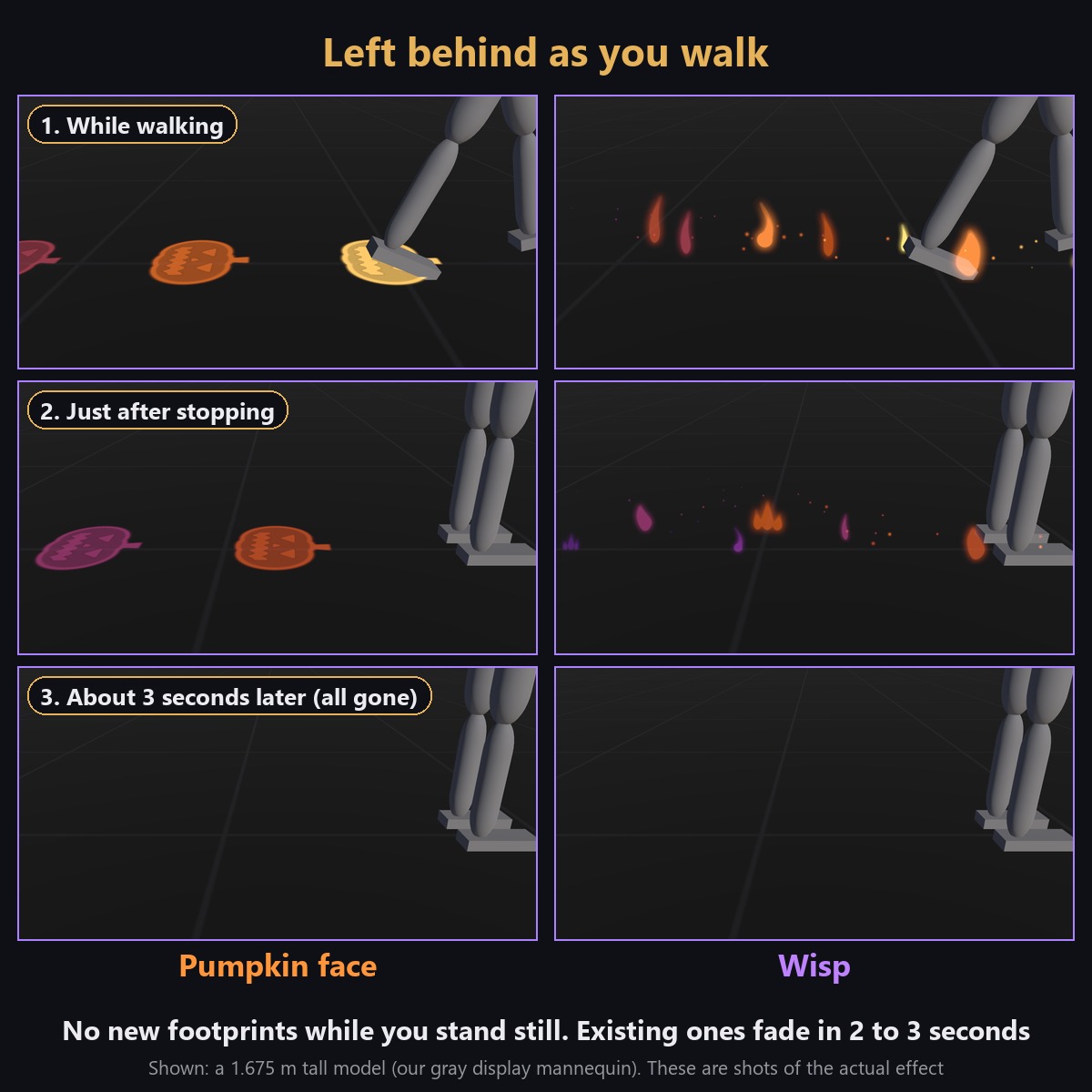
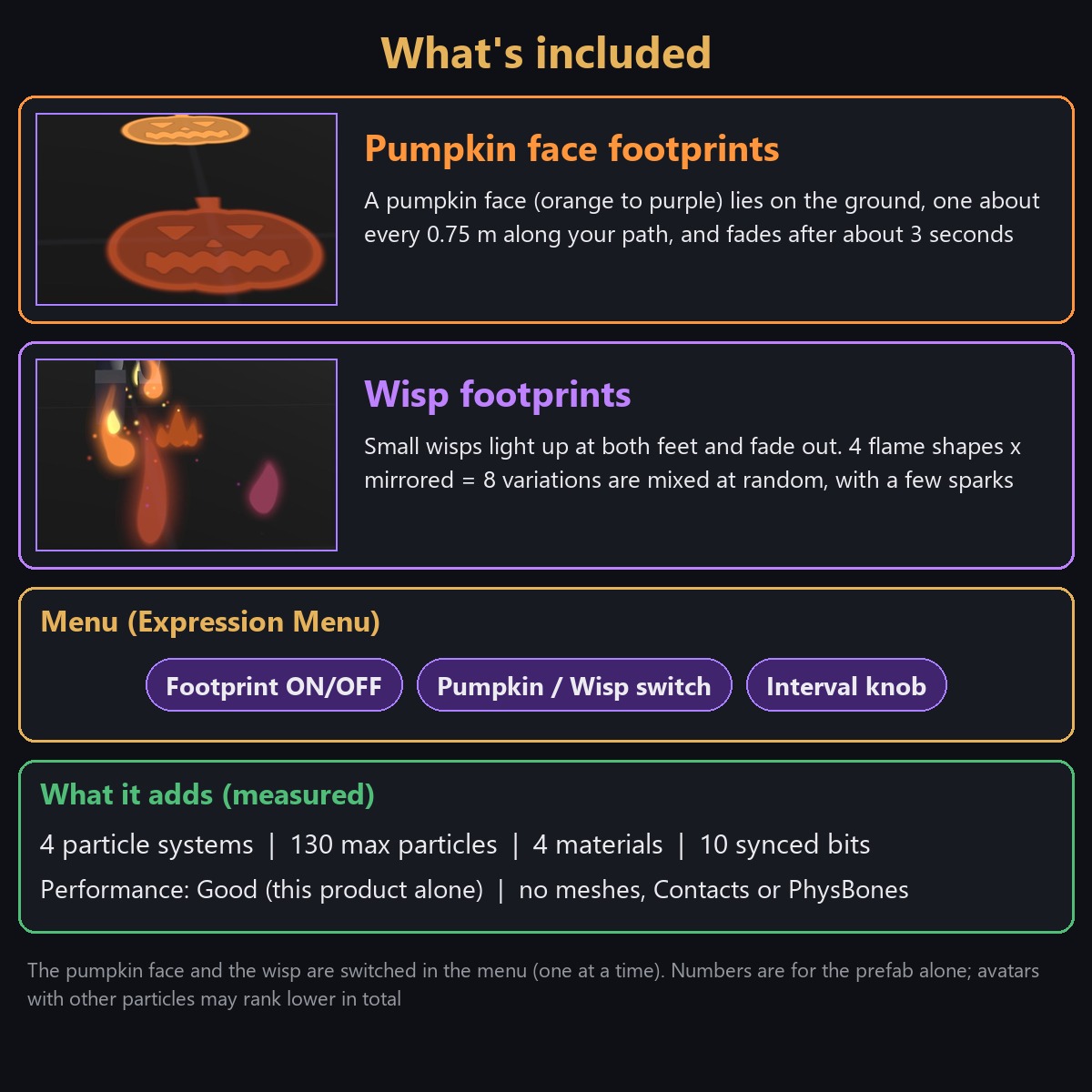
- Pumpkin face footprints: a pumpkin face (orange to purple) lies on the ground about every 0.75 m along your path and fades after about 3 seconds
- Wisp footprints: small wisps light up at both feet and fade out. 4 flame shapes x mirrored = 8 variations are mixed at random, with a few sparks
- Both are in this one product. Switch between pumpkin and wisp in the menu (one at a time)
Features
- Footprints follow the distance you walk; no new footprints while you stand still (only while your feet are on the ground)
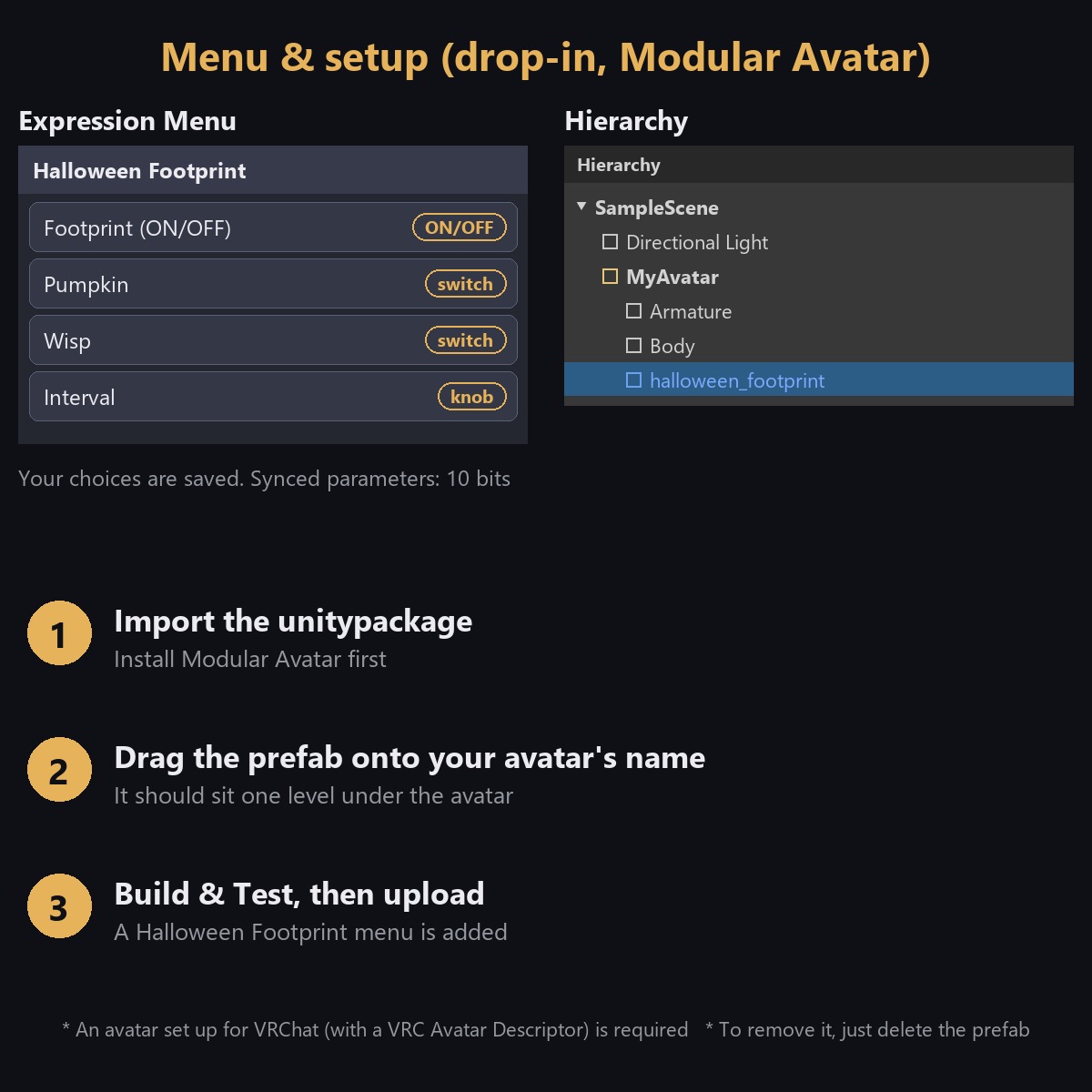
- Menu: ON/OFF, Pumpkin / Wisp switch and a footprint-interval knob (fit it to your avatar's height)
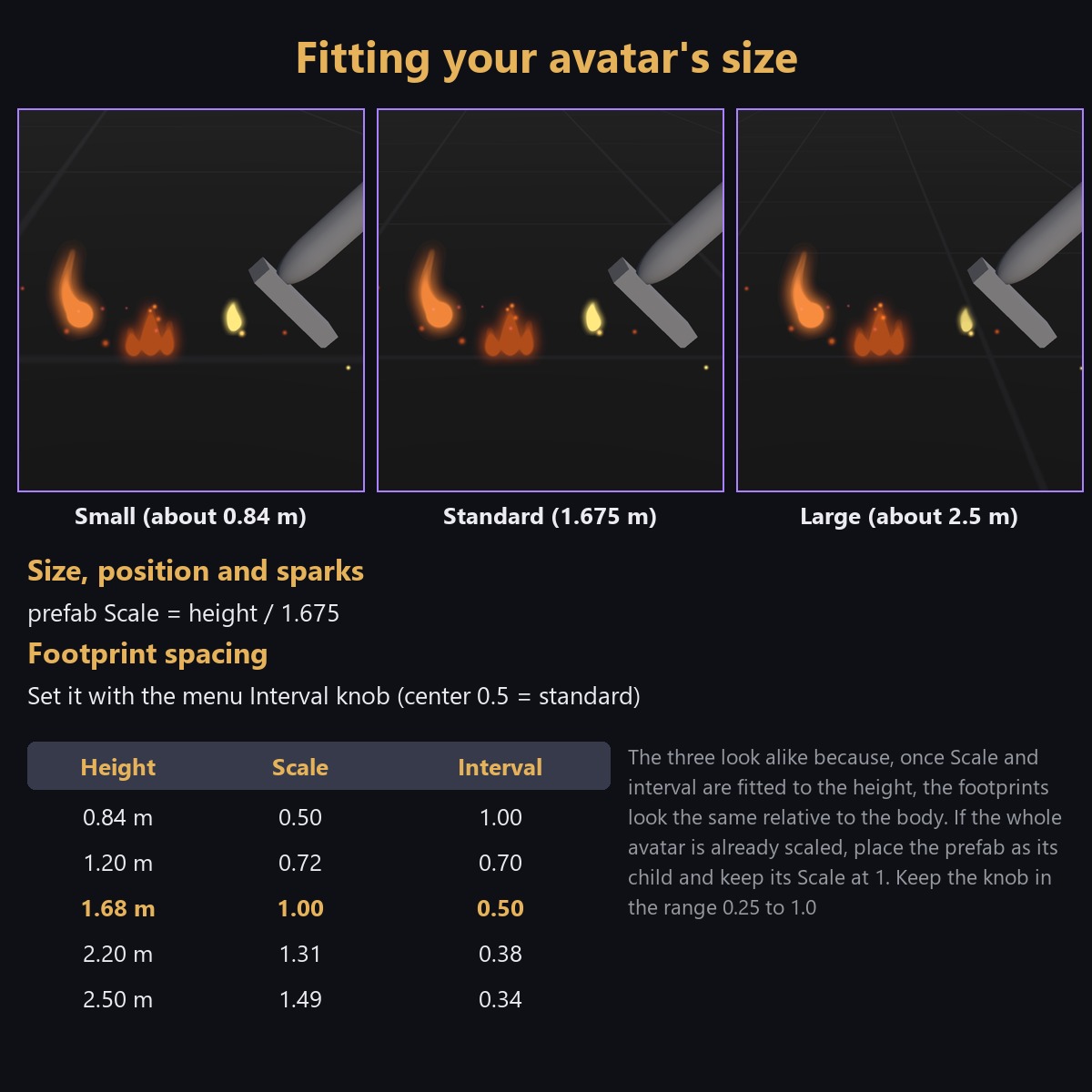
- Fits any height: set the prefab Scale to "height / 1.675" and the size, position and sparks follow. Only the spacing is set with the menu knob (a guide table is included)
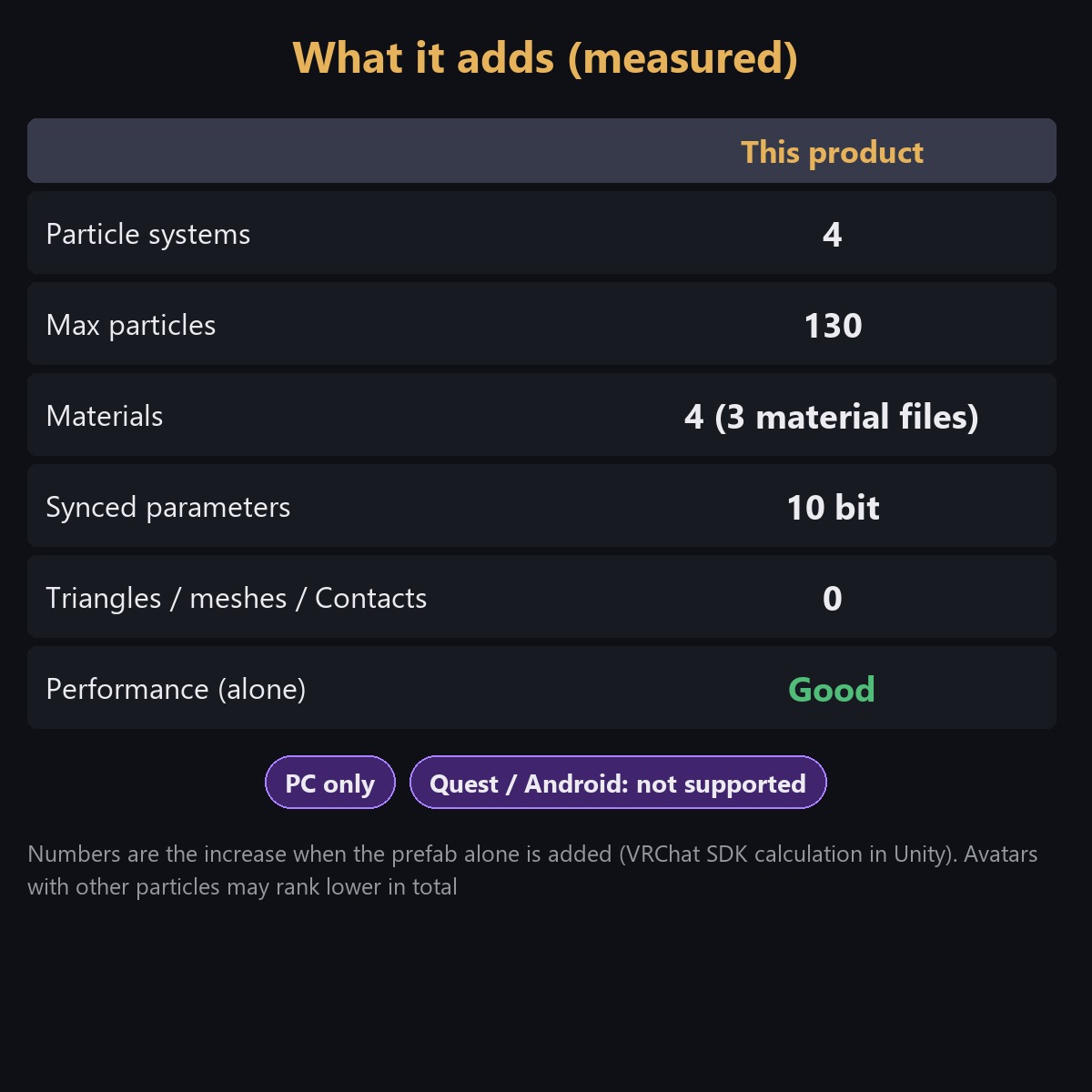
- Light: 4 particle systems / 130 max particles / 4 materials / 10 synced bits. Performance Good for the prefab alone; no meshes, Contacts or PhysBones
Tested
- In Unity: imported into a project like a buyer's: 0 compile errors, 0 NDMF error-report entries, VRChat SDK build preprocessing passes
- In VRChat itself: confirmed: footprints appear when you walk, the Pumpkin / Wisp switch works, no new footprints while you stand still, and the avatar uploads. Also checked in Unity
- Sync: the ON/OFF, style and interval parameters are set to be synced (not localOnly). How the footprints look to other players has not been confirmed in VRChat yet
Requirements
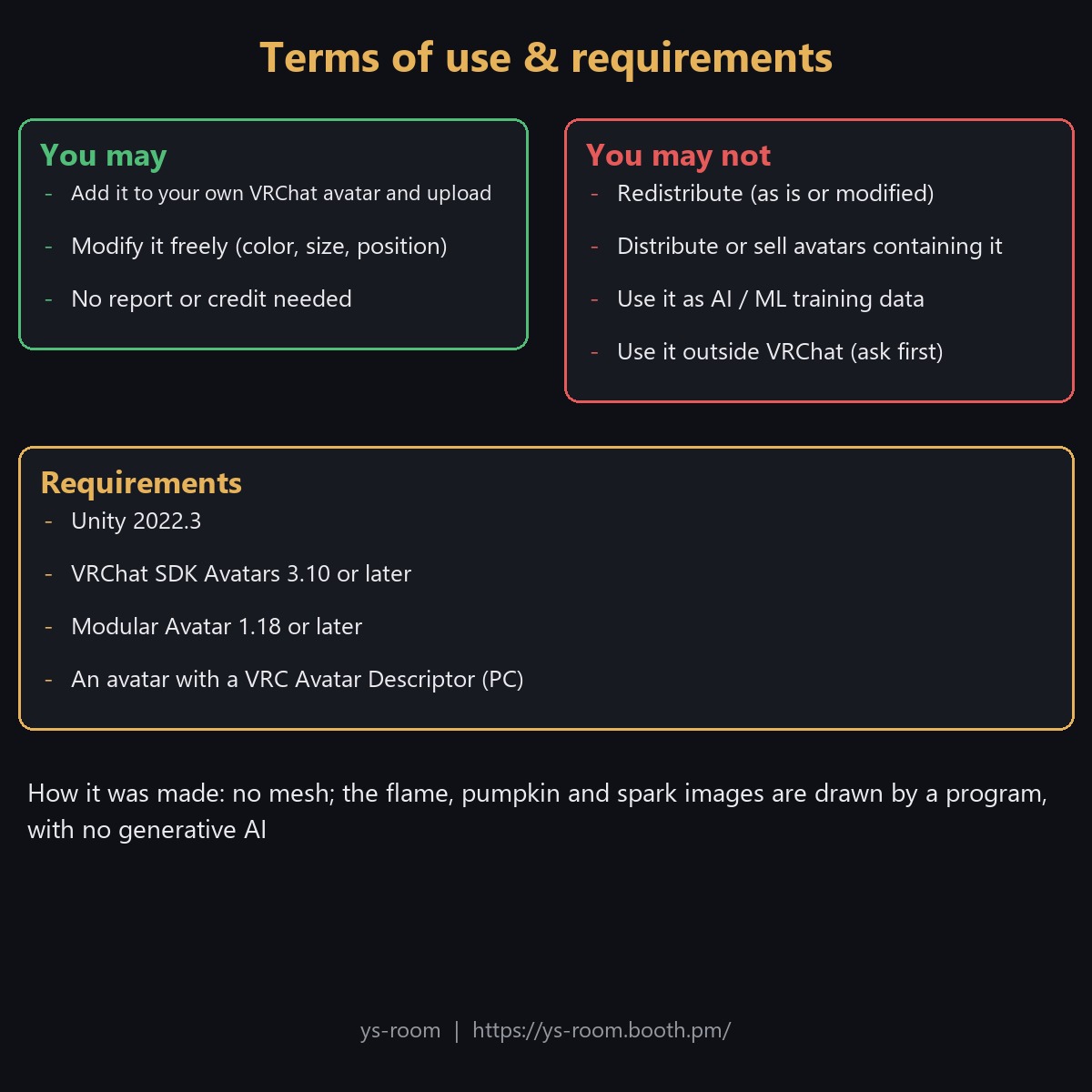
- Unity 2022.3 / VRChat SDK Avatars 3.10 or later / Modular Avatar 1.18 or later
- An avatar set up for VRChat (with a VRC Avatar Descriptor)
- PC only (Quest / Android not supported). lilToon is not required
Setup
- Import the unitypackage into a project with Modular Avatar
- Drag the prefab onto your avatar's name (one level under the avatar)
- If your avatar is not about 1.7 m tall, fit the Scale and the interval knob with the guide table
- Build & Test, then upload
See the included Readme and setup guide image for details.
Files
- unitypackage / Readme (English and Japanese) / setup guide image (English and Japanese) / terms of use (English and Japanese) / changelog
How it was made
- There is no mesh. The images of the flames, the pumpkin face and the sparks were drawn by a program, without using generative AI
Terms of use (summary)
- You may modify it freely. Redistribution is prohibited (as is or modified, including as part of avatar data). You may put it on your own avatar and upload it to VRChat
- Use as AI / ML training data and use outside VRChat (ask first) are prohibited
- See License_EN.txt for details
Video
- Watch it in motion on YouTube: https://youtu.be/XQ_tDjX8PnI