
Descripción del producto
Este producto contiene contenido generado por IA.
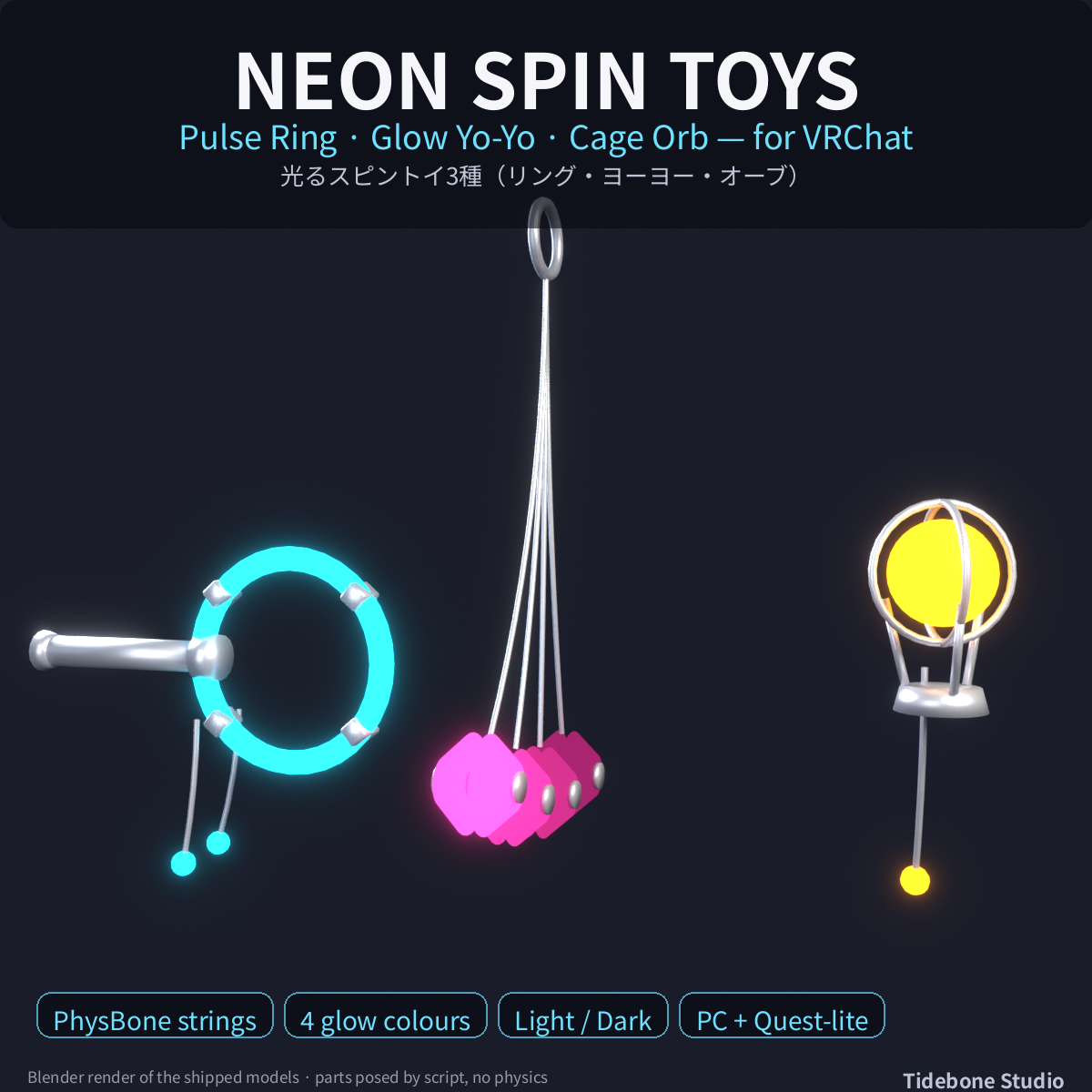
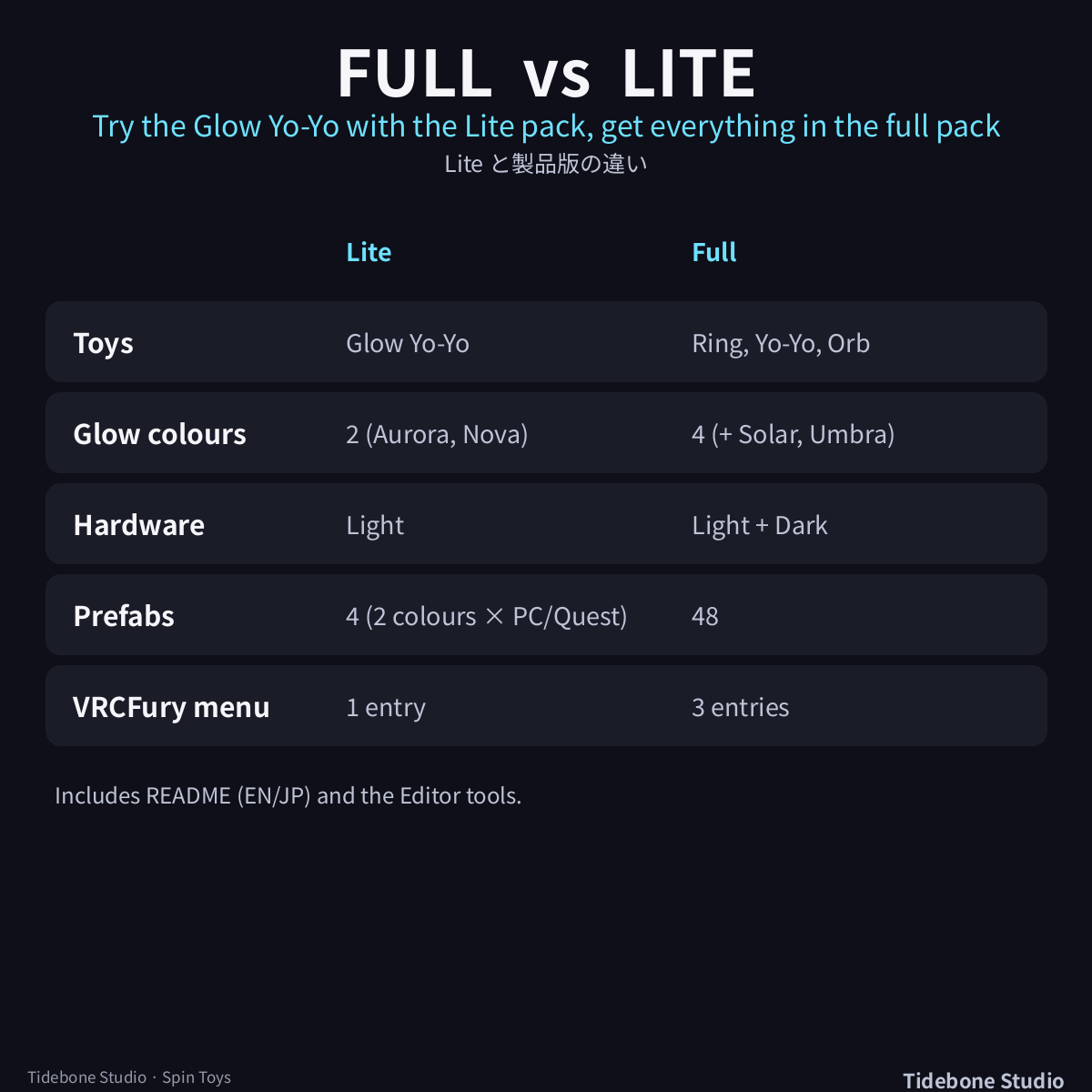
Glowing hand toys for VRChat avatars - a pulse ring with swinging charms, a glow yo-yo on a PhysBone string and a caged glow orb, in 4 glow colours and 2 hardware finishes (Light / Dark), as PC and Quest-lite prefabs, linked to your hand bones. A one-click VRCFury menu builder and a "Fit to selected avatar" button are included.
■ What you get (Full)
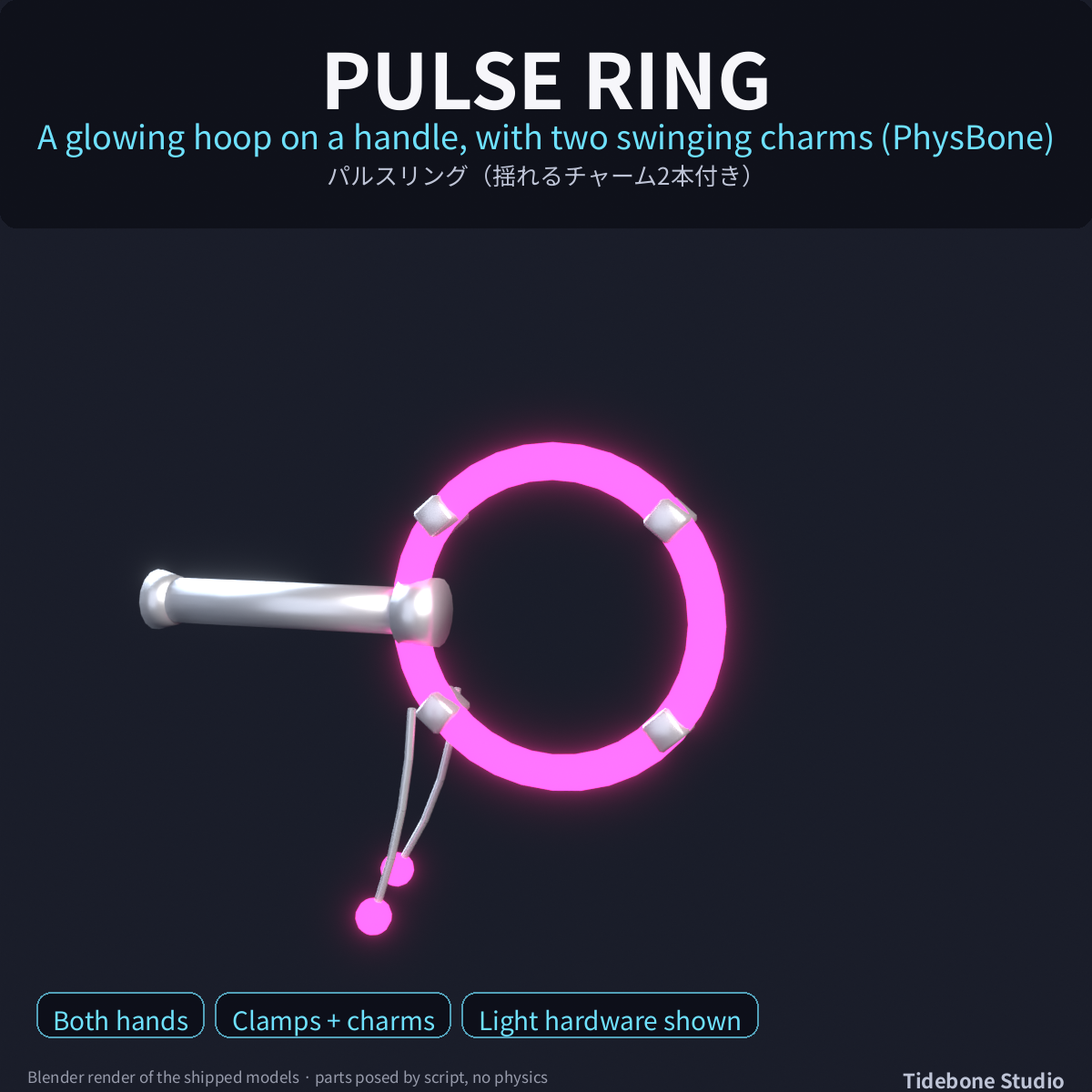
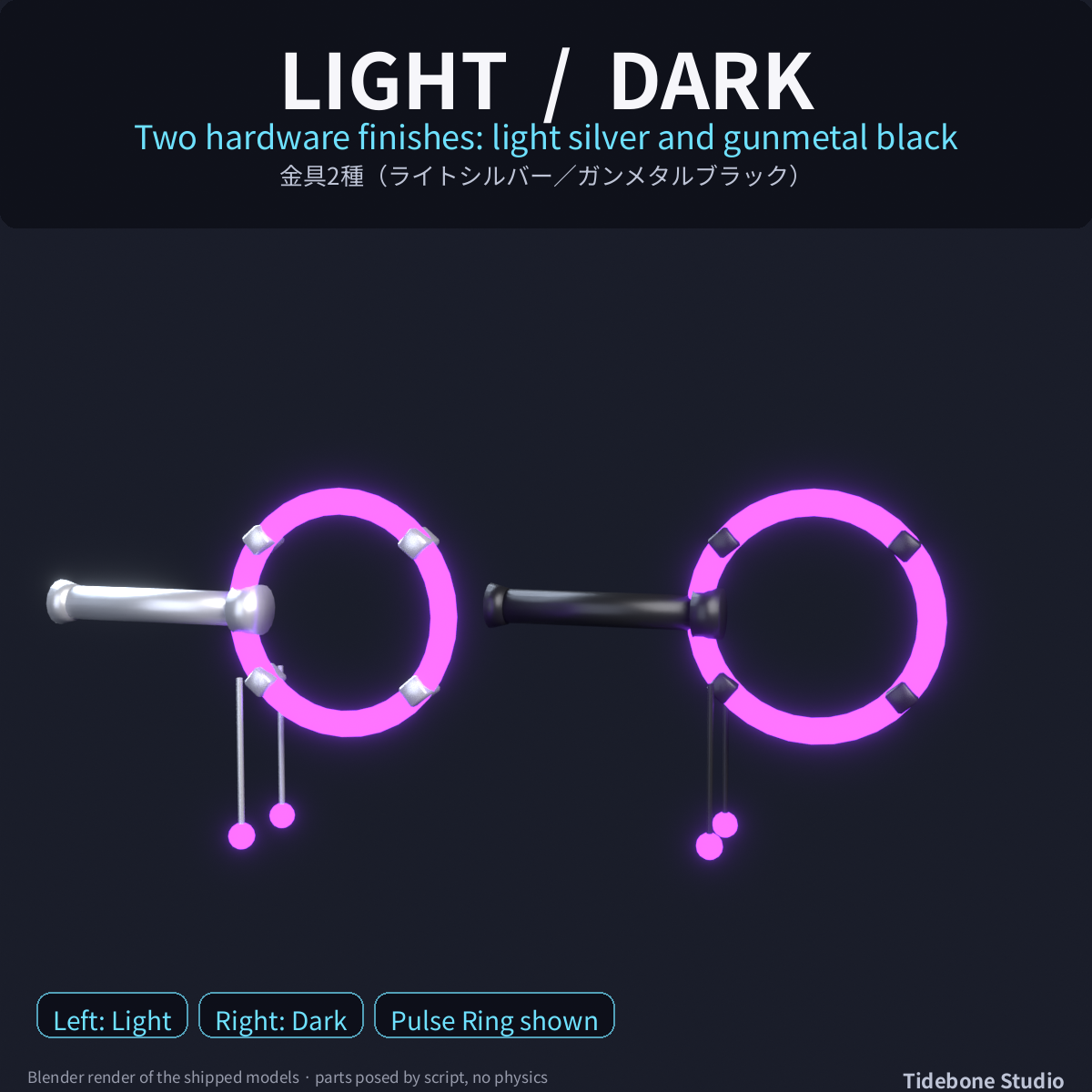
• Pulse Ring - a glowing hoop on a handle with four clamps and two swinging charms (PhysBone); one hand or both
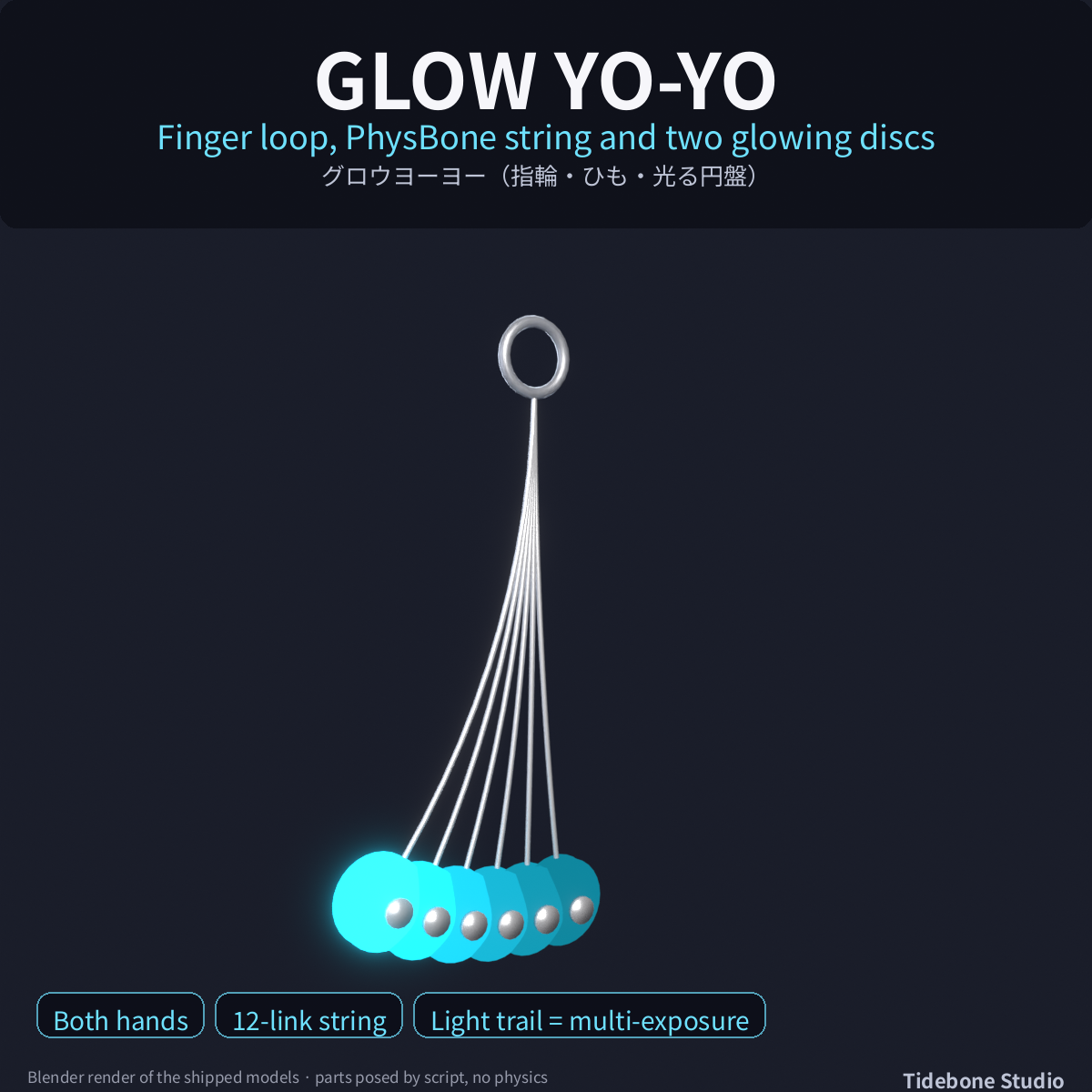
• Glow Yo-Yo - finger loop, 12-link PhysBone string and two glowing discs on an axle; one hand or both
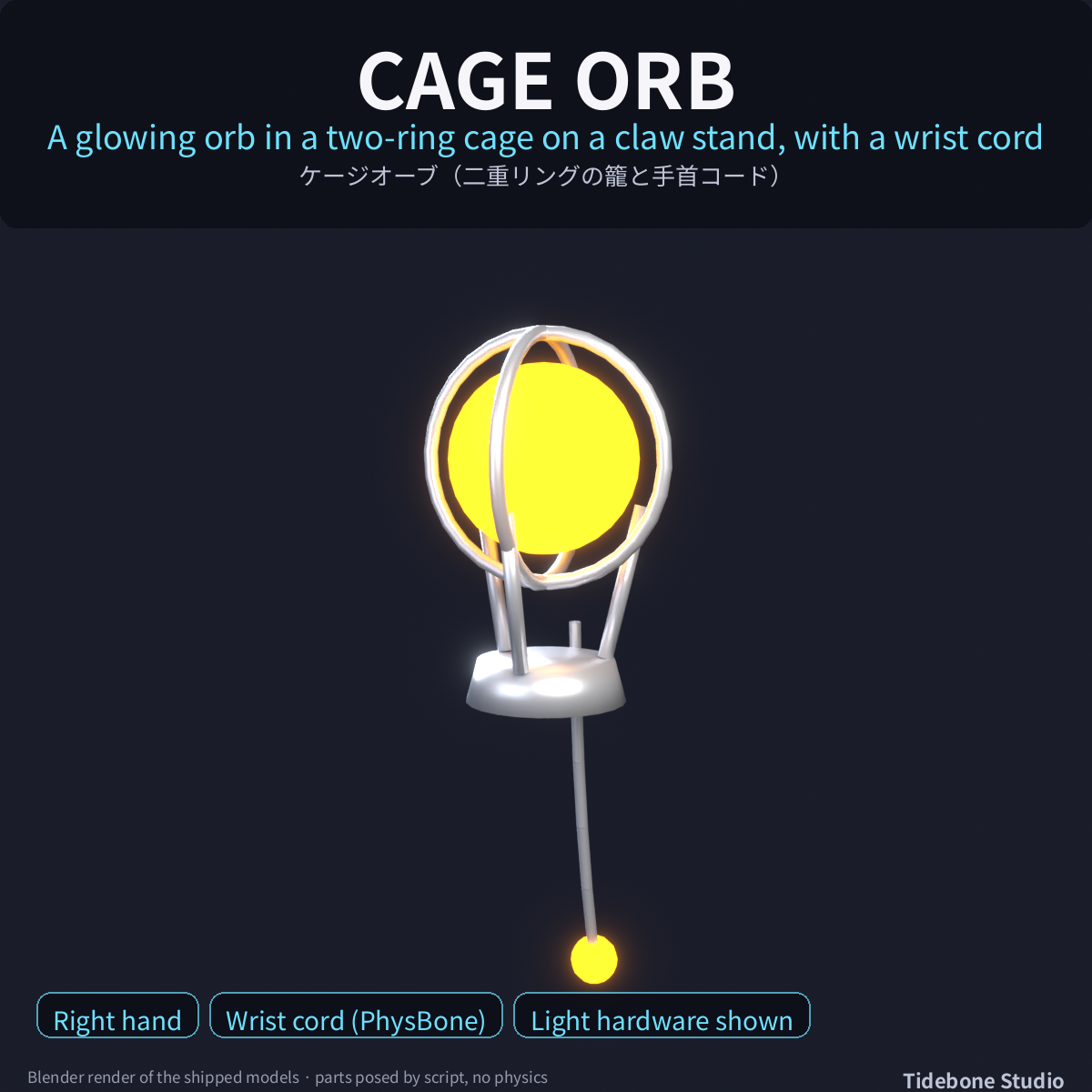
• Cage Orb - a glowing orb in a two-ring cage on a claw stand, with a wrist cord and glow bead (PhysBone); right hand
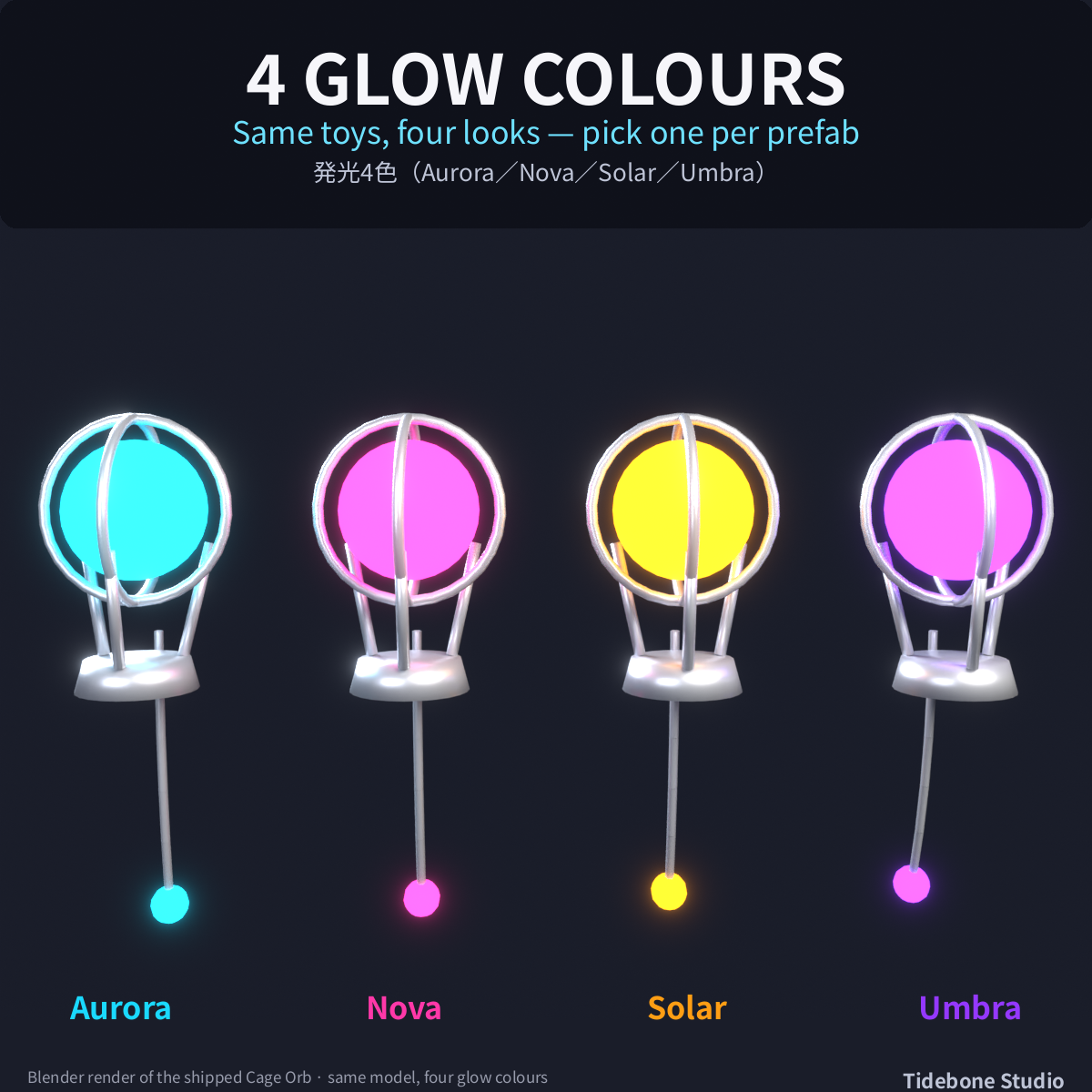
• 4 glow colours (Aurora cyan, Nova pink, Solar amber, Umbra violet) × 2 hardware finishes (Light = light silver, Dark = gunmetal black)
• 48 prefabs: 3 toys × 2 hardware × 4 colours × PC and Quest-lite (Quest-lite: fewer triangles, simpler or no chains, mobile shaders)
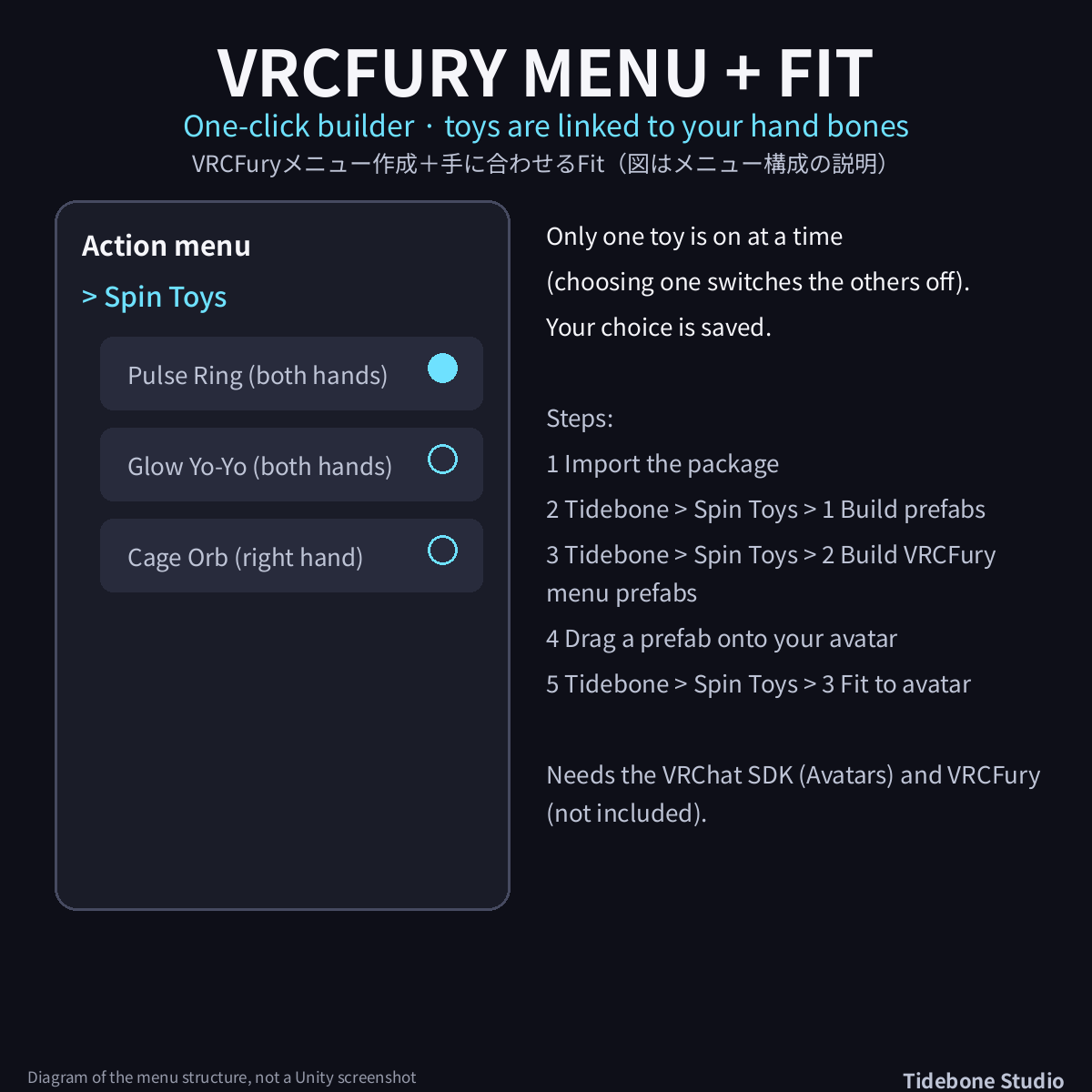
• One-click VRCFury menu builder: menu "Spin Toys", one toy at a time, saved choice; the toys are linked to the hand bones
• "Fit to selected avatar" button: places the toys in the fists of your avatar (humanoid, T/A-pose)
• Unity 2022.3, Built-in pipeline, no runtime scripts (the Editor menu tools are Editor-only)
■ Free Lite version
Glow Yo-Yo (one hand or both) in 2 glow colours (Light hardware), the same builder and menu, same folder layout (import Full over it).
■ Setup
1. Drag Unity/SpinToys_Full.unitypackage into your Unity 2022.3 project (VRChat SDK for Avatars installed).
2. Menu Tidebone > Spin Toys > 1 - Build materials and prefabs: builds the materials and 48 prefabs in Assets/TideboneStudio/SpinToys/Prefabs.
3. With VRCFury installed: menu Tidebone > Spin Toys > 2 - Build VRCFury menu prefabs, then drag Prefabs/VRCFury/SpinToys_<Light|Dark>_<Colour>_VRCFury (Quest: SpinToys_Quest_...) onto your avatar root. A "Spin Toys" menu appears in VRChat (Pulse Ring, Glow Yo-Yo, Cage Orb) - one at a time, your choice is saved.
4. Select your avatar and click Tidebone > Spin Toys > 3 - Fit to selected avatar: the toys are placed in the fists of your avatar's hands (it uses your own bones, T- or A-pose). Fine-tune by moving the toy object under ToyMount_RightHand / ToyMount_LeftHand.
5. Without VRCFury: drag the prefabs from Prefabs/ onto your hand bones (origin = grip, +Z along the forearm) and switch them with your own toggle.
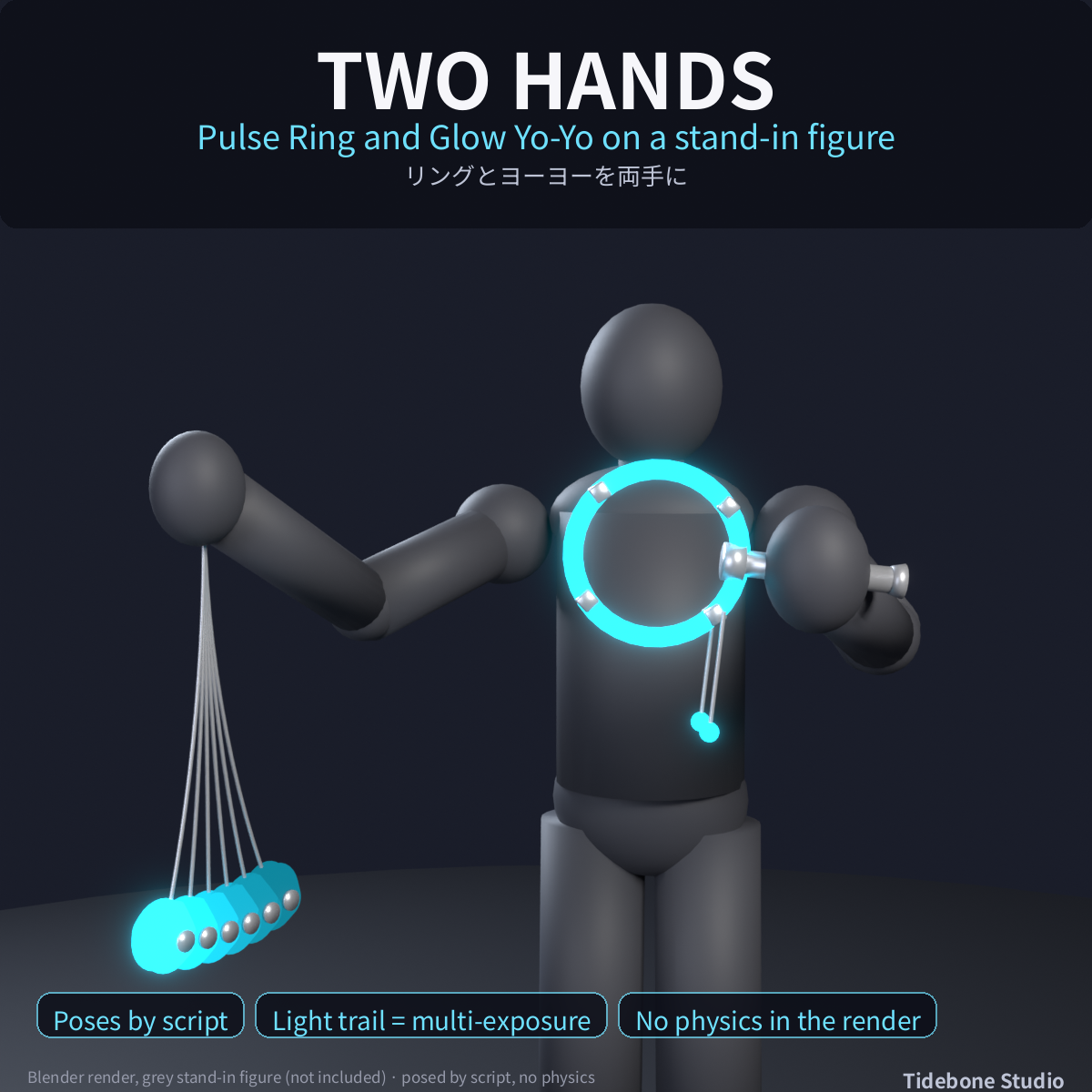
The Pulse Ring and the Glow Yo-Yo use both hands, the Cage Orb sits in the right hand. Chains (strings, charms, cords) are PhysBone chains.
■ Specs
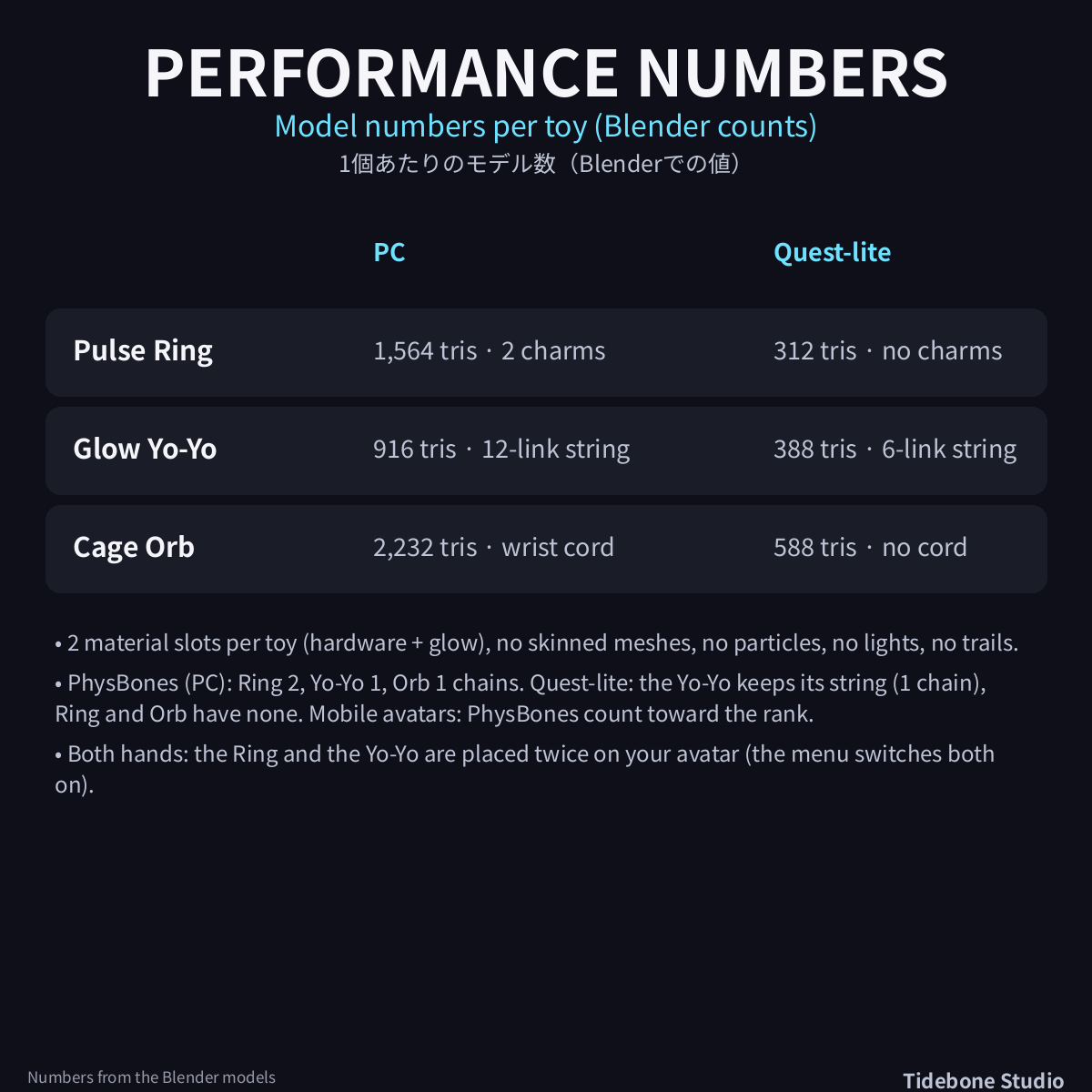
Model triangles per toy (PC / Quest-lite): Pulse Ring 1,564 / 312, Glow Yo-Yo 916 / 388, Cage Orb 2,232 / 588 (Blender counts; the Unity count is measured in the test run). 2 material slots per toy (hardware + glow); no skinned meshes, no particles, no lights, no trails. PhysBone chains on PC: Pulse Ring 2 (charms), Glow Yo-Yo 1 (12 links), Cage Orb 1 (5 links). Quest-lite: Glow Yo-Yo keeps a 6-link string (1 chain), Pulse Ring and Cage Orb have no chains. Mobile avatars: PhysBones count toward the performance rank.
• Tested (batch, 09.11.2026): Unity 2022.3.22f1, VRChat SDK (Avatars) 3.10.5, VRCFury 1.1434.0, VRChat Robot sample avatar: import 0 compiler errors; all 48 prefabs checked (triangles, materials, emission and PhysBone counts, PC and Quest-lite), 16 VRCFury menu prefabs built, VRCFury build checked on 4 of them (hand placement, Fit to avatar, PhysBones, menu, saved parameters, toggles) with negative controls. Lite: 4 prefabs and 4 VRCFury prefabs checked, VRCFury build on 2 of them.
■ Notes
• Needs the VRChat SDK (Avatars); the menu needs VRCFury (free, vcc.vrcfury.com) - NOT included. Without VRCFury place the prefabs on your hand bones by hand.
• Default size fits an avatar of about 1.5 m with normal hand proportions; scale the prefab to resize it.
• Original designs, no brand items.
• The light trails in the pictures are multi-exposure renders (copies of the same toy), not an effect in the package.
• Not included: avatar, VRCFury itself (free from vcc.vrcfury.com), sound, particle effects. Not tested in VRChat itself (PhysBone feel, other players' view).
• Images are Blender renders of the same models, not in-game captures. The grey figure shown is not included.
■ How it was made
Models and textures are generated procedurally with the author's own scripts and Blender; an AI assistant was used to write the scripts. No image- or video-generation AI was used. Images are Blender renders of the shipped models on a grey stand-in figure (not included), posed by script; they are not in-game captures.
■ Terms of use
The VN3 license PDFs (ja/en/ko/zh) are in the License folder (TideboneStudio_SpinToys_VN3_<lang>.pdf); Japanese is the official text. Summary: use and edit in your own work (commercial OK) / redistribution or resale of the data NOT allowed / use as machine-learning training data NOT allowed.
■ Contact
For issues or questions, please message me via my store page.
by Tidebone Studio