
3 Music Boxes with Own Melodies × 4 Glow Colours – Moon, Carousel, Star [VRChat · Plays Audio · VRCFury Prefab Included · PC + Quest-lite · Light/Dark] | Tidebone Studio
Etiquetas
Descripción del producto
Este producto contiene contenido generado por IA.
Glowing music boxes for VRChat avatars - a crescent Moon Box, a Carousel Box and a Star Box, each playing its own original melody when you switch it on. 4 glow colours, 2 hardware finishes (Light / Dark), PC and Quest-lite prefabs, linked to your hand bone. A one-click VRCFury menu builder and a "Fit to selected avatar" button are included.
■ What you get (Full)
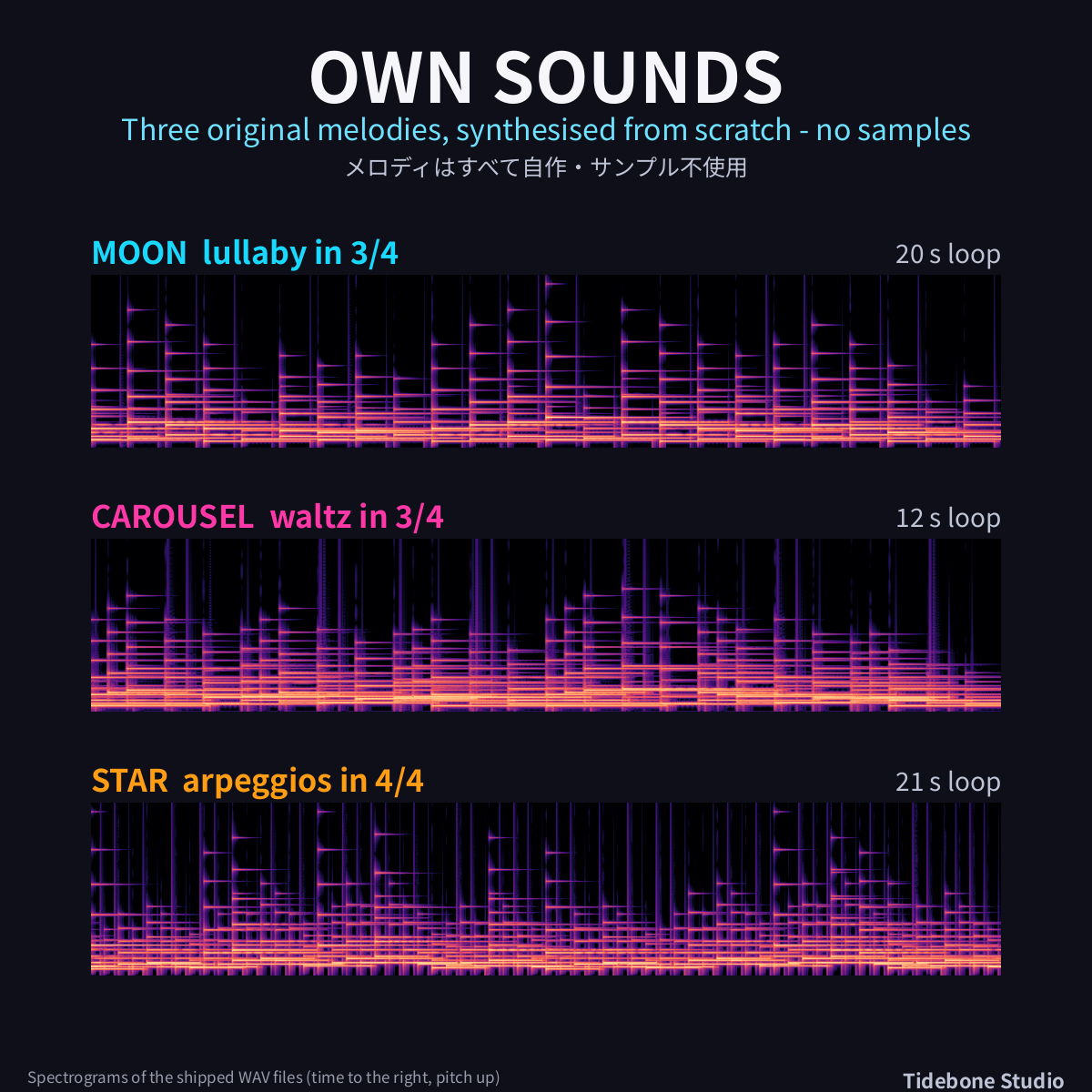
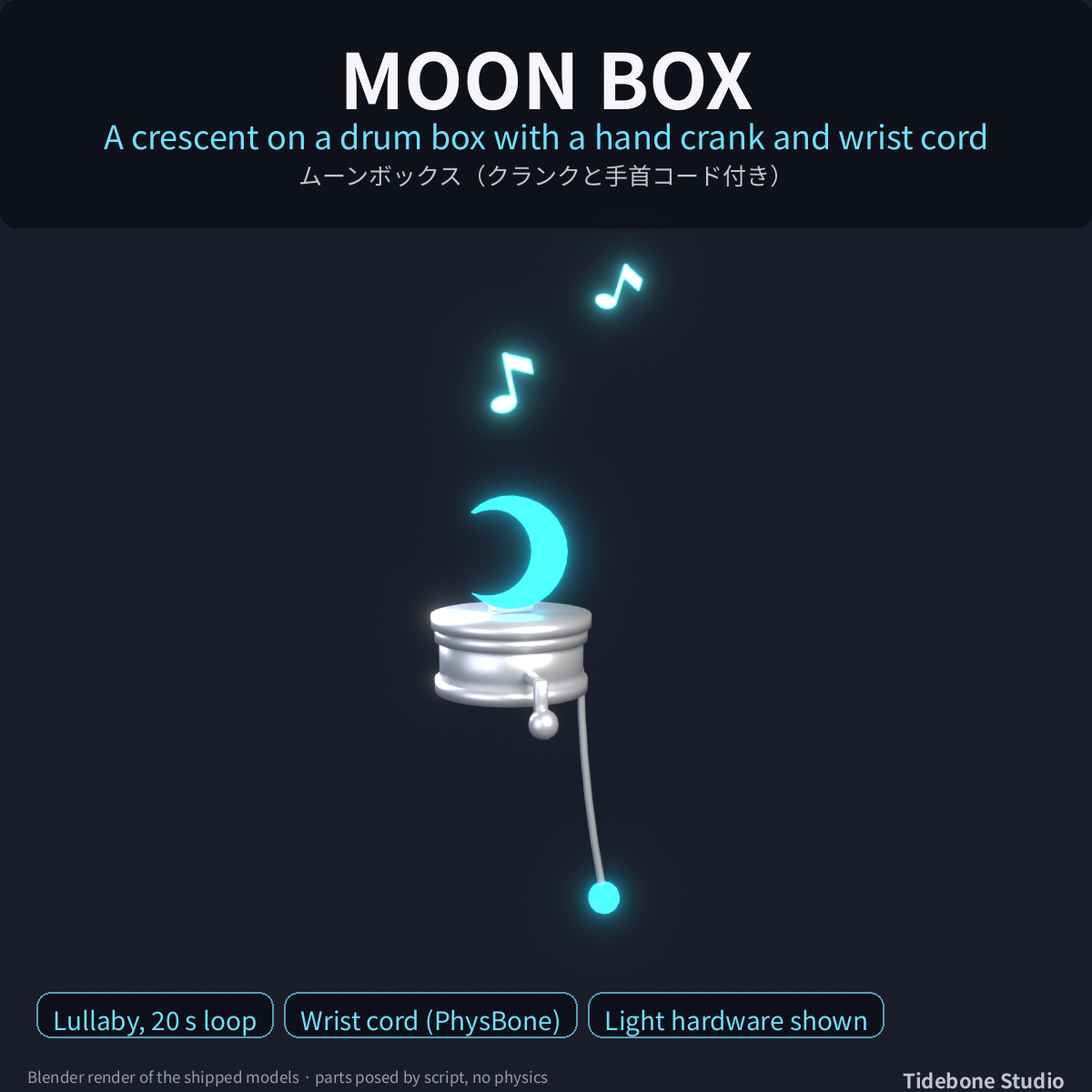
• Moon Box - a glowing crescent on a drum box; lullaby in 3/4 (C major pentatonic, 20 s loop)
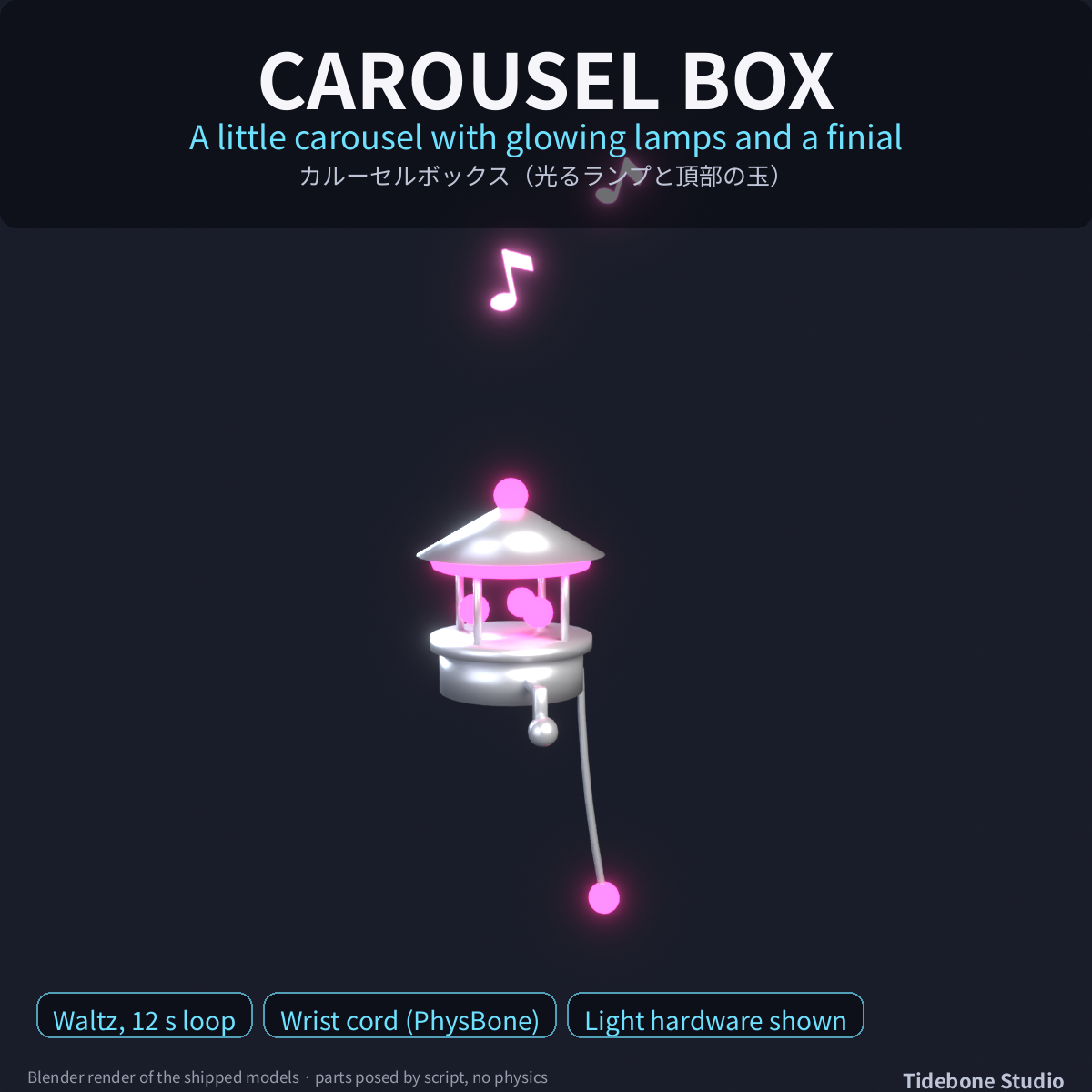
• Carousel Box - a little carousel with glowing ring, lamps and finial; waltz in 3/4 (G major, 12 s loop)
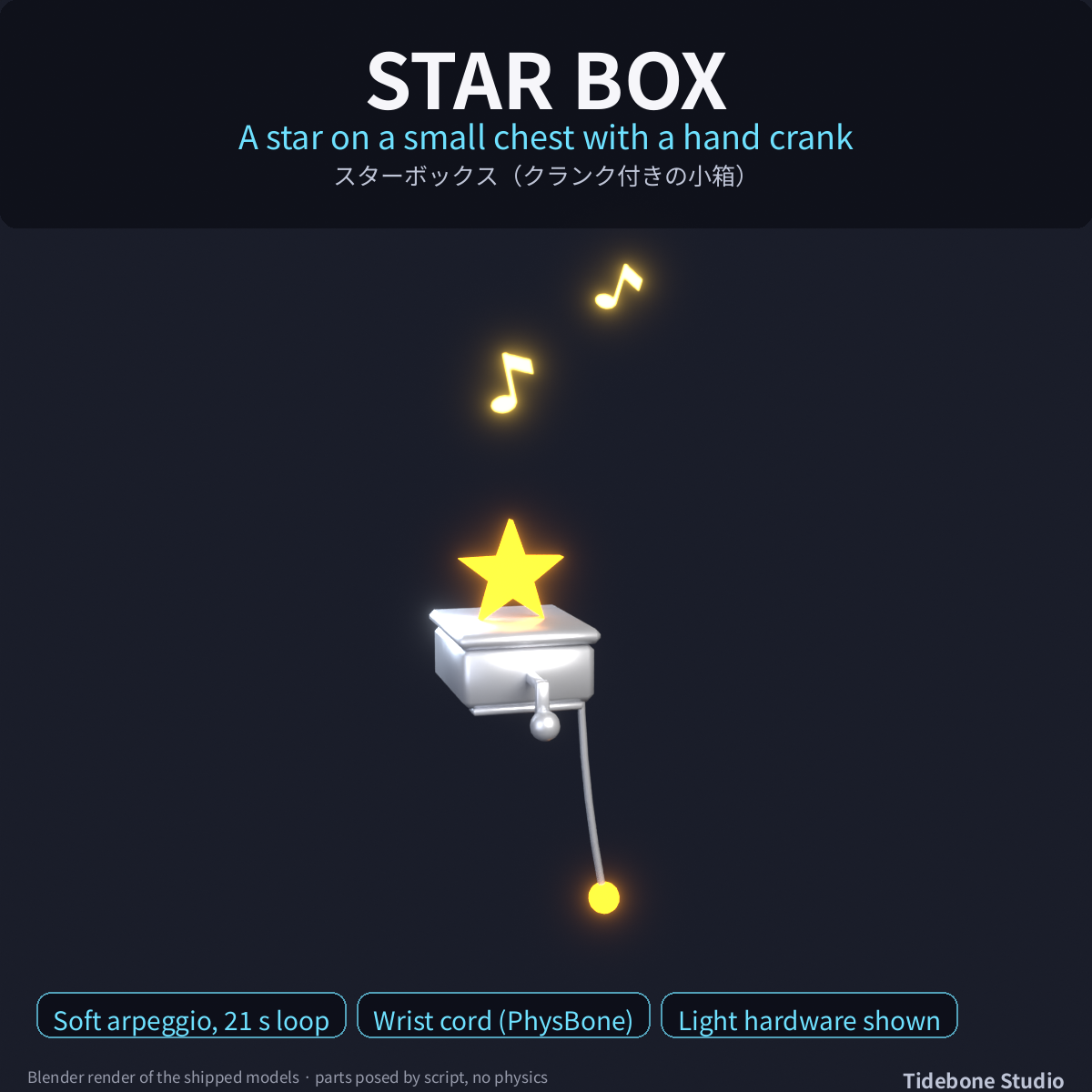
• Star Box - a glowing star on a small chest; soft arpeggios in 4/4 (A minor pentatonic, 21 s loop)
• All sounds are synthesised from scratch (music-box tines built from sine partials with a small room): no recordings, no samples. The WAV files are included (mono, 32 kHz) and loop without a click
• Each box: hand crank (static), wrist cord with a glow bead (PhysBone, PC), floating notes (small particle system, PC)
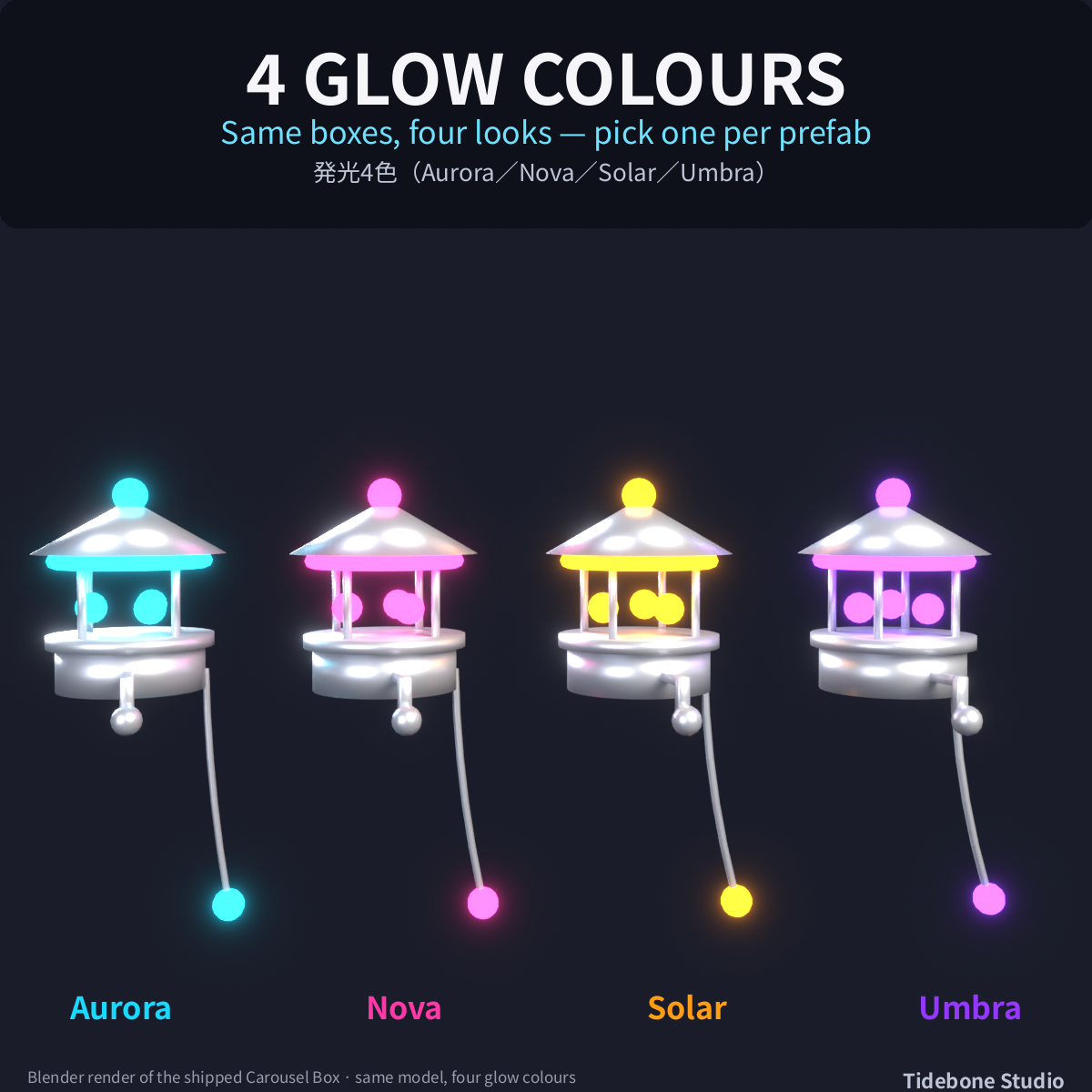
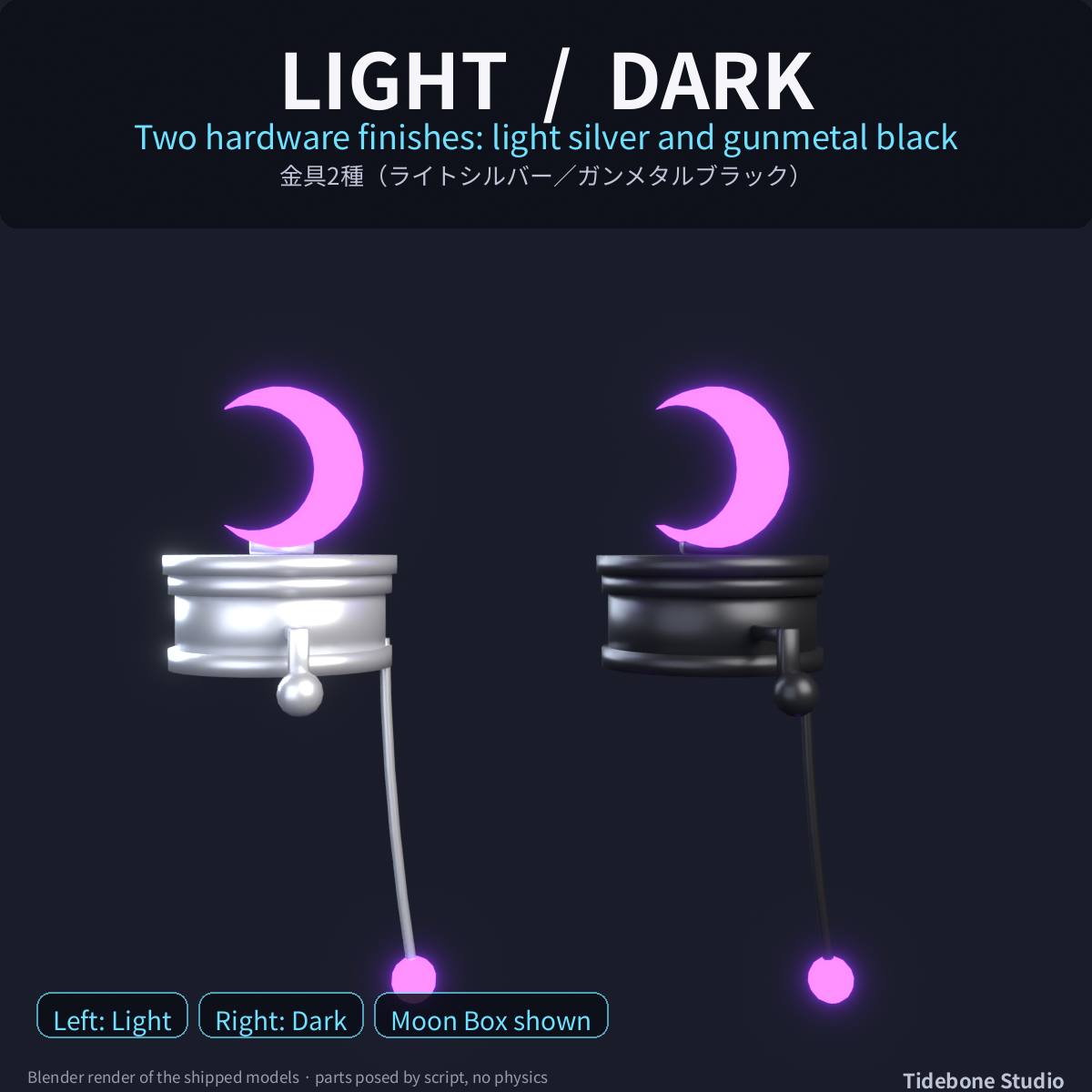
• 4 glow colours (Aurora cyan, Nova pink, Solar amber, Umbra violet) x 2 hardware finishes (Light = light silver, Dark = gunmetal black)
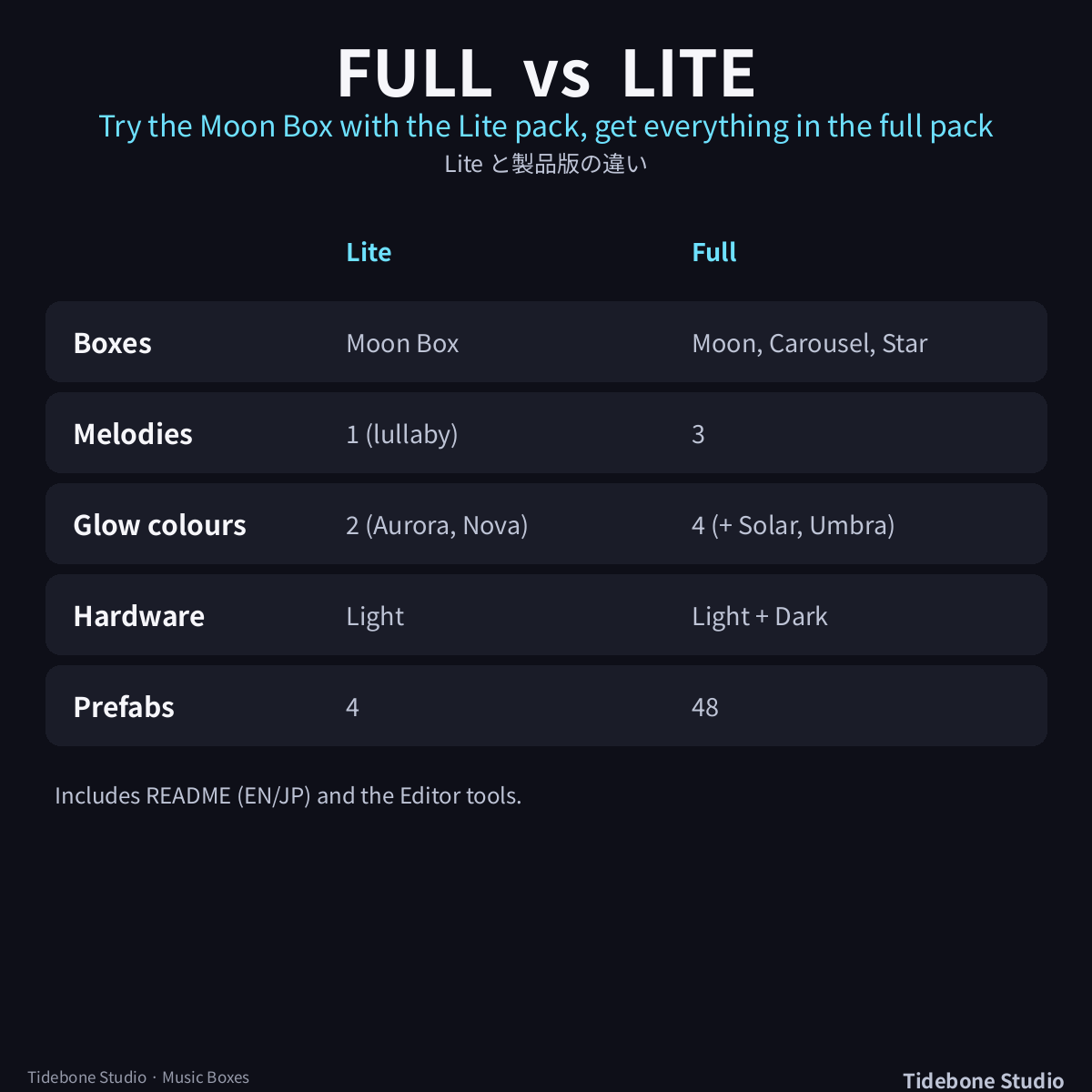
• 48 prefabs: 3 boxes x 2 hardware x 4 colours x PC and Quest-lite (Quest-lite: fewer triangles, no cord, no notes, mobile shaders; the melody still plays)
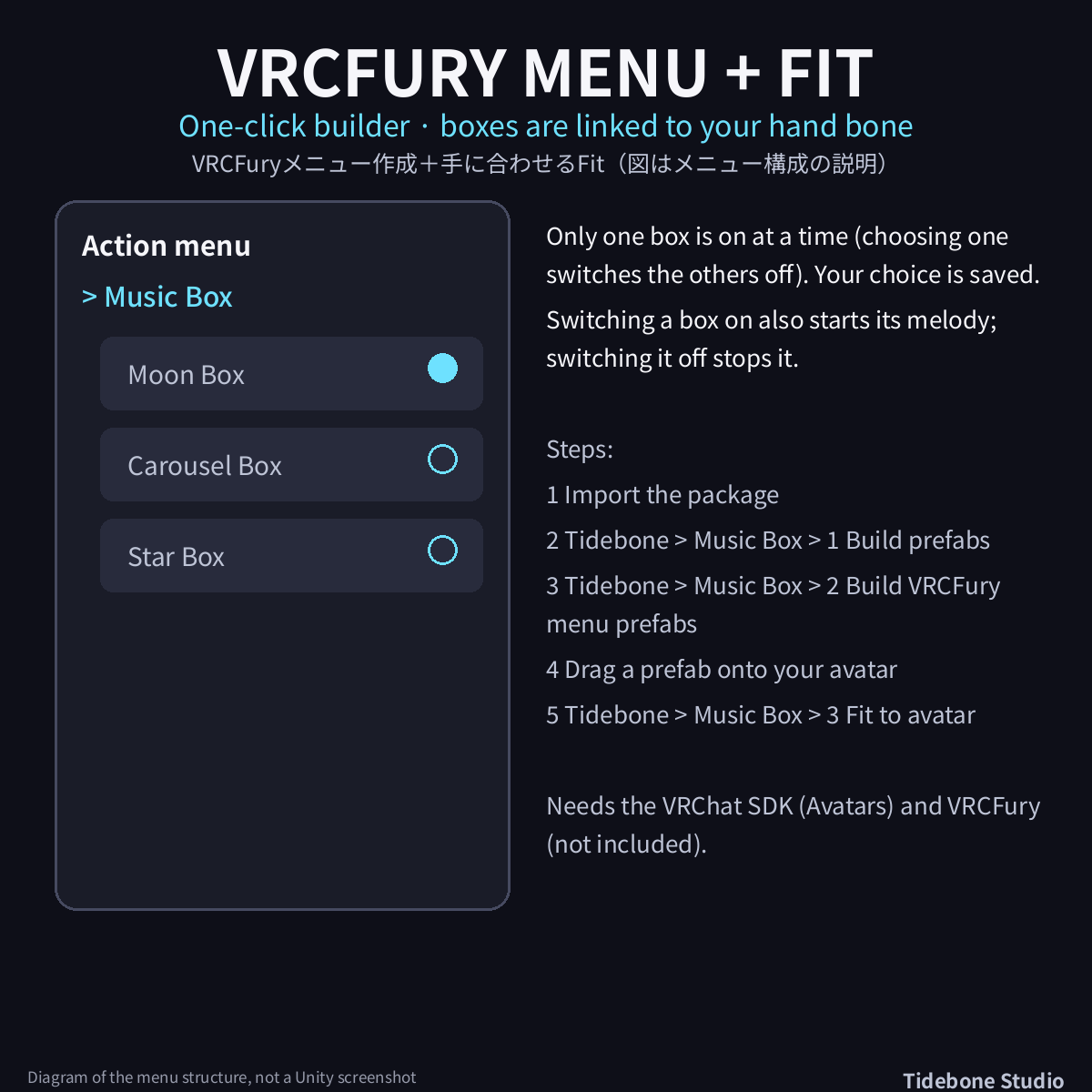
• One-click VRCFury menu builder: menu "Music Box", one box at a time, saved choice; switching a box on starts its melody
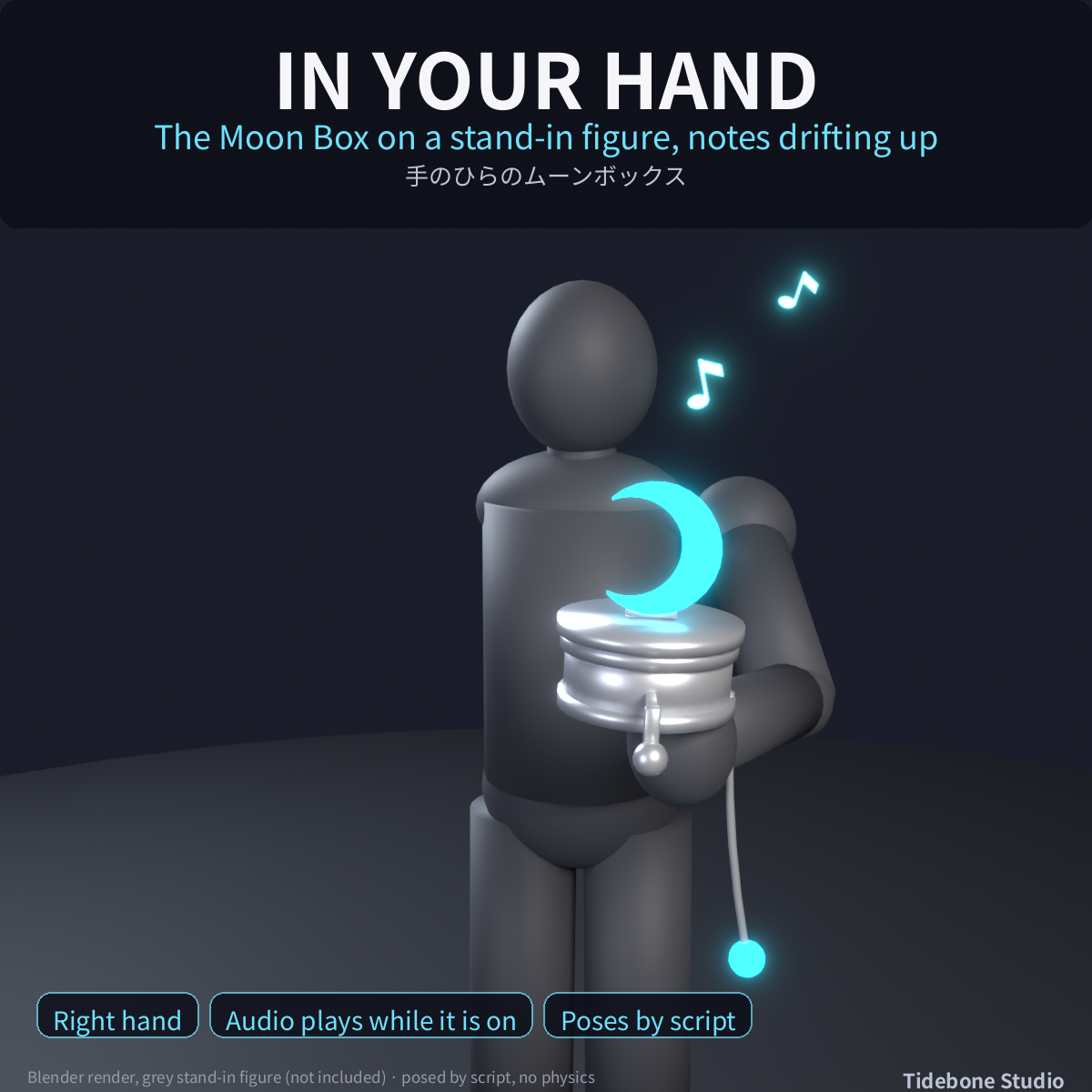
• "Fit to selected avatar" button: places the box in the fist of your avatar's right hand (humanoid, T/A-pose)
• Unity 2022.3, Built-in pipeline, no runtime scripts (the Editor menu tools are Editor-only)
■ Free Lite version
Moon Box (lullaby) in 2 glow colours (Light hardware), the same builder and menu, same folder layout (import Full over it).
■ Setup
1. Drag Unity/MusicBox_Full.unitypackage into your Unity 2022.3 project (VRChat SDK for Avatars installed).
2. Menu Tidebone > Music Box > 1 - Build materials and prefabs: builds the materials and 48 prefabs in Assets/TideboneStudio/MusicBox/Prefabs.
3. With VRCFury installed: menu Tidebone > Music Box > 2 - Build VRCFury menu prefabs, then drag Prefabs/VRCFury/MusicBox_<Light|Dark>_<Colour>_VRCFury (Quest: MusicBox_Quest_...) onto your avatar root. A "Music Box" menu appears in VRChat (Moon Box, Carousel Box, Star Box) - one at a time, your choice is saved.
4. Select your avatar and click Tidebone > Music Box > 3 - Fit to selected avatar: the toys are placed in the fists of your avatar's hands (it uses your own bones, T- or A-pose). Fine-tune by moving the toy object under ToyMount_RightHand / ToyMount_LeftHand.
5. Without VRCFury: drag the prefabs from Prefabs/ onto your hand bones (origin = grip, +Z along the forearm) and switch them with your own toggle.
Each box sits in the right hand. Switching a box on starts its melody (an AudioSource on the box; the VRChat spatial-audio component is added when the SDK is present). The wrist cord is a PhysBone chain (PC).
■ Specs
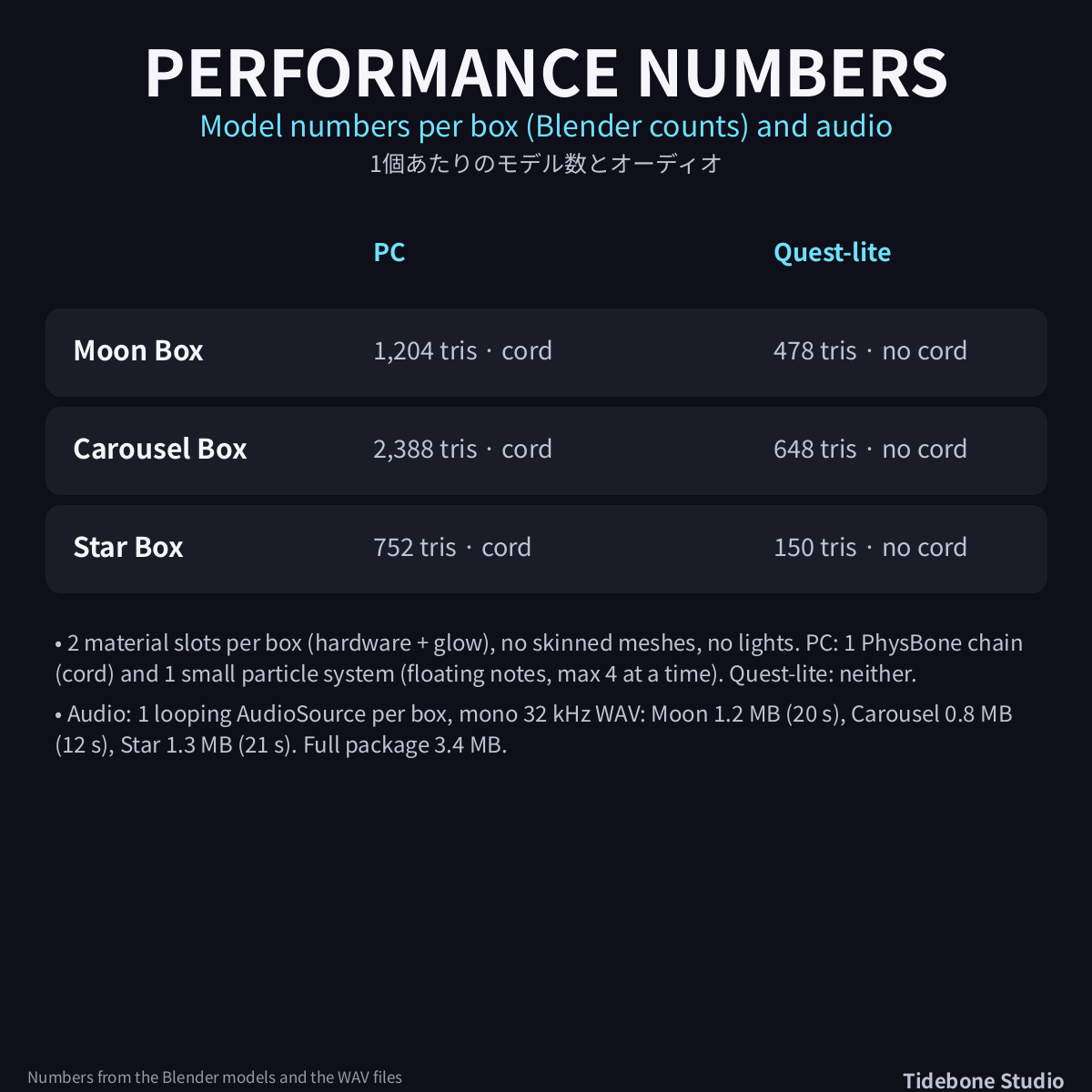
Model triangles per box (PC / Quest-lite): Moon Box 1,204 / 478, Carousel Box 2,388 / 648, Star Box 752 / 150 (Blender counts; the Unity count is measured in the test run). 2 material slots per box (hardware + glow); no skinned meshes, no lights. PC: 1 PhysBone chain (5-link cord) and 1 small particle system (floating notes: one every 1.6 s, at most 4 alive, additive, no trails). Quest-lite: no cord, no particles. Audio: 1 looping AudioSource per box (mono 32 kHz WAV, 3D, max distance 7 m, volume 0.55): Moon 20.0 s, Carousel 12.4 s, Star 20.9 s. Package size: Full 3.4 MB, Lite 1.3 MB.
■ Notes
• Needs the VRChat SDK (Avatars); the menu needs VRCFury (free, vcc.vrcfury.com) - NOT included. Without VRCFury place the prefabs on your hand bone by hand; the melody plays as soon as the box object is active.
• The audio is a Unity AudioSource (3D, 0.55 volume, 7 m); the VRChat spatial-audio component is added by the builder when the SDK is installed. Loudness in a busy world is NOT tested: adjust the volume on the Tune_Audio object.
• Default size fits an avatar of about 1.5 m; scale the prefab to resize it.
• Original melodies and designs, synthesised from scratch; no existing songs, no samples.
• Not included: avatar, VRCFury itself (free from vcc.vrcfury.com), other sound effects, a rotating crank (the crank is static). Tested in Unity 2022.3 with VRChat SDK 3.10.5 and VRCFury (package import, prefab build, VRCFury menu build on a test avatar). Not tested in VRChat itself (PhysBone feel, other players' view, audio level and range in a populated world).
• Images are Blender renders of the same models, not in-game captures. The grey figure shown is not included.
■ How it was made
How it was made: models, textures and sounds are generated procedurally with the author's own scripts and Blender / Python; an AI assistant was used to write the scripts. No image- or video-generation AI was used and no recorded or sampled audio: every sound is synthesised from sine waves by the included method. Images are Blender renders of the shipped models on a grey stand-in figure (not included), posed by script; they are not in-game captures.
■ Terms of use
Terms of use: the VN3 license PDFs (ja/en/ko/zh) are in the License folder (TideboneStudio_MusicBox_VN3_<lang>.pdf); Japanese is the official text. Summary: use and edit in your own work (commercial OK) / redistribution or resale of the data NOT allowed / use as machine-learning training data NOT allowed.
■ Contact
For issues or questions, please message me via my store page.
by Tidebone Studio