
Cherry&Drake-Diner - VRChat Clothing / CP38
Etiquetas
Descripción del producto
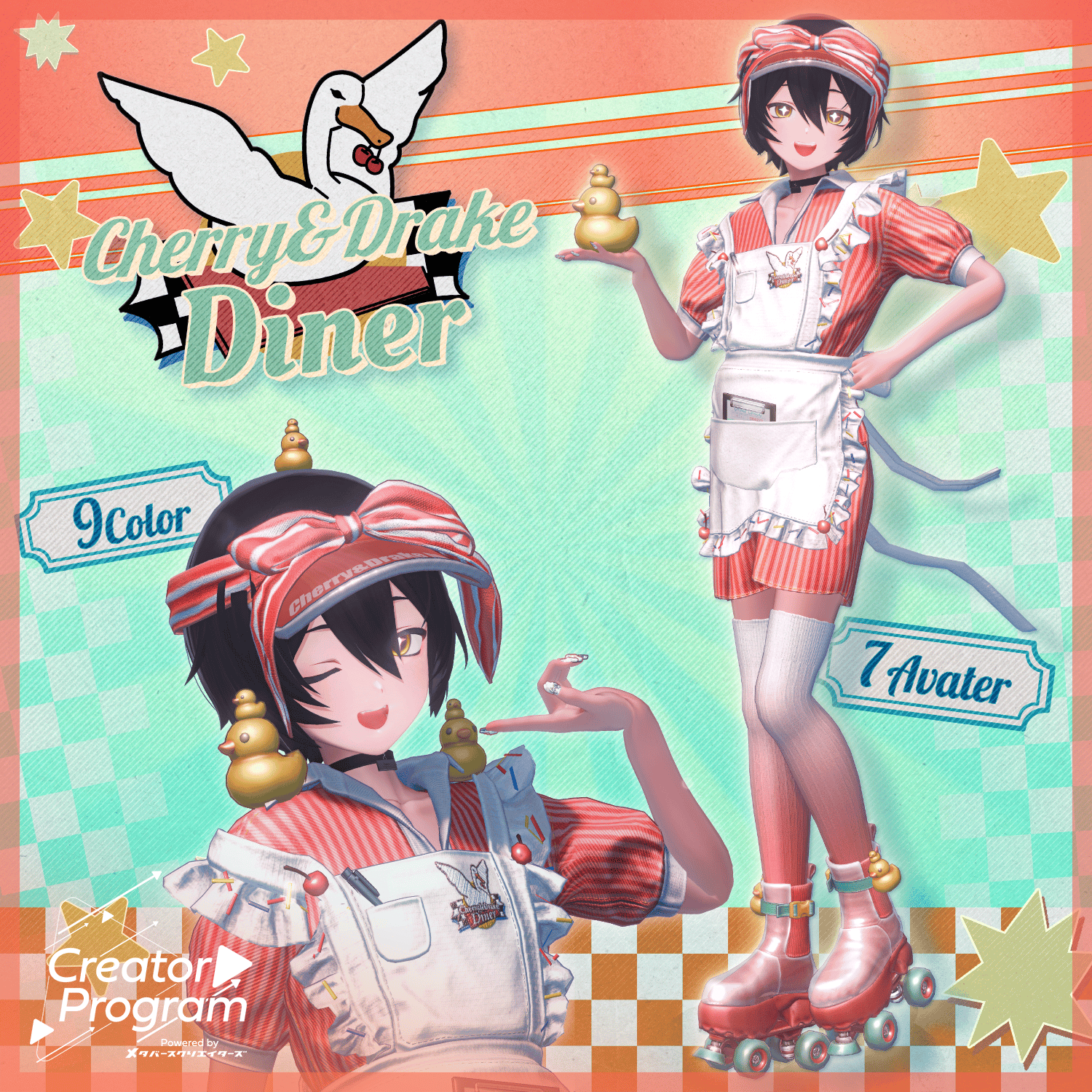
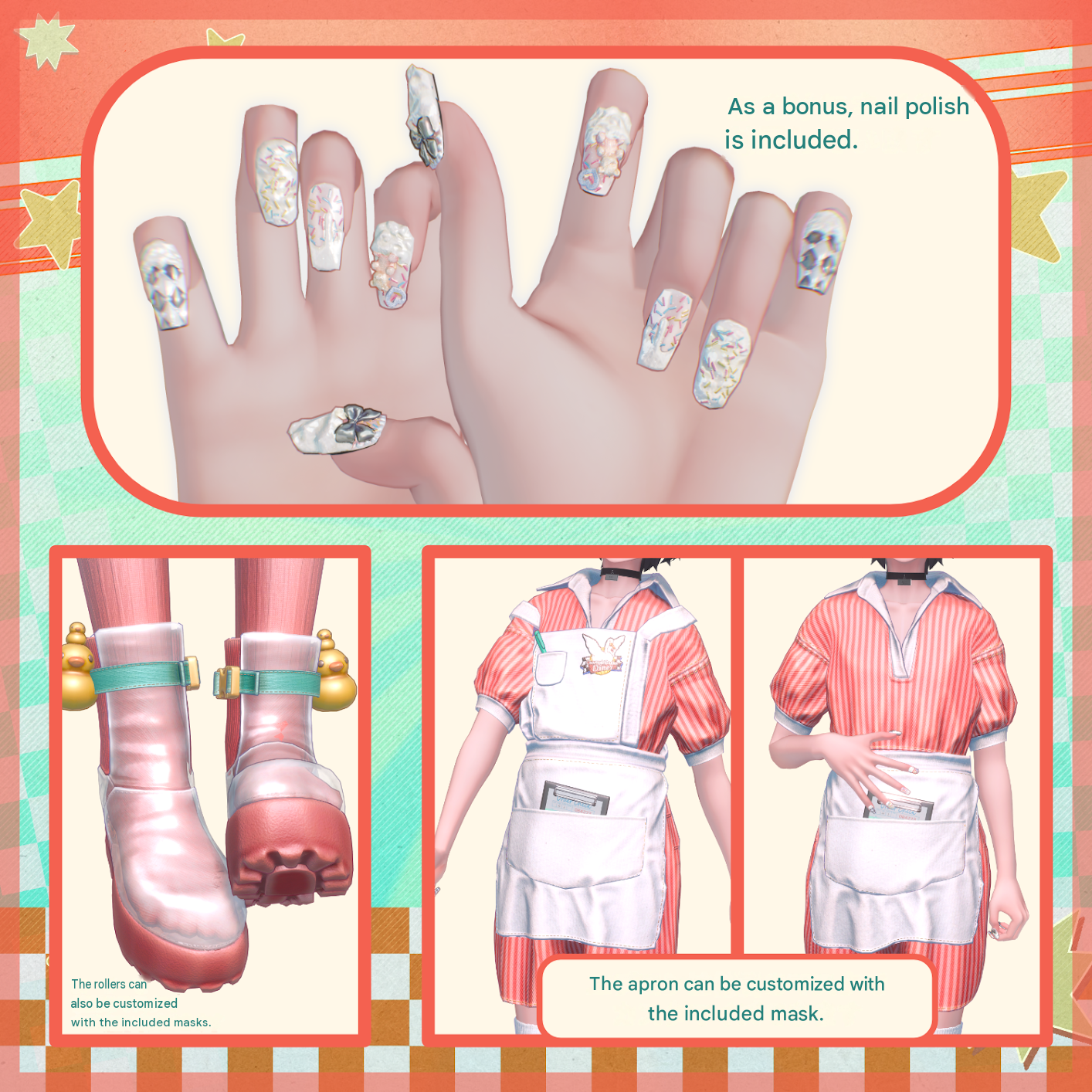
Fluffy frills, colorful sprinkles, and roller skates on your feet.
Introducing the special uniform from Cherry & Drake Diner, packed with all things sweet!
Please Note:
This product is a clothing model for avatars. The avatar model itself is not included.
Due to the nature of digital downloads, returns and refunds are not accepted. Please review and agree to the product description and Terms of Use before purchasing.
◆ Item Details
● Included Files
Cherry&Drake-Diner.Unitypackage
Cherry&Drake-Diner_Common.Unitypackage
FBX files
Textures
ReadMe.txt (this document)
● Shader Used
liltoon
https://lilxyzw.booth.pm/items/3087170
● Required Asset
Modular Avatar
https://modular-avatar.nadena.dev/ja/docs/intro
● Model Specifications
Polygon Count: 42,064 polygons in total
Apron & Uniform: 15,562 polygons
Sun Visor: 3,048 polygons
Socks: 2,028 polygons
Nails: 3,832 polygons
Shoes: 16,868 polygons
Number of Meshes: 6
Number of Materials: 6
Number of PhysBone Components: 5
Import Folder Path:
Assets > MetaverseCreators_CP > Magnolia05 > Cherry&Drake-Diner
◆ Compatible Avatars
[Original 3D Model] Komano (狛乃)
https://booth.pm/ja/items/5260363
[Kuuta] Original 3D Model #Kuuta3D
https://booth.pm/ja/items/4897493
[Original 3D Model] Bokusei (墨惺) — PlusHead Body
https://booth.pm/ja/items/5727810
[Original 3D Model] Hanka (斑霞)
https://booth.pm/ja/items/6970249
Original 3D Model “Nico (日瑚)”
https://metacreatorstyo.booth.pm/items/8000819
Marycia (マリシア) — Original 3D Model
https://booth.pm/ja/items/6305948
Lapwing
https://booth.pm/ja/items/4993931
Note: When putting on the outfit, shape keys that hide or modify the avatar's body (making the body appear rod-like or slimmer) will be used.
● Included Shape Keys
Kuuta:
Choco_shulink, Cherry_shulink, Himo_shulink, Himo_hide, Ribbon_Shulink, Sunvisor_Expand_Side, Sunvisor_Expand_Back, Sunvisor_Contract_Side, Sunvisor_Contract_Back
Komano:
Choco_shulink, Cherry_shulink, Himo_shulink, Himo_hide, Ribbon_Shulink, Sunvisor_Expand_Side, Sunvisor_Expand_Back, Sunvisor_Contract_Side, Sunvisor_Contract_Back
Hanka:
Choco_shulink, Cherry_shulink, Himo_shulink, Himo_hide, Ribbon_Shulink, Sunvisor_Expand_Side, Sunvisor_Expand_Back, Sunvisor_Contract_Side, Sunvisor_Contract_Back
PlusHead:
UpperArmShulink, LowerArm_Shulink, Highheel, Muchi, Garterbelt
Bokusei:
Choco_shulink, Cherry_shulink, Himo_shulink, Himo_hide, Ribbon_Shulink, Sunvisor_Expand_Side, Sunvisor_Expand_Back, Sunvisor_Contract_Side, Sunvisor_Contract_Back
Nico:
Choco_shulink, Cherry_shulink, Himo_shulink, Himo_hide, Ribbon_Shulink, Sunvisor_Expand_Side, Sunvisor_Expand_Back, Sunvisor_Contract_Side, Sunvisor_Contract_Back
Marycia:
Choco_shulink, Cherry_shulink, Himo_shulink, Himo_hide, Ribbon_Shulink, Sunvisor_Expand_Side, Sunvisor_Expand_Back, Sunvisor_Contract_Side, Sunvisor_Contract_Back
Lapwing:
Choco_shulink, Cherry_shulink, Himo_shulink, Himo_hide, Ribbon_Shulink, Sunvisor_Expand_Side, Sunvisor_Expand_Back, Sunvisor_Contract_Side, Sunvisor_Contract_Back
◆ Installation Instructions
Set up the latest version of the VRChat SDK through VCC (VRChat Creator Companion).
Install the required assets (liltoon and Modular Avatar) through VCC.
Import the latest package for the avatar you want to dress.
Import the material package included with this product.
Import the package corresponding to your avatar.
Drag and drop the avatar into the Scene Hierarchy. If applicable, use the prefab intended for outfit changes or avatar modifications.
If necessary, hide or set any unwanted avatar clothing (such as default outfits or underwear) to Editor Only.
Drag and drop Cherry&Drake-Diner.Prefab directly onto the avatar in the Hierarchy.
Upload the avatar through the VRChat SDK.
● About MA Shape Changer
This outfit uses MA Shape Changer, a feature of Modular Avatar.
When you drag and drop the outfit directly onto the avatar, the avatar's body shape keys are automatically enabled. These may slim down the body or hide mesh sections affected by the shape keys, preventing the outfit and the avatar's body from clipping into each other.
If you do not need the MA Shape Changer components configured on the outfit meshes, you can delete them or adjust the settings to suit your preferences.
Note for PlusHead users:
Depending on the avatar, the MA Shape Changer component may not work correctly if the body mesh has a different name. The mesh name in this product is configured for PlusHead. If you encounter this issue, adjust the body mesh name or manually modify the shape keys as needed.
Troubleshooting:
If any part of the avatar's body becomes unintentionally slimmed down after changing outfits, set the corresponding body shape key back to 0 and check that the body is displayed correctly.
◆ Changing Colors
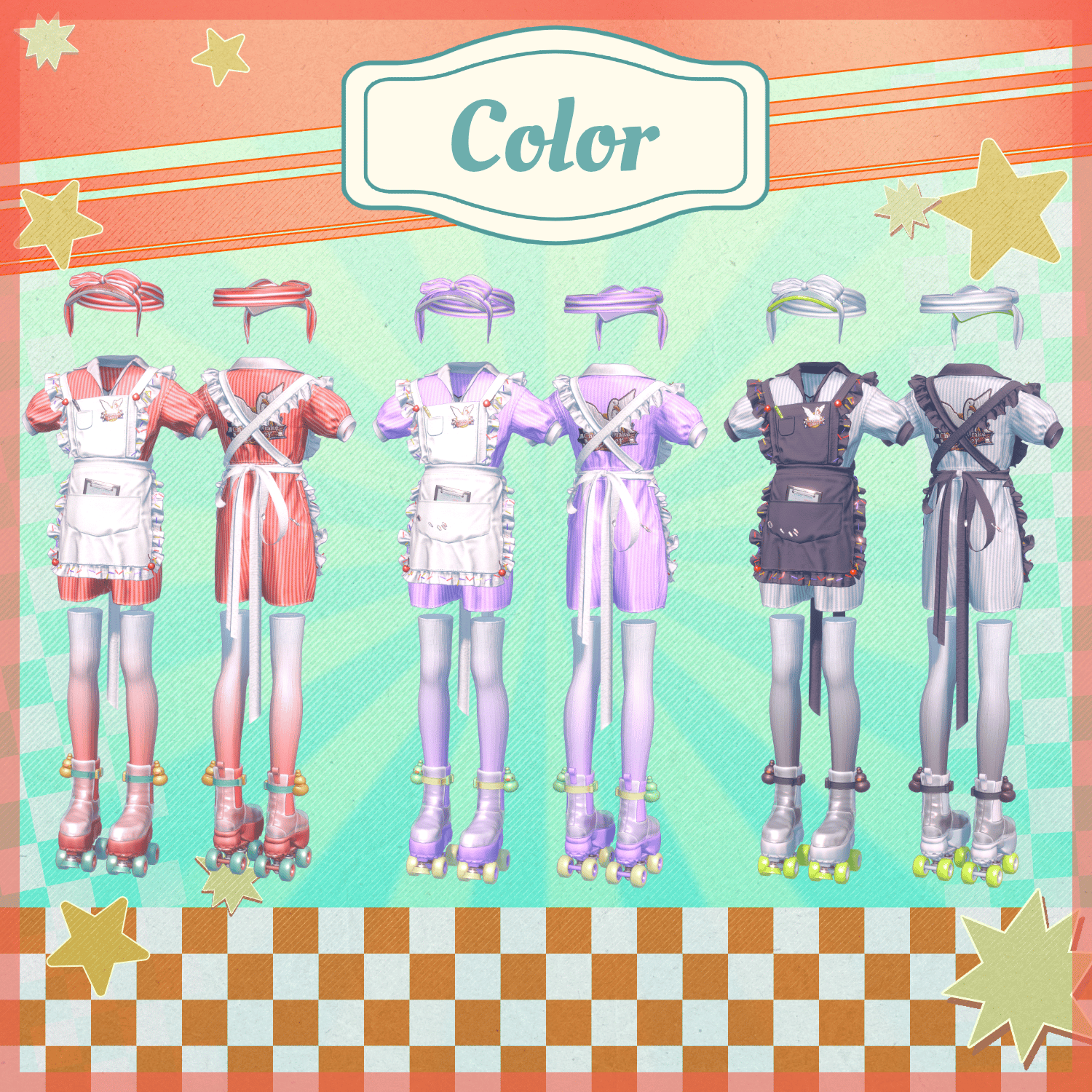
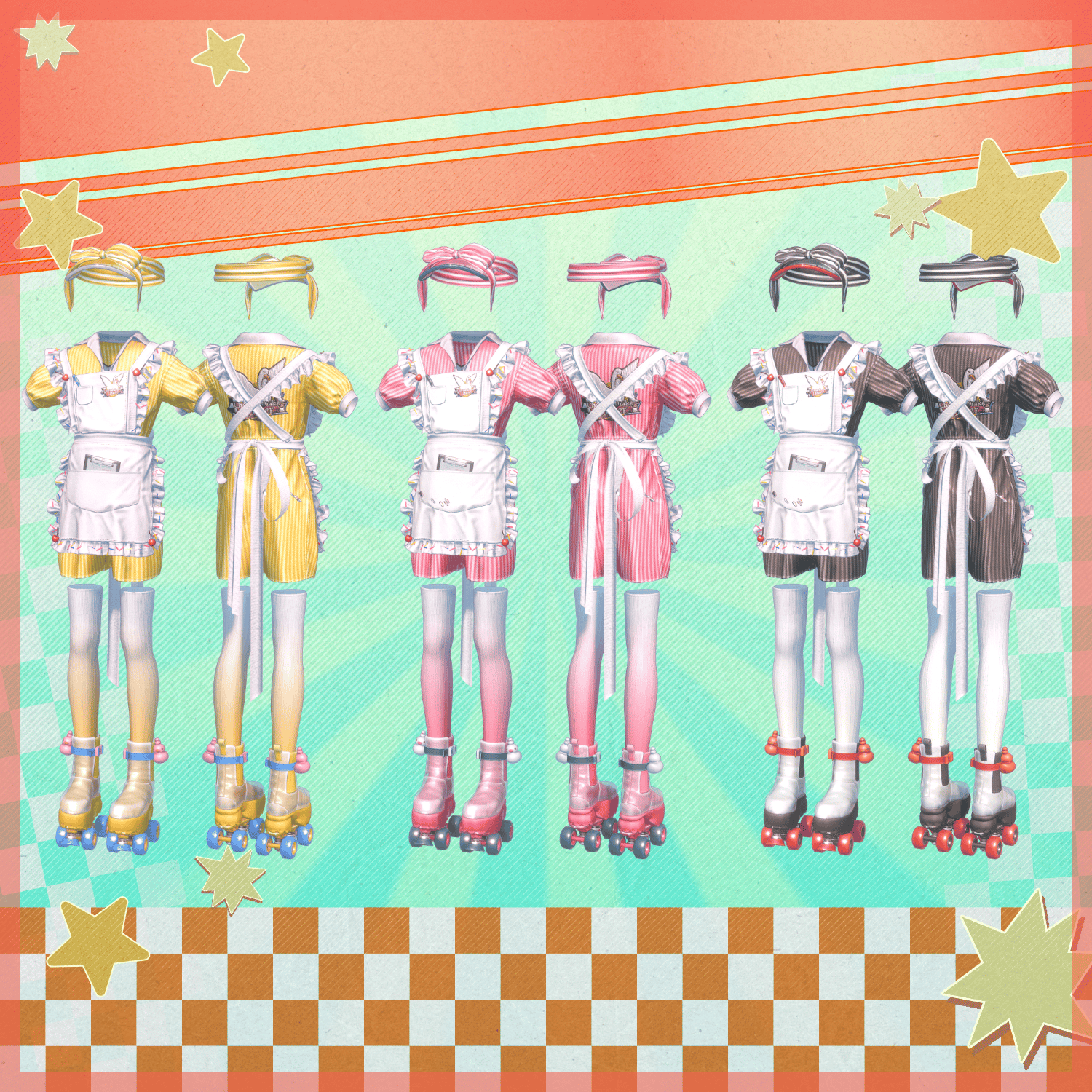
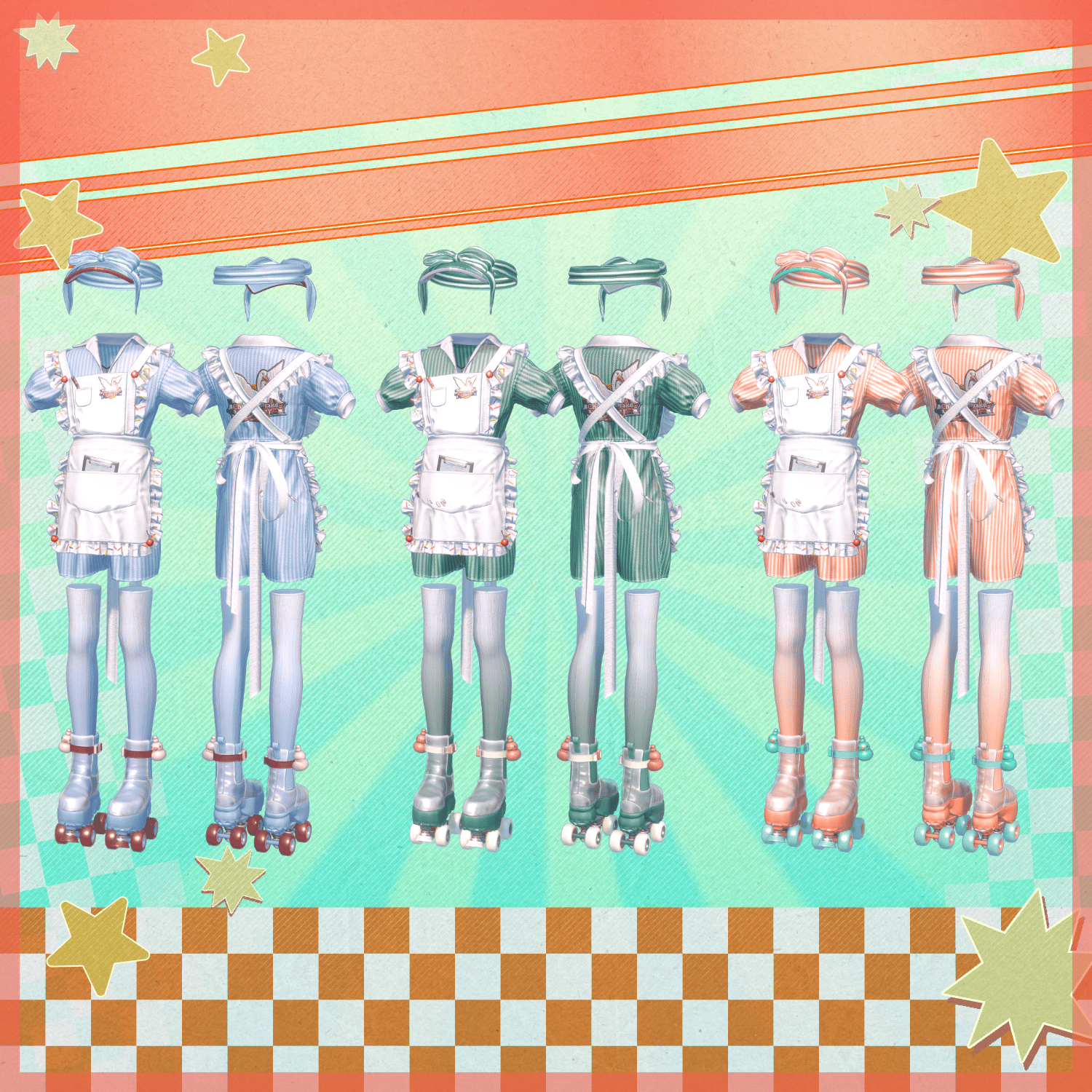
To change the outfit's colors, replace the materials with the desired color variations found in the following folder:
Common > Material
◆ Terms of Use
https://drive.google.com/drive/folders/1qRMXoIxM1ZgacBPfwOigQRtXP1vCbNMn?usp=sharing
Please ensure that you comply with the terms of use for the original avatar model as well.
◆ Development Environment
Modeling: Blender Ver. 5.1.0
Texturing: CLIP STUDIO PAINT / Substance Painter
Setup: Unity Ver. 2022.3.22f1
VRChat SDK – Avatars: Ver. 3.10.3 (VCC)
liltoon: 2.3.2
Modular Avatar: 1.17.1
◆ Credits
Creator: Magnolia
https://x.com/magnoli37298544
https://magnolia14.booth.pm/
For inquiries or support, please contact the creator via BOOTH messages.