
Descripción del producto
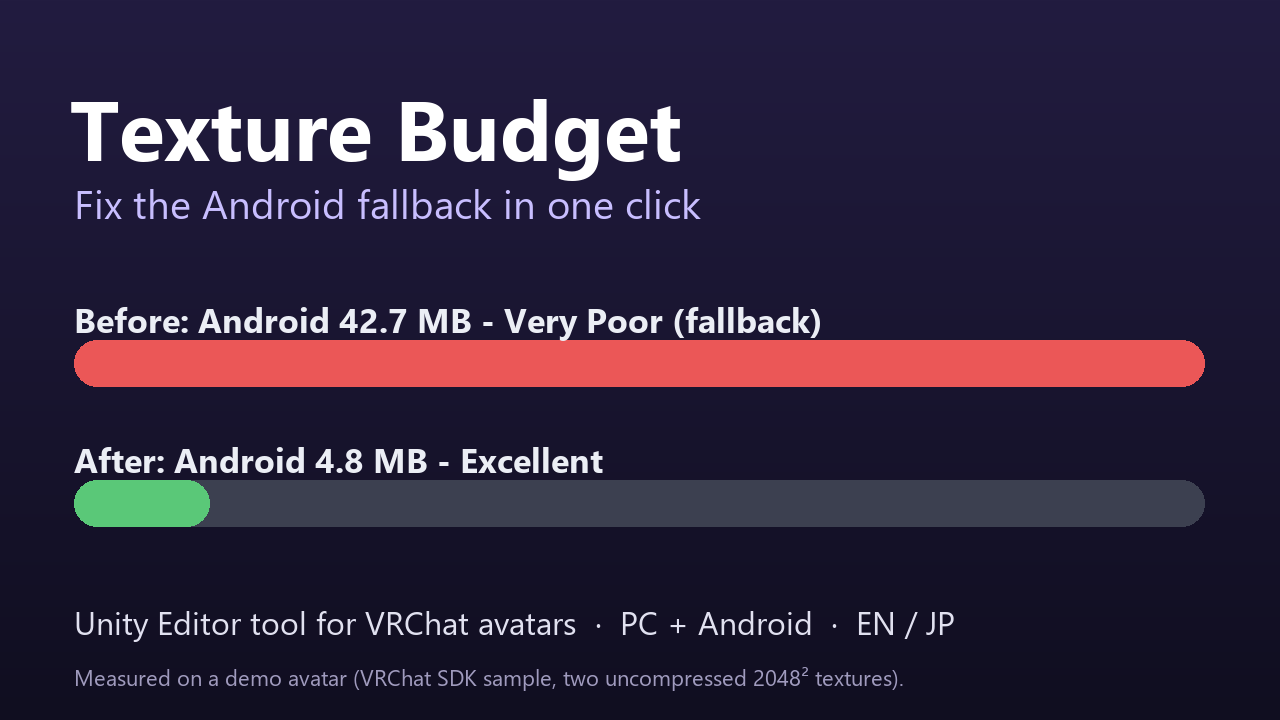
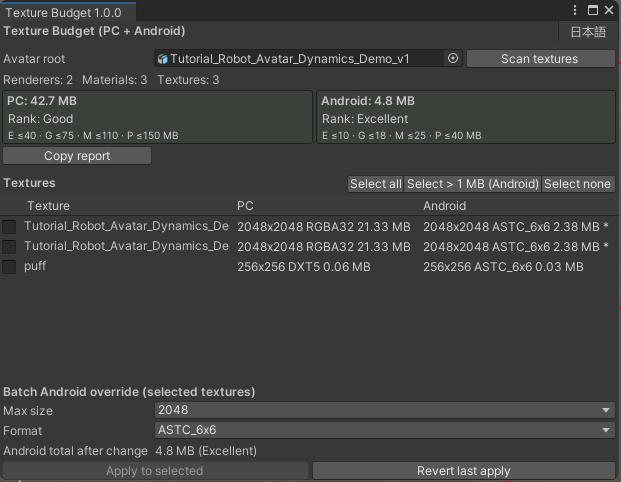
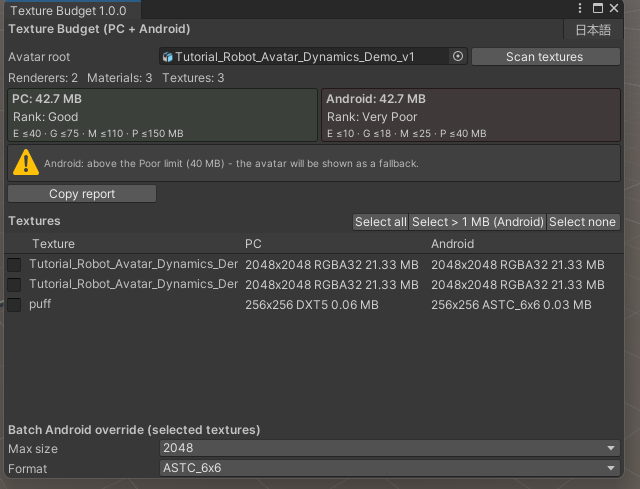
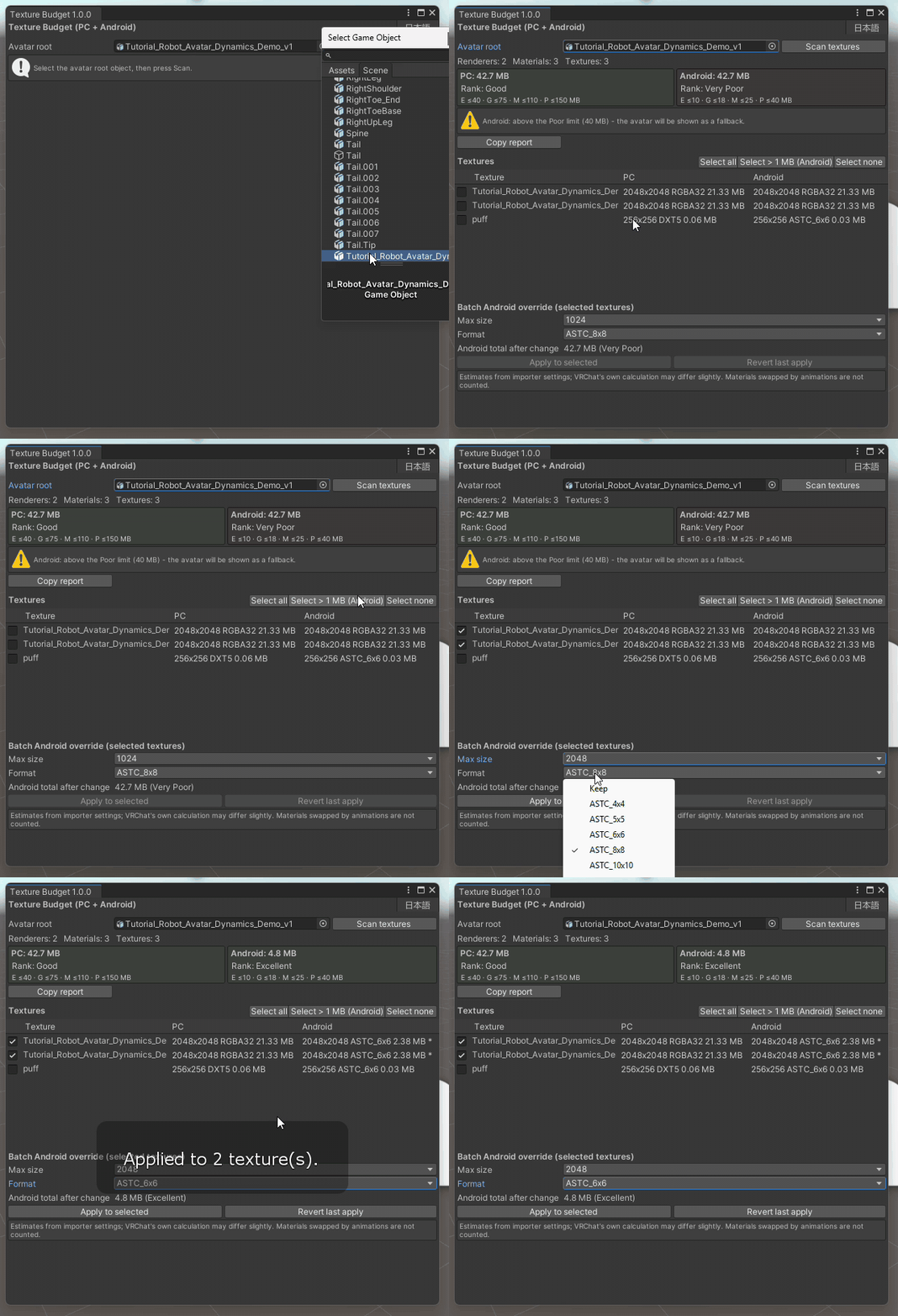
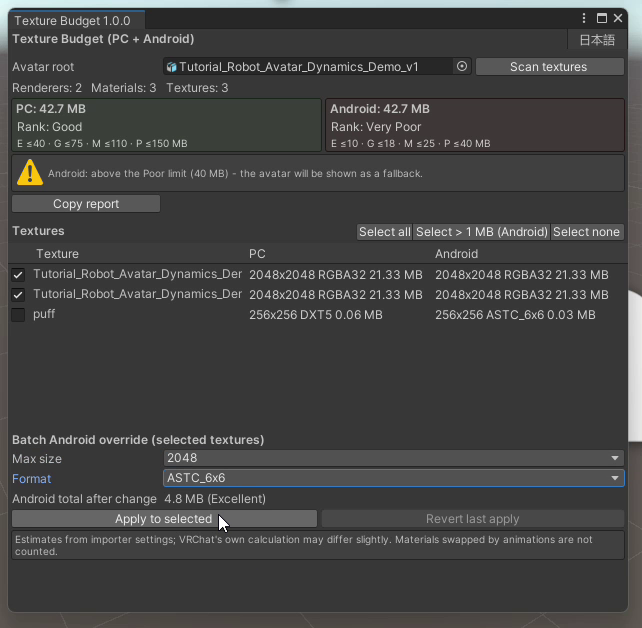
Texture Budget shows your VRChat avatar's estimated texture memory on PC and Android next to the official performance ranks, finds the textures that push you into Poor / Very Poor (or into the Android/Quest fallback), and batch-applies Android texture overrides with a live preview and one-click revert. Example (demo avatar, two uncompressed 2048² textures): Android 42.7 MB (Very Poor, fallback) → 4.8 MB (Excellent), without lowering the resolution. The VRChat SDK Builder showed 42.69 MB before. Features • Scans every texture used by the avatar's renderers (including inactive objects). • Per texture: size, format and estimated MB for PC and Android separately. • Totals vs the official limits (PC 40/75/110/150 MB, Android 10/18/25/40 MB) with the rank, and a warning when Android would show a fallback. • Batch Android override: max size (2048–128) and ASTC 4x4–12x12 for the textures you select, with a preview of the new Android total before you apply. • Never increases a texture's current Android max size. • One-click revert (JSON backup in Library/KenoToolsTextureBudget). • Copy a Markdown report (for Discord or support). • English and Japanese UI. Requirements: Unity 2022.3 (tested with 2022.3.22f1 + VRChat SDK Avatars 3.10.6). The VRChat SDK is not needed to compile. Install: unzip, move the com.kenotools.texture-budget folder into your project's Packages folder, then open Tools > Keno Tools > Texture Budget (steps also in INSTALL.txt). Limitations: values are estimates from importer settings and can differ slightly from VRChat's own calculation; materials swapped by animations are not counted. Importer changes are not part of Unity Undo, so use Revert last apply. License: one license per buyer; no redistribution or resale. Commercial use of your avatars is fine.