
Clockwork Plague Doctor Mask - Steam When You Talk, Blinking Geared Irises | VRChat
Etiquetas
Descripción del producto
Este producto contiene contenido generado por IA.
AI-Assisted: the 3D shapes, materials, shaders and listing texts were made with scripts written with AI assistance. A person checked how it looks and moves in Unity before release.
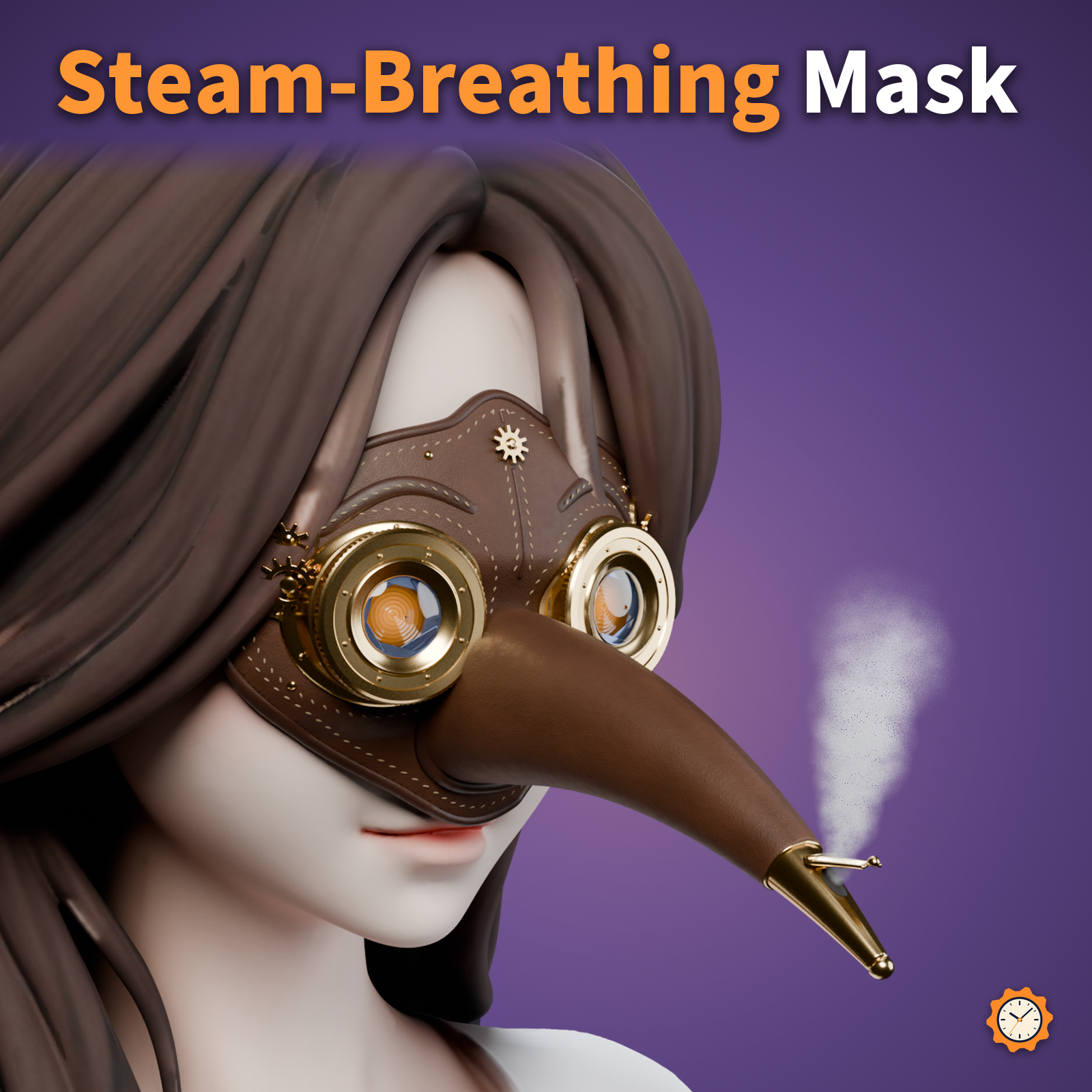
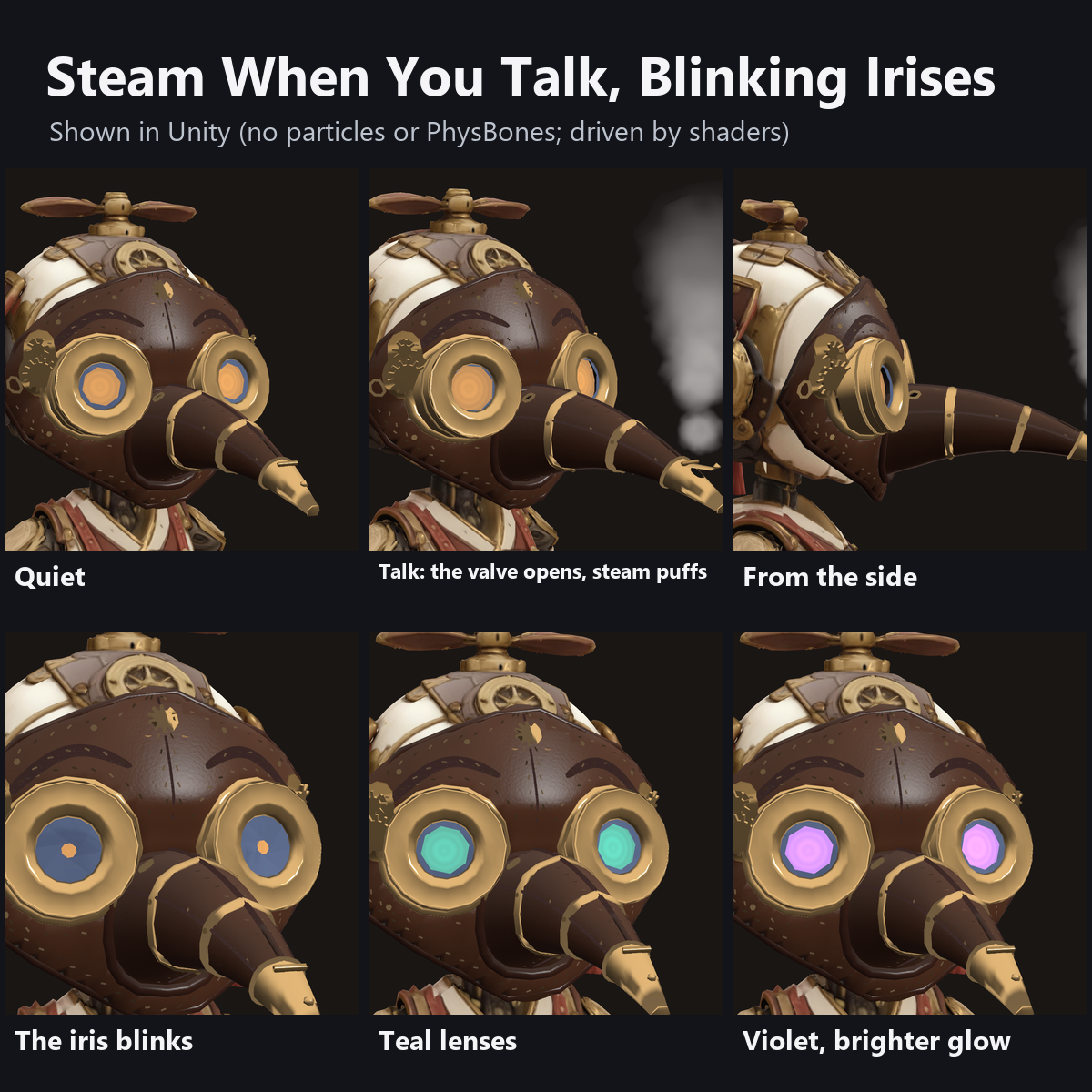
A leather plague doctor mask with brass goggles stitched in. When you talk, the valve at the tip of the beak pops open and a soft puff of steam rises. Go quiet and the valve closes while the steam slowly fades.
Each lens is a geared iris with 8 blades that blinks now and then and opens a little wider while you talk. Small brass gears turn at the temples.
Features
- Steam when you talk: the beak valve opens with your voice and round puffs of steam rise and fade. Louder voice, more steam. No particles
- Geared irises: 8 blued-steel blades open and close each lens. They blink now and then and widen while you talk
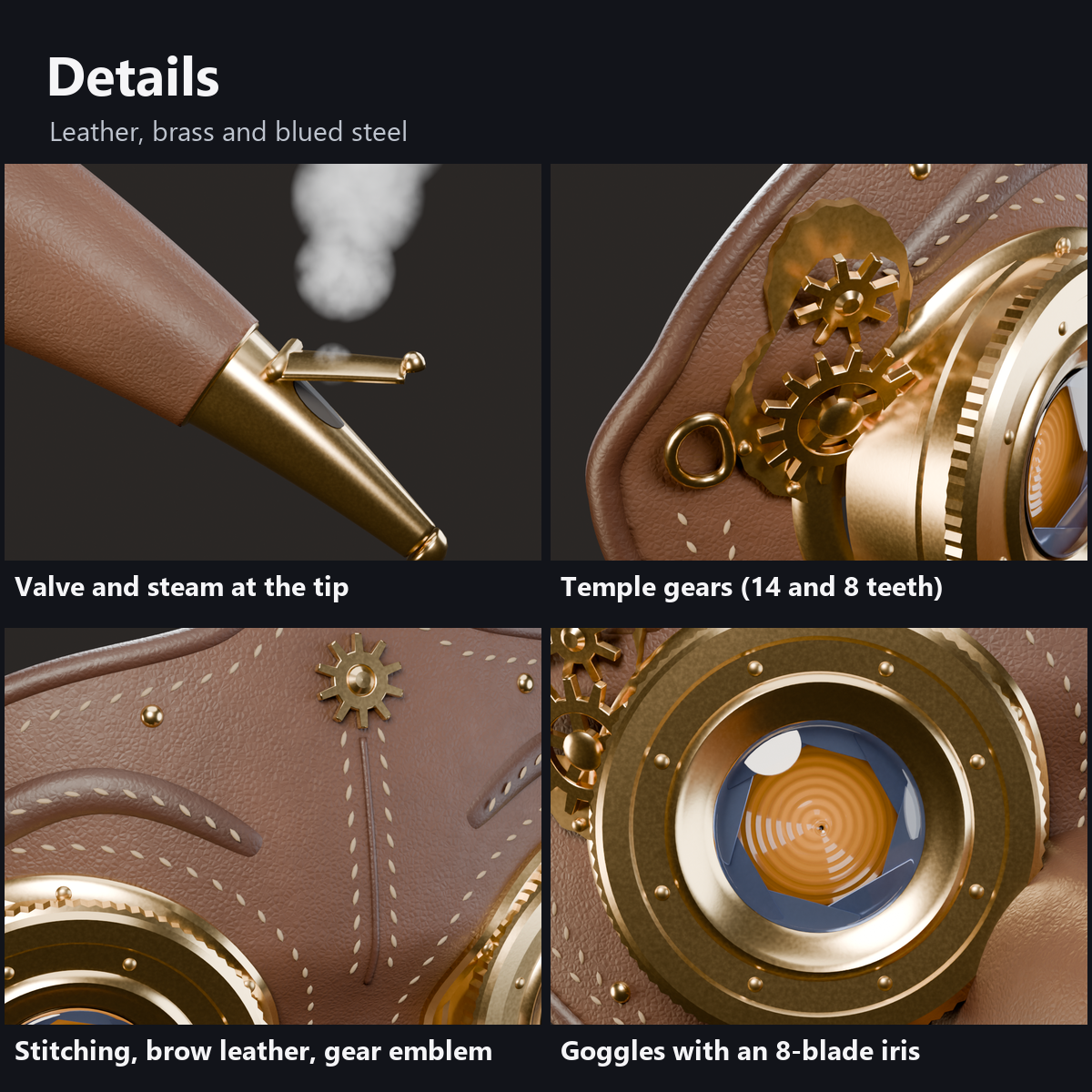
- Temple gears: a 14-tooth and an 8-tooth brass gear mesh and turn, faster when you talk
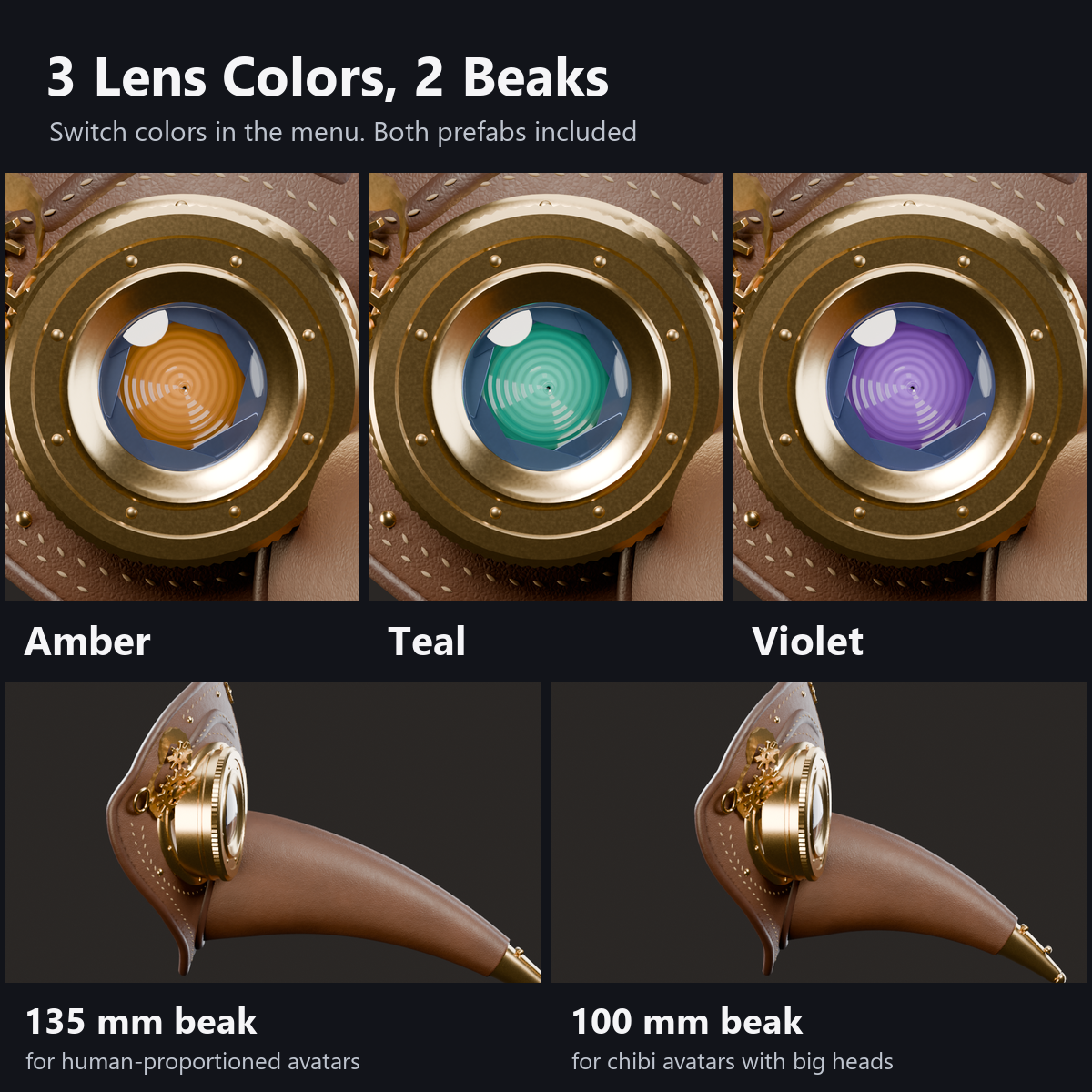
- 3 lens colors in the menu (Amber, Teal, Violet) and a Lens Glow dial
- 2 beaks included: 135 mm (for avatars with human proportions) and 100 mm (for chibi avatars with big heads)
- Made to follow the face: the edge follows the brow, cheeks and temples. Fit it with position, rotation, size, depth and two sliders (Cheek, Round). The manual explains how
- Details: piped and stitched edges, leather brow pieces, a tiny gear emblem on the forehead, knurled brass goggles with polished rings, a beak sewn from three leather panels with brass bands, rivets and vent eyelets, and a brass tip with a hinged valve
- Everything moves in the shaders: 0 particles, 0 PhysBones, 0 bones. Custom shaders included (no lilToon needed)
- Modular Avatar ready. All designs are original
How it works
- Your voice (VRChat's Voice value) is smoothed two ways: a quick one drives the valve, the iris widening and the gear speed; a slow one drives the steam so it builds up and fades gently. No extra sync is used.
- The blinking comes from time (about once every 3 to 8 seconds, both eyes together). No sync used.
- The gears turn with a phase-based rotation, so changing their speed never makes them jump.
What to know before getting it
- It reacts only to the wearer's own voice.
- Faces differ from avatar to avatar, so at the default position it may float or sink in. Fit it with the steps in the manual (position, rotation, size, depth and two sliders). The manual lists the values we used on human-proportioned avatars and on a chibi avatar.
- It covers the whole face, so parts of the avatar's eyes and mouth are hidden (most of the face on chibi avatars).
- We checked the movement with the Unity test and with a video played with the same values. We have not checked it in VR headsets.
Menu (English menu prefab)
- Plague Doctor Mask > Show: mask on/off
- Plague Doctor Mask > Lens Glow: a dial; at 0 the lenses barely glow, turn it up for brighter lenses (0.35 at first)
- Plague Doctor Mask > Lens Color: Amber, Teal or Violet
What's included
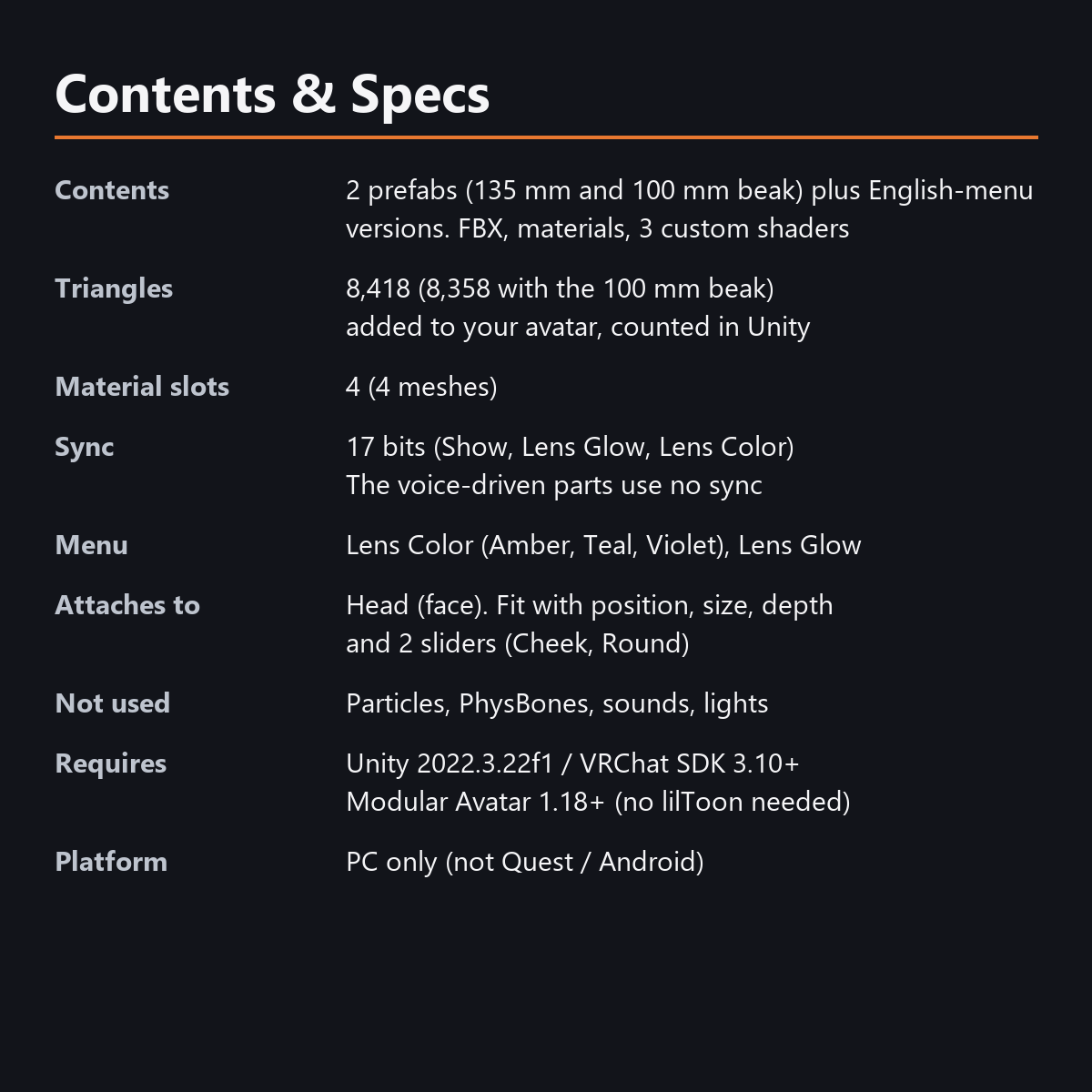
- 2 prefabs (135 mm beak and 100 mm beak) and English-menu prefabs (_EN). Use one of them on an avatar
- 2 FBX files, textures (color atlas), materials, 3 custom shaders (mask, lens, steam), animations
- Instruction manual and Terms of Use in English and Japanese
Specs
- Added to your avatar (counted in Unity): 8,418 triangles (8,358 with the 100 mm beak), 4 meshes, 4 material slots
- Synced parameters: 17 bits (Show, Lens Glow, Lens Color). The voice-driven parts use no extra sync
- No Particle Systems, PhysBones, AudioSources, Contacts or lights
Requirements
- Unity 2022.3.22f1 (an avatar project made with VRChat Creator Companion)
- VRChat SDK (Avatars) 3.10 or later
- Modular Avatar 1.18 or later
- lilToon is not needed (custom shaders included)
Please note
- PC only. Not supported on Quest / Android.
- The valve, steam, irises and gears move inside VRChat. In the Unity editor the valve stays closed and the steam is hidden.
- If a viewer's Safety settings hide shaders, the mask is shown with a standard look and the steam is hidden.
Terms of use
- You may upload it to VRChat and similar services on your own avatars, edit it, and use it in streams, videos and photos (commercial or not).
- You may not redistribute, resell or share the data (edited or not), or use it to train AI.
- Full text: TermsOfUse_EN.txt in the download.
Also on BOOTH
This item is also sold on BOOTH, the Japanese marketplace.
How this was made (AI-Assisted)
The 3D shapes, materials, shaders and texts of this item were made with scripts written with AI assistance. A person checked how it looks and moves in Unity before release.