
Talking Skull - Jaw Rattles with Your Voice, Shoulder or Hair Clip | VRChat
Etiquetas
Descripción del producto
Este producto contiene contenido generado por IA.
AI-Assisted: the 3D shapes, materials, shaders and listing texts were made with scripts written with AI assistance. A person checked how it looks and moves in Unity before release.
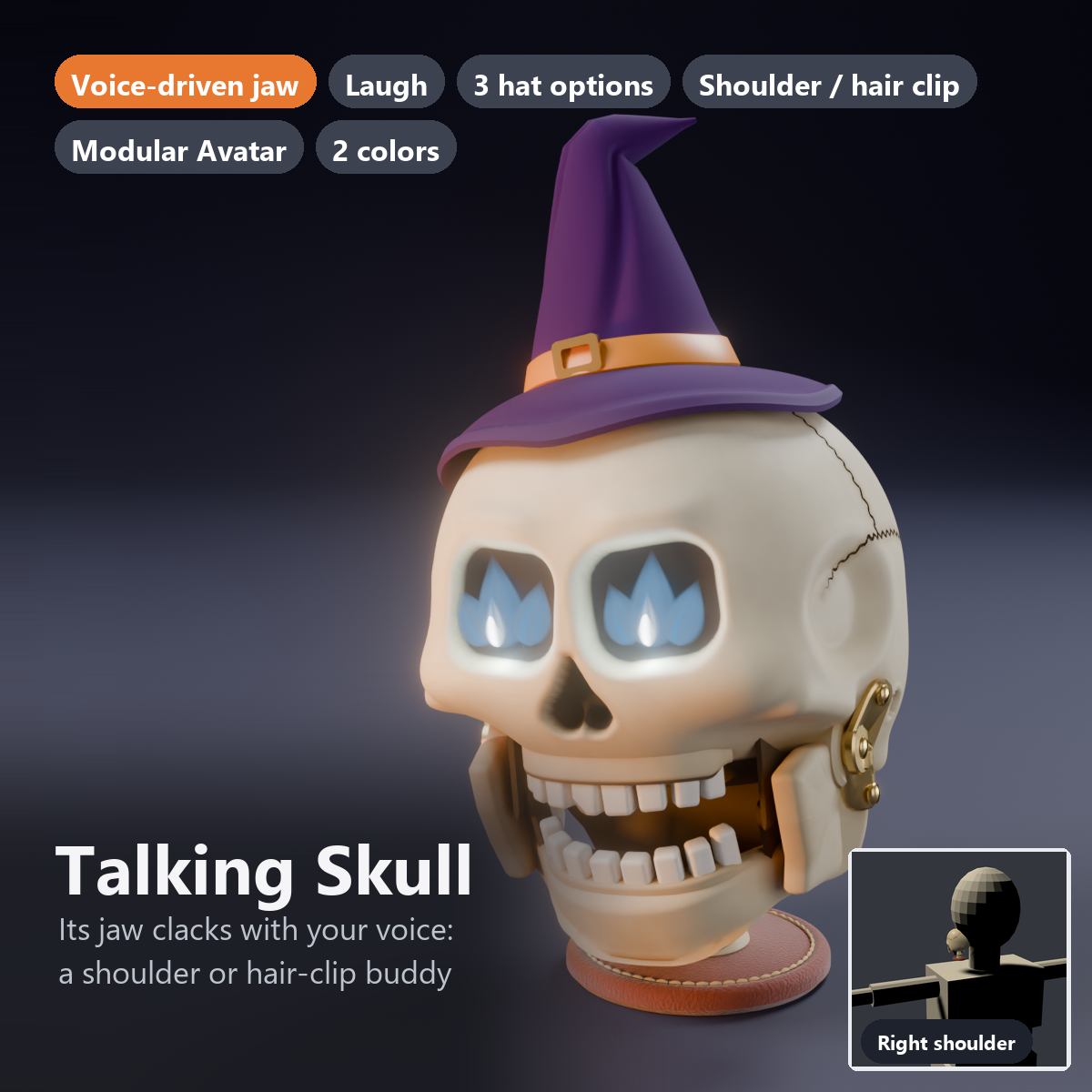
A little skull companion that sits on your shoulder or clips to your hair. When you talk, its jaw rattles and it talks along with you.
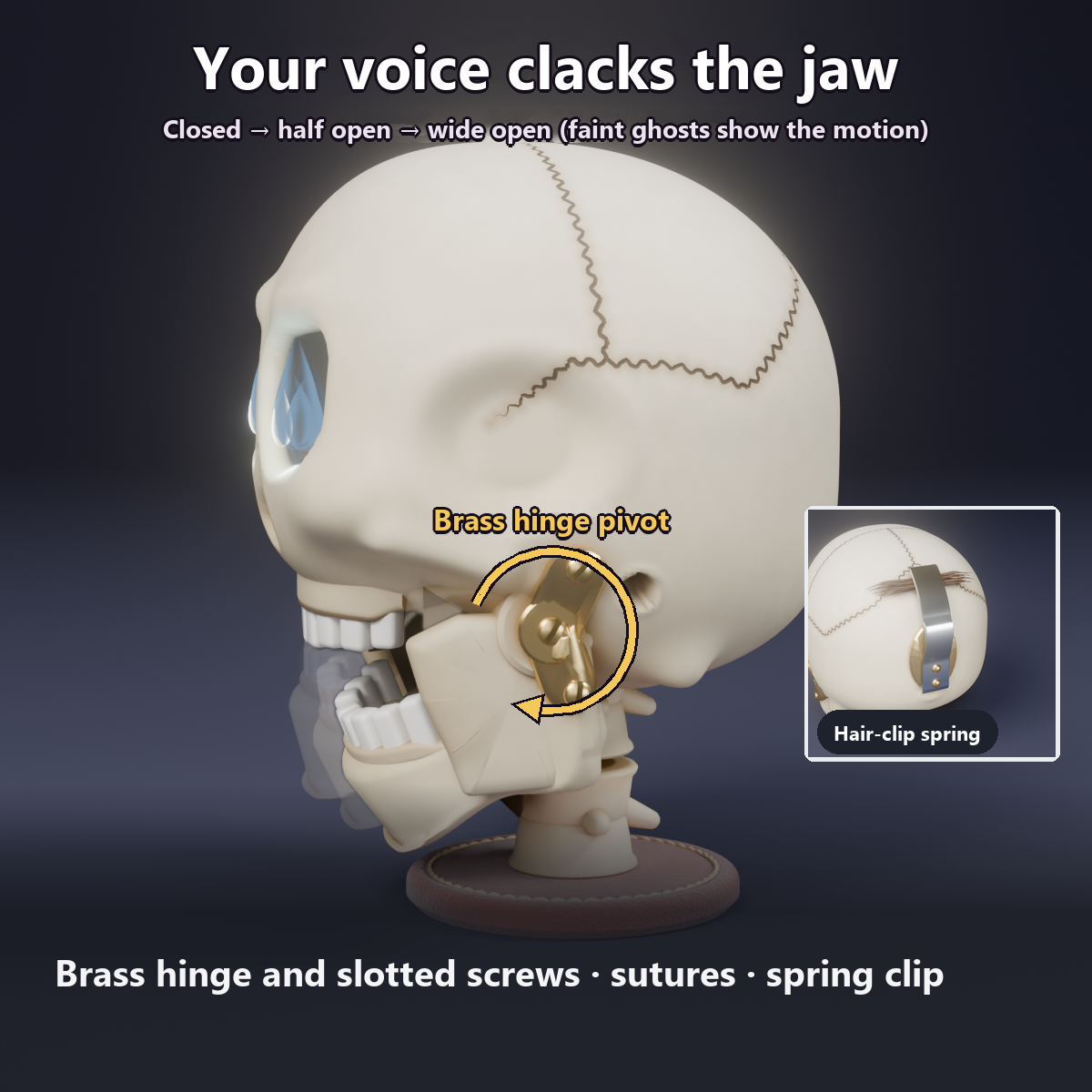
A brass hinge and a slotted screw at the jaw show how it moves: a skull with a clockwork feel. Press Laugh in the menu and it rattles with laughter and tilts its head.
It uses only VRChat's built-in Voice value. No OSC, external app or PhysBones.
Features
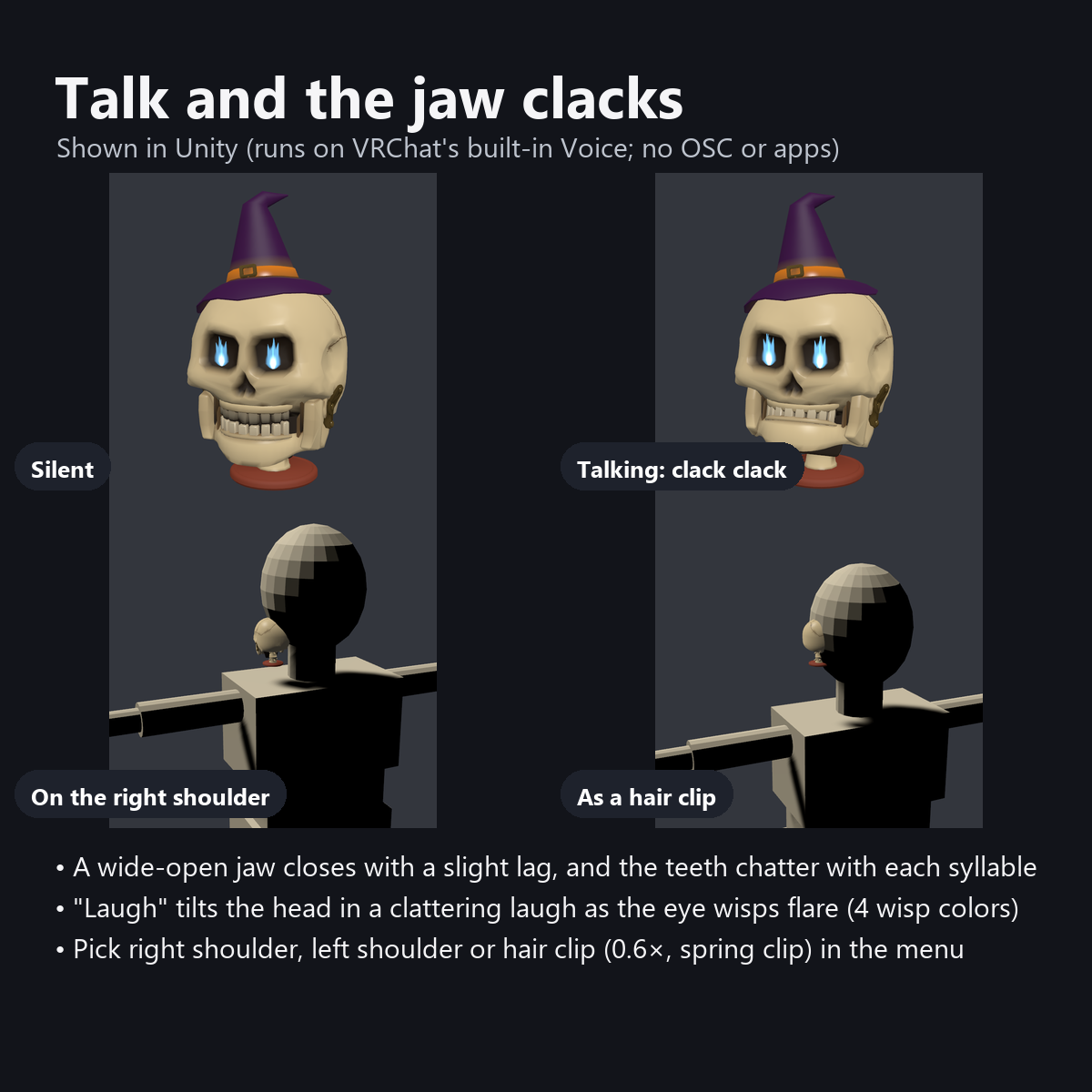
- The jaw rattles with your voice: a wide-open jaw closes with a slight delay, and the teeth clack with each syllable
- Laugh button: 1.5 seconds of rattling laughter with a head tilt, and the wisps in the eyes flicker faster
- Wisps in the eyes: a white core splitting into three tongues of flame. 4 colors by dial (pale blue, green, orange, purple). They flare up while you talk and flash with the bass in AudioLink worlds
- 3 hat options: None / Witch Hat (tip folded back, creases, turned-up brim, brass buckle) / Top Hat (brim curled at the sides)
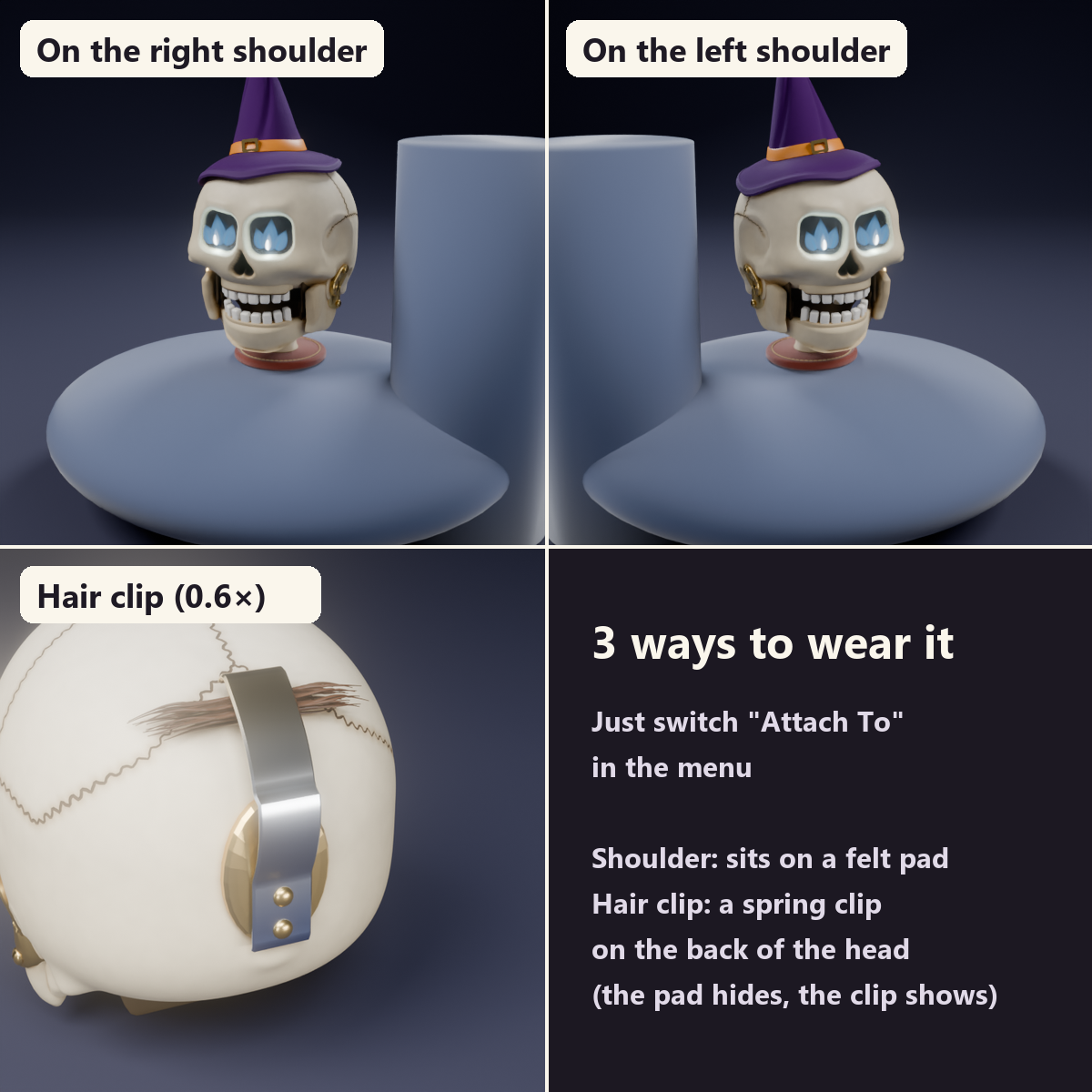
- Choose where it sits: right shoulder / left shoulder (it stands on a 38 mm felt pad with a stitched edge) / hair clip (0.6x; a leaf-spring clip replaces the base)
- Details: soot in the bowl-shaped eye sockets, an upside-down heart nose, finely wavy skull sutures, gum ridges and one chipped front tooth, a dark mouth that shows when the jaw opens, a jutting chin, two neck vertebrae, prominent cheekbones
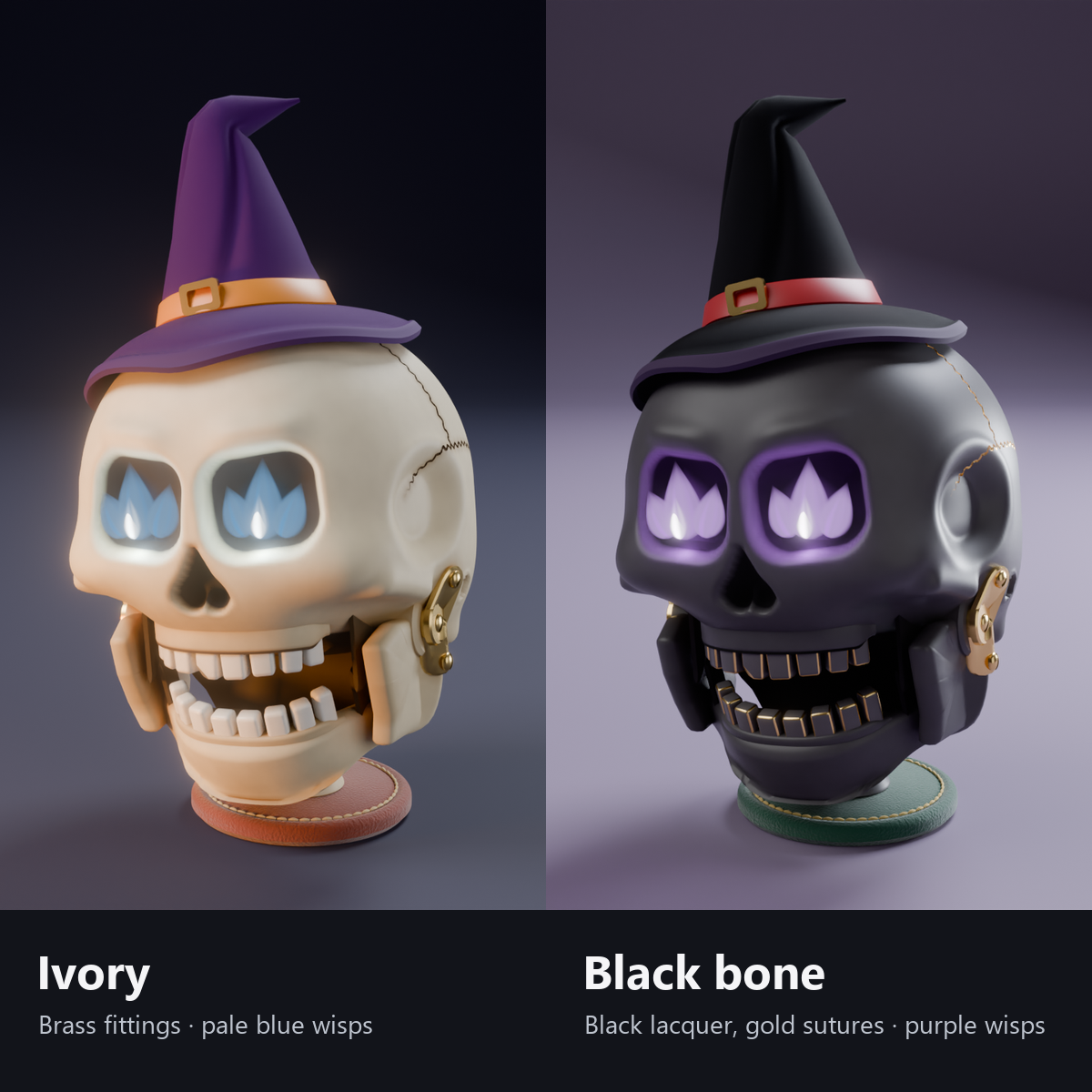
- 2 colors: Ivory (brass fittings, pale blue wisps) / Black bone (black lacquer with gold sutures and gold fittings, purple wisps; a red undercoat shows through at worn edges, as in Negoro lacquerware)
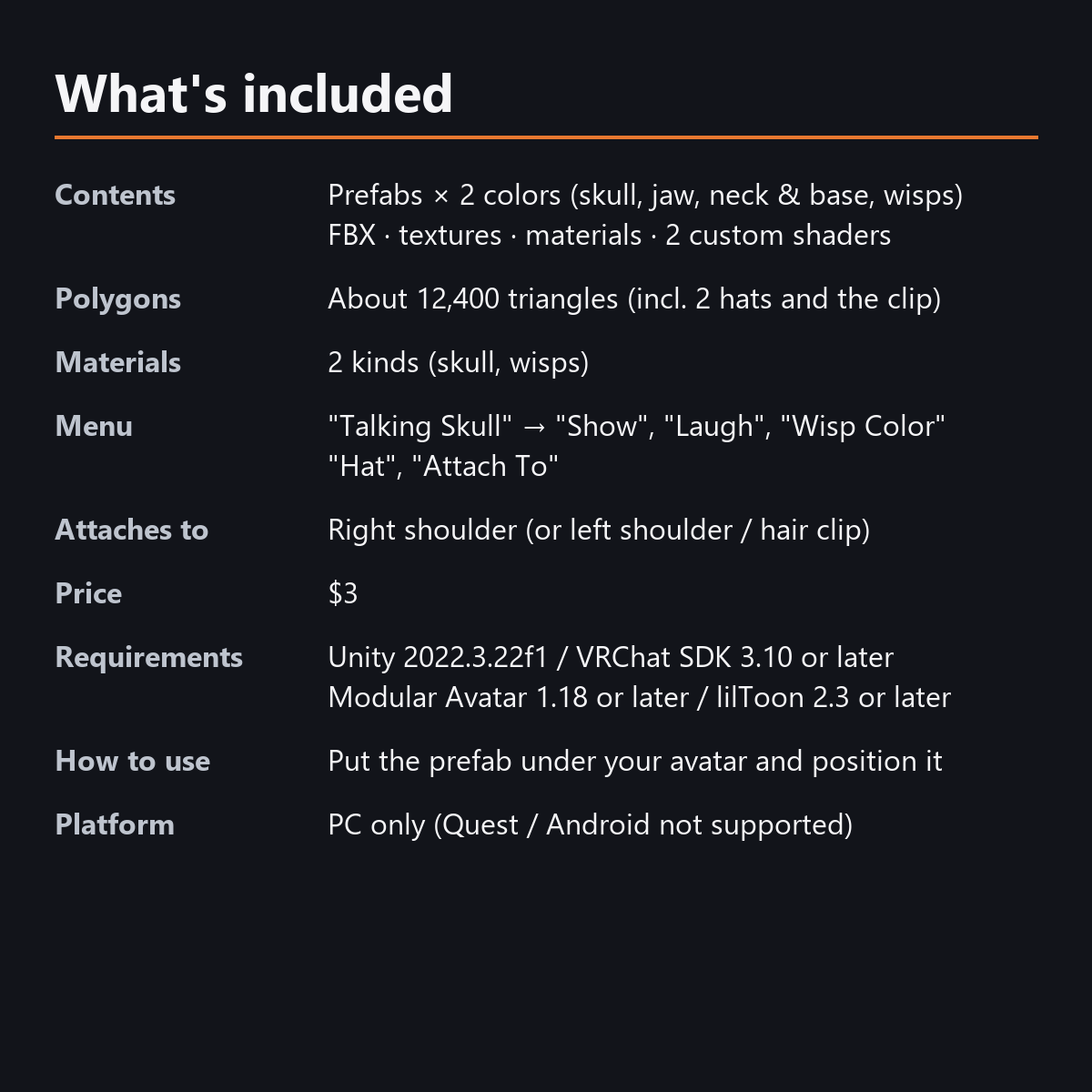
- Lightweight: about 12,400 triangles, 2 materials, no PhysBones (including both hats and the hair clip)
- Original design for the skull, hats and fittings
- Modular Avatar ready: put it under your avatar and move the anchors to the shoulders and the side of the head
How it moves
- Voice is used in two ways: a smoothed value keeps the jaw wide open (closing a little late), and the raw value opens and closes it with each syllable. Together they make the rattle.
- When closed, the upper and lower teeth are slightly apart, so they never sink into each other.
- Even if you press Laugh while talking, the jaw opens at most 28 degrees, so it does not clip into the base or neck.
- The jaw, neck and wisps are moved by animations and shaders (no bones or PhysBones). The hats and the hair clip switch within one material.
Menu (English menu prefab)
- Talking Skull > Show: skull on/off
- Talking Skull > Laugh: each press gives 1.5 seconds of rattling laughter and a head tilt
- Talking Skull > Wisp Color: a dial with 4 colors (pale blue, green, orange, purple)
- Talking Skull > Hat: None / Witch Hat / Top Hat
- Talking Skull > Attach To: Right Shoulder / Left Shoulder / Hair Clip
What's included
- Prefabs x 2 colors (skull, jaw, neck and base, wisps)
- FBX, textures, materials, 2 custom shaders (skull, wisps), animations
- English-menu prefabs (_EN) next to the Japanese-menu prefabs. Use one or the other on an avatar, not both.
- Instruction manual and Terms of Use in English and Japanese
Specs
- Triangles: about 12,400 (12,386, including the 2 hats and the hair clip). PC Good overall in the Unity test
- Materials: 2 (one shared by skull, jaw and neck/base; one for the wisps) / renderers: 4
- Synced parameters: 26 bits (Show, Laugh, Hat, Wisp Color, Attach To). The voice-driven parts use no sync
- No Particle Systems, PhysBones or AudioSources
- No extra skinned mesh
Requirements
- Unity 2022.3.22f1 (an avatar project made with VRChat Creator Companion)
- VRChat SDK (Avatars) 3.10 or later
- Modular Avatar 1.18 or later
- lilToon 2.3 or later
Please note
- PC only. Not supported on Quest / Android.
- It reacts only to the wearer's own voice (VRChat's Voice value). When you mute your mic, the jaw stops (there is no menu item that turns off only the voice reaction).
- Voice is calculated from the sound on each viewer's device, so the jaw can move slightly differently for different viewers.
- The jaw moves inside VRChat. In the Unity editor it stays closed (you can check "Laugh" with the animation).
- In worlds without AudioLink, the wisps do not flash to music (they keep flickering).
- If a viewer's Safety settings hide shaders, the skull is shown with a standard look and the wisps are hidden.
- The attach positions are defaults for an avatar about 1.5 m tall. Move the anchors to fit your avatar (the manual explains how).
Terms of use
- You may upload it to VRChat and similar services on your own avatars, edit it, and use it in streams, videos and photos (commercial or not).
- You may not redistribute, resell or share the data (edited or not), or use it to train AI.
- Full text: Terms_of_Use.txt in the download.
Also on BOOTH
This item is also sold on BOOTH, the Japanese marketplace: https://karakuri-komono.booth.pm/items/8940956
How this was made (AI-Assisted)
The 3D shapes, materials, shaders and texts of this item were made with scripts written with AI assistance. A person checked how it looks and moves in Unity before release.