Aurora Veil | Fairy Wing Hair Accessory | 3 Effects & In-Game Controls | PC VRChat
Etiquetas
Descripción del producto
Este producto contiene contenido generado por IA.
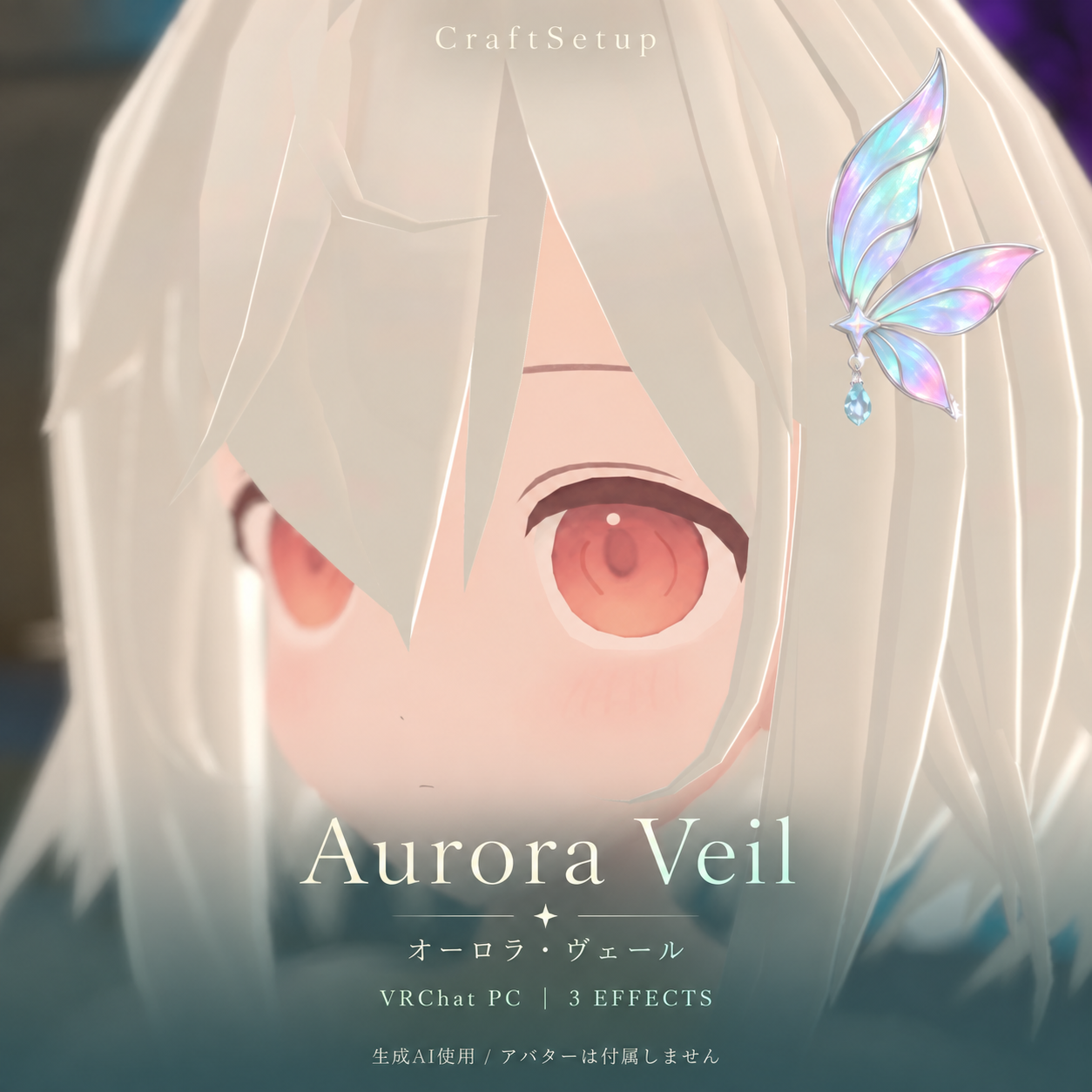
Aurora Veil — a pastel fairy-wing hair accessory for PC VRChat, with a dangling crystal and three independently switchable light effects.
PC VRChat tested / Edits allowed
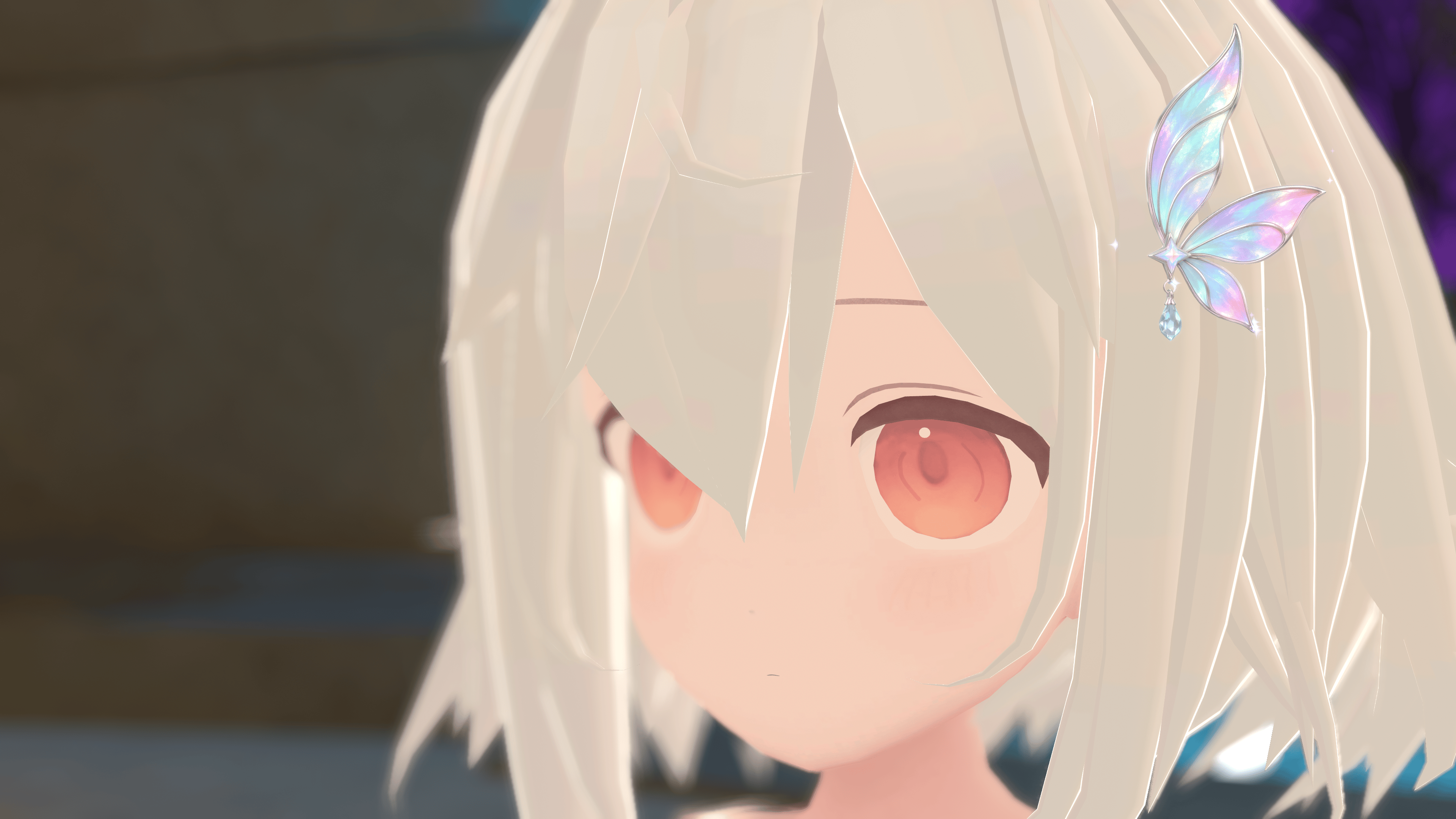
Tested on Felis v0.8.1 in PC VRChat. Includes a tested left-temple placement preset for Felis and generic prefabs. Avatar is NOT included.
THREE EFFECTS
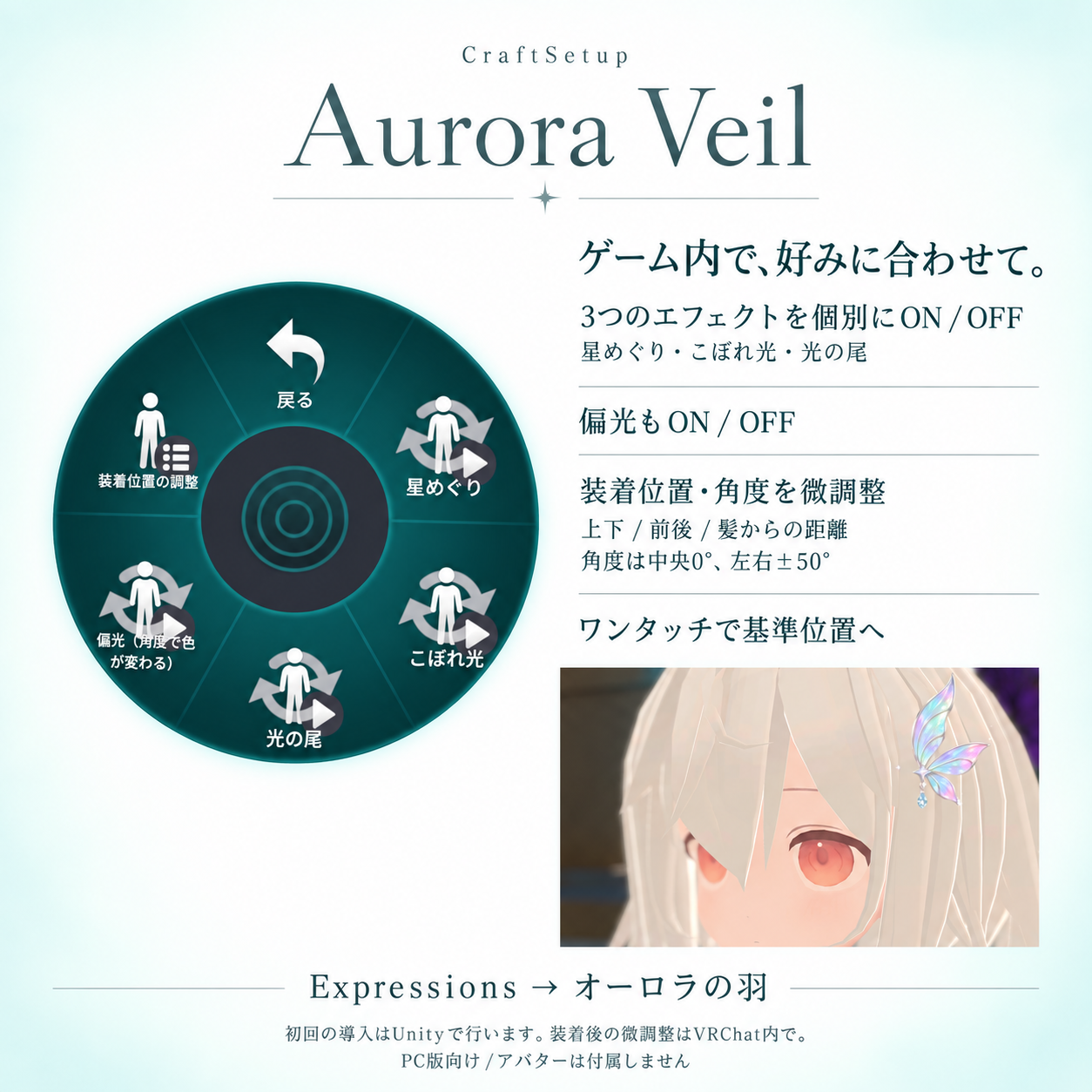
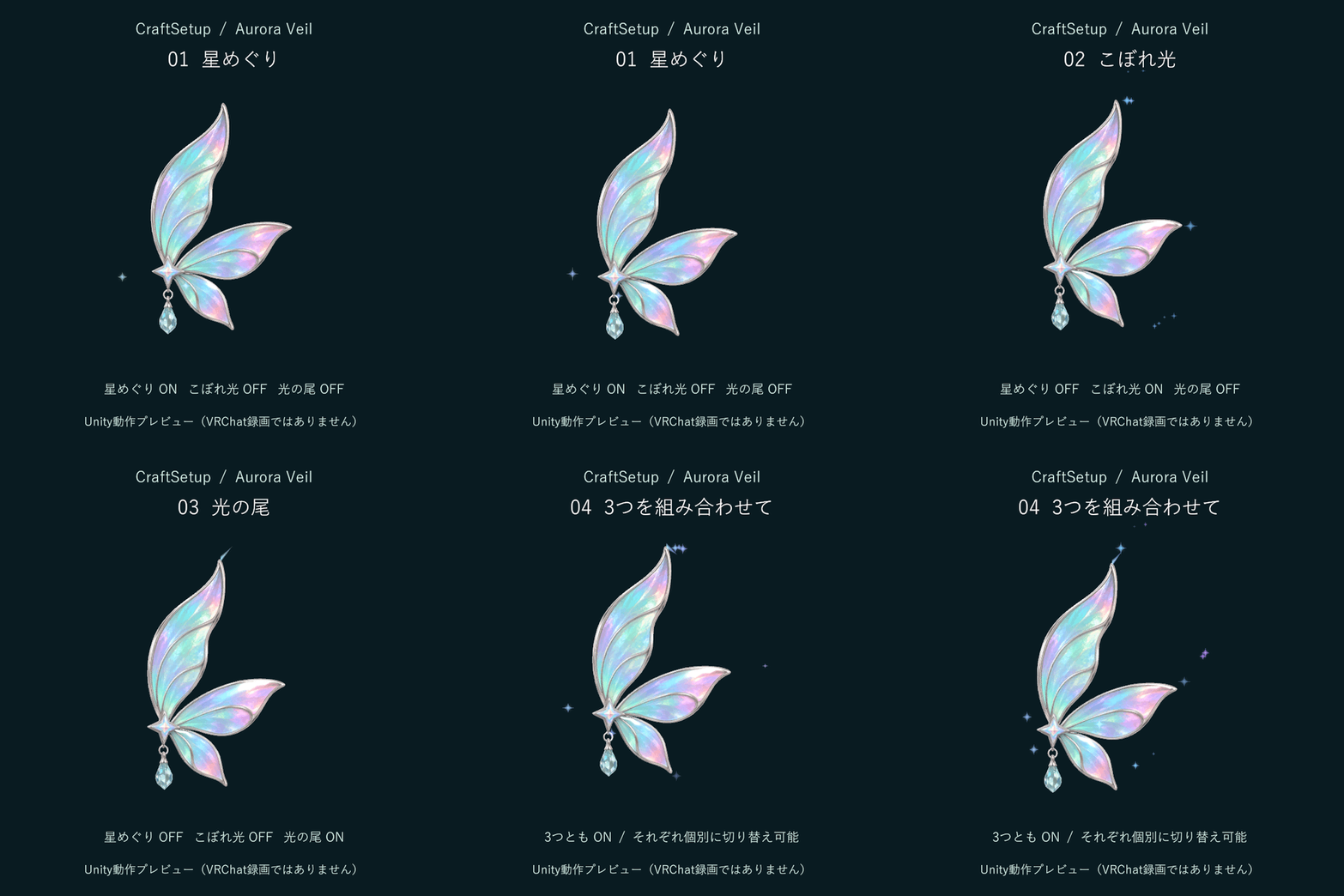
Orbiting stars, drifting light dust, and a short motion trail can each be switched ON/OFF. Additional view-dependent iridescence also has its own toggle. Defaults: all three effects ON; additional iridescence OFF. The pastel aurora base colors remain when iridescence is OFF.
IN-GAME ADJUSTMENT
Expressions > オーロラの羽 (Aurora wings) lets you adjust height, front/back, distance from hair, and angle (center 0°, range ±50°), with a reset-to-baseline control. Initial attachment and scale are set in Unity. The included menu labels are Japanese; the English README explains each control.
ACCESSORY SPECIFICATIONS
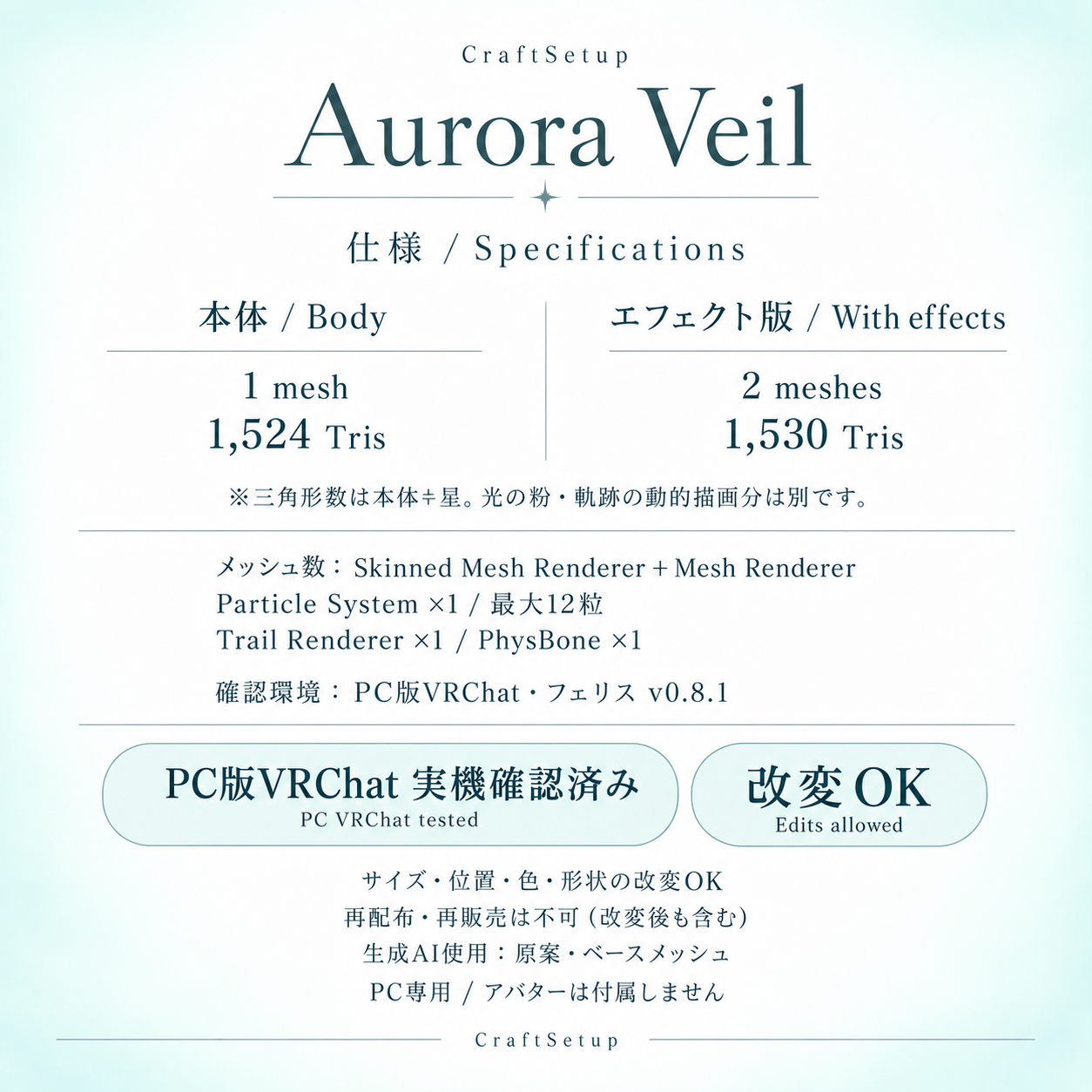
Body: 1 mesh / 1,524 fixed triangles / 1 material.
Effects version: 2 meshes / 1,530 fixed triangles / 4 materials.
Mesh count means Skinned Mesh Renderer + Mesh Renderer. Fixed triangles are body 1,524 + stars 6; dynamically generated particle/trail geometry is additional.
1 Particle System (max 12 particles), 1 Trail Renderer, 1 PhysBone, 0 lights. 36 synced parameter bits. These are accessory-only figures, not avatar totals.
CONTENTS & REQUIREMENTS
Unitypackage; standard and no-effects prefabs; Felis left-side placement presets; custom shaders/textures; Japanese/English setup guides and terms; original GLB for editing reference.
Tested with Unity 2022.3.22f1, VRChat SDK Avatars 3.10.4 and Modular Avatar 1.18.7. SDK and Modular Avatar must be installed separately. This accessory itself does not require lilToon.
PC only; not compatible with standalone Quest, Android or iOS. The no-effects version retains crystal PhysBone but has no in-game control menu.
EDITING & USE
Color, size, position and shape edits are allowed. Use on your own private avatar, screenshots, videos and monetized streams is allowed.
Redistribution/resale of the asset data, including modified versions, is prohibited. Do not use it in public avatars or distribute it in an extractable form. Please read the included full terms before use.
AI & PREVIEW DISCLOSURE
Generative AI (image generation and Tripo) was used for the original concept and base mesh. Materials, rig/PhysBone, effects, menus and fitting were configured for the Unity product.
Gallery images include actual PC VRChat screenshots and designed graphics based on those screenshots. The effects GIF is a Unity play-mode preview, NOT VRChat footage. Appearance and performance vary by world, avatar and settings.
Photo avatar: Felis by リュクらぼ — https://booth.pm/ja/items/5385176 — obtain separately; not included.
v1.0 — September 22, 2026