
Descripción del producto
Este producto contiene contenido generado por IA.
Description
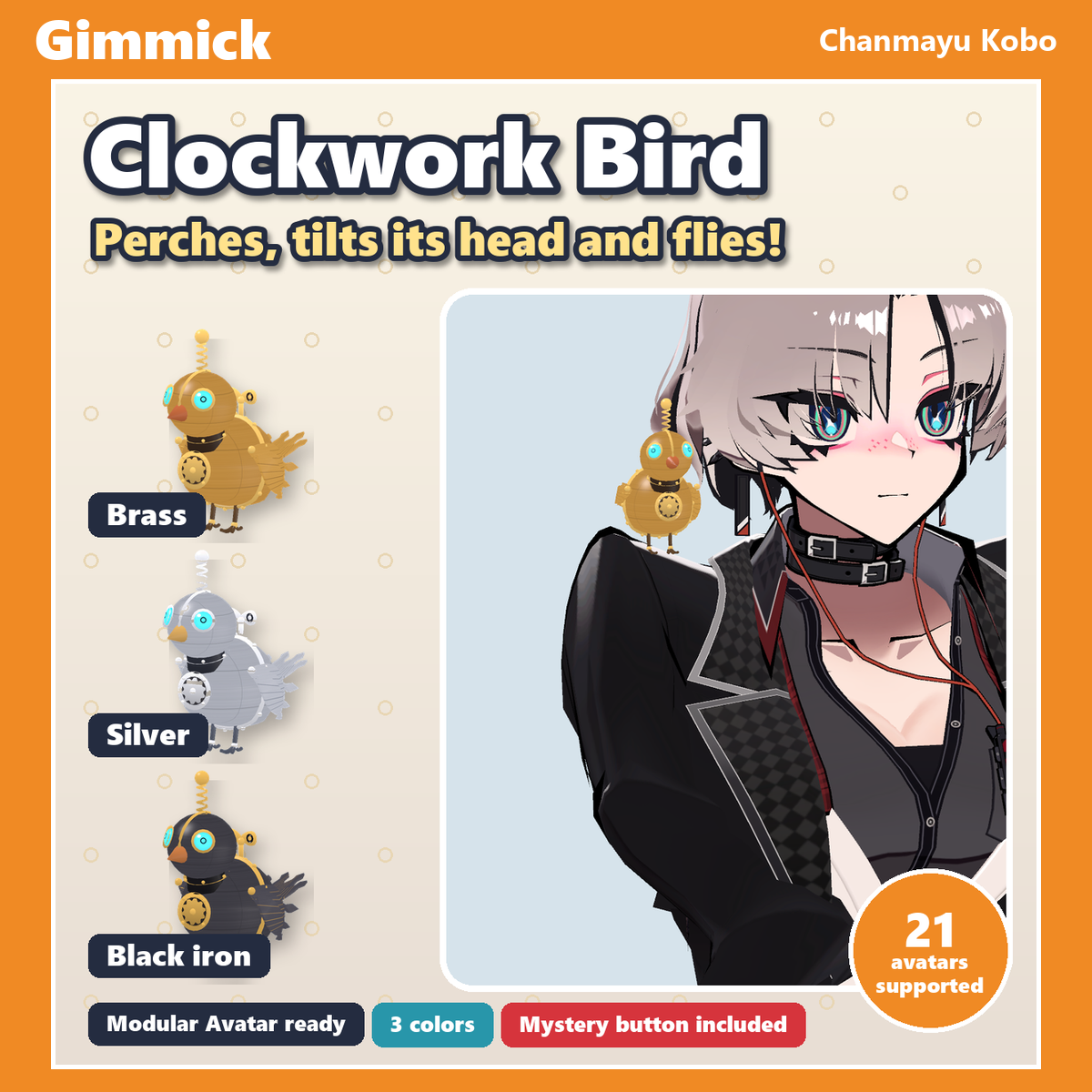
A tiny clockwork bird that sits on your shoulder. It tilts its head, looks around and flaps its little metal wings. Pick right shoulder, left shoulder or the top of your head in the Expression menu and it flies over to the new spot. Turn on "Fly" and it circles slowly around your head. Drop it in with Modular Avatar.
Highlights
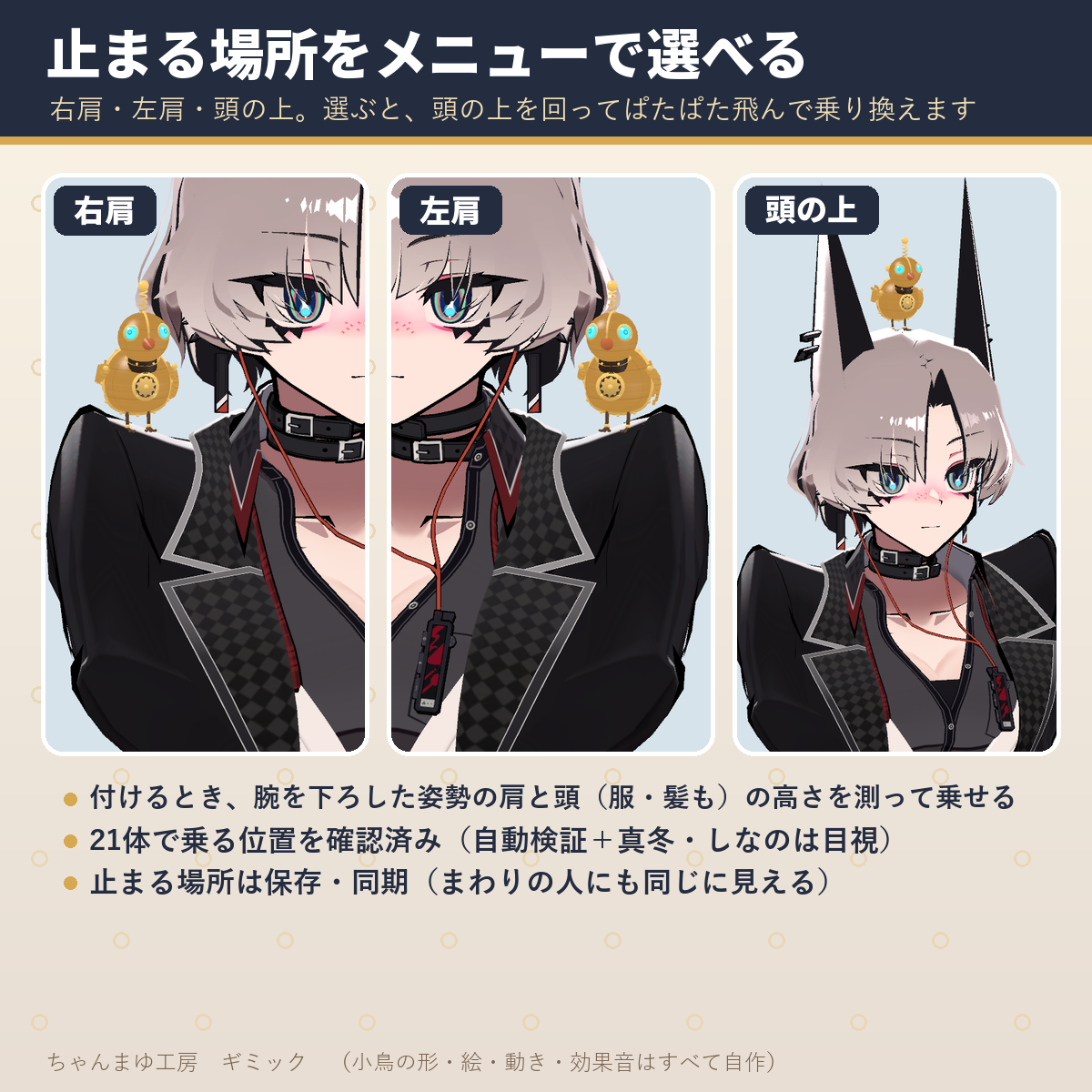
- Choose where it perches (right shoulder, left shoulder, top of head) and it flaps over to the new spot, flying up over your head so it doesn't pass through your hair
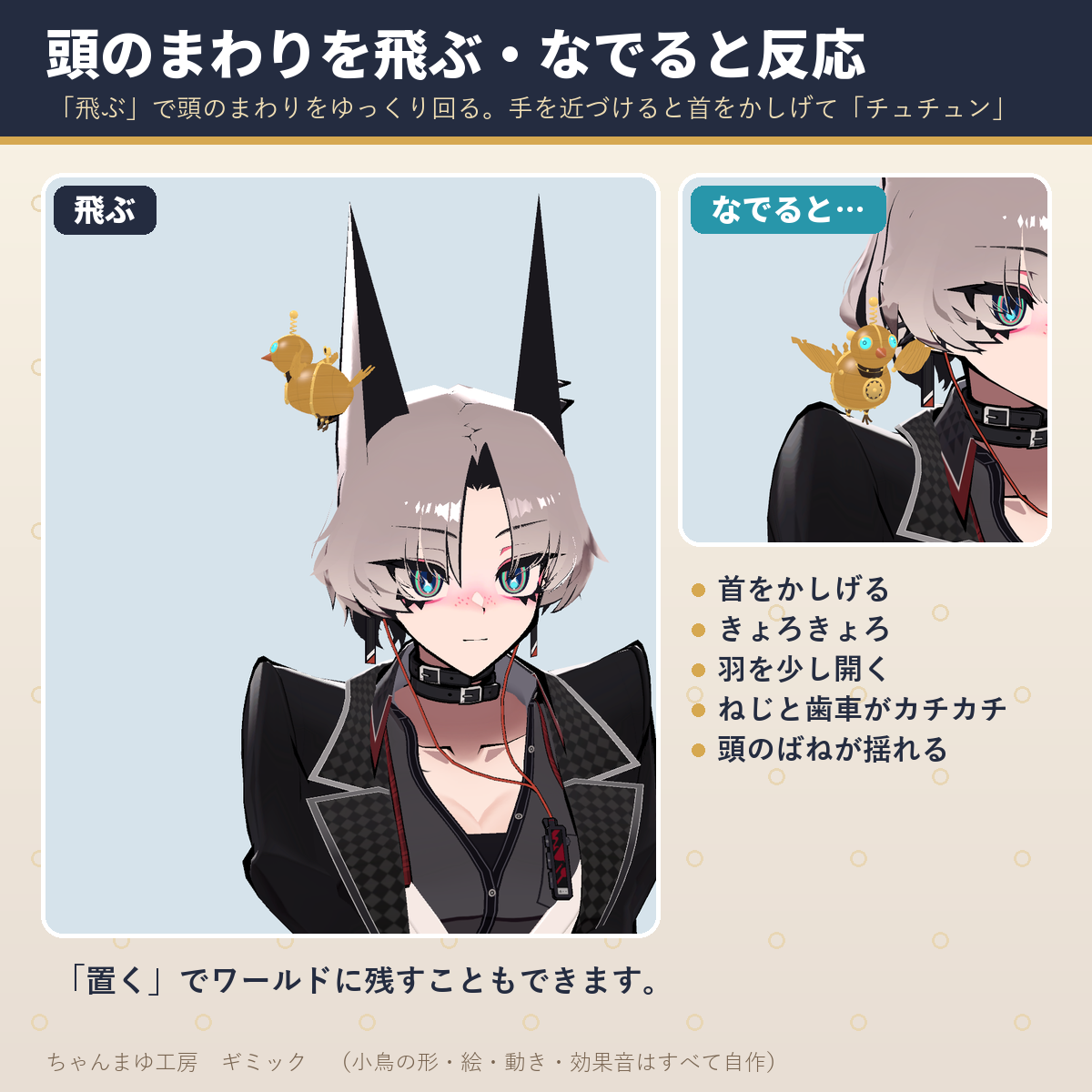
- "Fly": it circles slowly around your head, and comes back when you turn it off. "Place" leaves it in the world
- Always alive: head tilts, looking around, opening its wings. The wind-up key on its back and the gear in its chest keep ticking. Bring a hand close and it chirps
- The perch spots were checked on each of the 21 avatars. When attached, it measures the height of your shoulders and head (including clothes and hair) and sits right on top
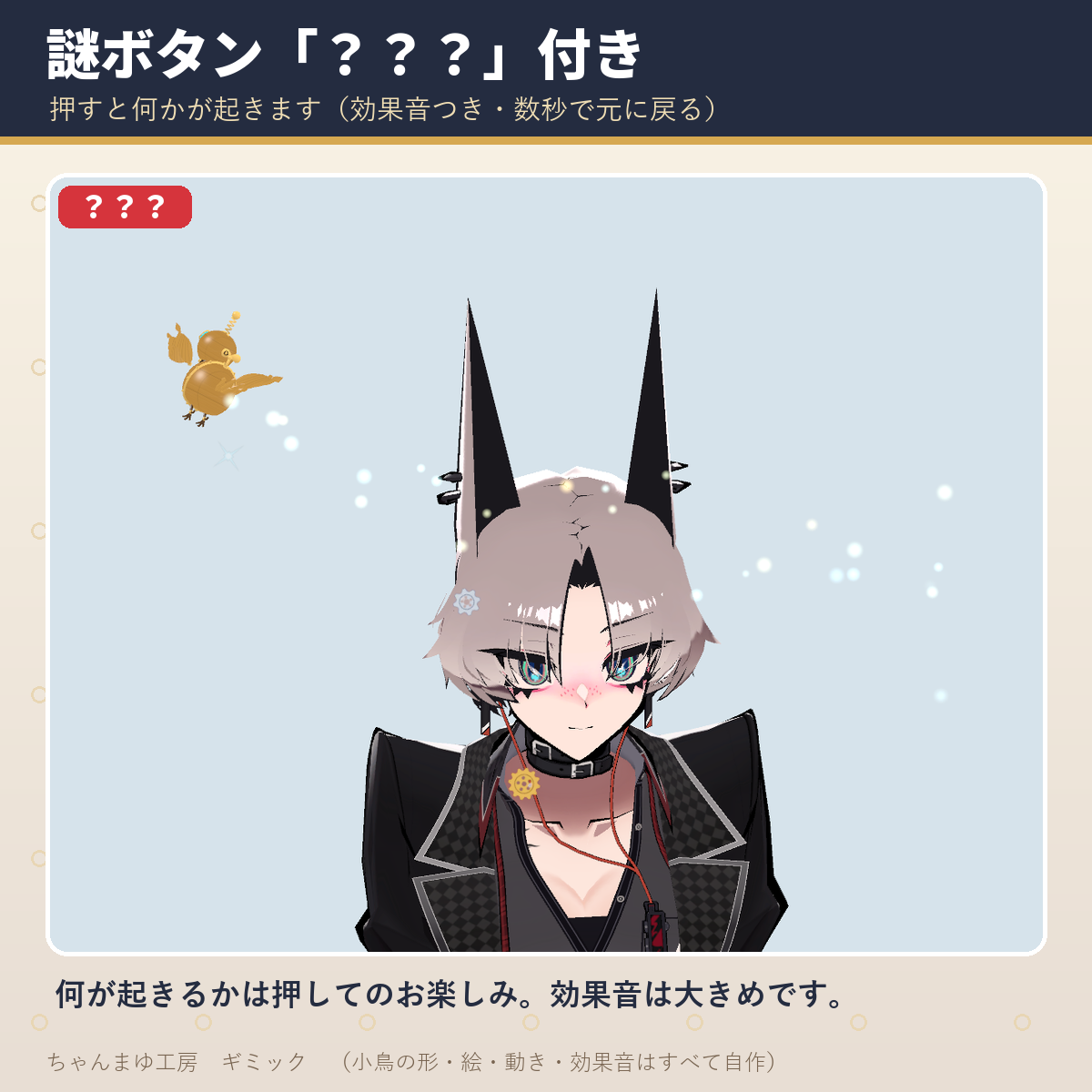
- Mystery button: press "???" and something happens (with a sound effect, back to normal in a few seconds)
What's included
ChanmayuKobo_Gimmick_ClockBird_v1.0.0.unitypackage- Clockwork bird (about 9 cm long; scales with your avatar's height)
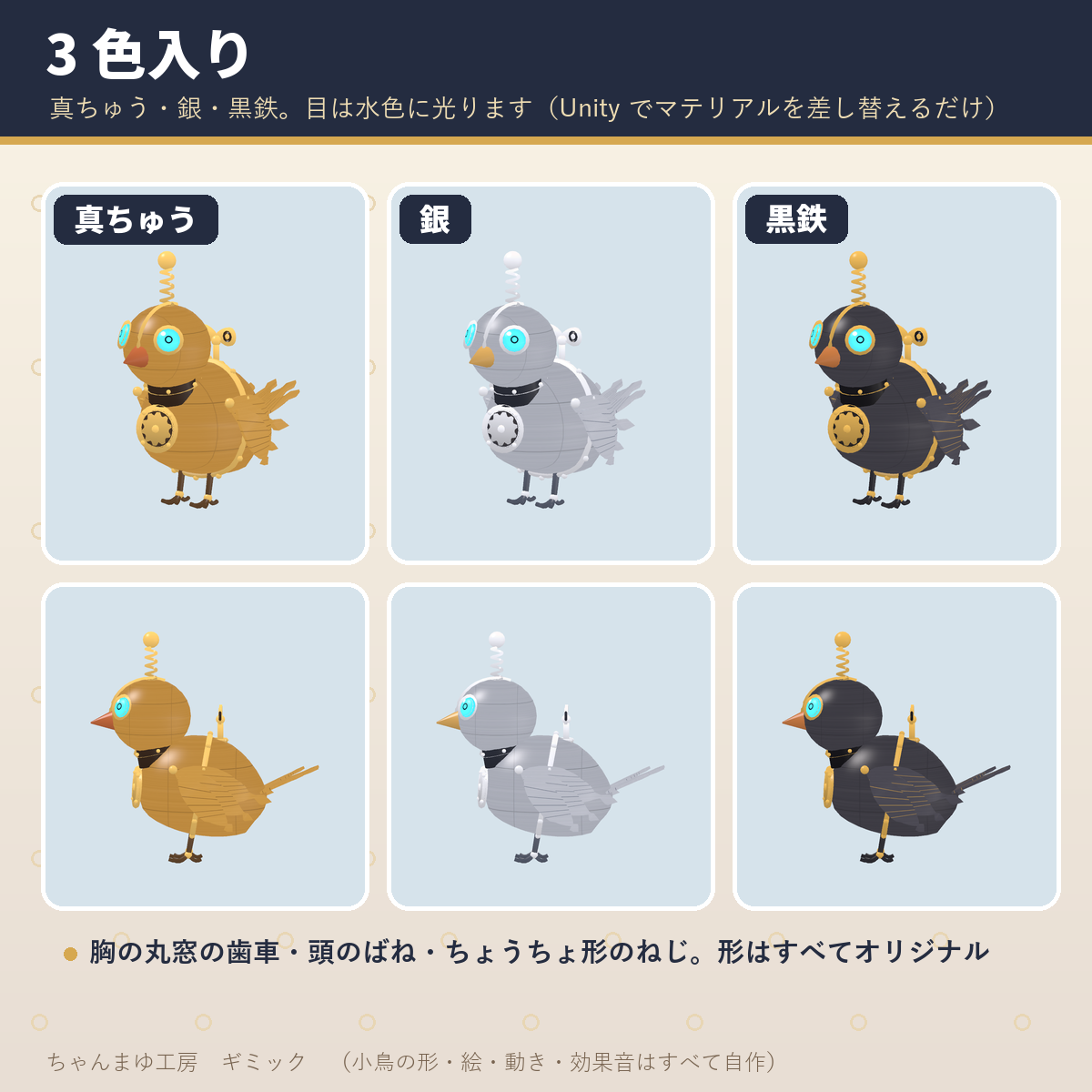
- 3 colors: brass, silver, black iron. The eyes glow light blue
- 3 original sound effects (chirp, wing flaps, the "???" sound)
- Attach menu (tuned avatars + automatic fitting for other Humanoid avatars)
README_EN.txt(English install guide and terms) and the Japanese README, guide and terms (README_JA.txt,Guide_JA.md,Terms_JA.txt)- Only the gimmick. No avatar is included.
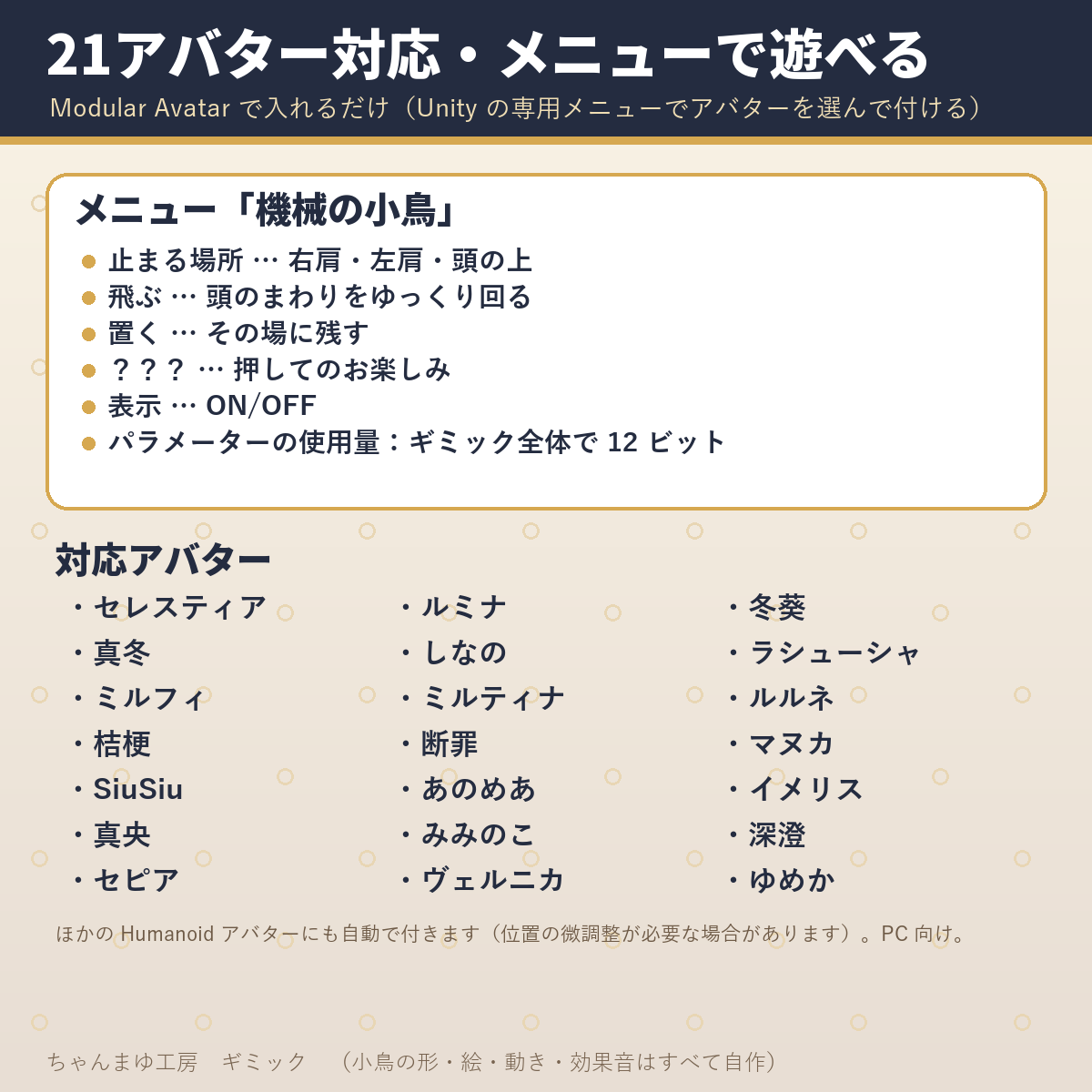
Expression menu ("機械の小鳥" = Clockwork Bird)
- Perch: right shoulder, left shoulder or top of head (saved and synced, right shoulder by default). It flaps over when you change it
- Fly: ON = circles slowly around your head. OFF = goes back to its perch
- Place: ON = stays where it is (you can leave it in the world). OFF = comes back
- ???: press and see (sound effect, back to normal in about 4 seconds)
- Show: show / hide the bird (saved and synced, ON by default)
Performance
- 1 mesh (7,700 triangles), 1 material + 2 for particles, 15 bones, 1 PhysBone (head spring), 4 Constraints (Parent 1, Scale 2, Position 1) + Modular Avatar World Fixed, 1 VRC Contact receiver, 2 Particle Systems, 3 Audio Sources, 12 parameter bits
Compatibility
- Requirements: Unity 2022.3, Modular Avatar (tested with 1.18.7), lilToon
- Tested on these 21 avatars (avatars are sold separately on BOOTH):
- Anomea (あのめあ) — https://booth.pm/en/items/5020157
- Danzai (断罪) — https://booth.pm/en/items/3894620
- Fuyuki (冬葵) — https://booth.pm/en/items/4540757
- Imeris (イメリス) — https://booth.pm/en/items/3040745
- Kikyo (桔梗) — https://booth.pm/en/items/3681787
- Lasyusha (ラシューシャ) — https://booth.pm/en/items/4825073
- LUMINA (ルミナ) — https://booth.pm/en/items/7502898
- Mafuyu (真冬) — https://booth.pm/en/items/5007531
- Manuka (マヌカ) — https://booth.pm/en/items/5058077
- mao (真央) — https://booth.pm/en/items/6846646
- Milfy (ミルフィ) — https://booth.pm/en/items/6571299
- Milltina (ミルティナ) — https://booth.pm/en/items/6538026
- Miminoko (みみのこ) — https://booth.pm/en/items/6199796
- Misumi (深澄) — https://booth.pm/en/items/7763002
- rurune (ルルネ) — https://booth.pm/en/items/5957830
- Selestia (セレスティア) — https://booth.pm/en/items/4035411
- sepia (セピア) — https://booth.pm/en/items/3179938
- Shinano (しなの) — https://booth.pm/en/items/6106863
- SiuSiu — https://booth.pm/en/items/8426340
- Velnica (ヴェルニカ) — https://booth.pm/en/items/6302886
- Yumeka (ゆめか) — https://booth.pm/en/items/8672657
- Other Humanoid avatars: attached automatically from the bones and body surface (you may need to nudge the position).
How to install
1. Import the unitypackage.
2. Unity menu Tools → ちゃんまゆ工房 ギミック → 機械の小鳥を付ける (the menu text is Japanese: "Chanmayu Kobo gimmicks → Attach Clockwork Bird").
3. Pick your avatar and press the button ("Attach to this avatar"). Then upload as usual.
To remove it, delete Gimmick_ClockBird from your avatar. To change the color, drag the Brass, Silver or Iron material onto ClockBirdMesh.
Good to know
- On avatars with long hair, a shoulder bird can be partly hidden by the hair (the top of head spot is easier to see).
- When it changes spots or flies, it may brush past long hair or animal ears for a moment.
- The "???" sound is fairly loud. Be careful in quiet places. PC only (not for Quest).
- The product images are in Japanese; this page and
README_EN.txtcover installation, the menu and the terms in English. - The bird's shape, textures, motions and sounds are original works by Chanmayu Kobo.
- AI-Assisted: the Blender/Python scripts that build the 3D models, textures and sound effects, and this English text, were written with an AI coding assistant under Chanmayu Kobo's direction. No generative-AI image, 3D-model or audio tool was used.
License
- You may use this gimmick on your own avatars in VRChat and similar platforms, including public avatars. Editing is OK. Streams, videos and photos are OK.
- You may not redistribute, share, resell or sell the data, original or edited, in any form. This includes bundling it with an avatar or outfit for sale or for free distribution.
- Do not use it for political or religious campaigns, harassment, or anything offensive to public order.
- Chanmayu Kobo is not liable for any damage caused by using this data.
- Full terms:
README_EN.txt(English) andTerms_JA.txt(Japanese). The Japanese terms prevail.
Japanese store: BOOTH
https://mayuyu.booth.pm/items/9165649
Follow Chanmayu Kobo on Jinxxy for new gimmicks, accessories and tattoos.