Flying Sword Formation — A Wheel of Glass Swords That Fly Where You Point | VRChat
Etiquetas
Descripción del producto
Este producto contiene contenido generado por IA.
▶ VRChat avatar accessory · PC only · needs Modular Avatar (free, from VCC) · drag-and-drop prefab
Not made for one avatar: Modular Avatar hooks it to your avatar's own chest and right hand bones at upload, so it works on humanoid avatars in general. Checked in Unity on the VRChat SDK sample avatar.
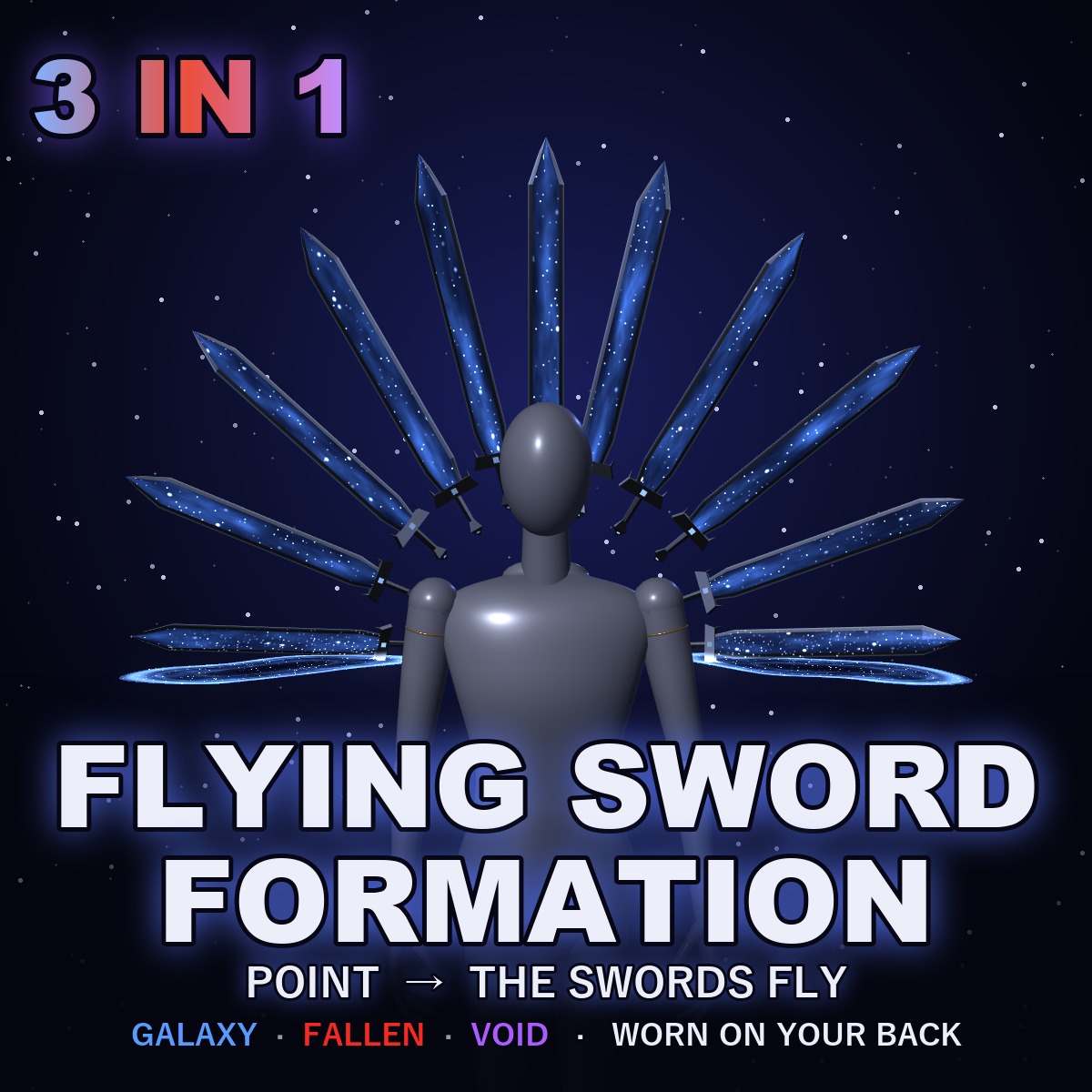
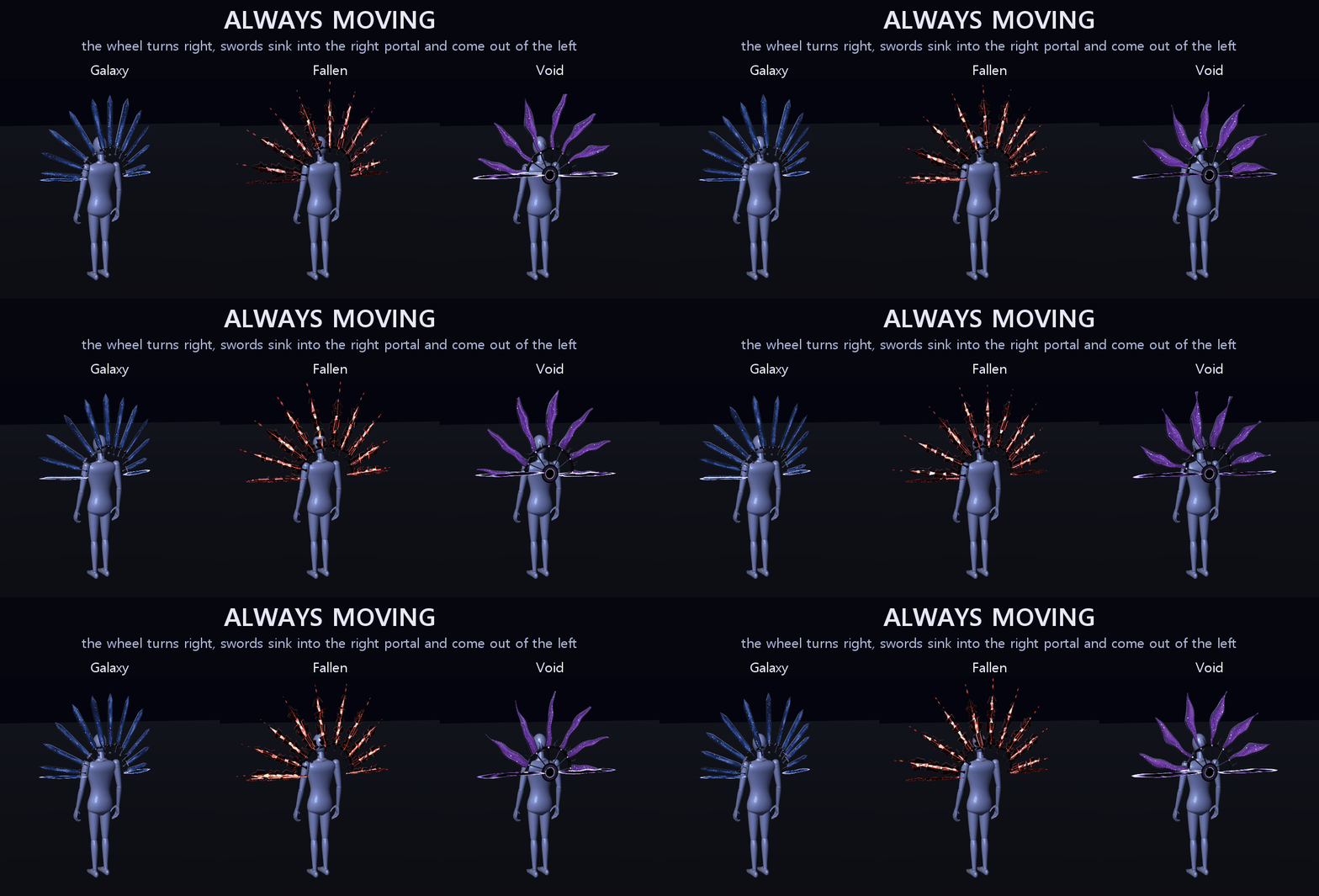
A wheel of glass swords floats behind your back and turns slowly to your right. Only its upper half shows: at the right end each sword sinks into a portal and is gone, and it comes back out of the portal on the left. Point two fingers and the swords leave the wheel one by one and stab out along the line you point. Make a fist on your chest and they gather into one great sword in your hand.
It never stands still: the wheel keeps turning, every sword bobs and sways on its own, and light breathes inside the glass.
THINGS YOU DO WITH YOUR HANDS
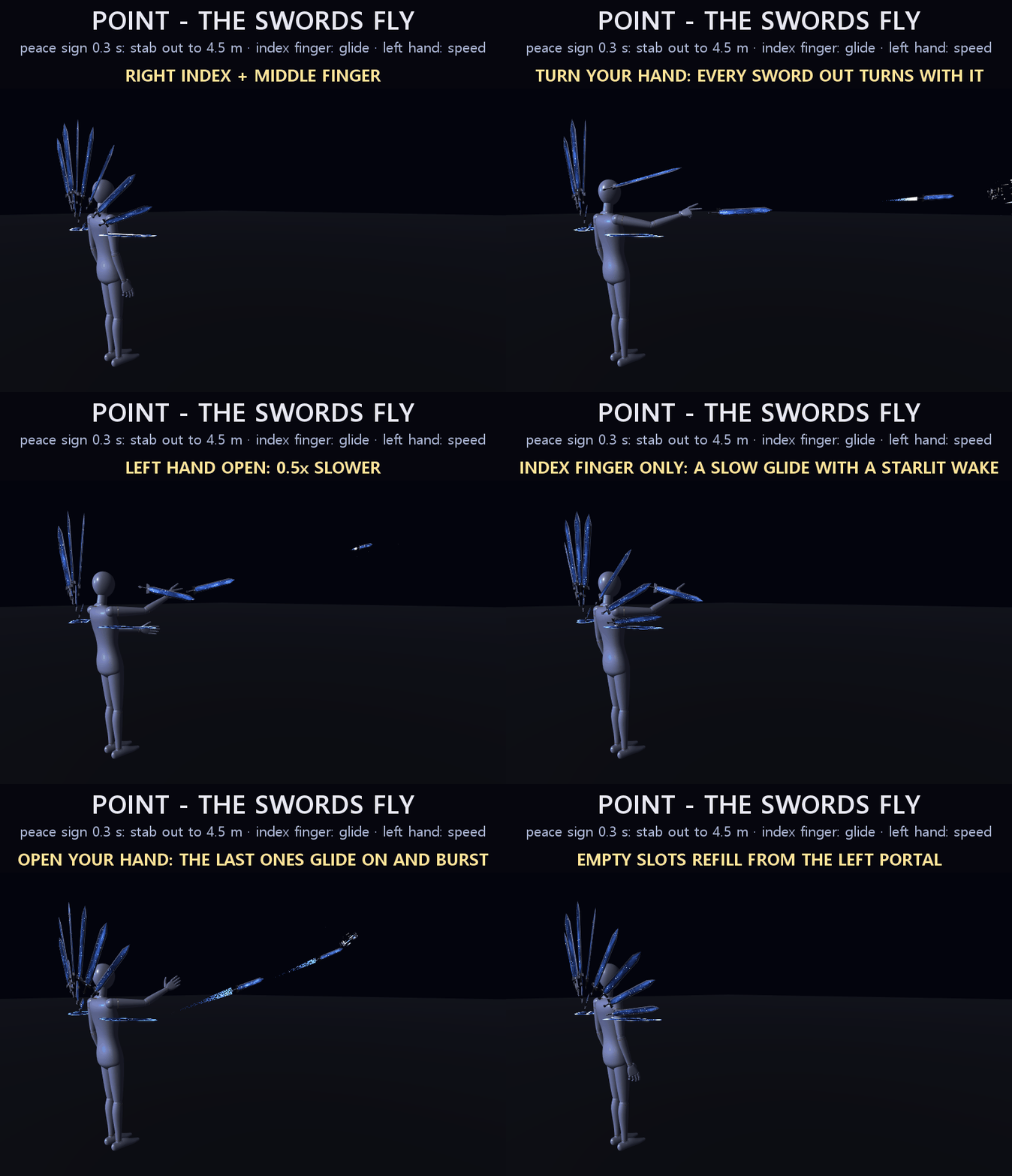
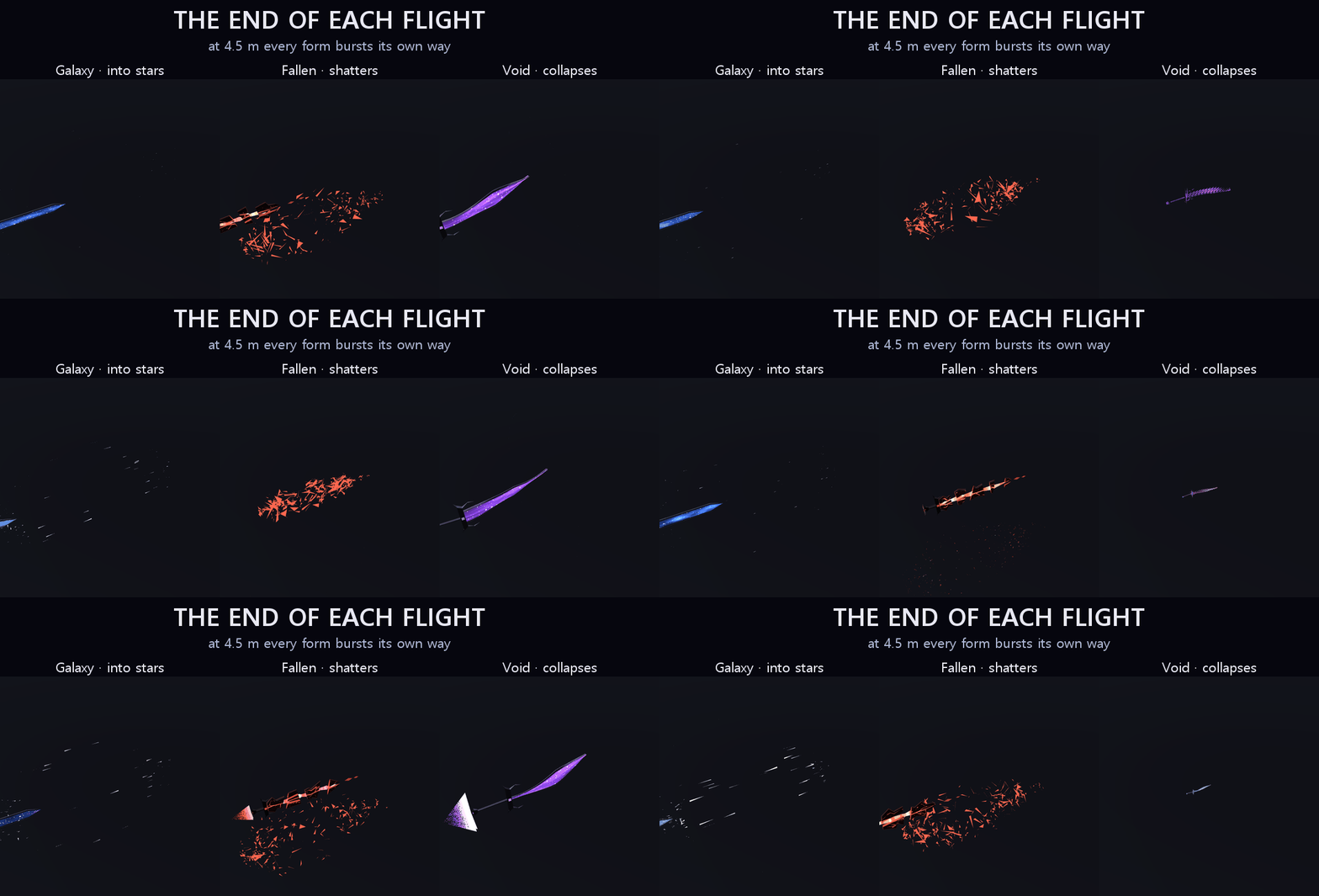
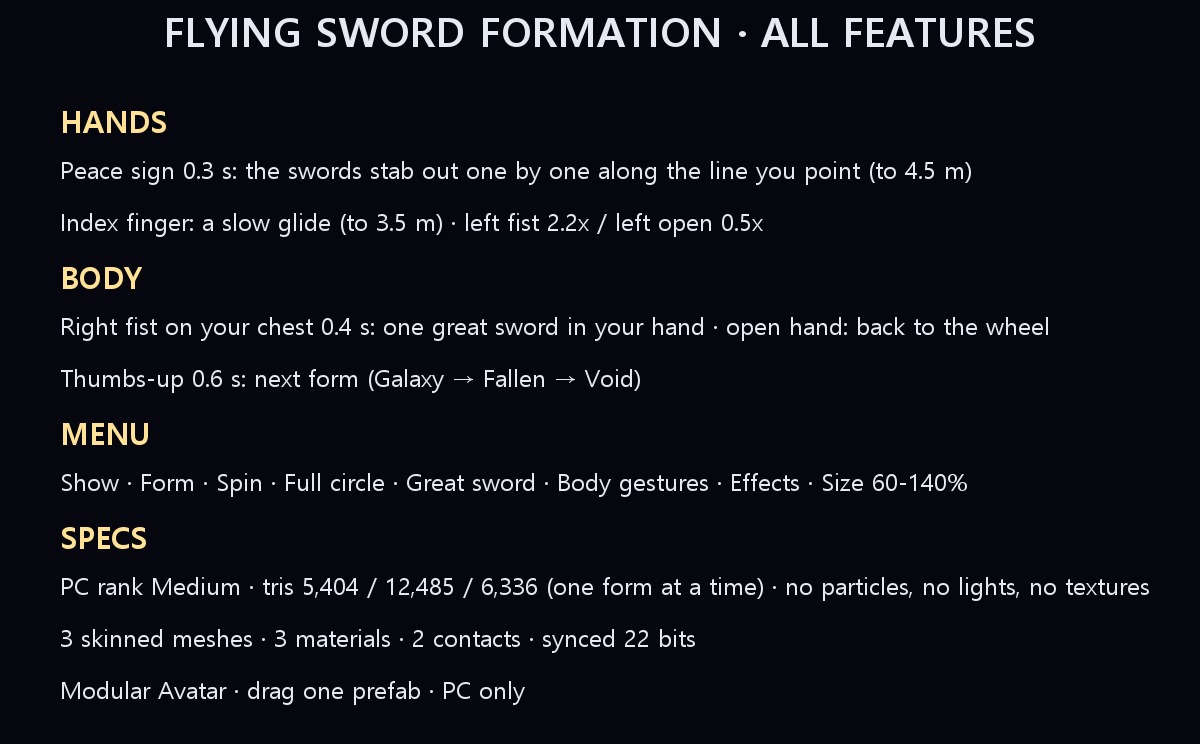
1. Stab. Raise your right index and middle fingers (the peace sign) and hold for 0.3 s. Each sword that passes the top of the wheel slides out tip first, arcs over your shoulder to your fingertip, draws back 0.15 m and thrusts out along the line you point, up to 4.5 m, where it bursts. Turn your hand and every sword out turns with it. Open your hand and no new sword leaves; the ones out finish their flight.
2. Glide. Point with your index finger alone: the swords leave the same way but drift out slowly instead, sinking and rising, swaying to the side and leaving a soft wake of their form's light, up to 3.5 m.
3. Faster or slower. While they fly, make a fist with your left hand and the wheel feeds them 2.2× faster; open your left hand for 0.5×.
THINGS YOU DO WITH YOUR BODY
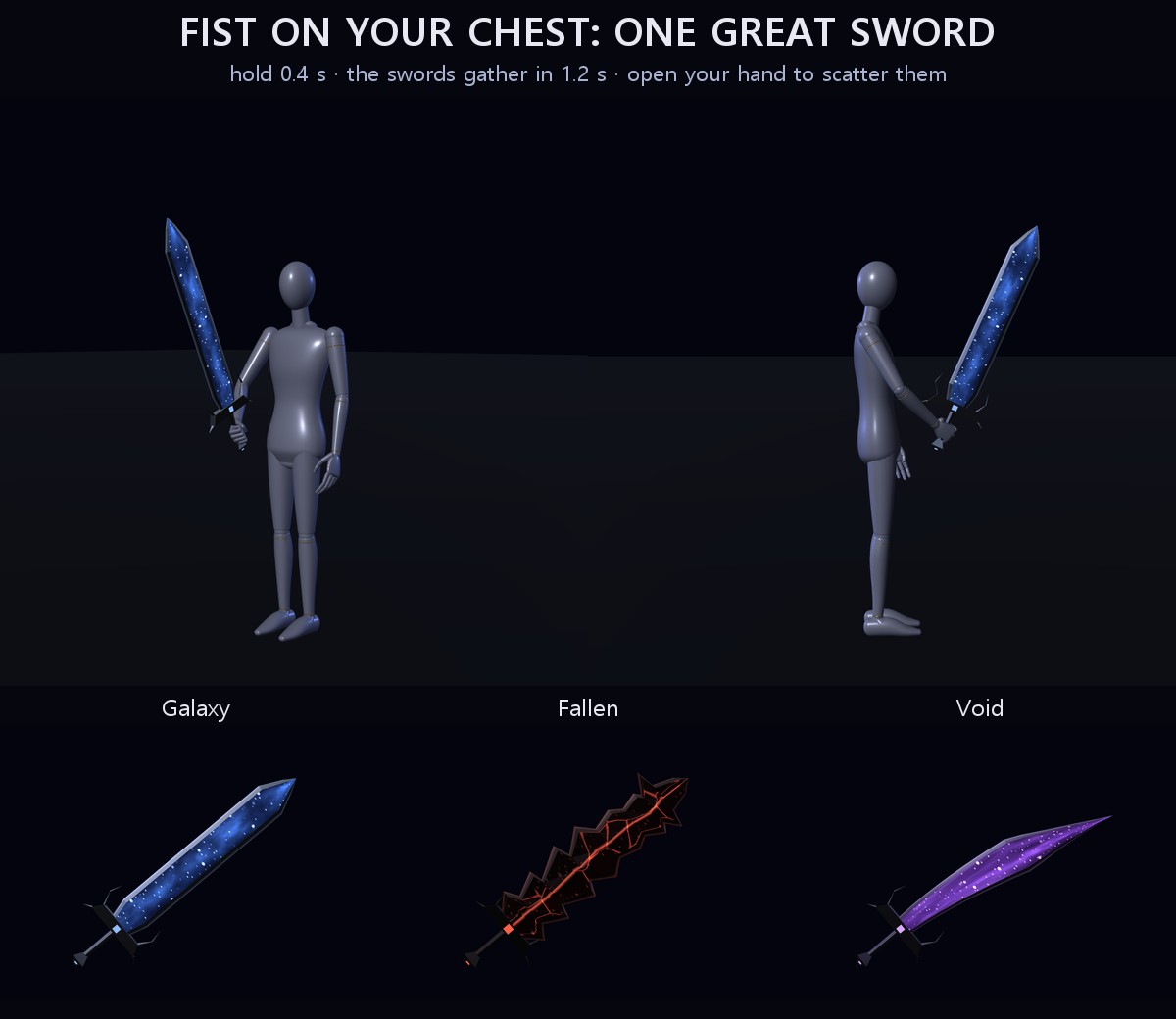
1. The great sword. Hold your right fist against your chest for 0.4 s: the swords gather into one great sword in your right hand (1.2 s). Open your right hand and it scatters back into the wheel.
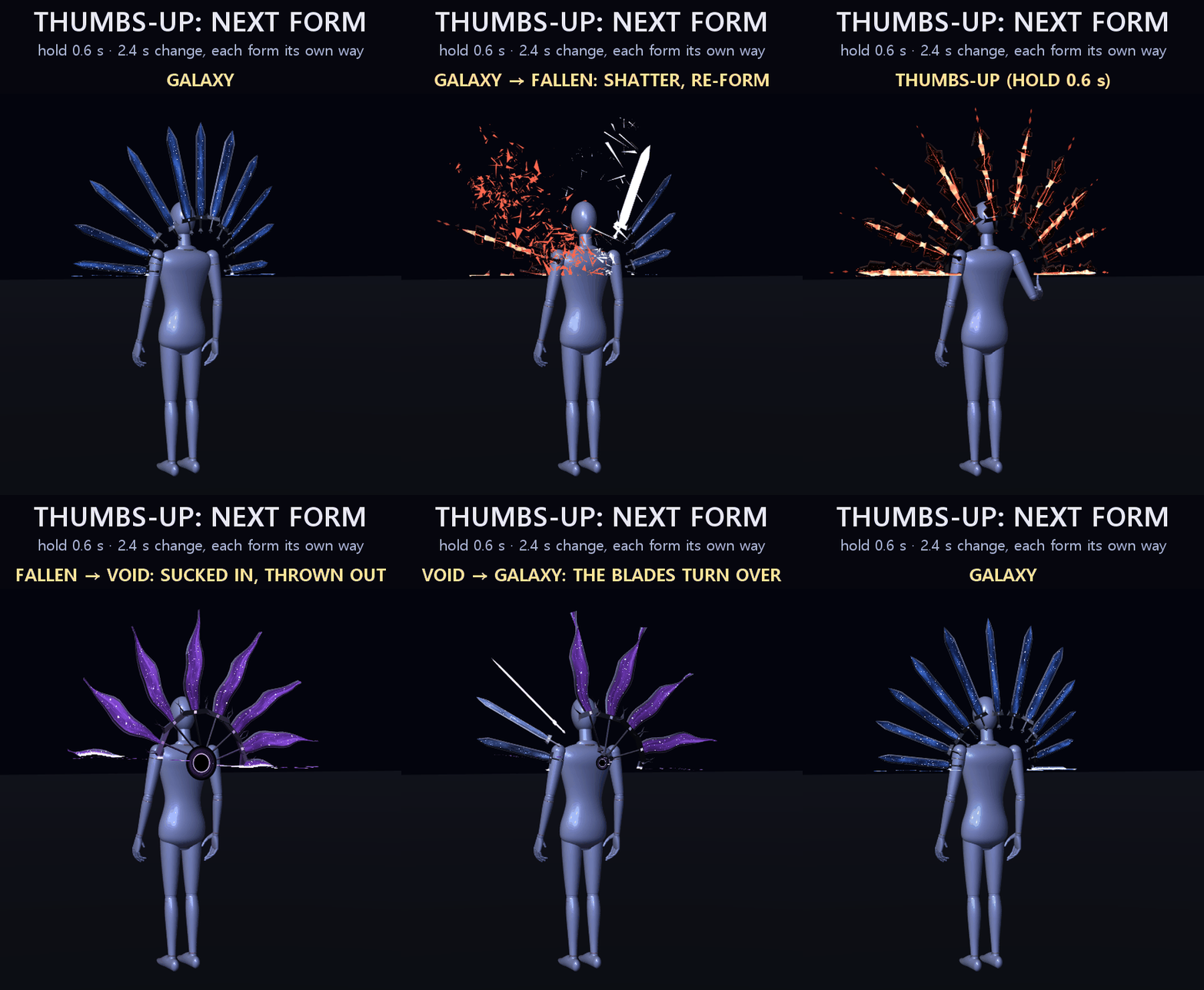
2. Change form. Give a thumbs-up with your right hand and hold it for 0.6 s: the wheel changes to the next form (2.4 s). Galaxy → Fallen: the swords shake, glow white-hot and shatter, and the pieces of the Fallen blades tumble up from below and fit together, still glowing red. Fallen → Void: the black hole opens, the blades stretch thin and wind into it, and the Void blades shoot back out of it. Void → Galaxy: a wave runs along the wheel and every blade turns over into the new one.
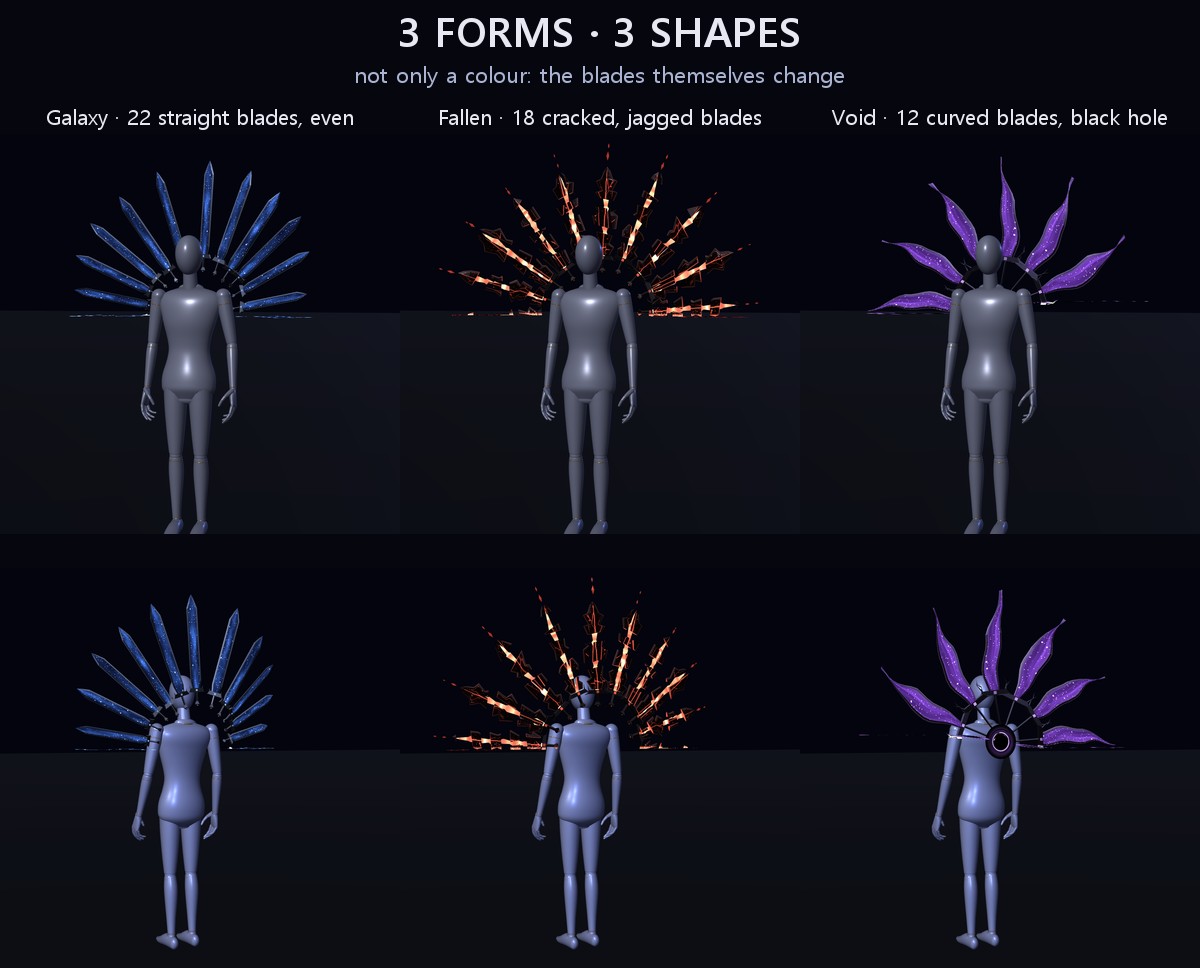
3 FORMS (each one a different shape, not only a colour)
• Galaxy (order): 22 straight hexagonal blades evenly spaced, clear glass with a blue nebula and small stars inside
• Fallen (broken): 18 jagged blades, each cracked into offset pieces, black glass with crimson cracks, one blade snapped, red shards drifting down
• Void (pulled in): 12 curved sabre blades all bending one way round a black hole with a violet ring, the space round it slowly twisting
About half of each wheel shows at a time.
MENU ("Flying Swords")
• Show: show / hide (on to start, remembered)
• Form: Galaxy / Fallen / Void (remembered). Changing it from the menu plays the same change.
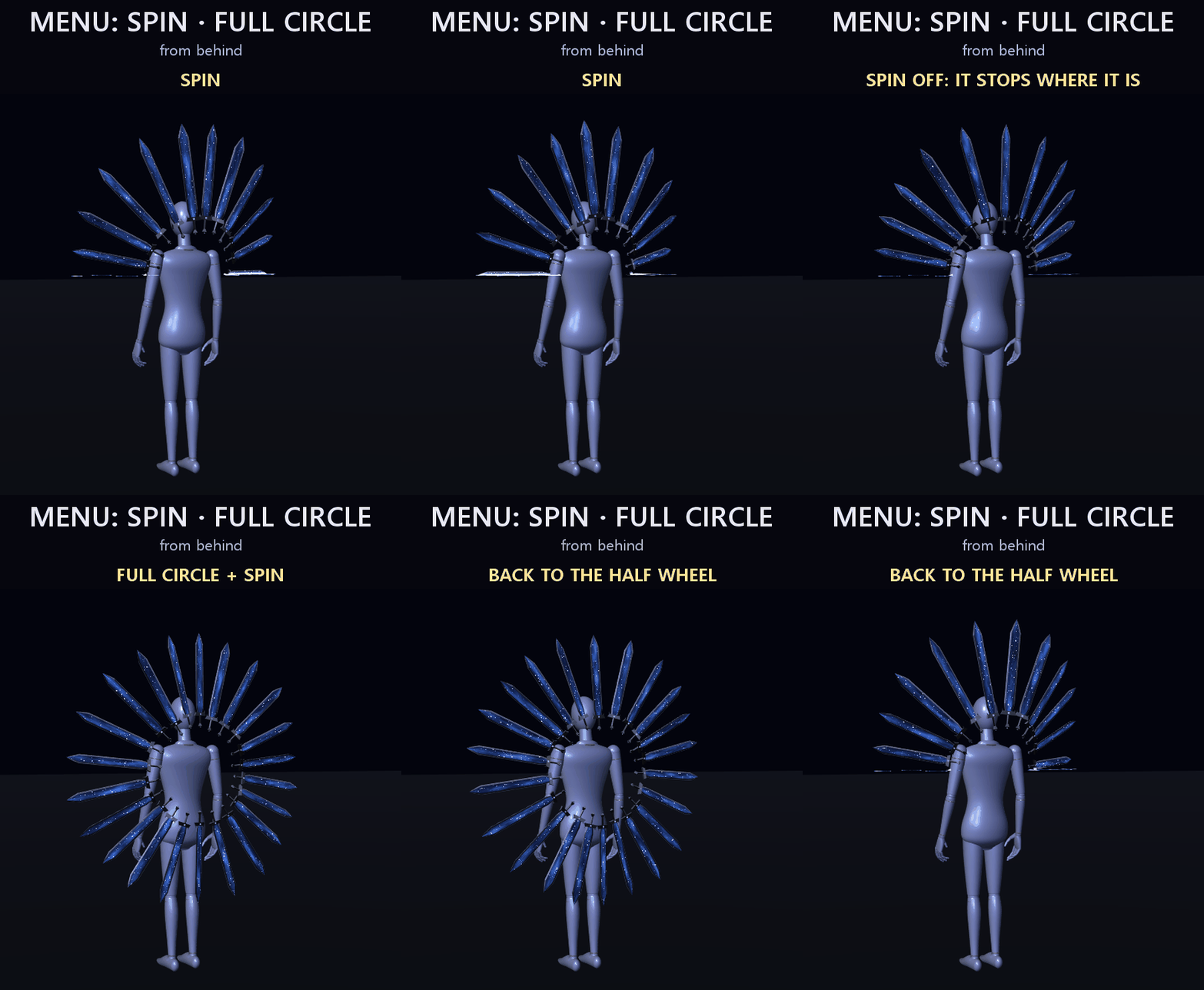
• Spin: the wheel turning on / off; off, it slows to a stop where it is (remembered)
• Full circle: opens the half wheel into a full ring of swords round you, and folds it back (remembered)
• Great sword: hold the great sword without the gesture
• Body gestures: the stab, the glide, the speed, the great sword and the thumbs-up on / off (on to start, remembered). Turn it off if you make those hand signs a lot.
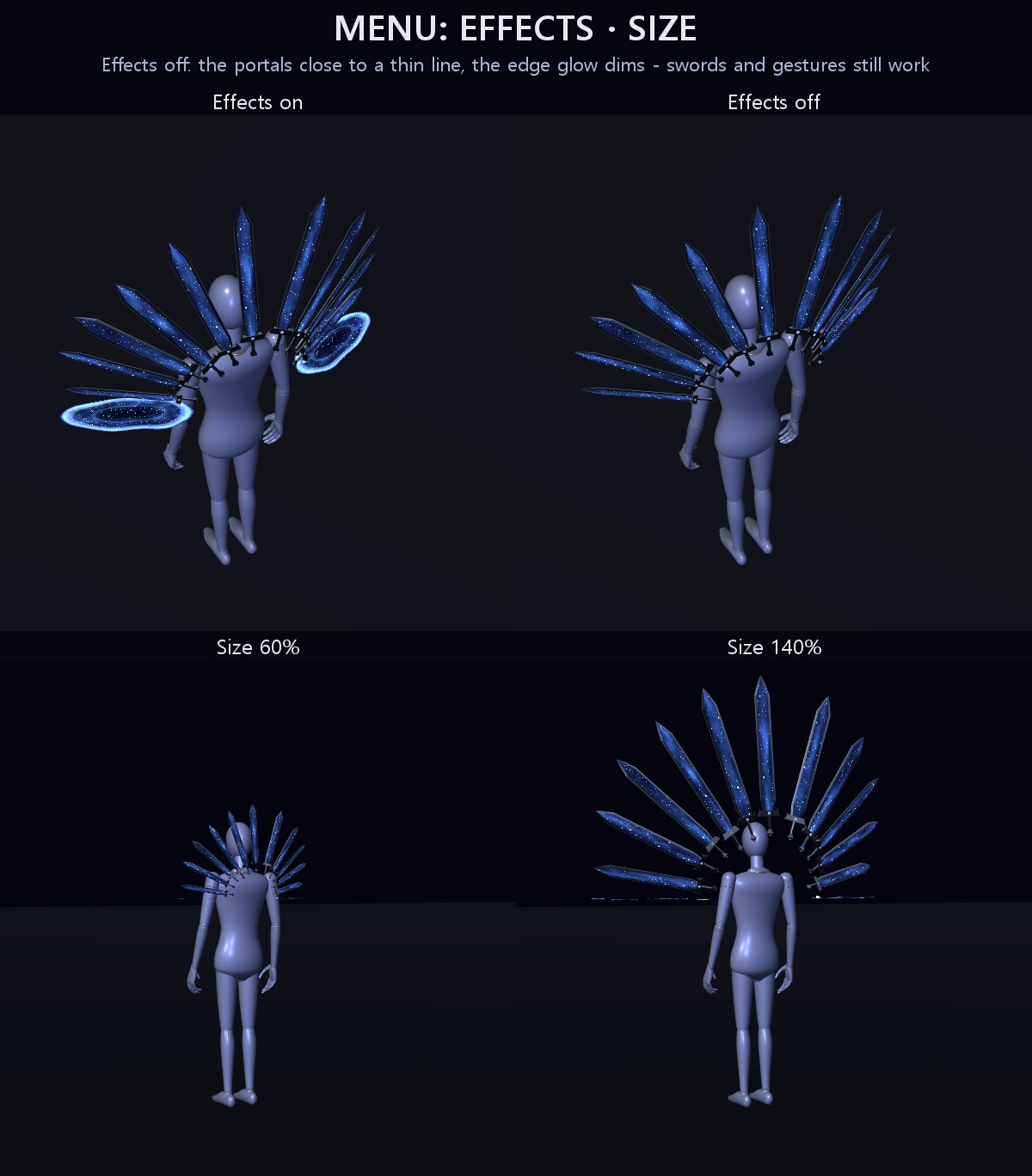
• Effects: off, the portals close to thin slits and the sparks on the edges dim; the swords and the gestures keep working (on to start, remembered)
• Size: 60% to 140% (remembered)
PERFORMANCE
VRChat PC performance rank of the swords by themselves (VRChat SDK check): Medium. On the SDK sample avatar (Medium by itself) the avatar stays Medium. Medium comes from the 3 skinned meshes and from the space the flying swords need, not from heavy effects: no particle systems, no lights, no textures. Everything moving is drawn by the swords' own shader.
EASY TO PUT ON
Drag one prefab onto your avatar and upload. Modular Avatar adds the "Flying Swords" menu, the parameters and the animator layers for you, and keeps the wheel on your chest and the swords on your right hand.
WHAT'S INCLUDED
• FS_1.0.0.unitypackage: 1 prefab, 1 shader, 3 materials, 6 meshes, 1 animator (the menu is inside the prefab)
Folder: Assets/Caligo/FlyingSwordFormation/ (the prefab on top; Animations, FX, Materials, Meshes, Shaders inside)
• README (English and Japanese)
SPECS
• Tris of the wheel: Galaxy 5,404 / Fallen 12,485 / Void 6,336 (one form shows at a time) · great sword 240 / 444 / 420
• Skinned meshes: 3 / Mesh renderers: 3 / Materials: 3 / Textures: none / Lights: none / Particle systems: none / Trail renderers: none
• PhysBones: none / Contacts: 2 (your fist on your chest) / Bones: 55
• Synced parameters: 22 bits
REQUIREMENTS
• Modular Avatar (available through VCC)
TESTED WITH
Unity 2022.3.22f1 / VRChat SDK 3.10.5 / Modular Avatar 1.18.7. The parts, the parameters, the menu and the animator steps are checked in Unity. The prefab imports into a clean project with no problems.
PC only: the swords, their flight and the changes are all made by a custom PC shader, so there is no Quest version.
GOOD TO KNOW
• Right-handed: the swords fly from your right hand and gather into it.
• The swords stab out to 4.5 m at 100%. Use Size in the menu for small rooms.
• They never touch other players: no damage and no hit effects on people.
• People who block custom shaders in their Safety settings won't see them.
SUPPORT
If the stab, the glide, the great sword, the change or anything else doesn't work as described in VRChat, message me on Jinxxy. I'll fix it and send you the update for free.
AI DISCLOSURE (AI-Assisted)
The shader, the code that builds these swords and the text on this page were written with help from an AI assistant. An AI image generator made rough concept sketches I looked at while designing (the shape follows one of them); nothing it made is in the files or in the preview images, which are rendered in Unity from the actual swords.
TERMS
• OK to use on your avatar in VRChat and other platforms
• OK to stream, record, and post on social media
• Editing is fine
• Please don't redistribute or resell the files, edited or not
UPDATES
• v1.0.0 (2026-11-13): first release