
Star Rain Umbrella — Opens, Closes & Rains Stars for VRChat
Etiquetas
Descripción del producto
Este producto contiene contenido generado por IA.
▶ VRChat avatar accessory · needs Modular Avatar and lilToon (both free, from VCC) · drag-and-drop prefab · Quest prefab included
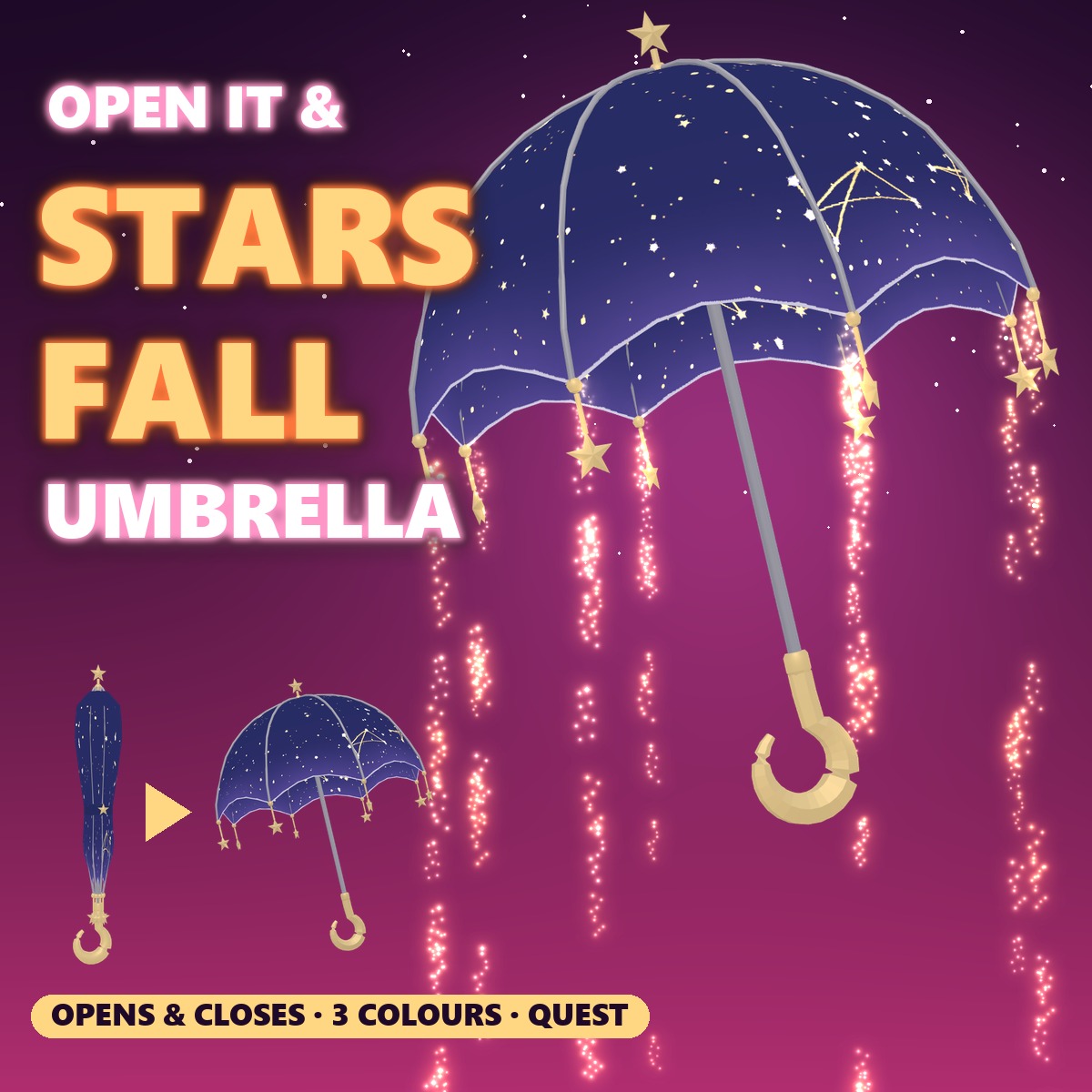
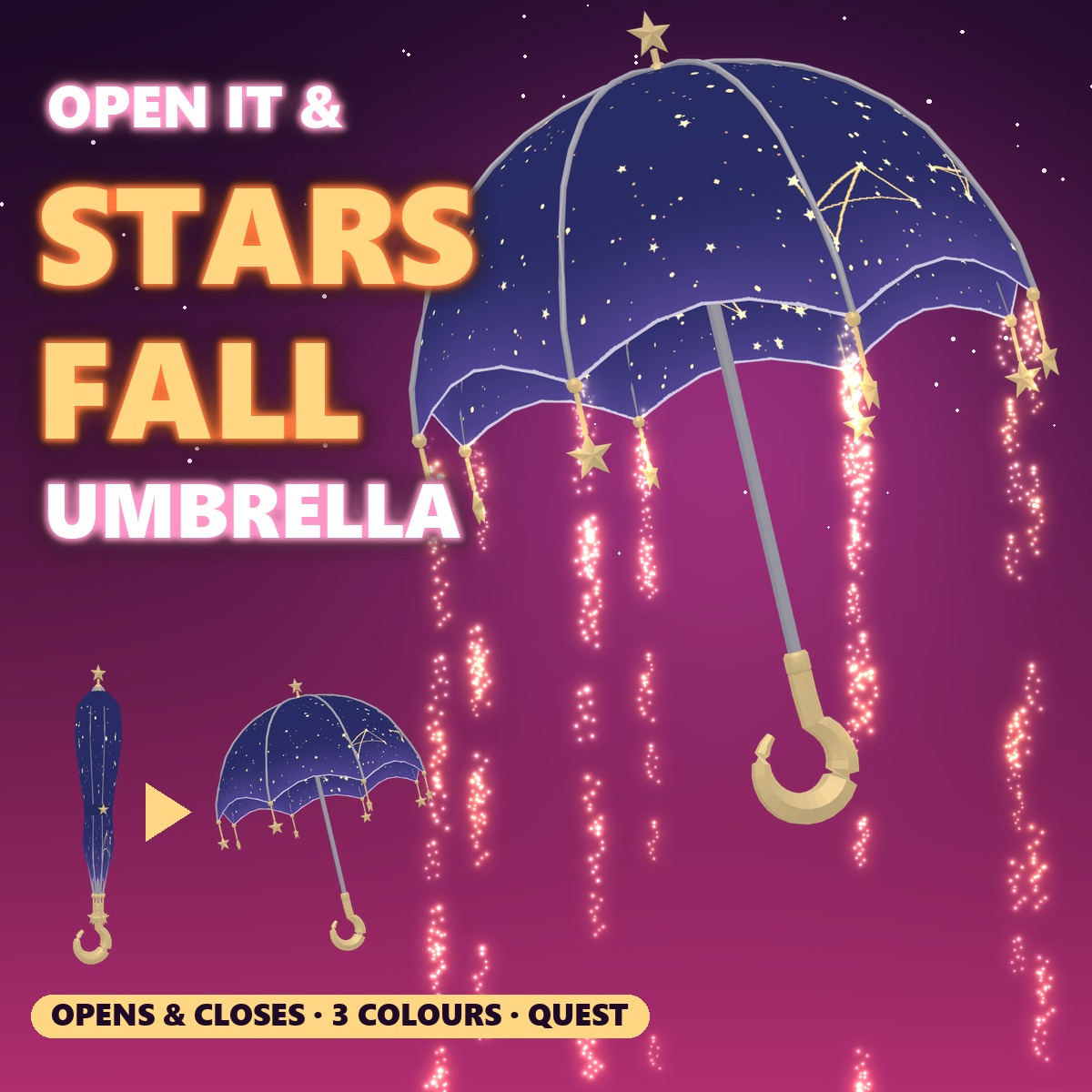
A night-sky umbrella with gold stars and a little star charm on every rib tip, held in your right hand.
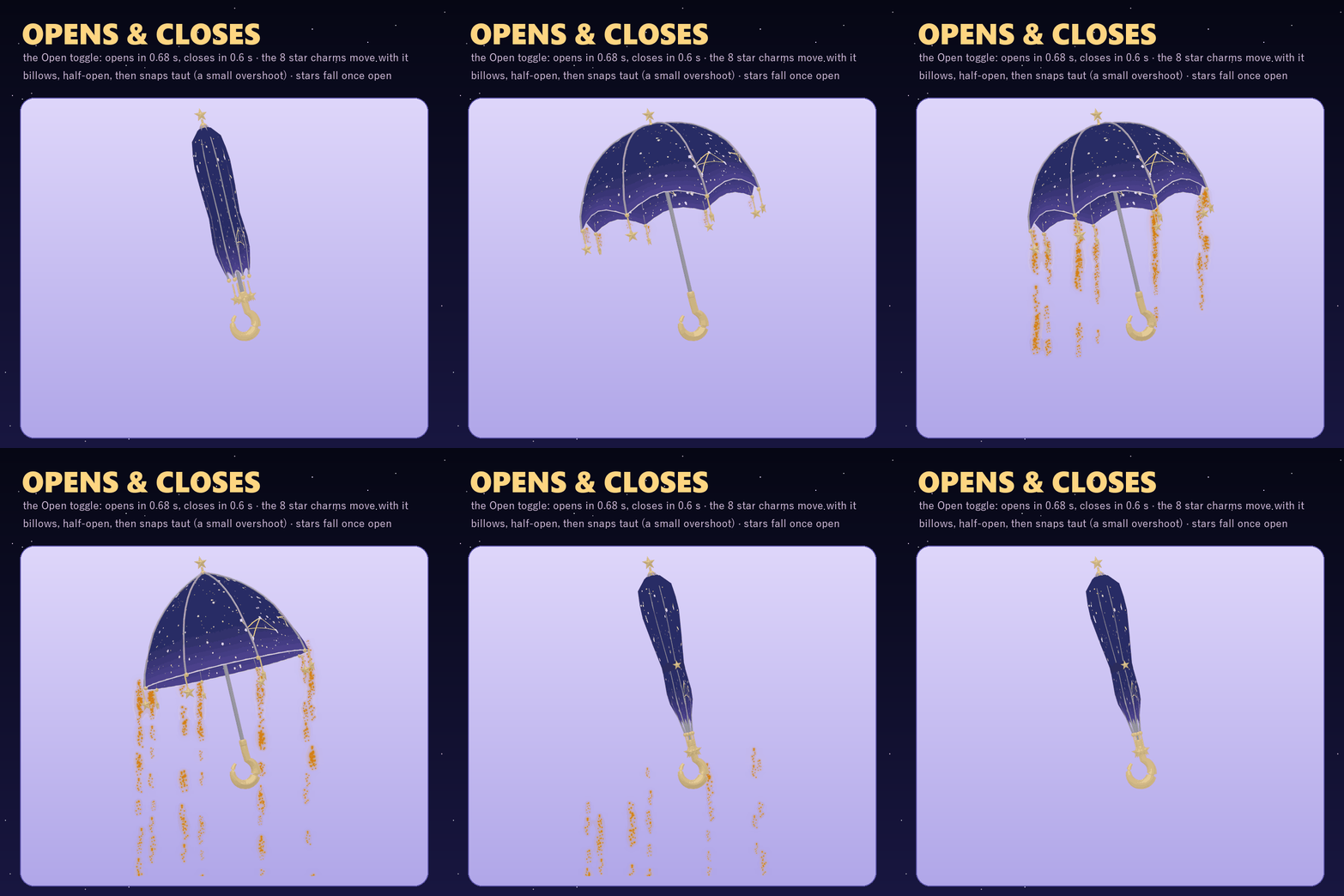
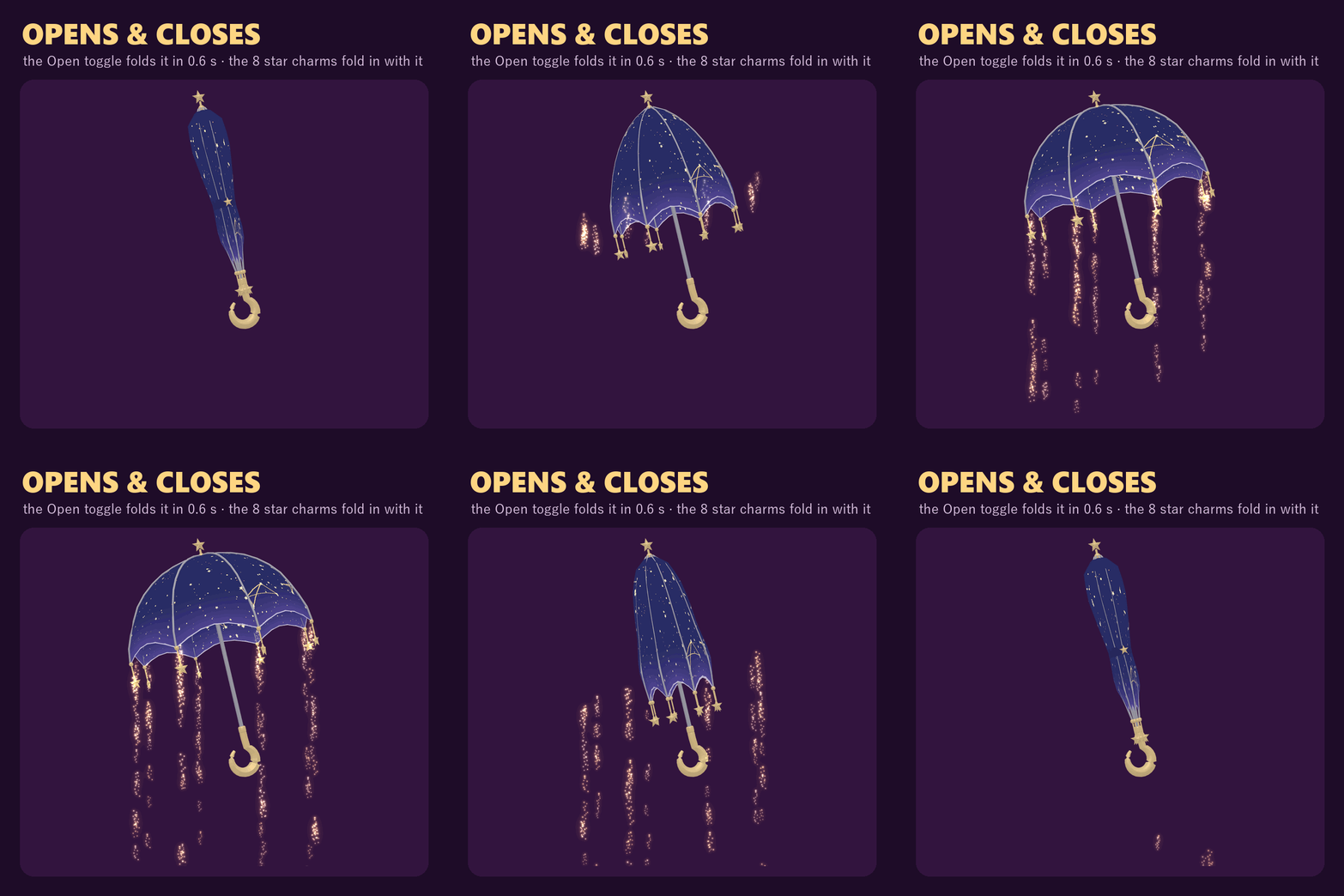
Open it from the menu: the folds swing out, it goes half-open, then the canopy snaps taut and gold star dust starts falling from the rib tips like rain. Close it and the charms fold in with it. The gold stars printed on the canopy twinkle all the time (PC).
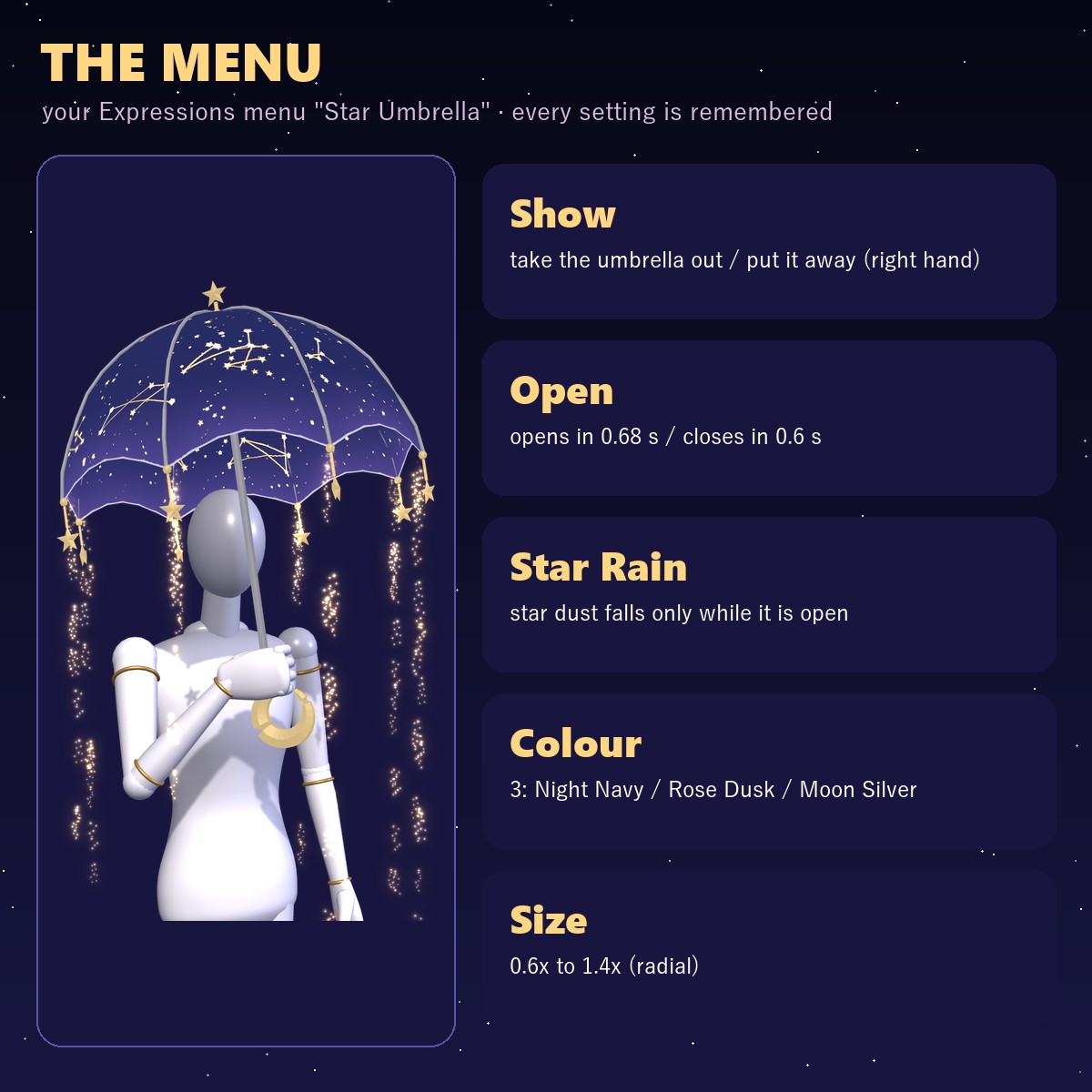
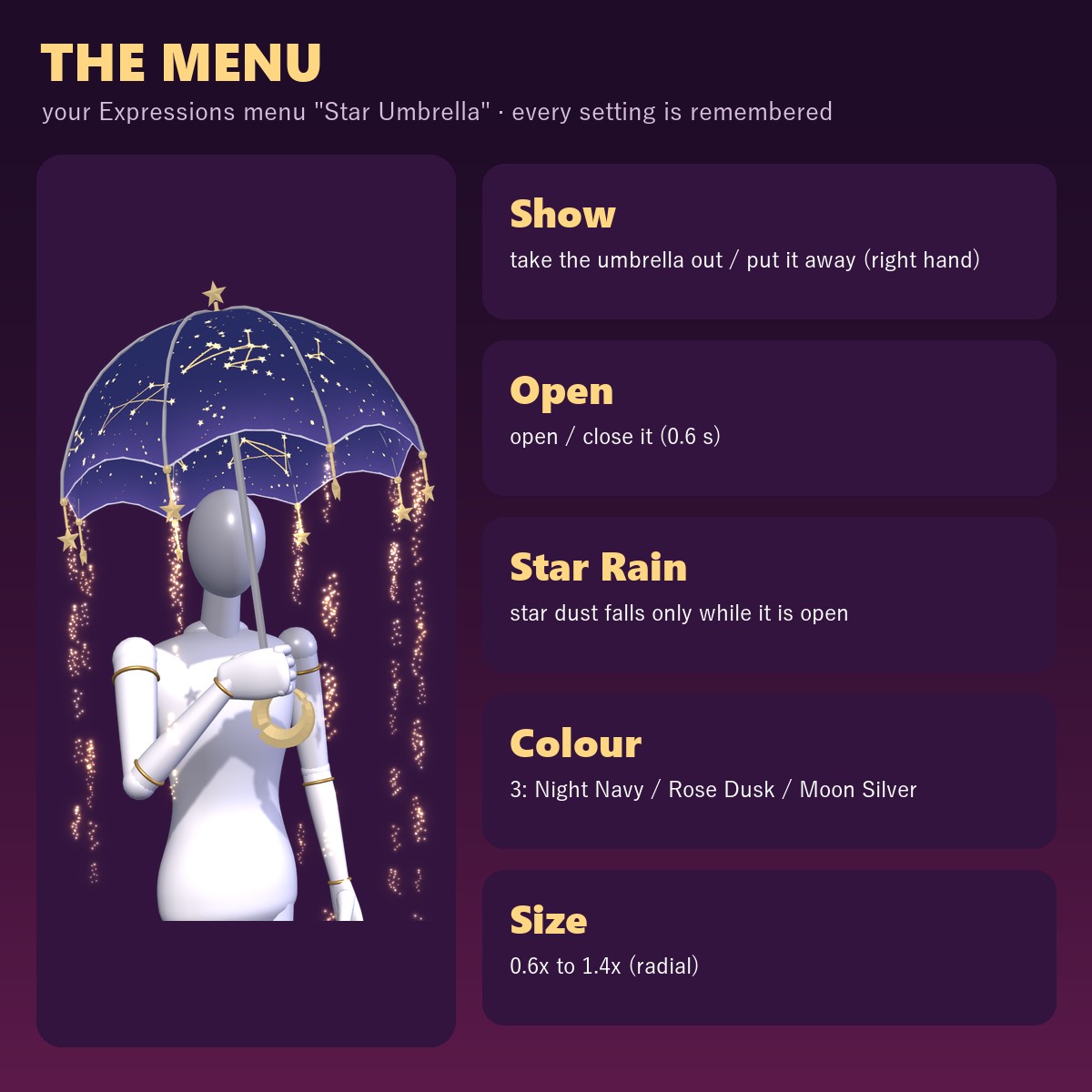
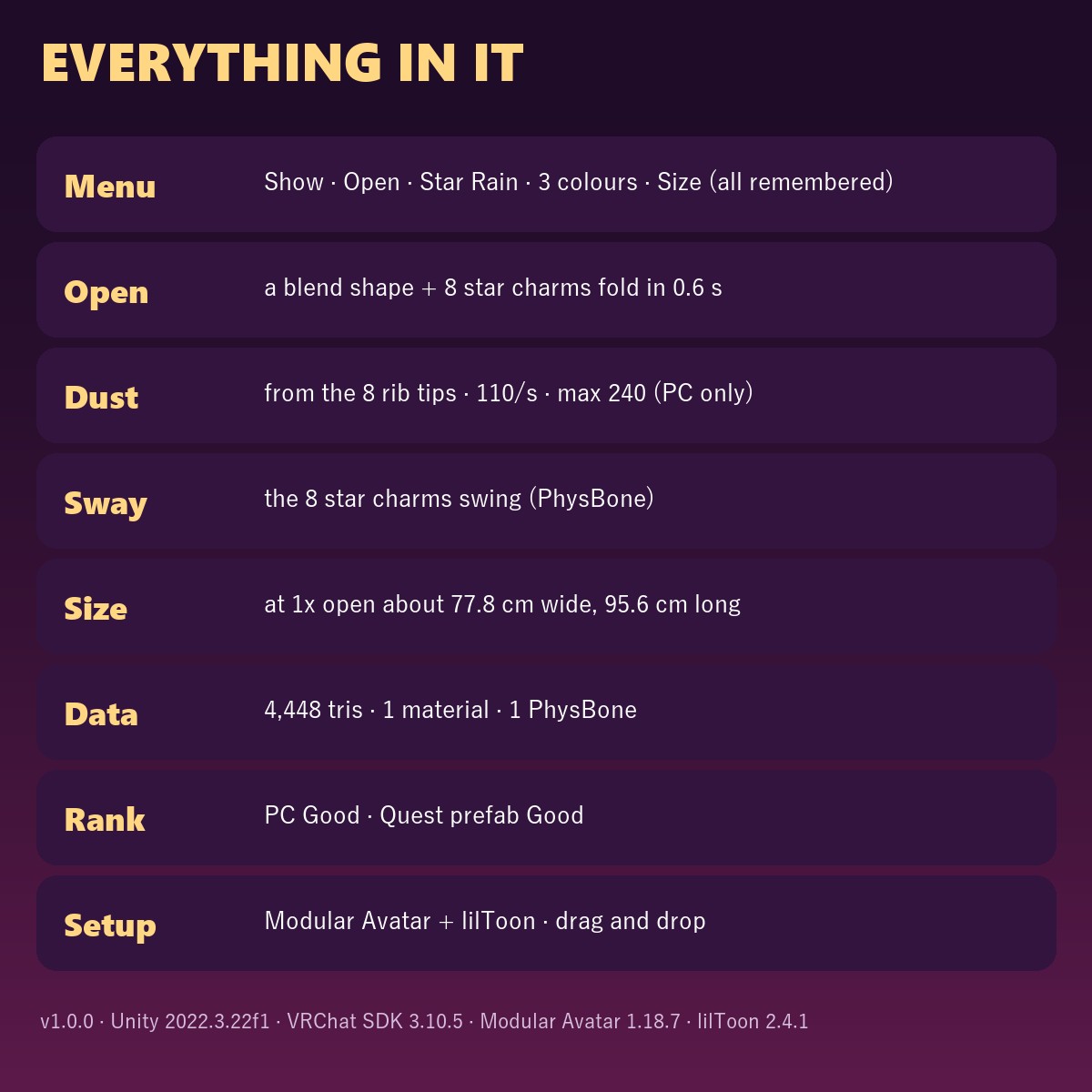
THE MENU (Expressions menu "Star Umbrella" · everything remembered)
• Show: on / off
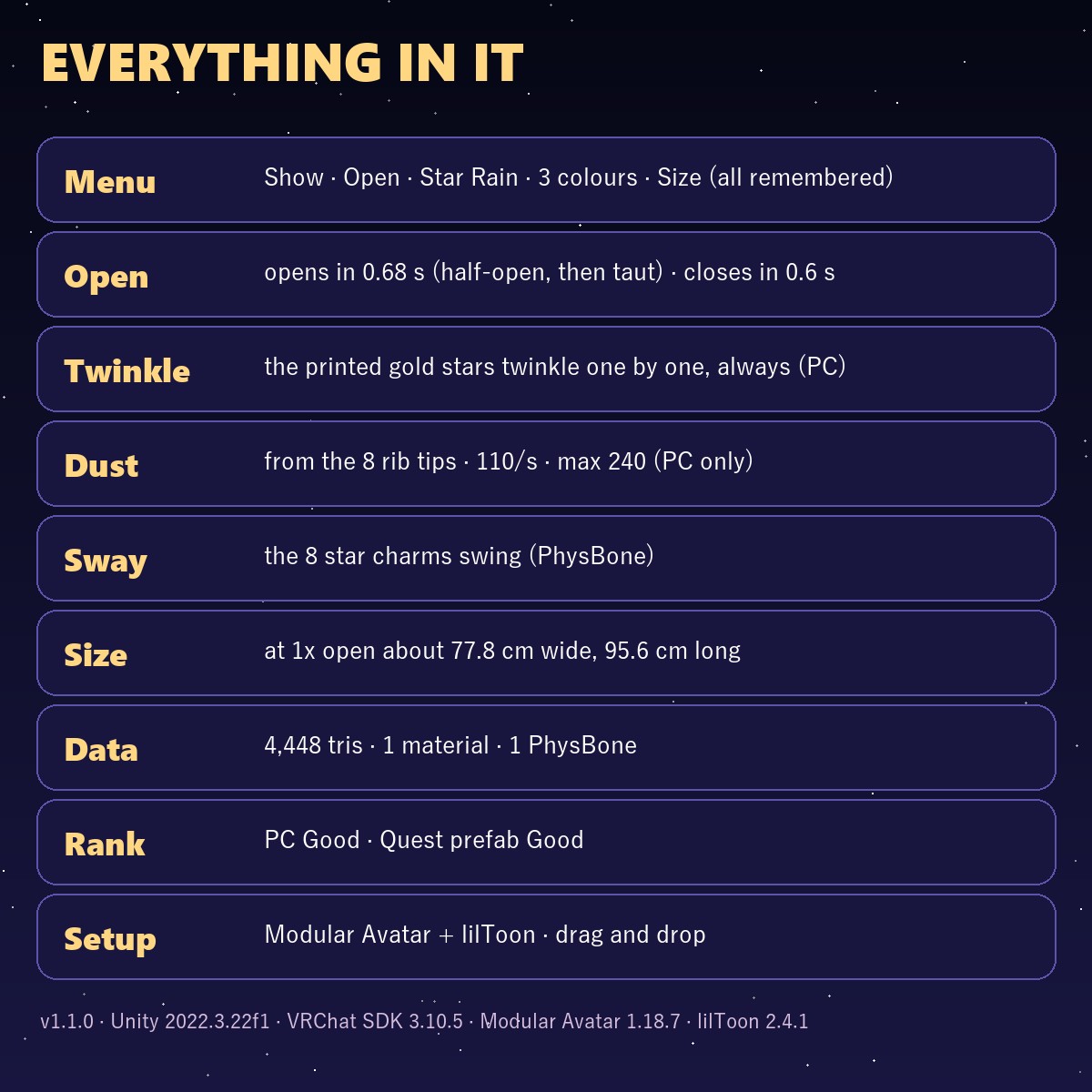
• Open: open / closed (starts open). Opening takes 0.68 s: the folds swing out, it goes half-open, then the canopy snaps taut with a small overshoot and settles. Closing takes 0.6 s (half-open, then folded). The 8 rib-tip charms move with the canopy
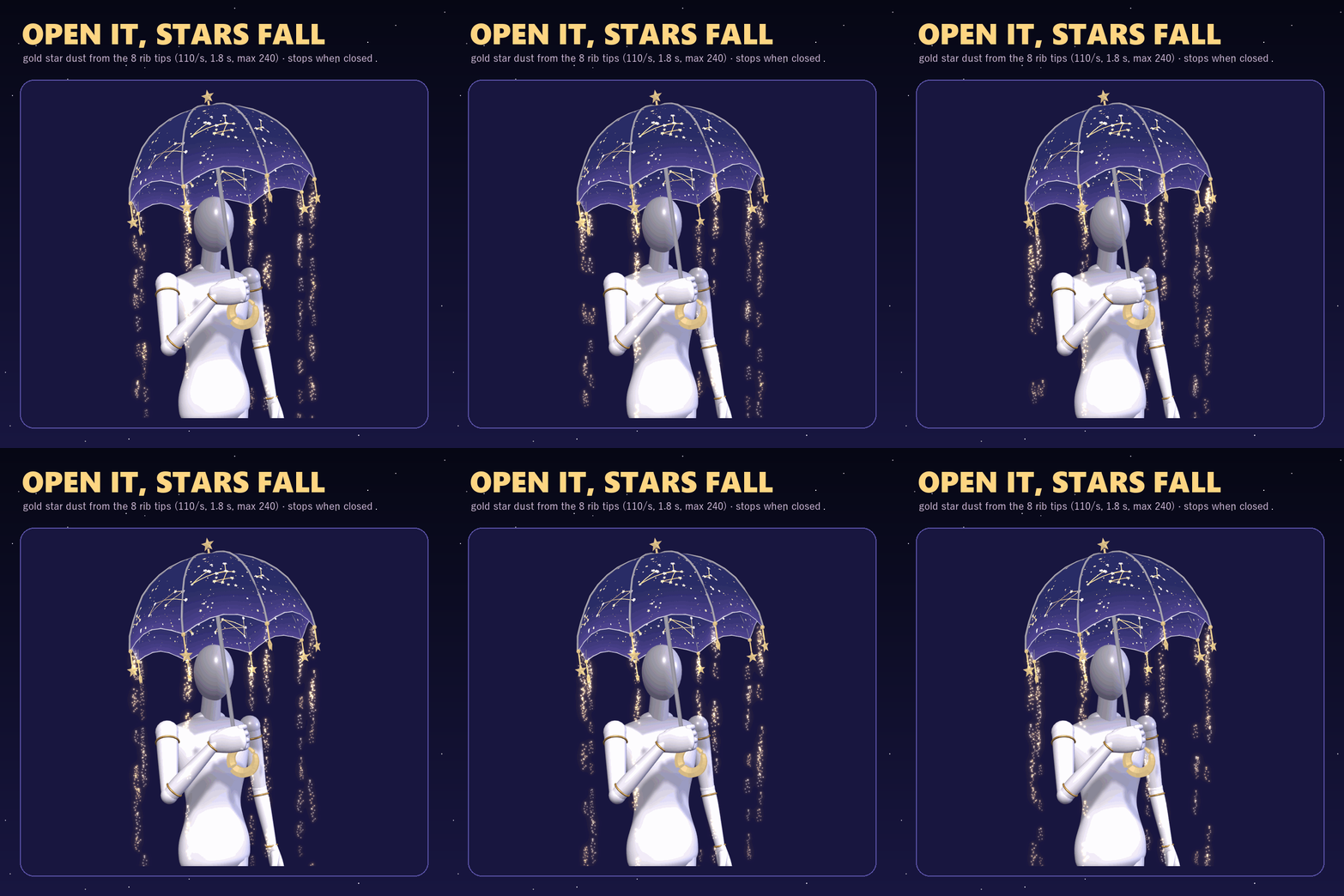
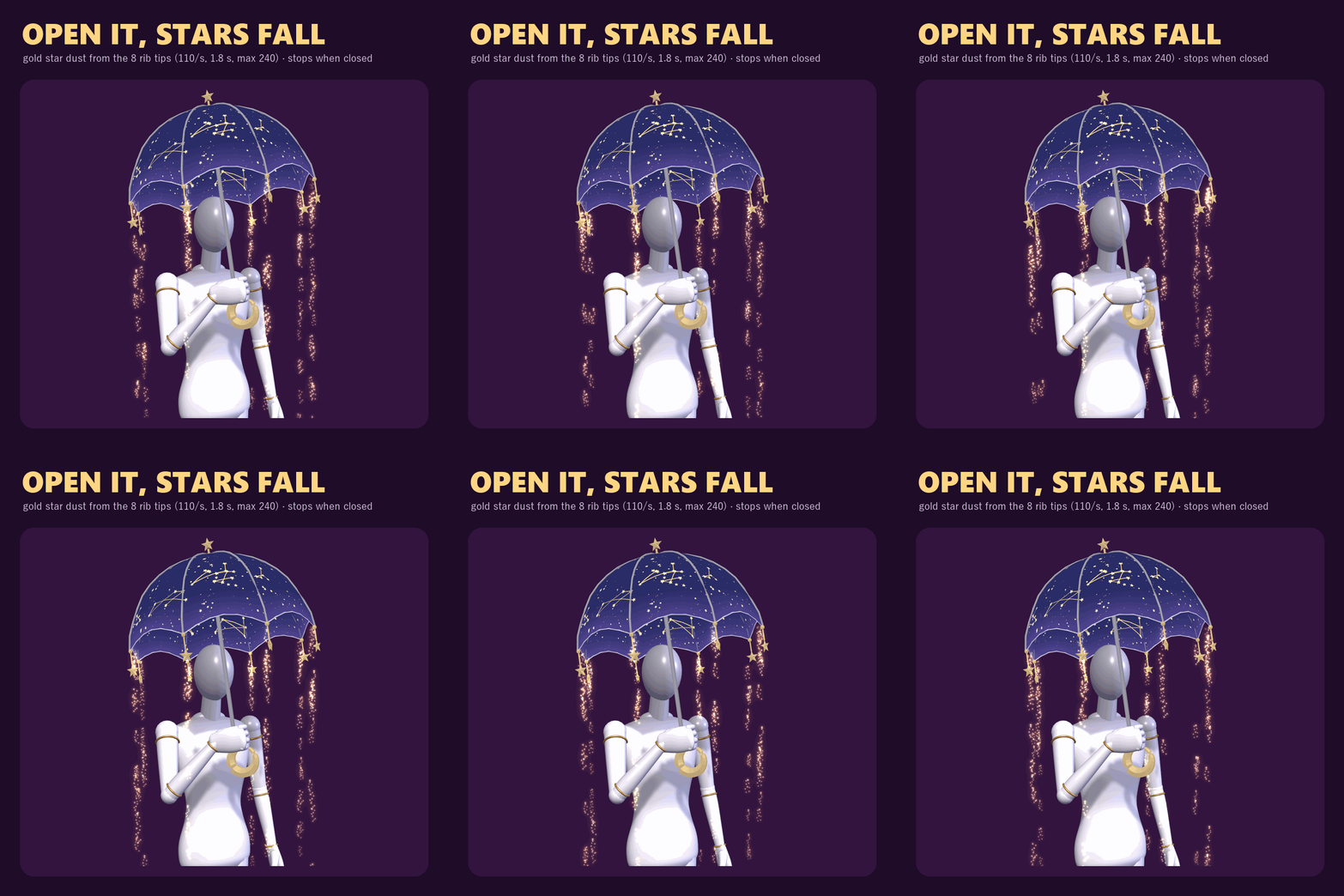
• Star Rain: on / off (PC prefab). It starts once the canopy is fully open and stops when you close it
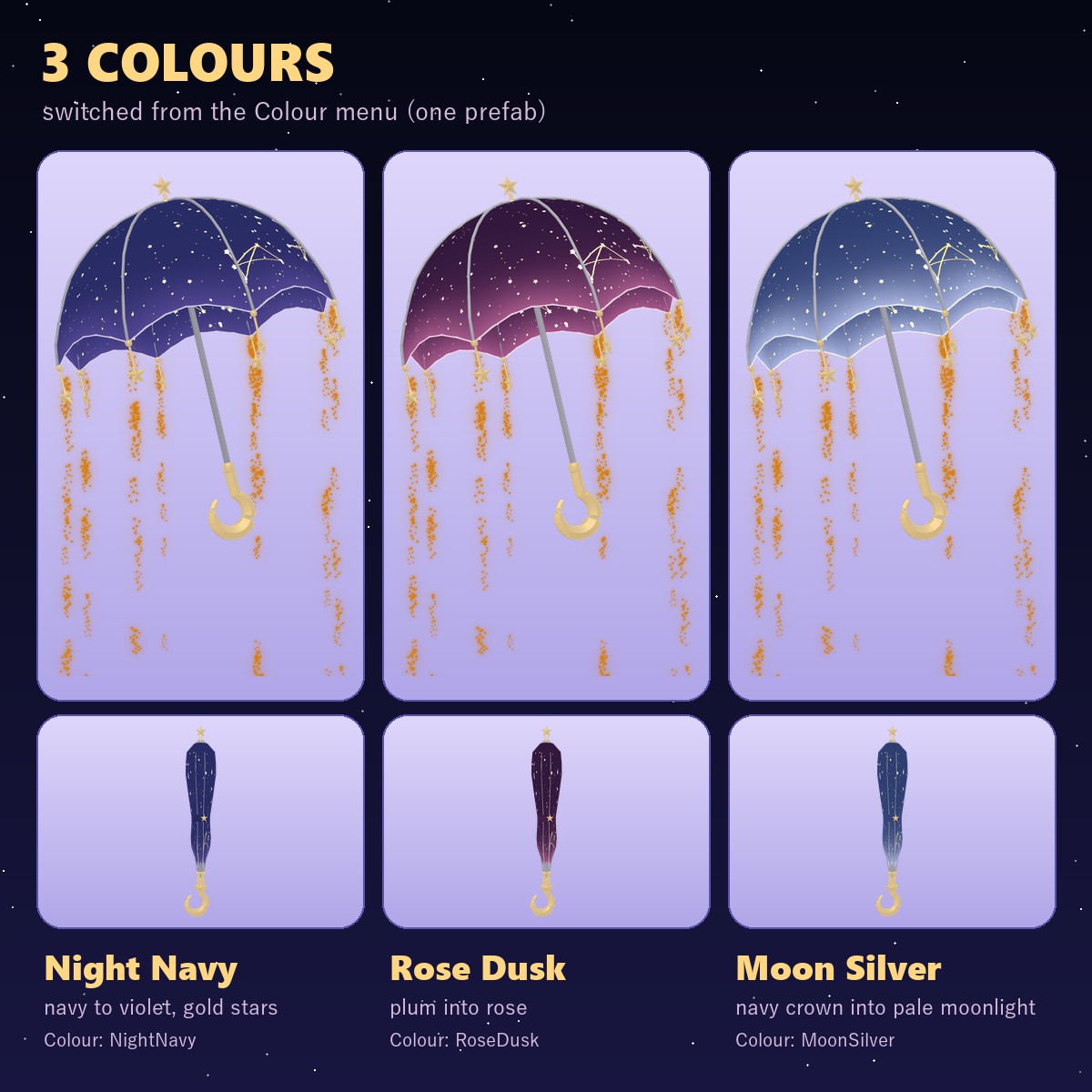
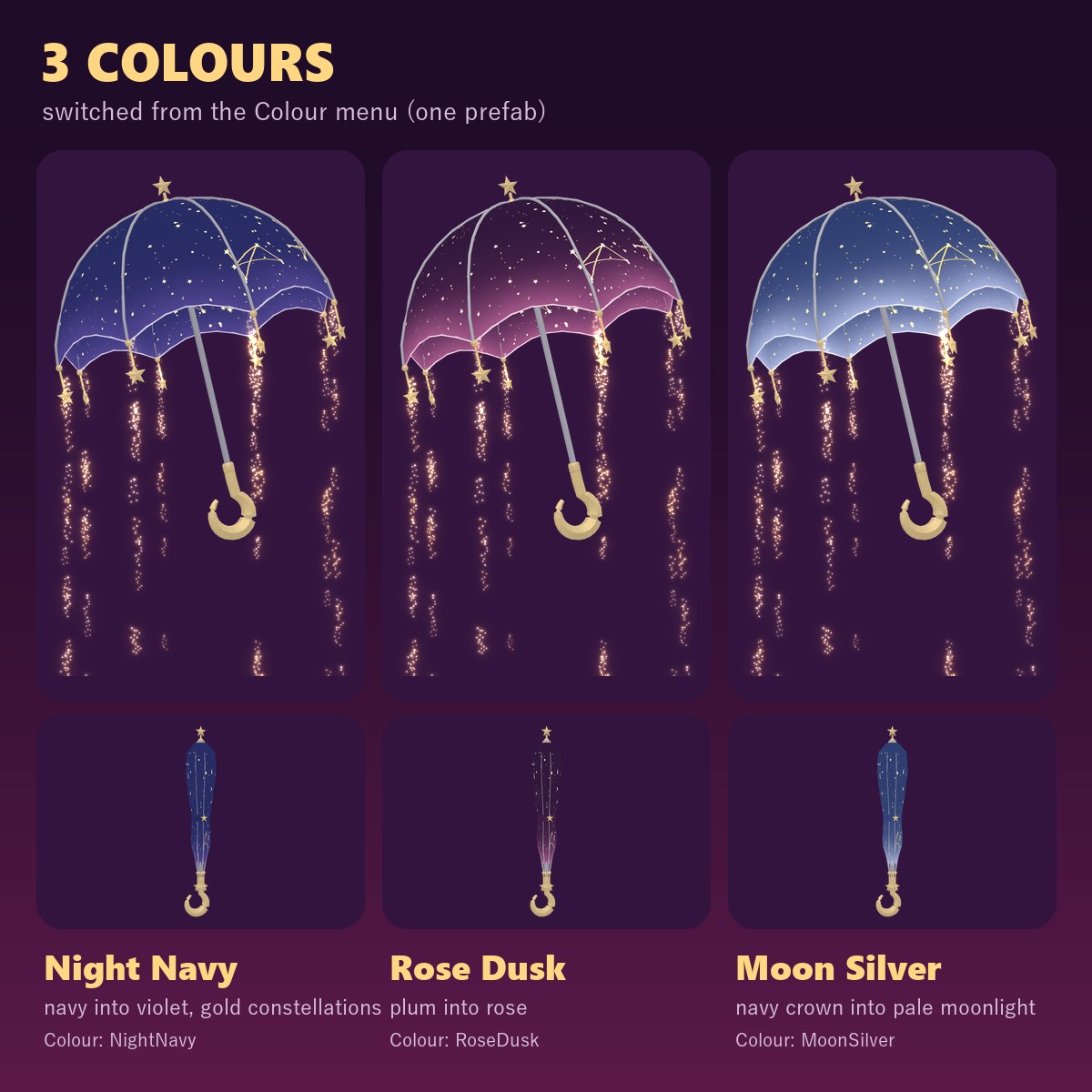
• Colour: Night Navy / Rose Dusk / Moon Silver
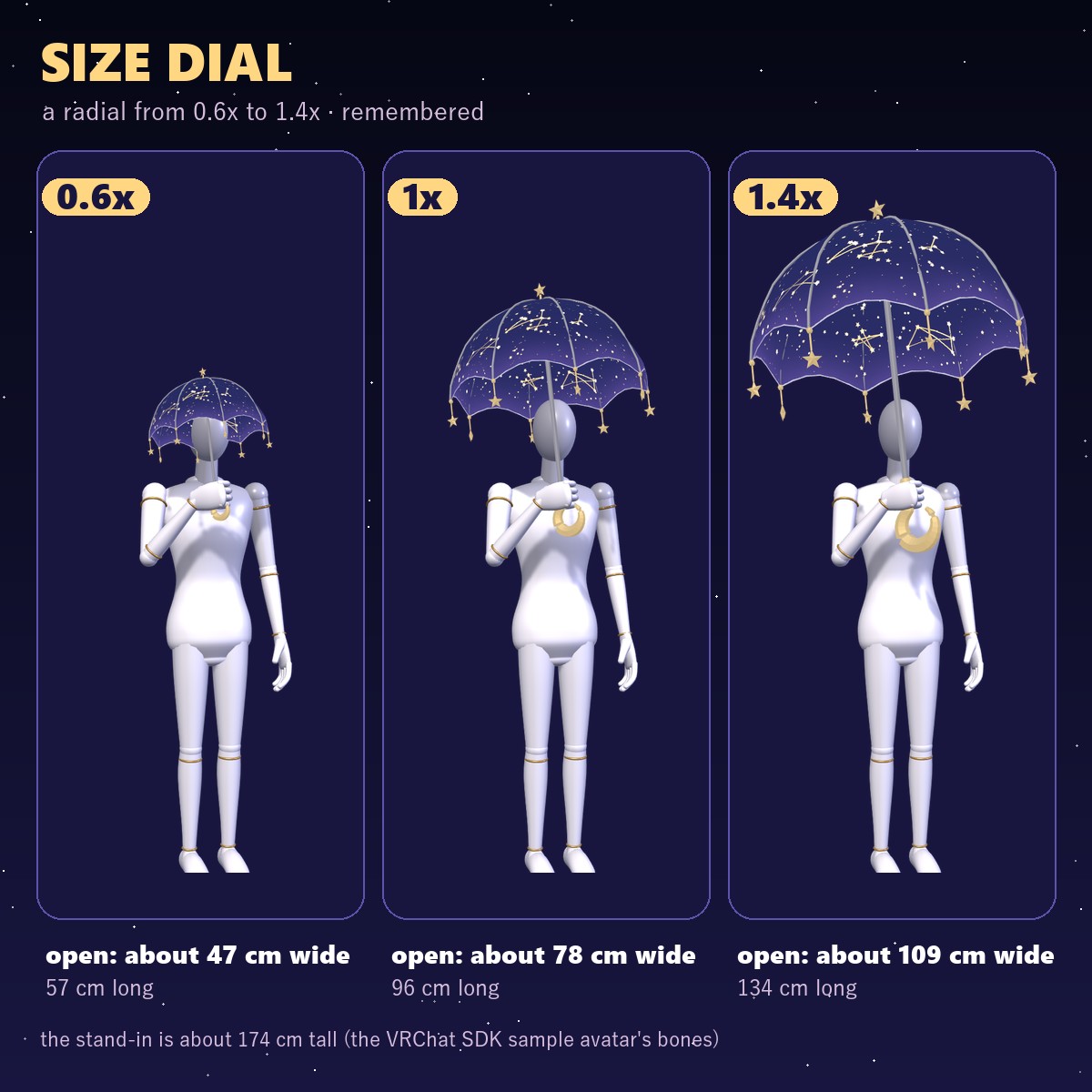
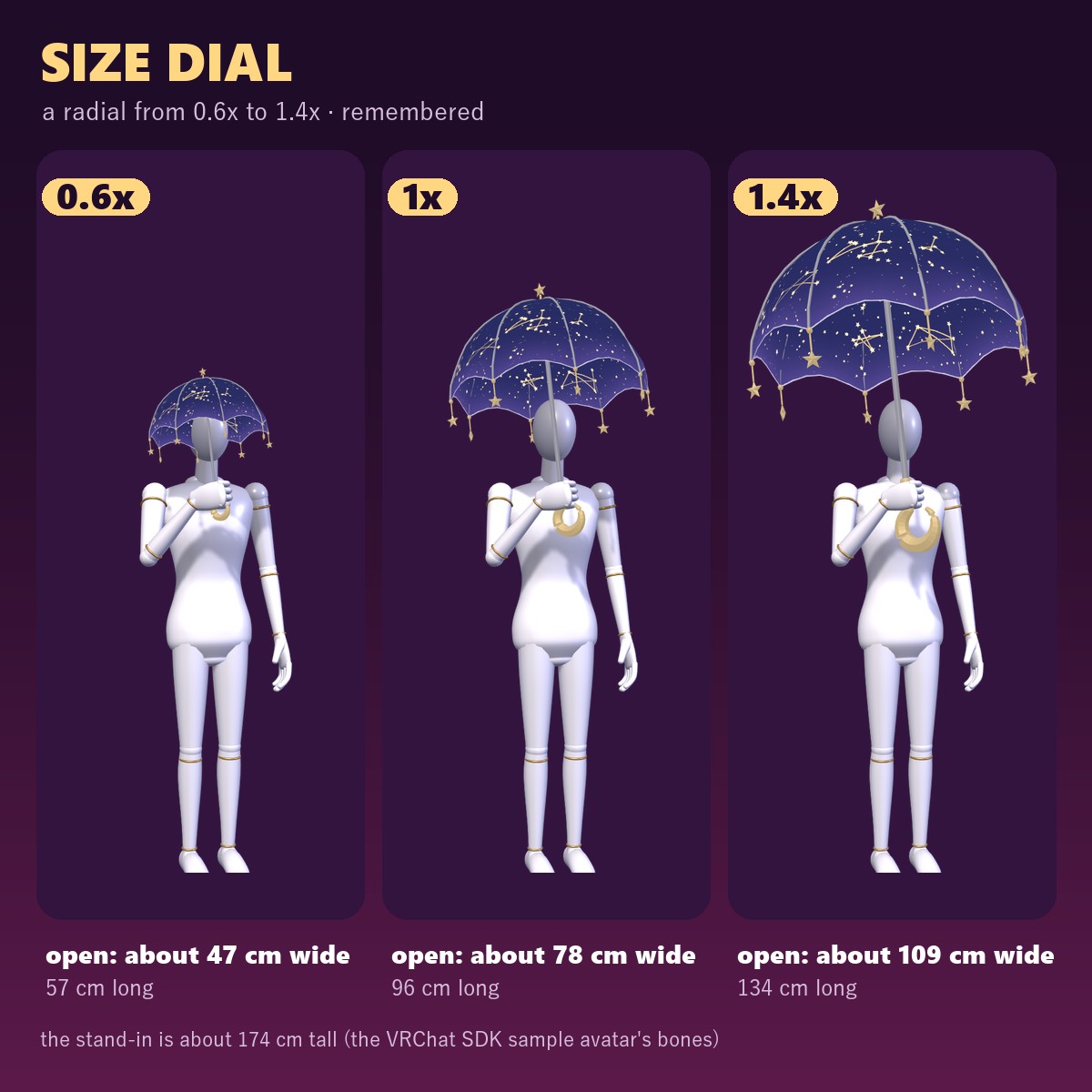
• Size: a radial from 0.6x to 1.4x (starts at 1x)
ALWAYS MOVING (no menu · PC)
• The gold stars printed on the canopy twinkle one by one, open or closed (lilToon emission on the PC prefab; the Quest prefab has no glow)
STAR RAIN (PC prefab)
• 1 particle system: falls in 8 streams from the rib tips
• 110 particles a second (each a short trail of tiny gold glints), each lasting 1.8 s, at most 240 at once (197 in the air after 3 s, the lowest about 1.99 m below the canopy edge, measured in Unity)
3 COLOURS (all in one prefab, switched from the menu)
• Night Navy: navy night sky with gold stars
• Rose Dusk: plum running into rose
• Moon Silver: navy running into pale moonlight blue
SIZE
At 1x: open 77.8 cm wide and 95.6 cm long (top star to the end of the handle); closed 15.4 cm wide
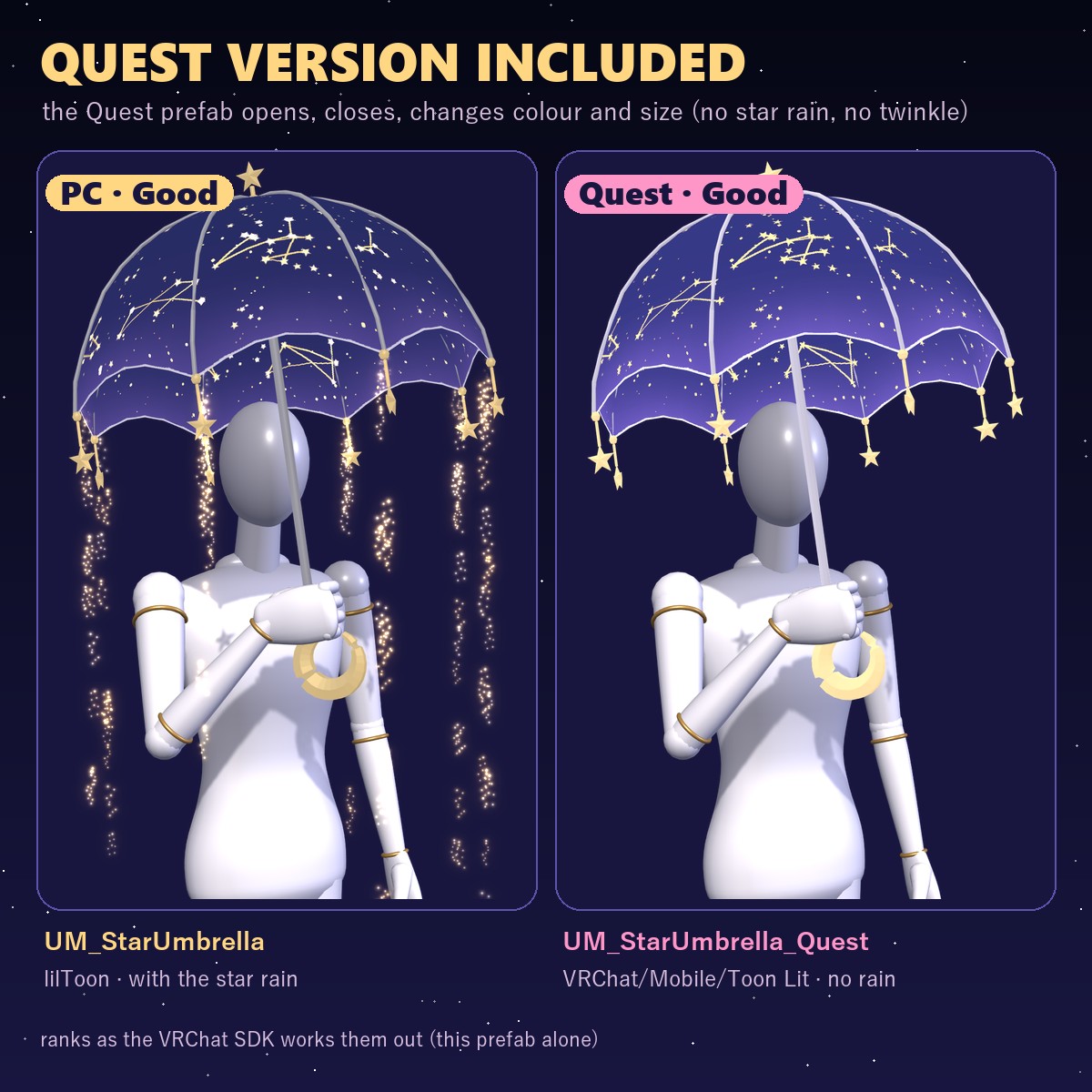
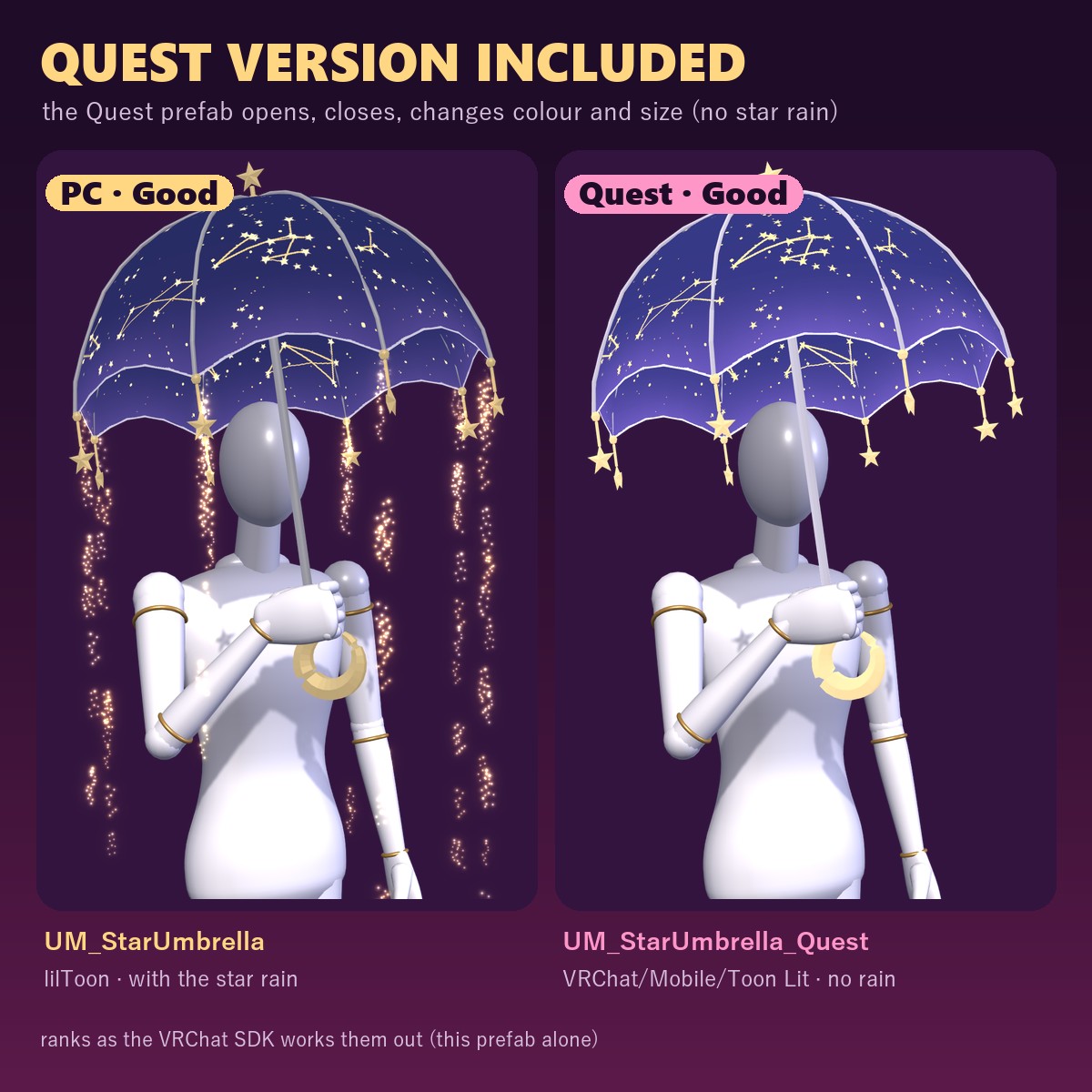
PC AND QUEST
• UM_StarUmbrella (PC): open / close, star rain, 3 colours, size
• UM_StarUmbrella_Quest (Quest): open / close, 3 colours, size. No star rain and no twinkle (VRChat/Mobile/Toon Lit, no glowing stars or metal reflections)
WHAT YOU GET
• UM_1.1.0.unitypackage: 2 prefabs (PC and Quest), 3 colour materials (lilToon), 3 Quest materials (VRChat/Mobile/Toon Lit), textures, menu, animator
• README in English and Japanese
PERFORMANCE (this item alone, measured in Unity)
• 4,448 triangles · 1 skinned mesh · 1 material (+1 for the star dust) · textures: colour, metal, glowing stars (1024 px each), twinkle (256 px) · 9 bones
• 1 PhysBone (the 8 rib-tip charms, 9 bones)
• 1 constraint (VRC Parent Constraint) · no lights, contacts or parameter drivers
• Synced: PC 19 bits · Quest 18 bits
• VRChat SDK performance rank: PC prefab PC Good (particle system count and particle total Good, everything else Excellent) · Quest prefab Quest Good (PhysBone count and PhysBone transforms Good, everything else Excellent)
GOOD TO KNOW
• Needs Modular Avatar and lilToon (both free, from the VRChat Creator Companion).
• The grip is set for the VRChat SDK sample avatar. If it sits wrong on yours, select Seats > UM_Seat_Hand > Seat and move or rotate it once.
• On a Quest avatar, use UM_StarUmbrella_Quest (the PC prefab with Quest materials is Quest Very Poor because of the particles).
SUPPORT
The grip angle, the opening and closing motion, the twinkle, the star rain or anything else not working as described in VRChat? Message me on Jinxxy and I'll fix it and send you the update for free.
TESTED WITH
Unity 2022.3.22f1 · VRChat SDK 3.10.5 · Modular Avatar 1.18.7 · lilToon 2.4.1
AI DISCLOSURE (AI-Assisted)
The code that builds this umbrella (model, textures, Unity setup) and the text on this page were written with help from an AI assistant. An AI image generator made rough concept sketches I looked at while designing; nothing it made is in the files or in the preview images, which are rendered in Unity from the actual prefab.
TERMS
• OK to use on your avatar in VRChat and other platforms
• OK to stream, record, and post on social media
• Editing is fine
• Please don't redistribute or resell the files, edited or not
UPDATES
• v1.1.0 (2026-11-02): a real opening motion (0.68 s: the folds swing out, half-open, then the canopy snaps taut with a small overshoot) and closing (0.6 s); the star rain now starts once the canopy is fully open; the printed gold stars twinkle all the time (PC)
• v1.0.0 (2026-11-01) first release