Fingertip Constellation — Light-Rune Ring & Fingertip Stars for VRChat (Runelight No.4)
Etiquetas
Descripción del producto
Este producto contiene contenido generado por IA.
▶ VRChat avatar effect · PC only · needs Modular Avatar (free, from VCC) · drag-and-drop prefab
Not made for one avatar: Modular Avatar hooks it to your avatar's own right index finger at upload, so it works on humanoid avatars with finger bones. Checked in Unity on the VRChat SDK sample avatar.
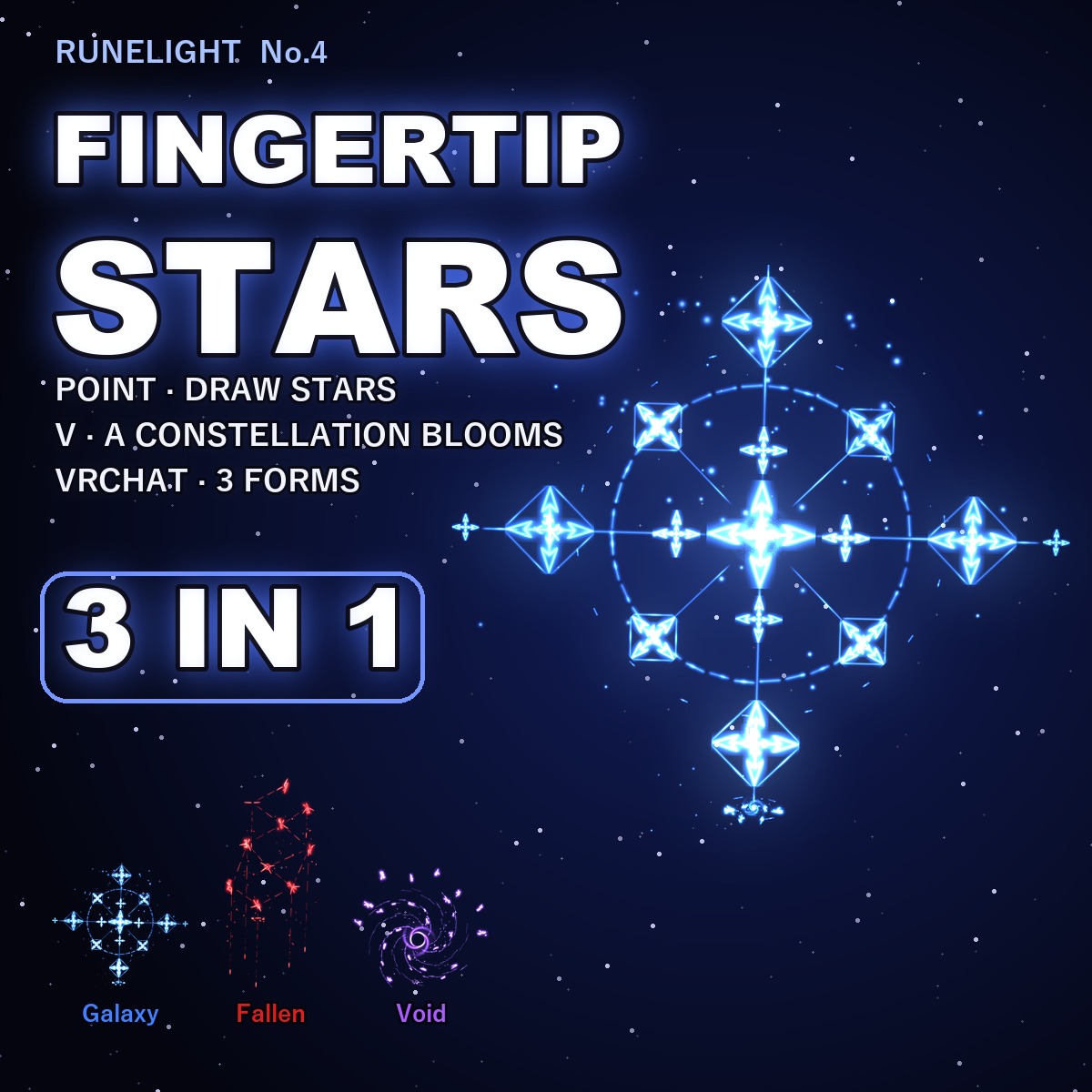
A ring of light runes turns around your right index finger, and your fingertip writes constellations in the air.
Point and the tip leaves rune stars joined by a line of light; flash a V and your form's constellation blooms up out of the fingertip. Even while you stand still, the ring keeps turning (one turn every 4 s), the runes breathe and star dust drifts around it.
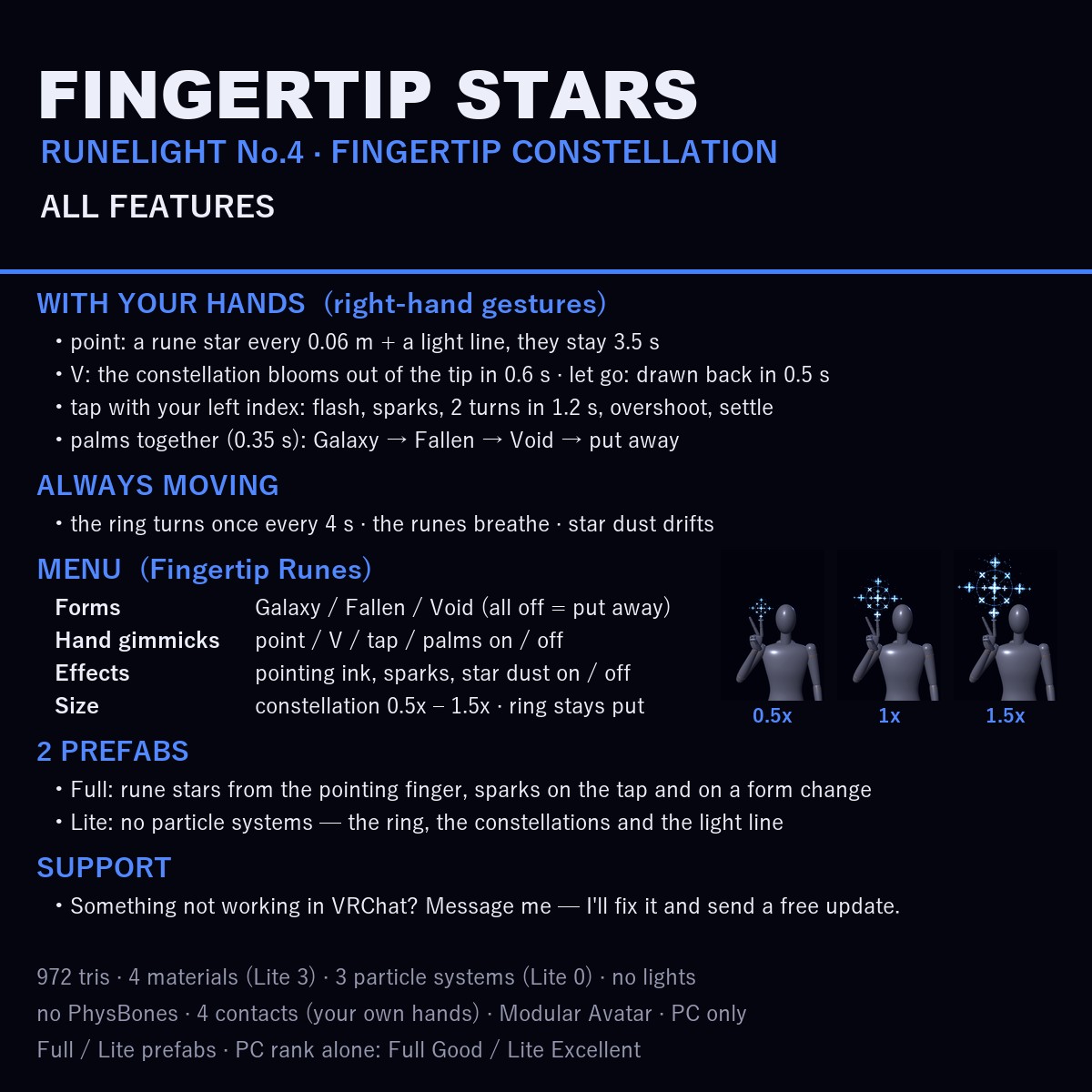
FOUR THINGS YOU DO WITH YOUR HANDS (your right hand's usual VRChat gestures)
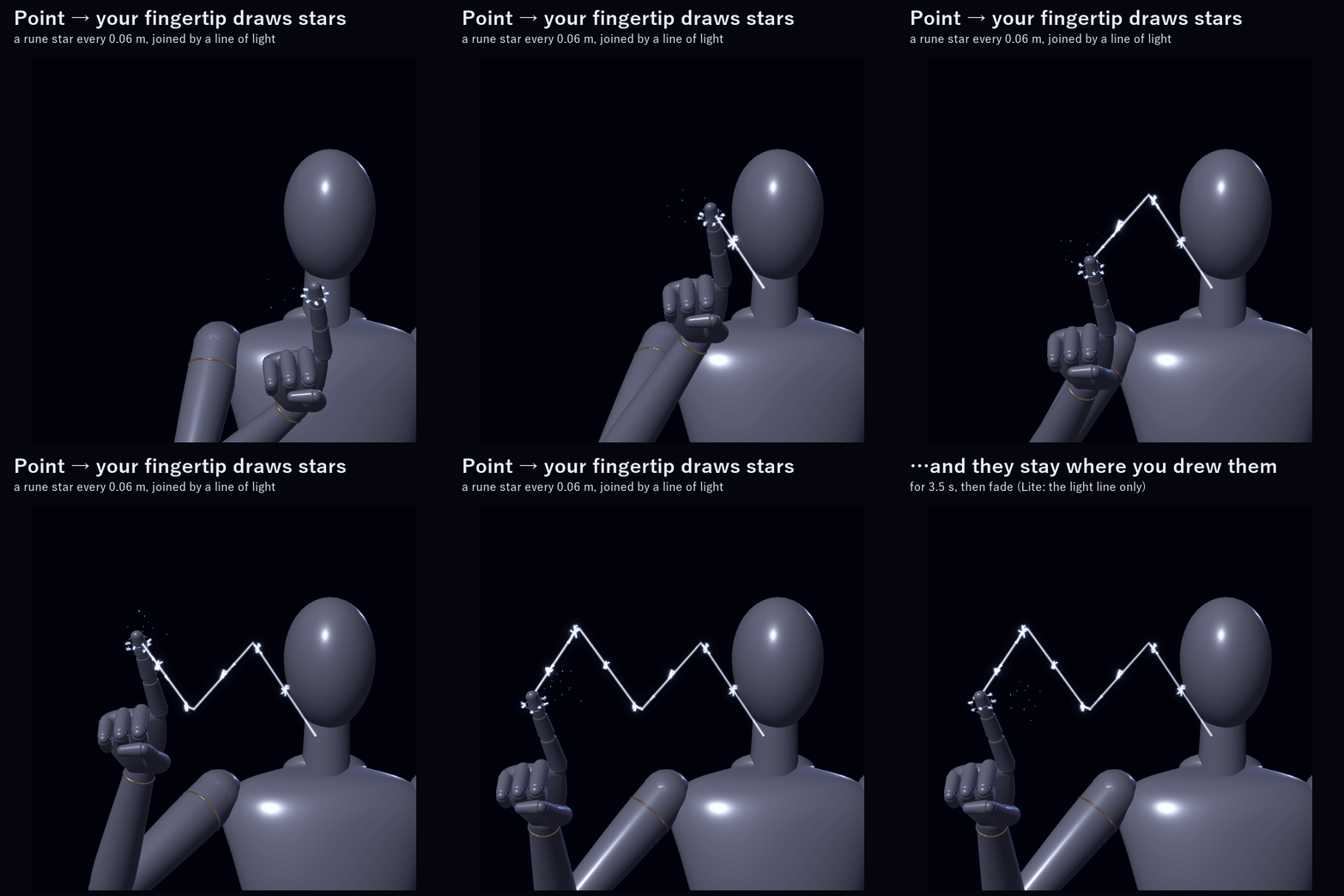
1. Point (index out): wherever your fingertip goes, it leaves a rune star every 0.06 m and a line of light joining them. They stay where you drew them for 3.5 s, then fade. Measured in Unity: 10 stars along 0.6 m. (Lite: the light line only.)
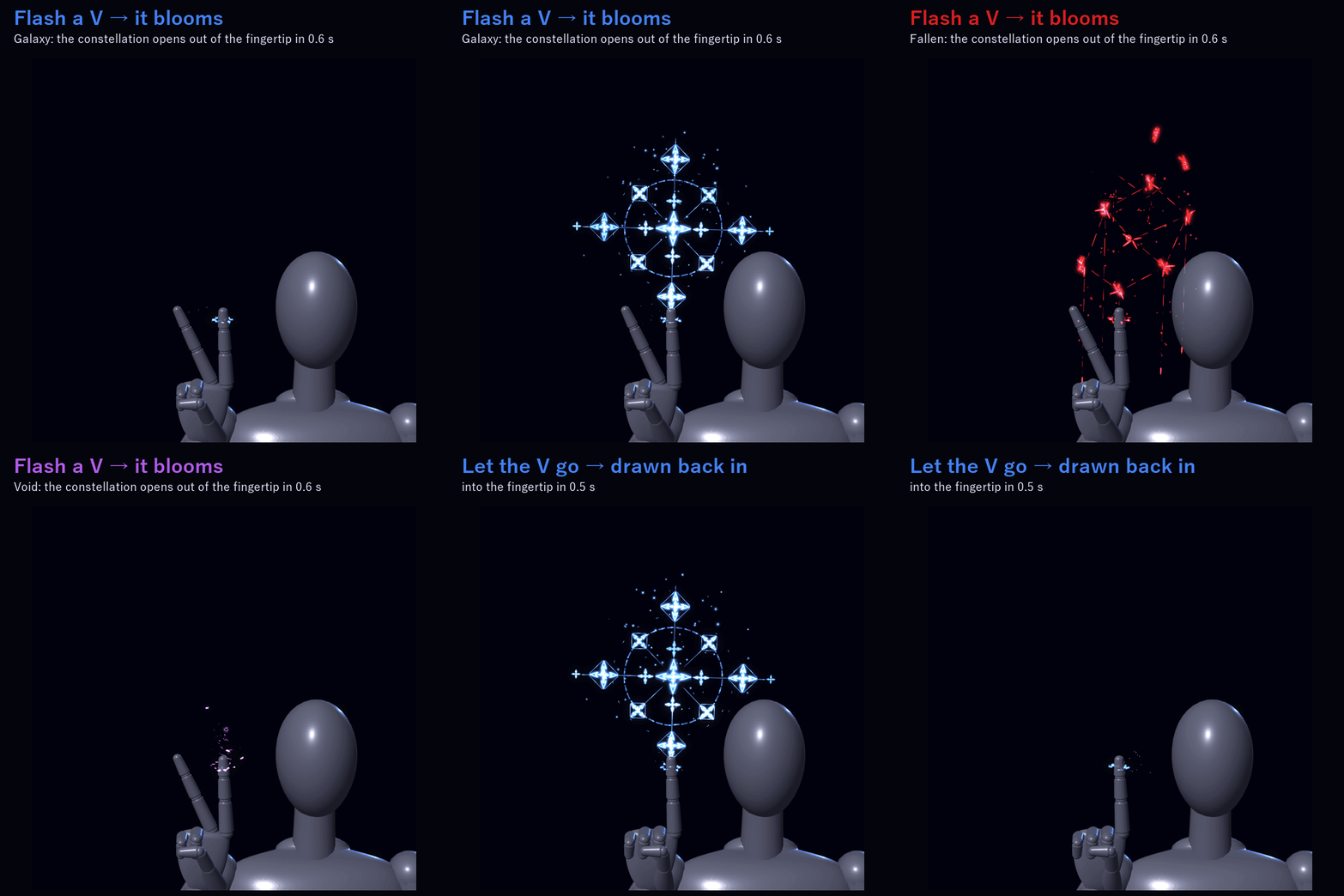
2. V (peace sign): the constellation of your form blooms up out of the fingertip in 0.6 s. Let the V go and it is drawn back into the tip in 0.5 s.
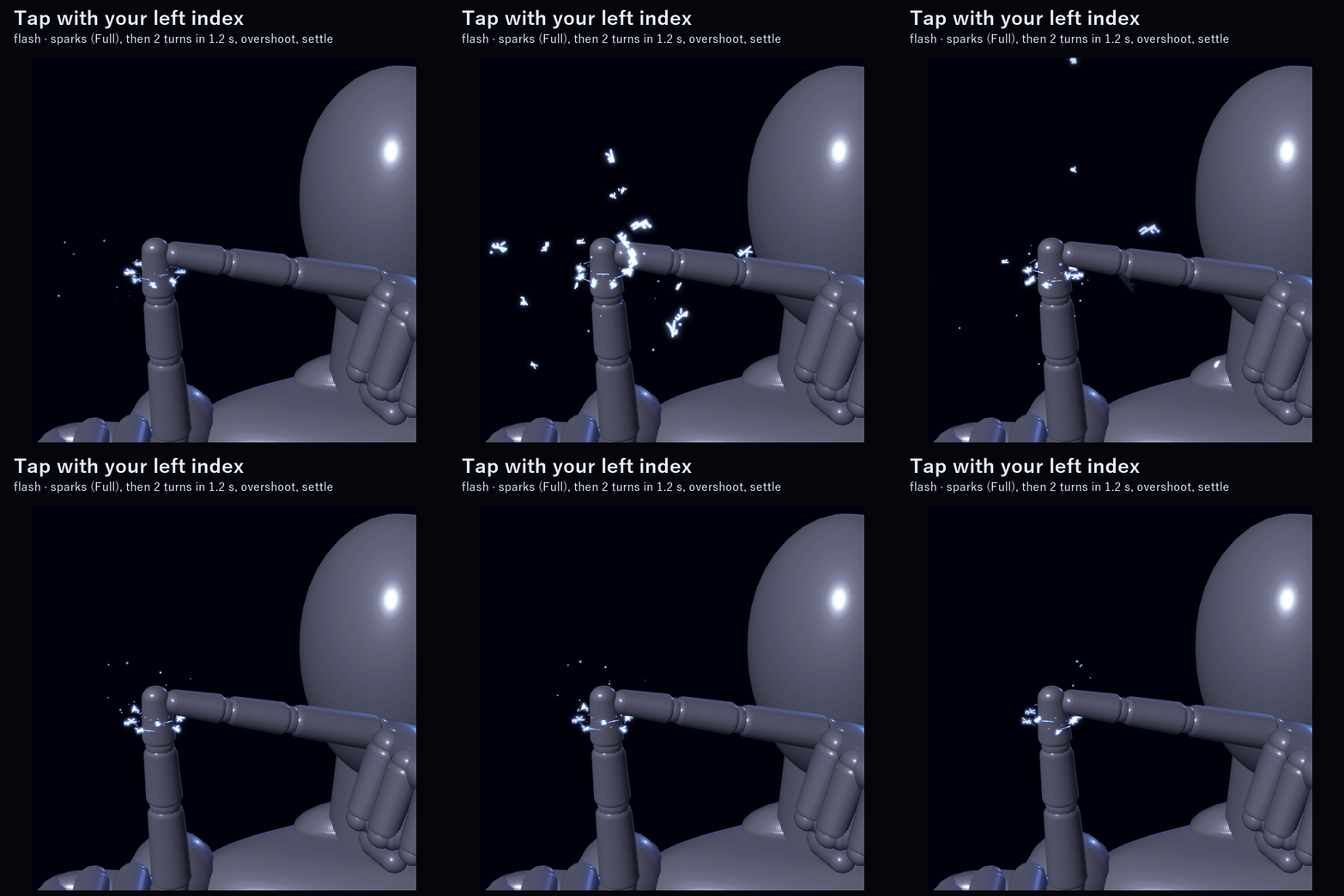
3. Tap your right fingertip with your left index finger: the ring flashes, sparks fly, and it whirls two full turns in 1.2 s, overshoots and settles. (Lite: no sparks.)
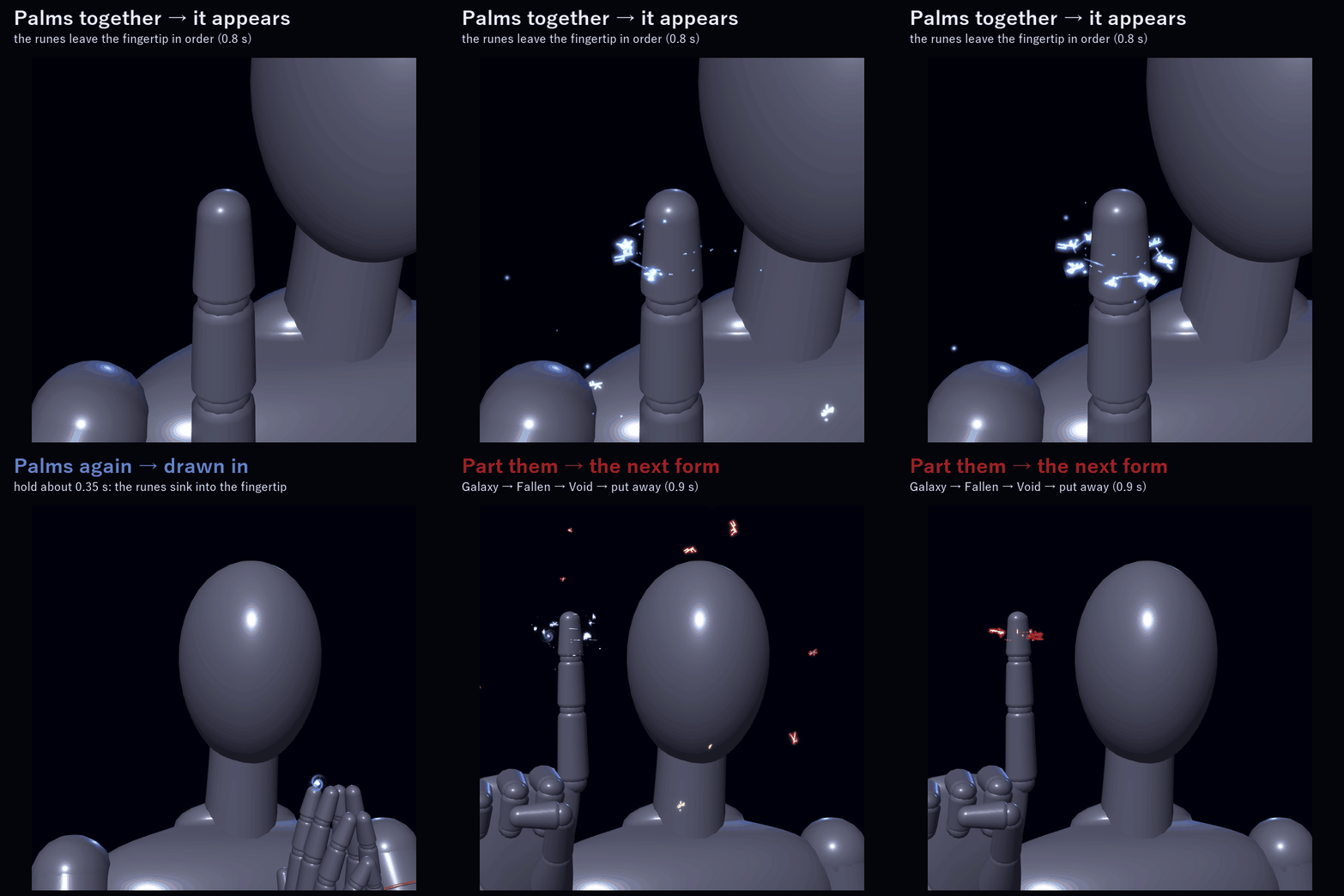
4. Palms together (about 0.35 s): the runes are drawn into your fingertip. Part your hands and the next form blooms. None → Galaxy → Fallen → Void → put away.
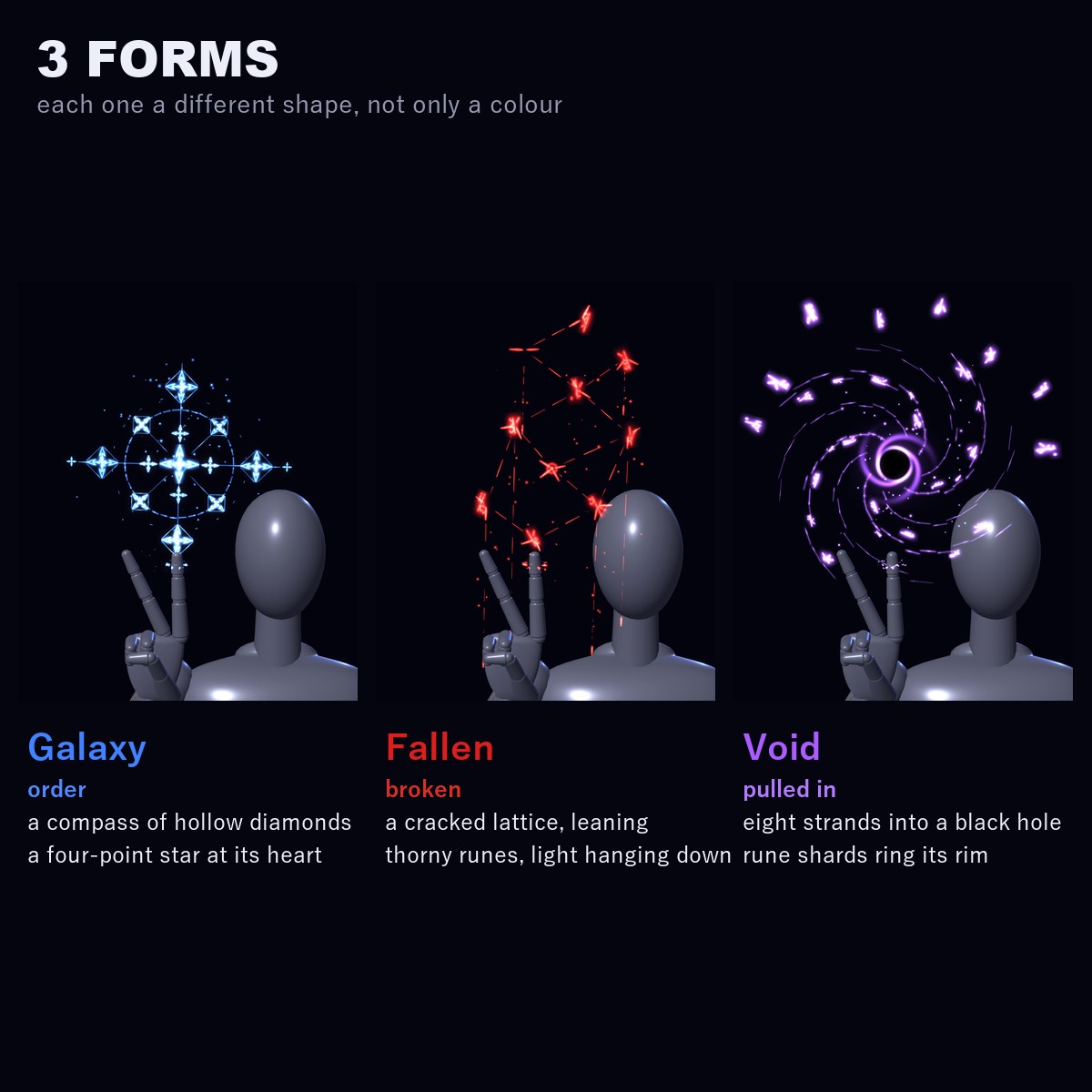
3 FORMS (each one a different shape, not only a colour)
• Galaxy (order): a compass. A big four-point star in the middle, a circle, eight hollow diamond runes around it and cross lines
• Fallen (broken): a cracked diamond lattice leaning up and away, with thorny runes; lines of light and red drops hang down from it
• Void (pulled in): eight spiral strands winding into a black hole, with rune shards set round its rim
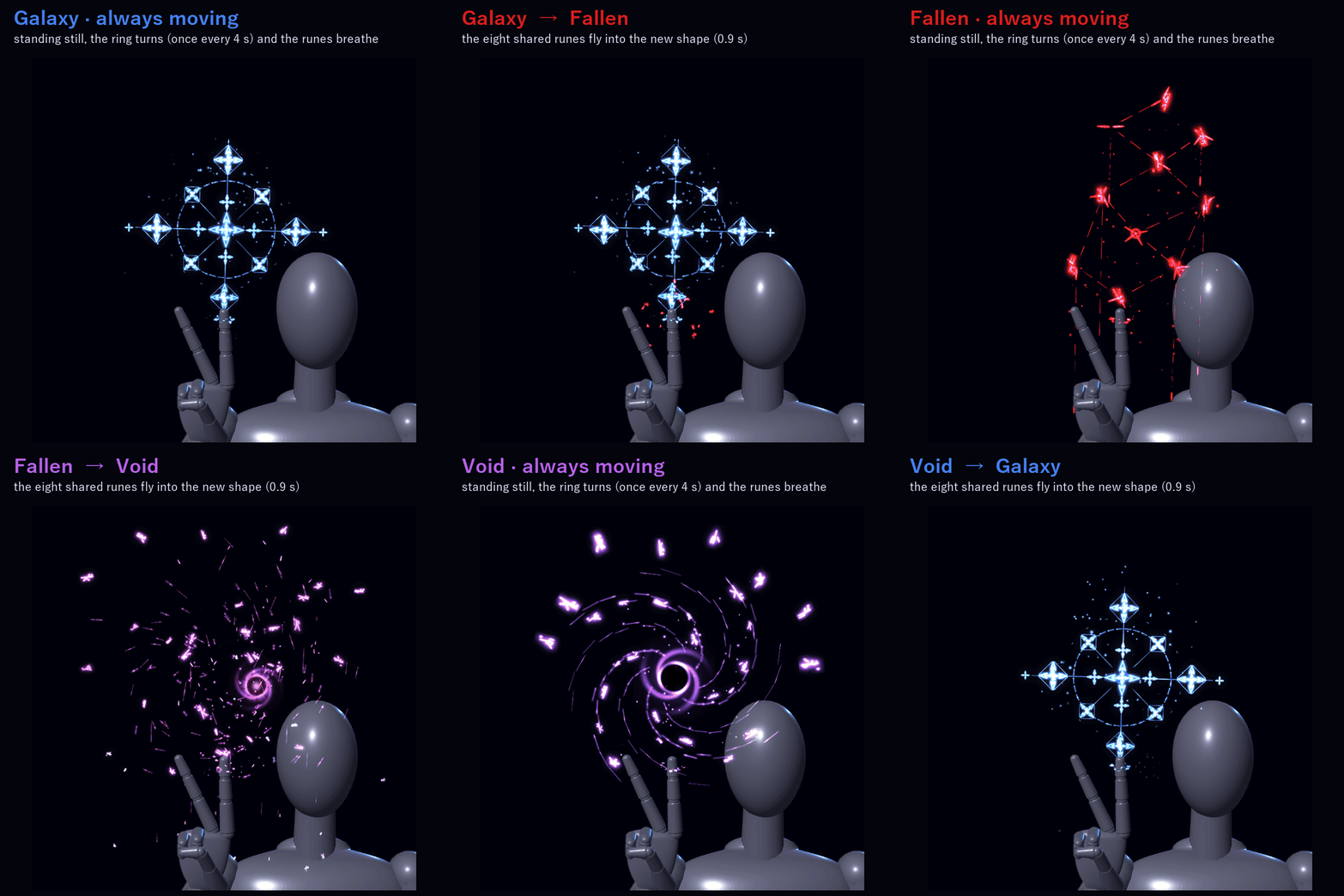
Changing form: the eight shared runes fly from one shape to the next (0.9 s). Nothing pops. The first form grows out of the tip in 0.8 s; putting it away takes 0.6 s.
MENU ("Fingertip Runes")
• Galaxy / Fallen / Void: show the ring in that form (all off = put away)
• Hand gimmicks: point / V / tap / palms on or off (on to start, remembered). Turn it off if you use these gestures for face expressions.
• Effects: the pointing ink (rune stars and light line), the sparks and the floating star dust on / off (on to start, remembered). The ring, the constellations and every hand gimmick except pointing keep working.
• Constellation size: a dial from 0.5x to 1.5x for the constellation and the pointing ink (1x to start, remembered). The ring stays fitted round your finger.
FULL OR LITE (2 prefabs in the package)
• Runelight_No4_FingertipConstellation (Full): rune stars from the pointing finger, sparks on the tap and on a form change
• Runelight_No4_FingertipConstellation_Lite: no particle systems; the ring, the constellations and the light line only
VRChat PC performance rank of the piece by itself (VRChat SDK check): Full = Good · Lite = Excellent.
In VRChat you see the rank of your avatar and this together (on the SDK sample avatar, which is Medium by itself, both are Medium).
EASY TO PUT ON
Drag one prefab onto your avatar and upload. Modular Avatar adds the "Fingertip Runes" menu, the parameters and the animator layers for you, and keeps the ring on your right index finger.
WHAT'S INCLUDED
• RT_1.0.0.unitypackage: 2 prefabs (Full / Lite), shaders, 1 rune texture, materials, menu and animator
Folders: Assets/Caligo/Runelight/No.4 Fingertip Constellation/ (this piece) and Assets/Caligo/Runelight/_Common/ (shaders and runes shared by the Runelight series)
• README (English and Japanese)
SPECS
• Tris: 972 (ring 122 + constellations 850)
• Mesh renderers: 2 / Trail renderers: 1 / Materials: 4 (Lite 3) / Textures: 1 (512, BC7) / Lights: none
• Particle systems: 3 (at most 104 particles; Lite 0) / PhysBones: none / Contacts: 4 (your own hands only)
• Synced parameters: 20 bits
REQUIREMENTS
• Modular Avatar (available through VCC)
TESTED WITH
Unity 2022.3.22f1 / VRChat SDK 3.10.5 / Modular Avatar 1.18.7. The parts, the parameters, the menu and the animator steps are checked in Unity, and both prefabs import into a clean project with no problems.
PC only (custom shaders, no Quest version).
GOOD TO KNOW
• The ring is on your right index finger; the tap comes from your left index finger.
• The gestures are your right hand's VRChat hand gestures (Point = Fingerpoint, V = Victory). If your avatar also uses them for face expressions, both will happen; turn Hand gimmicks off to keep only the expressions.
• The contacts only listen to your own hands. Nothing reacts to other players.
• People who block custom shaders or particles in their Safety settings won't see the effect.
SUPPORT
If pointing, the V, the tap, the palms or anything else doesn't work as described in VRChat, message me on Jinxxy. I'll fix it and send you the update for free.
AI DISCLOSURE (AI-Assisted)
The shaders, the code that builds this ring and its constellations and the text on this page were written with help from an AI assistant. An AI image generator made rough concept sketches I looked at while designing (the shapes follow one of them); nothing it made is in the files or in the preview images, which are rendered in Unity from the actual piece.
RUNELIGHT SERIES
No.4 of five light-rune pieces made to go together.
TERMS
• OK to use on your avatar in VRChat and other platforms
• OK to stream, record, and post on social media
• Editing is fine
• Please don't redistribute or resell the files, edited or not
UPDATES
• v1.0.0 (2026-11-07): first release