Descripción del producto
Hush Muzzle · Universal Fit
Fit Hush Muzzle to your VRChat avatar with the included BMM Muzzle Fitting Tool. Snap it to your avatar’s head in Unity, adjust the fit, and preview it raised or lowered as you work.
Live fitting in Unity
- Adjust the overall width, height, depth, position, and rotation.
- Shape the face leather with its own width, height, reach, and downward bend controls.
- Adjust the nose bridge arch and fine-tune the backstrap around the head.
The leather reshapes while the metal hardware and its attachment points keep their dimensions. Once you’re happy with the fit, click Apply Fit. You can copy and paste settings between avatars or platform versions.
Make the tag your own
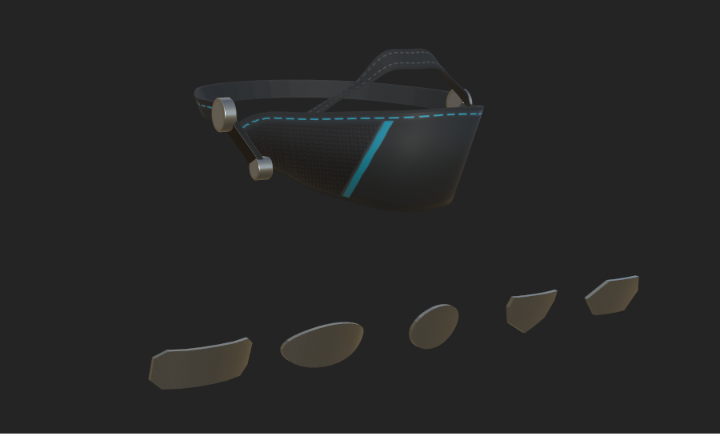
Choose from five shapes and add your own PNG as a full-colour print or engraving. The included Tag Artwork tool lets you preview, resize, rotate, and position your design before applying it to PC, Quest, or both.
PC features
- Six finishes including Gothic, Formal, Cyberpunk, Medieval, Black Checker, and Plush.
- Four Cyberpunk lighting modes including Cyan Trace, Voice-Reactive Trim, RGB Cycle, and AudioLink Bands, which reacts to world audio in AudioLink-enabled worlds.
- Grab to flip the muzzle up or down. Enable player interactions to let friends flip it too.
- Voice and tag controls including the voice meter, AFK and mute indicators, adjustable tag metal colour, viseme suppression while fully raised, and a nose strap toggle.
- Optional pull-to-mute with the included Windows OSC V2 helper, which detects your active avatar automatically.
Standalone Quest
The Quest prefab includes show, raise, and lower controls, all five tag shapes, and custom printed or engraved tags. It uses a baked mobile Cyberpunk finish. Grab interactions, reactive lighting, and OSC pull-to-mute are PC features.
WHAT YOU GET
• One Unity package with separate PC and Quest prefabs, textures, materials, animations and Expressions menus.
• The Unity Tag Artwork tool and a written install guide.
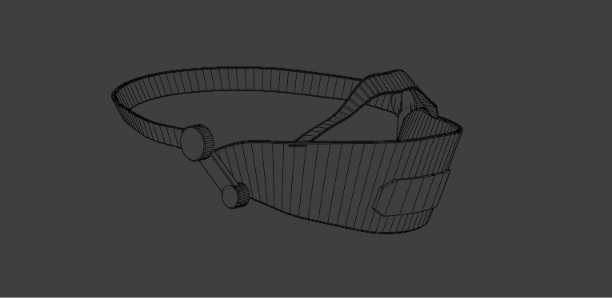
• Editable Blender (.blend) and Substance 3D Painter (.spp) source files.
• The optional Muzzle OSC Windows helper for pull-to-mute.
Personal-use terms
One purchase covers one person’s use and editing on their own private avatars. Keep original and edited files private. Sharing, redistribution, resale, giveaways, public or cloneable avatars, and claiming the work as your own are prohibited. Commercial use requires my written permission and any permissions required by the avatar creator. Follow your avatar creator’s terms. Refunds follow storefront policy and applicable consumer rights.
For fitting help, message @birdmanmakes on Discord.
Hush Muzzle by Bird Man Makes.
Menu icons by Tabler Icons.