
Descripción del producto
Este producto contiene contenido generado por IA.
AI-Assisted: the furniture shapes are generated by a Blender program that was written with AI assistance. AI-generated concept art was used only while planning; it is not part of the product or the product images. Details are at the end.
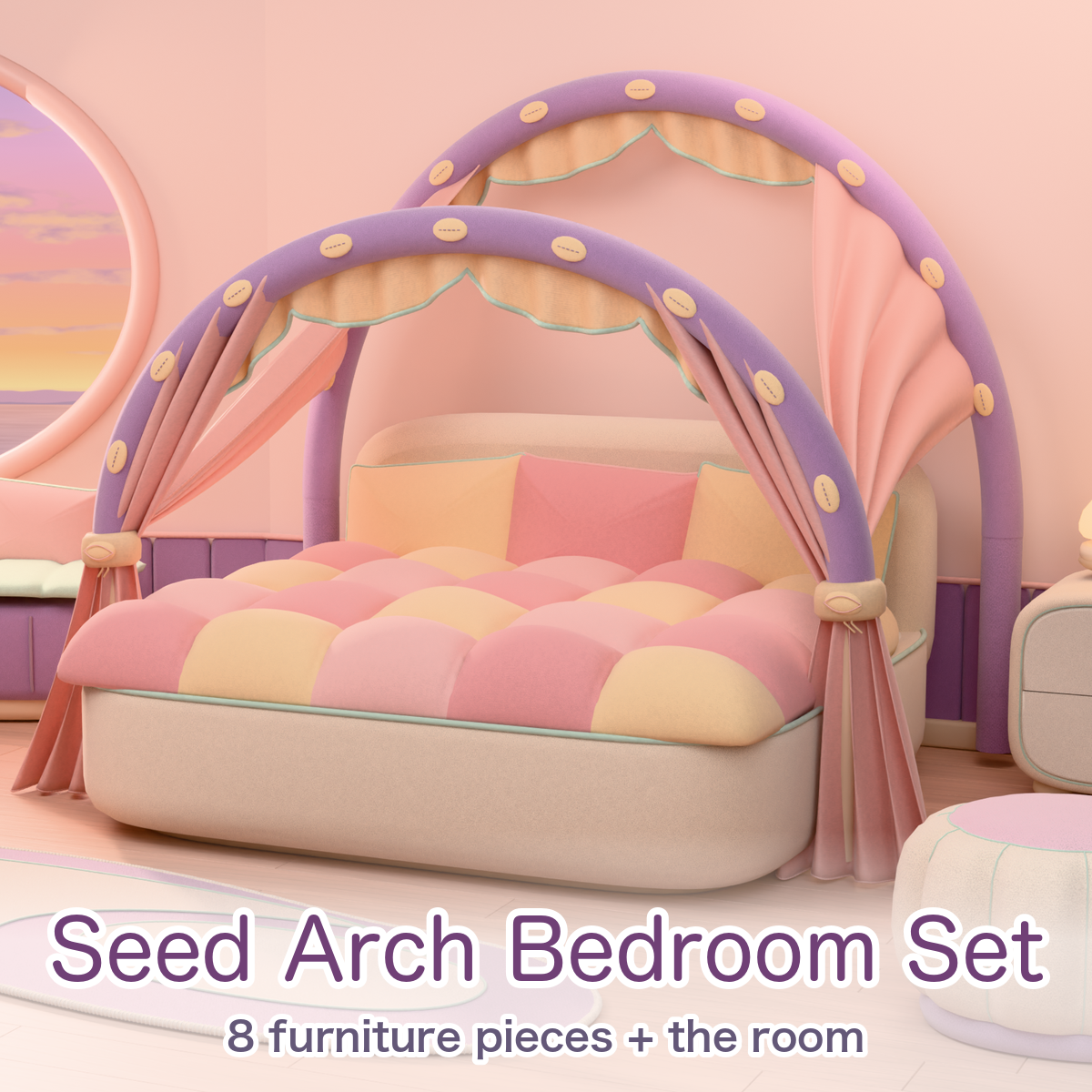
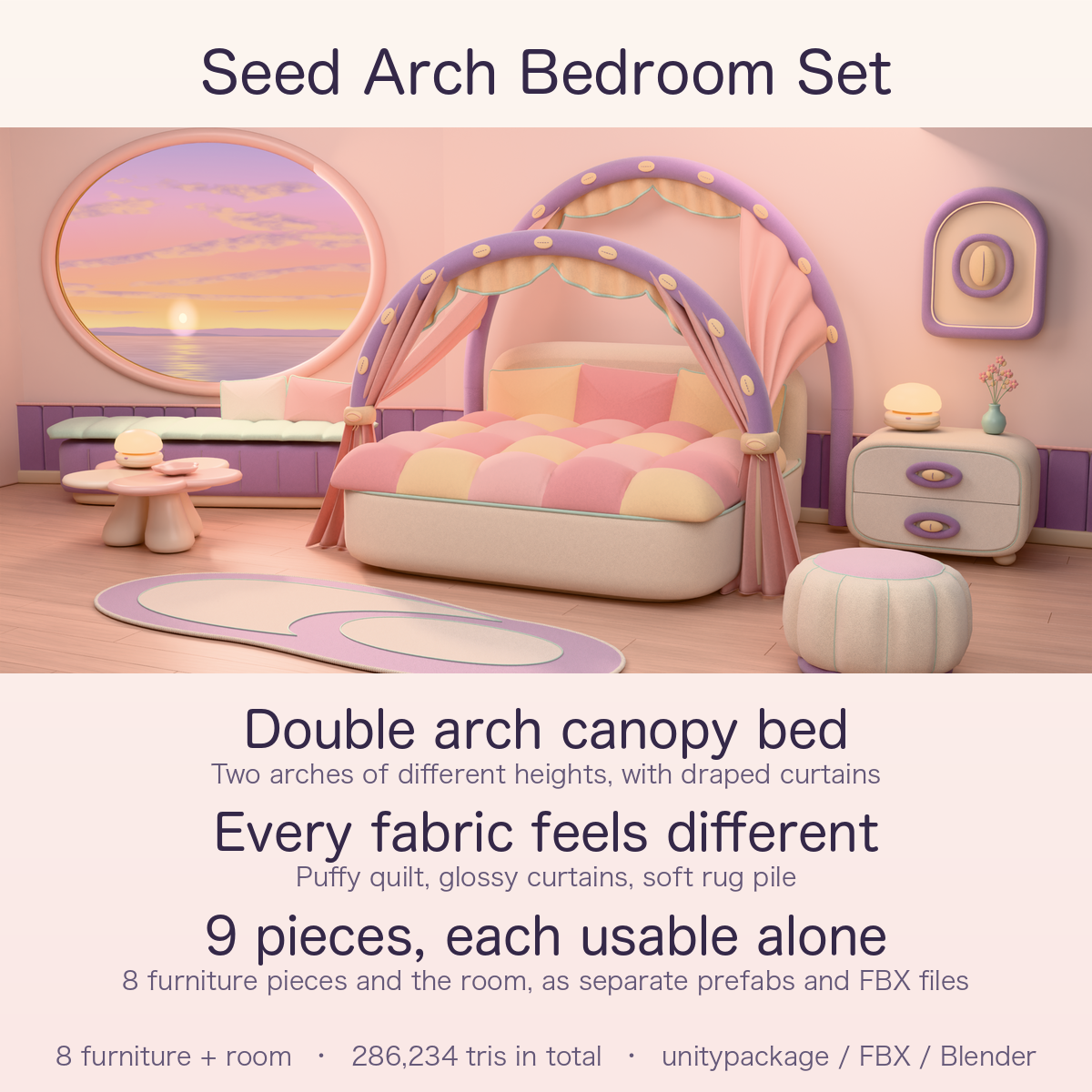
A pastel bedroom kit for VRChat worlds: a canopy bed with a double arch, 8 furniture pieces and a room shell.
Blender-made 3D models, delivered as a unitypackage for Unity.
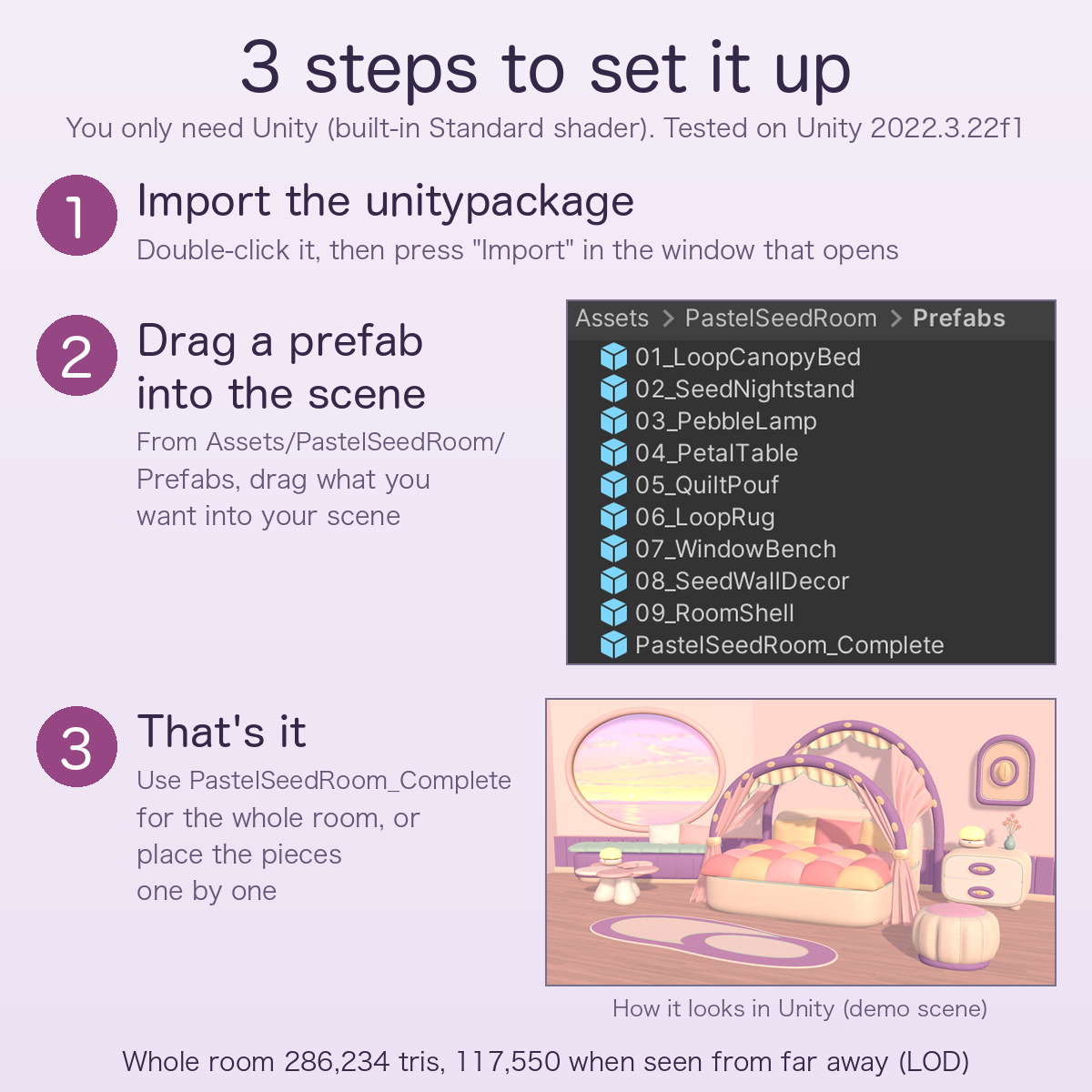
Triangle count for the full room: 286,234 at full detail, 117,550 with all distant LODs active.
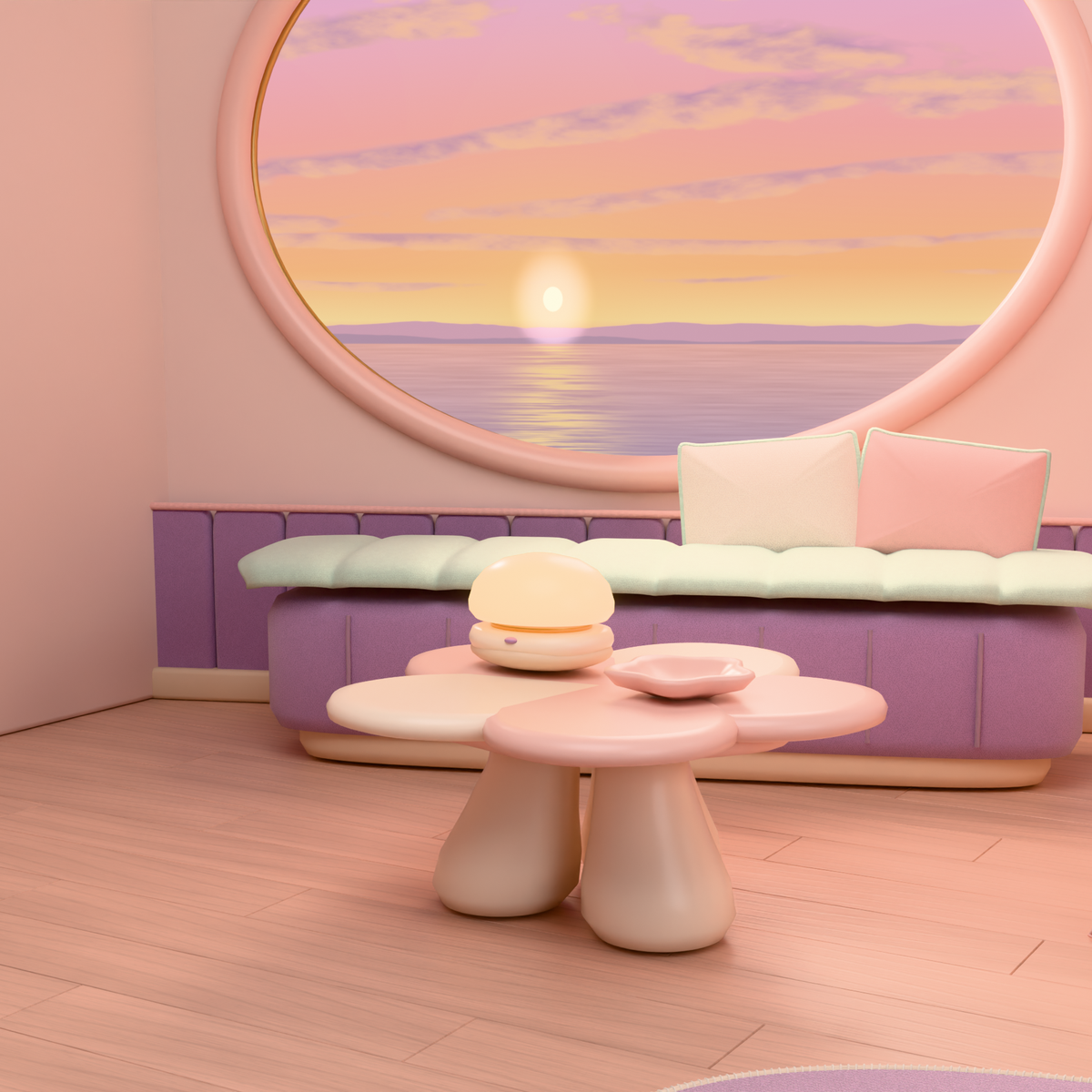
Pink, cream, lavender, pale yellow and mint trim. Round arches, seed-shaped ornaments and quilt stitching repeat across every piece. For world creators: import into Unity and place the prefabs in your world.
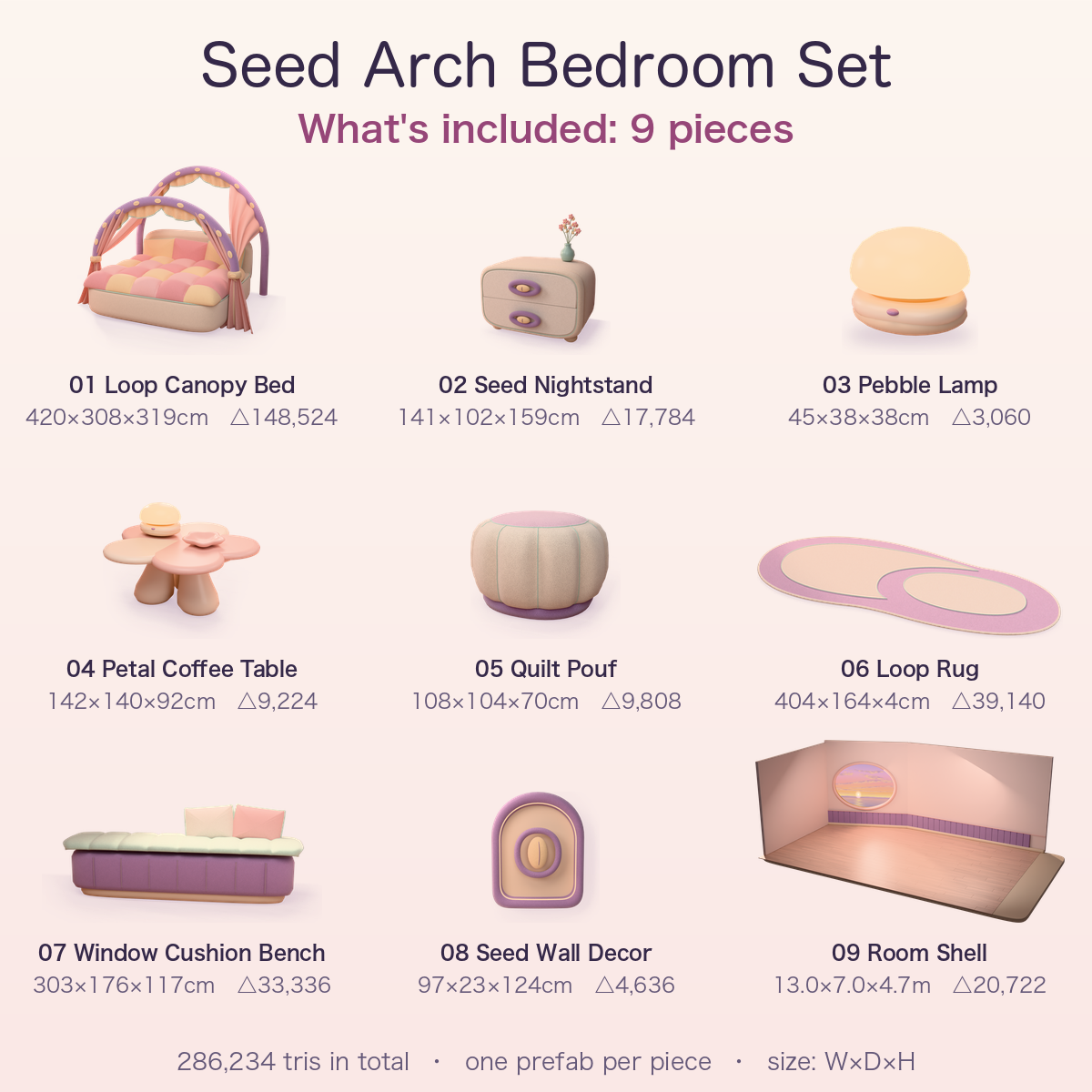
■ What is included
- 01 Loop Canopy Bed: 148,524 tris / 51,982 tris when far (about 35%) / W 4.20 x D 3.08 x H 3.19 m / materials: 12 / colliders: 4
- 02 Seed Nightstand: 17,784 tris / 6,224 tris when far (about 35%) / W 1.41 x D 1.02 x H 1.59 m / materials: 11 / colliders: 1
- 03 Pebble Lamp: 3,060 tris / no distant version (light enough) / W 0.45 x D 0.38 x H 0.38 m / materials: 5 / colliders: 0
- 04 Petal Coffee Table: 9,224 tris / no distant version (light enough) / W 1.42 x D 1.40 x H 0.92 m / materials: 6 / colliders: 1
- 05 Quilt Pouf: 9,808 tris / no distant version (light enough) / W 1.08 x D 1.04 x H 0.70 m / materials: 4 / colliders: 1
- 06 Loop Rug: 39,140 tris / 13,698 tris when far (about 35%) / W 4.04 x D 1.64 x H 0.04 m / materials: 6 / colliders: 0
- 07 Window Cushion Bench: 33,336 tris / 11,666 tris when far (about 35%) / W 3.03 x D 0.91 x H 1.17 m / materials: 6 / colliders: 1
- 08 Seed Wall Decor: 4,636 tris / no distant version (light enough) / W 0.97 x D 0.23 x H 1.24 m / materials: 5 / colliders: 0
- 09 Room Shell: 20,722 tris / 7,252 tris when far (about 35%) / W 13.03 x D 6.99 x H 4.71 m / materials: 9 / colliders: 4
- unitypackage (prefabs, meshes, materials and textures; it installs into Assets/PastelSeedRoom)
- A demo scene (the room lit by evening light) and a prefab with all 9 pieces already placed (PastelSeedRoom_Complete)
- FBX files (one per piece, the distant-version FBX files, and the assembled room) and texture PNGs (color, normal, roughness)
- Blender file for editing (opens in Blender 4.5; full set only)
- Manuals (Japanese and English) and terms of use
■ Full set
Includes all eight furniture pieces, the room shell, Unity demo scene, editable Blender source, and instructions and license in English and Japanese. On Jinxxy, download README_EN.txt first, then import PastelSeedRoom_FullSet_v1.0.unitypackage into Unity.
■ Quick start (Unity)
You need: a Unity 2022.3.22f1 project (Built-in). It does not depend on the VRChat SDK, lilToon or any other asset (only Unity's built-in Standard shader and colliders are used).
1. Double-click the unitypackage, or drag it into Unity, and press "Import".
2. From Assets/PastelSeedRoom/Prefabs in the Project window, drag the prefab you want into the scene. To place the whole room at once, use PastelSeedRoom_Complete.
3. The furniture comes with colors, fabric patterns and colliders. A demo scene is in Assets/PastelSeedRoom/Demo.
To upload a world to VRChat you need the VRChat SDK (Worlds). The SDK is not included (add it from VCC / ALCOM).
■ Add the room to a VRChat world and upload it
1. Import the unitypackage into a project with the VRChat Worlds SDK. Open a sample world scene and save a copy under a new name.
2. Drag Assets/PastelSeedRoom/Prefabs/PastelSeedRoom_Complete.prefab into the Hierarchy. Place the scene descriptor's spawn point slightly above a clear part of the floor.
3. Open the SDK control panel and sign in to your VRChat account under Authentication. In Builder, resolve scene errors, then set your world name, thumbnail and target platform.
4. On a supported system, test locally first. Check where you spawn, floor collisions and walking space. When ready, choose the online build and publish option to upload to your account. Uploading requires the New User rank or higher.
Official guide https://creators.vrchat.com/worlds/creating-your-first-world/
■ Colliders
- The bed, nightstand, table, pouf and bench have box colliders that follow their shape, so you can stand on them. There are 12 in the room.
- The lamp, rug and wall decor have none. The rug sits on the floor collider, so you can walk over it.
- The room shell has colliders for the floor and three walls (back, left, window). The front and right sides are open; add walls or fences in your world if you need them.
■ Distant versions (LOD)
5 of the heavier pieces have a LODGroup on the prefab that switches automatically to a lighter version (about 35% of the triangles) when the piece is far away.
■ Numbers
- Version: 1.0
- Triangles: 286,234 for the whole room (117,550 when everything has switched to its distant version)
- Per piece (triangles, size, materials, colliders): see the list under "What is included"
- Colliders: 12 in the room
- Materials: 27 Textures: 27 (17 color, 5 normal, 5 metallic-smoothness), sizes 2048 × 1024 px、2048 × 2048 px
- Unity: 2022.3.22f1 (Built-in) Shader: Unity built-in Standard shader
- Emission strength is kept lower than in the Blender renders, capped at 0.8
■ About weight
The whole room is 286,234 triangles. It is not a light set. The bed alone is 148,524 triangles. Even with everything switched to its distant version, the room is 117,550 triangles. If world weight matters, use only the pieces you need.
■ What was checked
- The unitypackage was imported into a clean Unity 2022.3.22f1 project (Built-in, Linear color space) and inspected. Full set: 345 checks passed, 0 failed, 0 console errors, 0 warnings.
- What was inspected: console, package contents, missing references, LOD, triangle counts, materials, UV, placement, colliders, room layout, textures, demo scene.
- The 8 single pieces were inspected one by one in the same way: 0 failures in total, 0 console errors and warnings in total (33 to 101 checks passed per piece).
- Screenshots (21: room, colliders, single pieces, LOD, editor views) were judged by eye: 21 passed.
- For 9 of the 9 zip files, the contents were confirmed to match the release folder.
■ What was not checked
- Behaviour inside the VRChat client (world upload, players standing on colliders in game)
- Quest / Android (texture size, performance, appearance)
- Light baking (lightmaps from the LightmapUV set, baked emission)
- Projects in Gamma colour space (only Linear was tested)
- Unity versions other than 2022.3.22f1, and importing on Windows
- Frame rate / performance in a real world
- Post-processing / bloom looks
- Importing a single package and the full set into the same project (they share GUIDs by design, not tested)
- How far away the LOD switch is noticeable in a real world (switch at 25% screen height, no cross-fade)
Combinations not listed above (other render settings, other shaders) have not been checked either.
■ About the images
The images are renders of the real 3D models, made in Blender. Inside Unity and VRChat, colors and surface looks change with lighting and the shader (Unity built-in Standard shader). Fabric sheen and the see-through look of the curtains are not reproduced by the Standard shader, so fabric looks a little more matte than in the Blender images.
■ Notes
- These are 3D assets for worlds. They do not attach to avatars.
- If you build a world for Quest, lowering each texture's Max Size makes it lighter. For how it looks on Quest, see "What was not checked" above.
- After downloading this digital product, we do not offer refunds for a change of mind. Refunds required by Jinxxy’s Refund Policy or applicable law still apply.
■ How this was made
- AI-Assisted (the 3D models): the shapes are generated by a Blender program, and AI assistance was used to write that program. The fabric and wood texture images (color, normal, roughness) are also generated by a program.
- AI-Generated (planning only): concept art made with an image-generation AI was used while designing. It is not part of the product and is not used in the product images.
- Not AI: the product shown in the images is a render of the real 3D models made in Blender.
■ License (summary)
The bundled terms of use are authoritative. By purchasing you agree to them.
- Allowed: use in VRChat and other social VR worlds, games, streams, videos and photos (monetized use is fine; public, friends-only and private worlds); modification (recoloring, reshaping, reducing polygons, combining with other models); use without credit.
- Not allowed: redistributing, reselling or giving away the data itself, modified or not; making it available in an extractable form (for example, bundling the unitypackage or FBX with a world download); selling it as an asset pack; claiming it as your own work; use against public order and morals, defaming others, political or religious activity; NFTs; use as AI training data.
- The seller is not liable for damage arising from use.
■ Terms of use (full text)
Seed Arch Bedroom Set - Terms of Use
Date: 2026-11-20 Seller: kAwaIi
By purchasing or downloading this data you agree to these terms. If the Japanese and English versions differ, the Japanese version applies.
ALLOWED
- Use by individuals and companies in worlds for social VR such as VRChat, in games, streams, videos, photos and illustrations
- Placing the data in a world and uploading that world as public, friends-only or private
- Use in monetised streams and videos
- Modification (recolouring, reshaping, reducing the polygon count, combining with other models)
- Commissioning someone to modify it, when both parties have purchased this data
- Use without credit (credit is appreciated)
NOT ALLOWED
- Redistributing, reselling or giving away the data itself (unitypackage, FBX, texture images, Blender files and so on), modified or not
- Making the data available in a form others can extract and use (for example, bundling the unitypackage or FBX with a world download or an asset pack)
- Selling the data as an asset pack, modified or not
- Claiming the data as your own work
- Use that is against public order and morals, that defames others, or for political or religious activity
- Use in NFTs or any form that claims ownership of the data
- Use as training data for AI
SELLING WORLDS
You may publish a world using this set for free and use it as a background in monetized streams and videos.
You may sell a finished, built world only if your own creative work is its main attraction and the result is clearly distinct from the bedroom supplied in this set. For example, if you design and build a hotel and use the furniture in one guest room, you may sell the finished hotel world.
You may not sell the supplied bedroom as it is or with only changes such as recoloring, rearranging furniture or adding props. You may not redistribute or resell the furniture or room assets, whether modified or unmodified, on their own or bundled with another product. A finished world you sell must not include the assets in a form that buyers can extract and reuse.
DISCLAIMER
The seller is not liable for any damage arising from use of this data.
The terms in effect at the time of purchase apply to that purchase.
Contact: https://00ookawaiioo00.booth.pm/